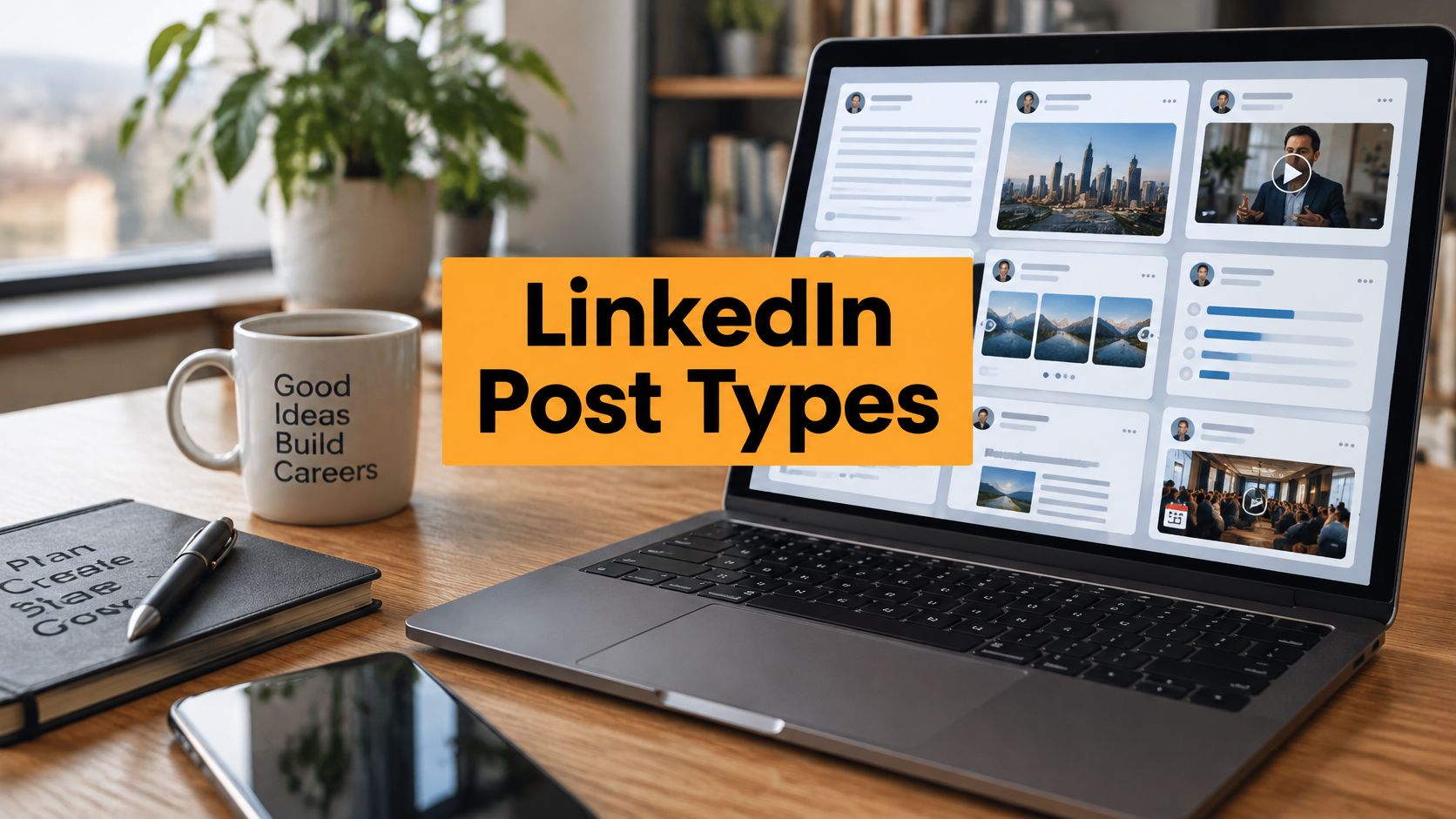
The most popular LinkedIn advice is usually wrong in one important way: it assumes one formula works for everyone. A dramatic hook, a short story, and a question at the end may help one post, but they won't automatically build authority, start a useful discussion, or explain a complex idea.
The best LinkedIn post draft is built around a job. Maybe you want to demonstrate expertise, connect through a difficult experience, teach a practical skill, comment on breaking news, celebrate progress, or show more personality. Each outcome calls for a different structure, tone, level of proof, and audience prompt.
That doesn't mean you need to sound manufactured. It means you should choose the right container before polishing the words. The eight formats below pair a customizable draft structure with guidance on audience, risk, formatting, and AI prompts, so you can adapt the pattern without losing your voice. When you need a faster, more personal starting point, RedactAI can analyze your posting history and experiences to help shape a draft around your actual perspective.
1. Thought Leadership and Industry Authority Post
Authority posts work when they offer a clear point of view, not when they announce that you have one. Your reader should come away with a useful interpretation, a sharper question, or a practical decision they can make differently.
A strong structure is:
Most people in [industry] focus on [common approach]. The bigger issue is [your observation].
I noticed this when [specific experience, customer pattern, project, or result].
The practical implication is:
[Point one]
[Point two]
[Point three]If you're working on [relevant challenge], start by [specific action].
Use this format for peers, buyers, senior leaders, or specialist communities. The tone should be confident but grounded. A claim supported by your direct experience, original analysis, or credible evidence is more persuasive than a string of predictions.
A post about cloud strategy, for example, shouldn't repeat that cloud matters. It could explain why a team is prioritizing platform reliability over adding more services, then describe the operational trade-off. That gives readers something to debate.
Drafting choices that protect credibility
Avoid overstating limited experience. Say what you observed and where the observation may not apply. If you use external evidence, link to the original source and explain how it connects to your argument. Don't turn a benchmark into proof that every company should make the same decision.
For a sense of the strategic thinking behind this format, see this guide to thought leadership content strategy.
Use a document or carousel when the argument needs several steps. One 2026 benchmark of 1.3 million LinkedIn posts reported an average engagement rate of 5.20%, while native document posts reached 7.00% and increased 14% year over year in that analysis, according to Socialinsider's LinkedIn benchmark. That doesn't make documents mandatory, but it makes them worth considering when your insight benefits from visual progression.
AI prompt: “Turn this observation into a LinkedIn authority post for [audience]. Keep the claim limited to what I can support, use a direct and conversational tone, include one practical implication, and flag any sentence that needs evidence.”

2. Personal Story and Vulnerability Post
Personal posts don't need dramatic trauma to feel human. A small professional moment can work better when it contains a concrete detail, a real tension, and a lesson the reader can use.
Try this structure:
Opening: “I used to believe [old belief].”
Scene: Describe the moment that challenged it. Include what happened, what you expected, and what went wrong or changed.
Reflection: “The part I misunderstood was [specific realization].”
Application: “Now, when [similar situation] happens, I [new behavior].”
Invitation: “What professional belief have you changed your mind about?”
The audience for this format is anyone who values context and connection, including colleagues, candidates, clients, and other professionals navigating a similar transition. Keep the story yours, but don't make the reader work to find the relevance.
A founder might write about avoiding a difficult customer conversation, then explain how delayed honesty created more work for the team. A manager might share the first time a well-intended feedback approach failed. These stories have stakes without requiring private information about other people.
Vulnerability needs boundaries
Before publishing, ask whether the story serves the reader or merely relieves the writer. Remove identifying details about colleagues, customers, or candidates unless you have permission. Consider whether enough time has passed for you to describe the event thoughtfully, rather than posting while emotions are still controlling the interpretation.
A useful distinction appears in this guide to personal narrative writing. A personal narrative isn't a confession dump. It's a shaped account with meaning, context, and a reason for the audience to care.
Use a photo only when it reinforces the emotional context. A thoughtful image with a short overlay such as “My turning point” can support the story, but generic stock photography can make an honest post feel staged.
AI prompt: “Help me structure this personal story without exaggerating it. Preserve the uncomfortable detail, remove information that could identify another person, avoid inspirational clichés, and end with a practical lesson rather than a forced triumph.”

3. Educational and How-To Post
Educational posts earn attention by reducing effort. The reader should know what to do next without translating a vague principle into a process.
Start with the problem:
“Your [task] keeps producing [friction]. Use this simple process instead.”
Then give the method:
- Define the input: State what someone needs before starting.
- Make the first decision: Explain the choice that prevents wasted effort.
- Show the action: Give the exact behavior, tool, or sequence.
- Add a quality check: Tell readers how to know whether it worked.
- Name the common mistake: Warn them what usually undermines the process.
For example, a recruiter could explain how to turn a broad hiring brief into a sharper outreach message. A content strategist could show how to convert one customer question into a post, a carousel, and a follow-up discussion. The examples should come from work you understand, not from a generic template.

Choose clarity over density
Use short lines, numbered steps, and one idea per paragraph. A document can work well when the process needs screenshots, examples, or a before-and-after comparison. A text post is often better when the method can be understood in a few clean steps.
Don't invent a case study to make the lesson sound more credible. Use your own example, label it as an example, or explain the scenario hypothetically. You can also link to a relevant resource, but the post should still contain enough value to stand on its own.
For a video companion, demonstrate the process rather than reading the post aloud. A screen recording, annotated walkthrough, or brief explanation of a common mistake gives the audience a reason to watch.
AI prompt: “Turn these notes into a practical LinkedIn tutorial for [audience]. Keep the steps in a logical order, add a realistic example using only the details I provide, and identify one likely follow-up question for the comments.”
4. Motivational and Inspirational Post
Motivation works best when it has evidence of effort behind it. “Keep going” is easy to ignore. “I nearly stopped after [specific setback], but this small next step changed how I approached the work” gives encouragement a believable foundation.
A useful draft pattern is:
“I didn't feel ready for [challenge].”
“I was dealing with [specific obstacle], and the obvious response was [temptation or fear].”
“What helped wasn't [popular but unhelpful idea]. It was [small action, support, habit, or decision].”
“If you're facing [related situation], focus on [practical next step]. Progress can look like [grounded example].”
This format suits professionals who want to encourage a team, acknowledge a difficult period, or connect a timely moment to a broader lesson. It can fit a Monday post or a career transition, but the calendar shouldn't be the only reason the message exists.
The trade-off is between emotional energy and credibility. Powerful language can create momentum, but too much certainty can alienate people who are still struggling. Acknowledge the difficulty instead of pretending every setback is secretly a gift.
Keep the reader in the story
Don't make the post an award speech disguised as advice. Give credit to mentors, teammates, customers, or family members when they shaped the outcome. Then offer an action the reader can take without needing your exact circumstances.
An image of a finished project, a team after a demanding launch, or a simple work-in-progress detail usually supports this format better than a polished quote graphic. Your words should carry the message.
AI prompt: “Rewrite this experience as an encouraging LinkedIn post. Keep the setback specific, avoid generic success language, acknowledge what remained difficult, and give the reader one realistic action they can take this week.”
5. Industry News and Commentary Post
News commentary should do more than repeat a headline. The reader can find the announcement elsewhere. Your value is in explaining what changed, who it affects, and what deserves attention next.
Use this structure:
The update: “Today, [organization] announced [verified development].”
The immediate meaning: “At first glance, this looks like [common interpretation].”
Your analysis: “The more important shift is [specific implication].”
Who should care: “This matters most for [audience] because [reason].”
What to watch: “Over the next phase, pay attention to [signal, decision, or behavior].”
Link to the credible announcement or reporting you used. Check the date, wording, and scope before publishing. A rushed post that misstates a policy, product change, or regulation can damage trust faster than a late post can.
Add interpretation, not heat
A technology leader commenting on AI regulation could explain how a new requirement might affect procurement, documentation, or product design. A marketer discussing a platform change could separate confirmed behavior from speculation. That distinction makes the post useful even when the news is contentious.
Don't turn every news item into a prediction about the entire industry. State your confidence level in ordinary language. “This may create pressure for” is more responsible than presenting an uncertain consequence as inevitable.
A benchmark of 100,459 LinkedIn posts published from 2023 through August 2026 found a median engagement rate of 2.29%, with a 90th-percentile rate of 7.65%, as reported by ContentIn's LinkedIn engagement benchmark. The broader lesson is practical: a timely topic doesn't rescue a weak point of view. The framing and usefulness still matter.
AI prompt: “Separate confirmed facts from interpretation in these notes. Draft a timely LinkedIn commentary post with a neutral opening, one clear implication for [audience], and a cautious section on what to watch next. Do not add facts that aren't in my source material.”
6. Announcement and Milestone Post
An announcement post should answer three questions quickly: what happened, why it matters, and who helped make it possible. Readers don't need a long victory lap, but they do want enough detail to understand the significance.
Try this draft:
“Today, I'm excited to share that [specific achievement].”
The reason is [customer, team, product, career, or community impact].
“We reached this point through [specific effort or turning point]. I'm grateful to [people or groups] for [concrete contribution].”
“Next, we're focused on [forward-looking priority].”
“What would you like to know about [the work, role, product, or next phase]?”
The format works for a new role, product launch, work anniversary, certification, partnership, or completed project. It becomes weaker when the achievement is described with vague superlatives. Name the responsibility, outcome, or next step instead.
Celebrate without making the audience invisible
A promotion post that only says “I'm thrilled” feels like a broadcast. A better version explains what the new role will involve and thanks the people who created the opportunity. A launch post should connect the product to the problem it addresses, not list features.
Use a team photo, product image, event picture, or simple branded graphic when it adds context. Don't attach a visual just to fill the media slot. If the announcement includes a link, give readers a reason to click and summarize the useful part in the post itself.

AI prompt: “Draft a professional announcement from these facts. Lead with the achievement, explain why it matters, thank the named contributors accurately, and end with the next priority. Keep the tone proud but measured, and don't add claims about impact I haven't supplied.”
7. Question and Poll Post
A question post isn't a request for empty engagement. It should reflect a real decision, disagreement, or curiosity that your audience can answer from experience.
Weak question: “What do you think about remote work?”
Stronger question: “For teams that work across time zones, which practice has made collaboration easier: fewer meetings, clearer written decisions, overlapping core hours, or something else?”
The second version gives people a starting point while leaving room for nuance. A poll can collect quick signals, but the options need to be distinct and understandable. If the subject requires explanation, use an open question instead.
A practical structure is:
“I'm deciding how to approach [specific situation].”
“My current view is [position], because [reason].”
“I'm especially interested in how [audience segment] handles it.”
“What has worked for you, and what failed?”
Treat the replies as part of the post
The original question is only the opening move. Respond to useful answers, ask follow-up questions, and return with what you learned. If you ask people to share their experience and then disappear, the post feels like research extraction rather than conversation.
For more ways to create meaningful participation, explore these interactive content ideas.
The format can support community building, customer discovery, hiring insight, or internal learning. Its risk is false simplicity. Don't use a poll to settle a complex issue that needs context, and don't imply that a small group of responses represents an entire market.
AI prompt: “Convert this topic into one genuine LinkedIn question and, if appropriate, a poll with distinct answer choices. Make the wording specific enough for experienced professionals, avoid leading respondents, and suggest two thoughtful follow-up replies.”
8. Humorous and Lighthearted Post
Professional humor works when the audience recognizes the situation before they analyze the joke. Use familiar workplace friction, harmless contradictions, or the gap between a process on paper and the way people behave.
A simple structure is:
“Company policy: [ideal behavior].”
“Also the company: [relatable contradiction].”
“Every [role or team] has seen this. The fix is usually [light practical observation].”
For example:
“Project plan: ‘We'll keep the scope tight.’
Also project plan: ‘Can we add one small request from sales, legal, support, and the CEO?’
The work isn't always hard because the task is complex. Sometimes it's hard because everyone gets a vote after the deadline.”
The best targets are universal professional experiences, not named individuals or vulnerable groups. A joke about unclear meeting decisions is safer than a joke about a colleague's mistake. Satire aimed upward or at a shared system usually travels better than humor aimed at one person.
Timing and editing matter
Humor loses force when the setup takes too long. Cut the explanation after the punchline. Use a workplace image, meme, or GIF only if the visual improves the joke and fits your professional context.
This format can humanize a technical leader, make a brand more approachable, or give a recruiter a recognizable way to discuss hiring realities. It can also confuse audiences if your normal voice is formal and the joke feels disconnected. Keep enough context that readers know what you believe.
AI prompt: “Create three lighthearted LinkedIn angles from this workplace observation. Keep the humor kind, avoid targeting individuals or protected groups, preserve the professional context, and explain the practical truth underneath each joke.”
LinkedIn Post Drafts: 8-Type Comparison
| Post Type | Complexity 🔄 | Resources & Time ⚡ | Expected Outcomes 📊 | Ideal Use Cases 💡 | Key Advantages ⭐ |
|---|---|---|---|---|---|
| Thought Leadership / Industry Authority Post | High 🔄, deep research & original analysis | High ⚡, data, citations, sustained effort | High 📊, credibility, speaking & partnership opportunities ⭐⭐⭐⭐ | Executives, consultants, analysts, founders 💡 | Positions author as authority; attracts decision‑makers ⭐ |
| Personal Story / Vulnerability Post | Medium 🔄, craft narrative, manage tone/privacy | Low–Medium ⚡, writing time, emotional labor | Very high 📊, engagement, loyalty, share potential ⭐⭐⭐⭐ | Entrepreneurs, career changers, coaches, personal brands 💡 | Builds deep emotional connection; highly shareable ⭐ |
| Educational / How-To Post | Medium 🔄, structured steps and clarity | Medium ⚡, research, examples, formatting | Reliable 📊, consistent engagement and utility ⭐⭐⭐ | Marketers, educators, SaaS PMs, consultants 💡 | Practical, actionable content; easy to repurpose ⭐ |
| Motivational / Inspirational Post | Low 🔄, concise, uplifting messaging | Low ⚡, quick to produce, minimal research | High 📊, frequent shares and positive engagement ⭐⭐⭐ | Coaches, sales, HR, founders 💡 | Energizes audience; reinforces positive brand tone ⭐ |
| Industry News / Commentary Post | Medium–High 🔄, timely analysis + sourcing | Medium ⚡, monitoring, fast turnaround | Short-term boost 📊, visibility and relevance ⭐⭐⭐ | Consultants, marketing agencies, founders, BD pros 💡 | Captures trending attention; shows industry awareness ⭐ |
| Announcement / Milestone Post | Low 🔄, clear, celebratory format | Low ⚡, visuals and brief copy | Moderate 📊, network engagement and credibility signals ⭐⭐ | Founders, sales, employees, freelancers 💡 | Celebrates achievements; strengthens relationships ⭐ |
| Question / Poll Post | Low 🔄, simple to design but needs follow-up | Low ⚡, poll setup, moderation time | Very high 📊, engagement and audience insights ⭐⭐⭐⭐ | Community builders, market researchers, HR, marketers 💡 | Drives comments, collects quick audience data ⭐ |
| Humorous / Lighthearted Post | Low–Medium 🔄, requires comedic timing & sensitivity | Low ⚡, creative effort; visuals often helpful | High 📊, shareability and memorability ⭐⭐⭐ | Marketers, founders, sales, personal brands 💡 | Humanizes brand; stands out in feed and boosts likability ⭐ |
Turn One Draft Into a Repeatable Content System
Choose the format from the outcome you need today, not from whatever style performed well for someone else. If you want to demonstrate expertise, use the authority pattern. If you want connection, use a bounded personal story. If the audience needs a skill, teach a process. If the topic is current, add interpretation to verified news. For a celebration, explain the achievement and the next responsibility. For conversation, ask a question you want answered. Use humor when a shared professional truth can carry the post without putting someone else down.
Then customize five parts before you publish:
- Hook: Replace the generic opening with a tension, observation, scene, or question your audience recognizes.
- Proof: Add your experience, source, example, screenshot, or explanation. If you can't support a claim, narrow it.
- Voice: Keep the words you naturally use. Remove phrases you wouldn't say to a colleague.
- Audience prompt: Ask for a decision, experience, reaction, or follow-up question, not a vague request for engagement.
- Call to action: Tell readers what to do next, whether that's testing a process, sharing an example, reading a resource, or responding to a specific question.
Format deserves deliberate attention. A 2026 analysis of 1.3 million LinkedIn business posts reported average engagement of 7.00% for native documents or carousels, 5.30% for images, 4.50% for text-only posts, and 3.25% for link posts, according to this LinkedIn benchmark analysis. Those figures describe that analysis, not a guarantee for your account. They do suggest that a document-first draft may deserve the extra effort when your idea benefits from structure and visual explanation.
Review comments and analytics after publishing. Look for repeated questions, objections, saves, meaningful conversations, and topics that attract the right audience. A strong authority post can become an educational walkthrough. A question can become a commentary post. A personal story can become a practical framework. Recycle the underlying idea, but change the angle, example, format, and conclusion so you're developing the thought rather than copying yourself.
AI can help most when you provide context before asking for copy. Give it your experience, audience, evidence, tone, boundaries, and desired outcome. Ask for several structural options, then check every factual statement and personal detail. The final edit should sound like you because you supplied the judgment and made the decisions.
RedactAI is one option for generating personalized LinkedIn drafts, finding niche-specific ideas, optimizing copy, scheduling updates, recycling strong content, and tracking performance. Its workflow can help you move from a few keywords to multiple starting points while keeping the responsibility for accuracy and authenticity with you.
RedactAI helps professionals turn personal context, posting history, and a few keywords into LinkedIn post drafts matched to their voice. Visit RedactAI to explore personalized ideas, copy optimization, scheduling, and performance tracking for your next post.