
A content calendar is a planning system that maps what you publish, when you publish it, where it appears, and who owns each step. It has become standard practice, with 96% of the most successful content marketers using one.
The Monday Morning Every Creator Recognizes
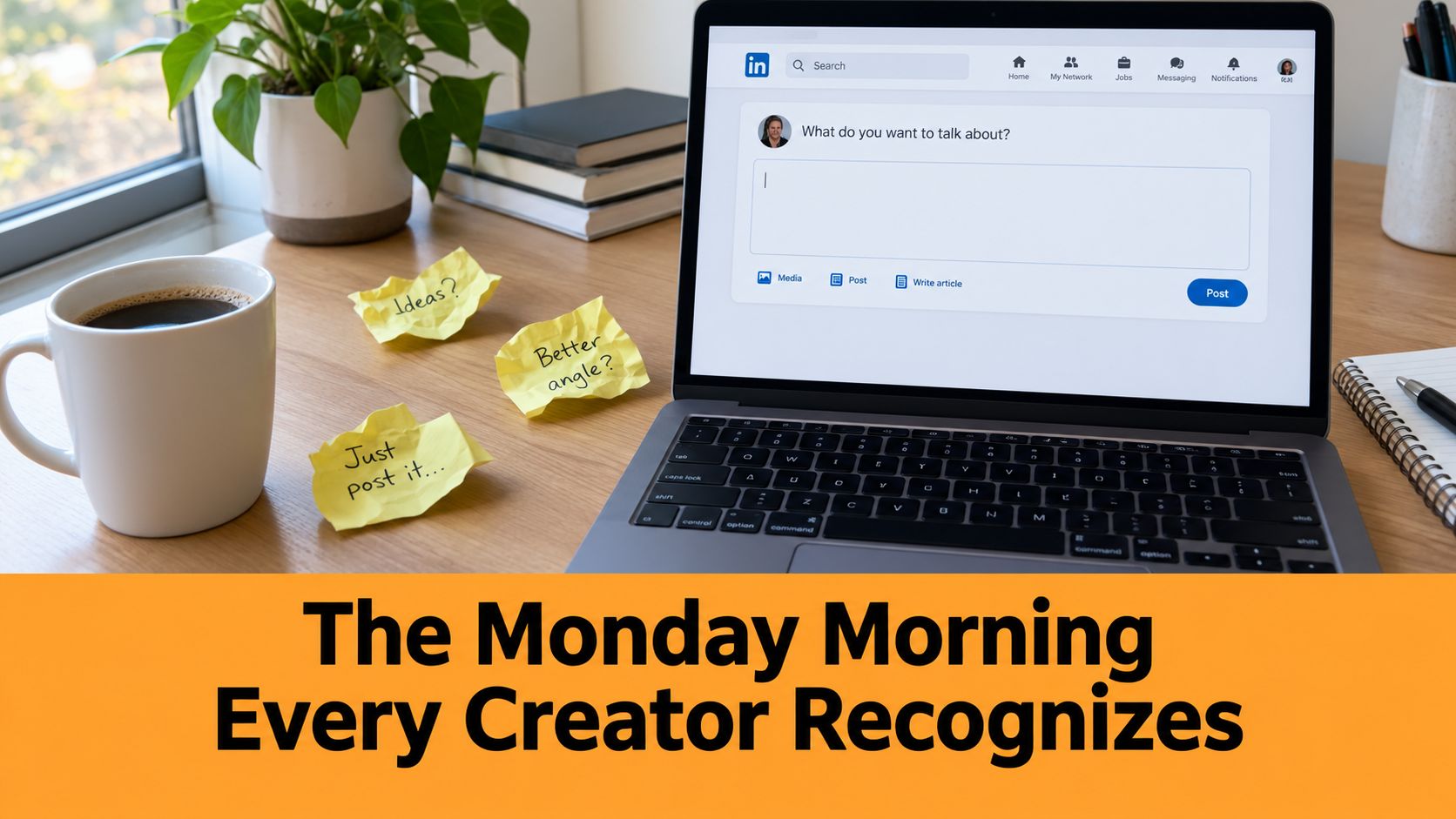
Monday begins with coffee, a blinking cursor, and three LinkedIn drafts that felt brilliant last week. One tells a story about a difficult client. Another lists lessons from a recent project. The third contains a strong idea hidden beneath a weak opening.
You open LinkedIn and start deciding from scratch. Should today's post be text, a carousel, or a poll? Should you share expertise, explain a personal lesson, or respond to industry news? What should the first sentence say, and when should the post go live?
Each choice is manageable alone. Together, they turn publishing into a daily negotiation. By Wednesday, you may reuse an old idea, skip the post, or publish something that does not support your wider message. The problem is not creativity. You are repeatedly solving the same planning problem every morning.
The decision moves to an earlier moment
A content calendar gives those decisions a place before publishing day. You might reserve Tuesday for a practical lesson, Thursday for a personal story, and Friday for an industry observation. Beside each idea, you can record the hook, format, purpose, and writing status.
Planning works best in three simple horizons. Keep today's post ready to publish, shape this week's ideas into a workable queue, and collect next month's possibilities without forcing them into finished drafts. The system stays flexible while giving you a clear next action.
You are no longer asking, “What should I post today?” You are asking, “Which prepared idea fits today's slot, and what must happen before it goes live?” That small change protects your attention for writing and responding to readers.
Editorial calendars originally helped newspapers and magazines coordinate writers, editors, deadlines, and recurring features. Digital publishing added blogs, social platforms, email, video, and podcasts to the same planning challenge. Teams can publish 10 to 15 pieces per week across channels, while some campaigns require 50 or more individual posts, as described in this overview of content calendar planning.
A solo LinkedIn creator does not need that level of machinery. One page with a few useful fields can show what is ready, what needs work, and what belongs in the idea bank. A short weekly review then turns Monday's pile of unfinished thoughts into one clear next step.
A Working Definition of a Content Calendar
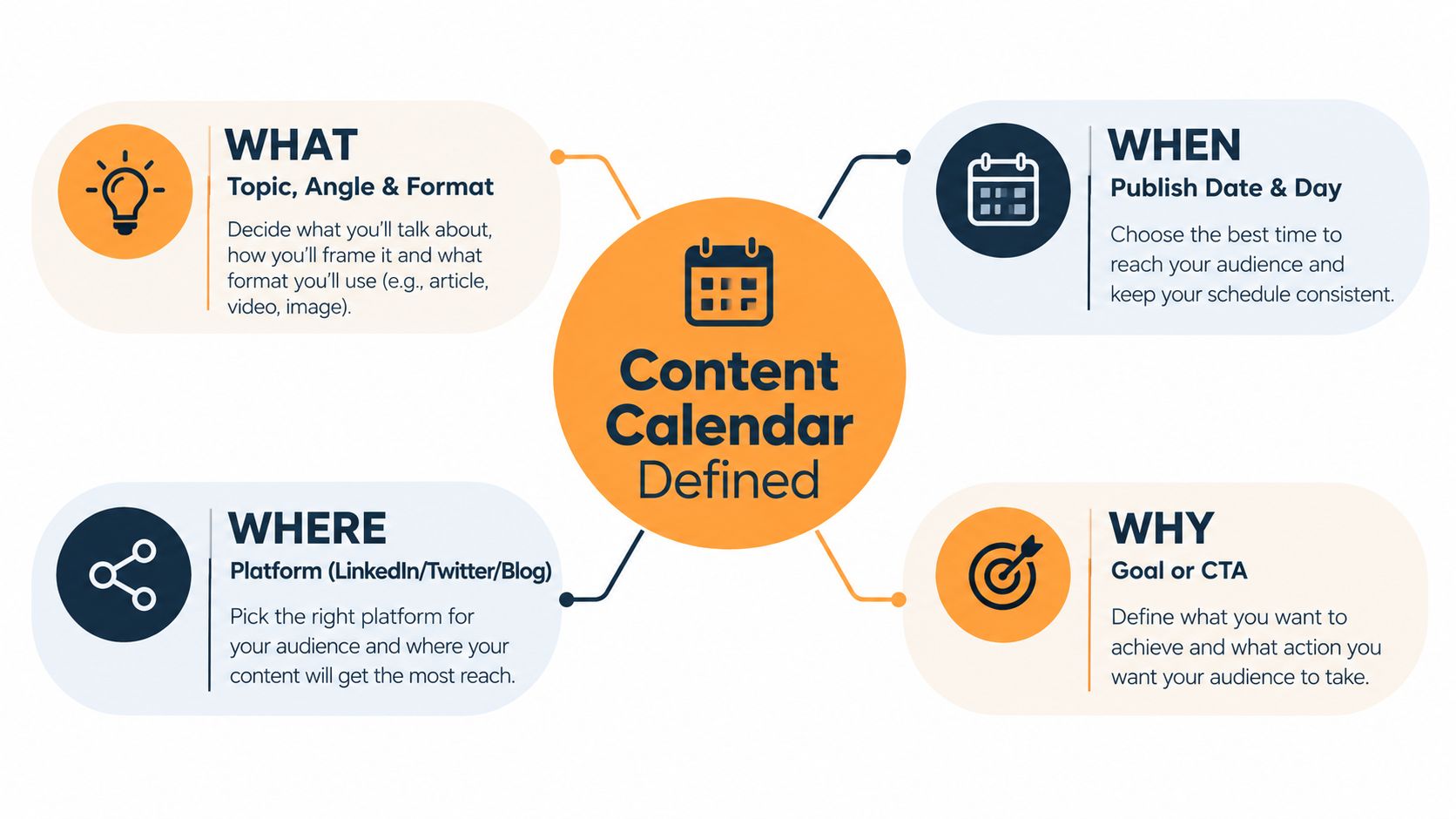
Think of a content calendar as a simple answer system. Every planned piece should answer four questions:
- What are you publishing? The topic, angle, hook, and format.
- When will it go live? The intended date and time slot.
- Where will people see it? LinkedIn, a newsletter, a blog, or another channel.
- Who is responsible? You, a ghostwriter, an editor, a designer, or another contributor.
That's the core of what is content calendar planning in practical terms. It isn't just a list of dates. It's a shared operating system for moving an idea from thought to published piece.
A calendar is a system, not a specific tool
You can build one in Google Sheets, Notion, Trello, Airtable, or a paper notebook. The tool matters less than whether you can quickly see the information needed to act.
A useful row might say:
Tuesday, LinkedIn text post, “Why I stopped cold pitching,” founder lesson, draft in progress, owned by me.
That row gives you direction without forcing you to reopen the entire strategy. It also shows what's missing. If the post has a topic but no hook, it isn't ready for drafting. If it has a hook but no owner, the workflow may stall later.
The calendar can also connect to repurposing. A LinkedIn post might become a newsletter idea, a short video outline, or a discussion prompt. If you're comparing different setups, this guide to content calendar formats and integration can help you think through how a calendar fits with the rest of your workflow.
The repeatable definition is simple: a content calendar tells you what to publish, when to publish it, where it belongs, and who moves it forward.
The Six Core Components Inside Every Calendar
A reliable calendar row should let you understand the next piece at a glance. You shouldn't need to search through old notes, messages, and folders before you can begin writing.
The six components below create that quick operational view.
| Component | Example for a LinkedIn Creator |
|---|---|
| Publish date and time slot | Tuesday morning, reserved for an educational post |
| Channel and format | LinkedIn text post, with a carousel alternative |
| Topic and hook | “Why I stopped cold pitching,” used as a curiosity-led opening |
| Pillar or theme tag | Founder lessons, connected to a broader expertise theme |
| Owner and approver | Me for the draft, editor for the final polish |
| Status and link | Scheduled before publishing, then the live post URL afterward |
Date and format remove unnecessary choices
The date gives the idea a place in your week. The format tells you how to shape it. A lesson that works as a text post may need a different structure as a carousel, so recording the format early prevents you from drafting in the wrong shape.
The channel matters even when LinkedIn is your only active platform. A LinkedIn post has different expectations from a newsletter, blog article, or video. If you later repurpose it, add the supporting channel as another field rather than assuming every platform can receive identical copy.
Topic, pillar, and ownership protect your message
A topic tells you what the post covers. A hook tells you why someone should keep reading. “Client work” is a topic area. “The client didn't need more leads. They needed a clearer offer” is closer to a usable hook.
A pillar gives the post a home in your wider positioning. You might use tags such as founder lessons, writing process, and industry commentary. These tags make gaps visible. If every row is commentary, your calendar may be active without showing the full range of your expertise.
Ownership becomes important as soon as another person touches the work. Even a solo creator can use it to separate drafting, editing, design, scheduling, and final review. A clear owner prevents the vague assumption that someone else is handling the next step.
Status and links close the loop
Use plain statuses such as idea, drafting, review, scheduled, and published. Once a post is live, add its URL. That turns the calendar into a record of what shipped, not just a collection of intentions.
If you use separate tools for planning, scheduling, and engagement, compare them based on the workflow you need. A practical AI LinkedIn comment tool review may be useful when deciding how post planning connects with conversation after publication.
The goal isn't to create a perfect database. It's to make the next action obvious.
Planning on Three Horizons So You Never Drown
Many creators plan only inside the next seven days. That feels productive because the work is immediate, but it also creates the Monday problem. Without a wider direction, each post has to prove its value on its own.
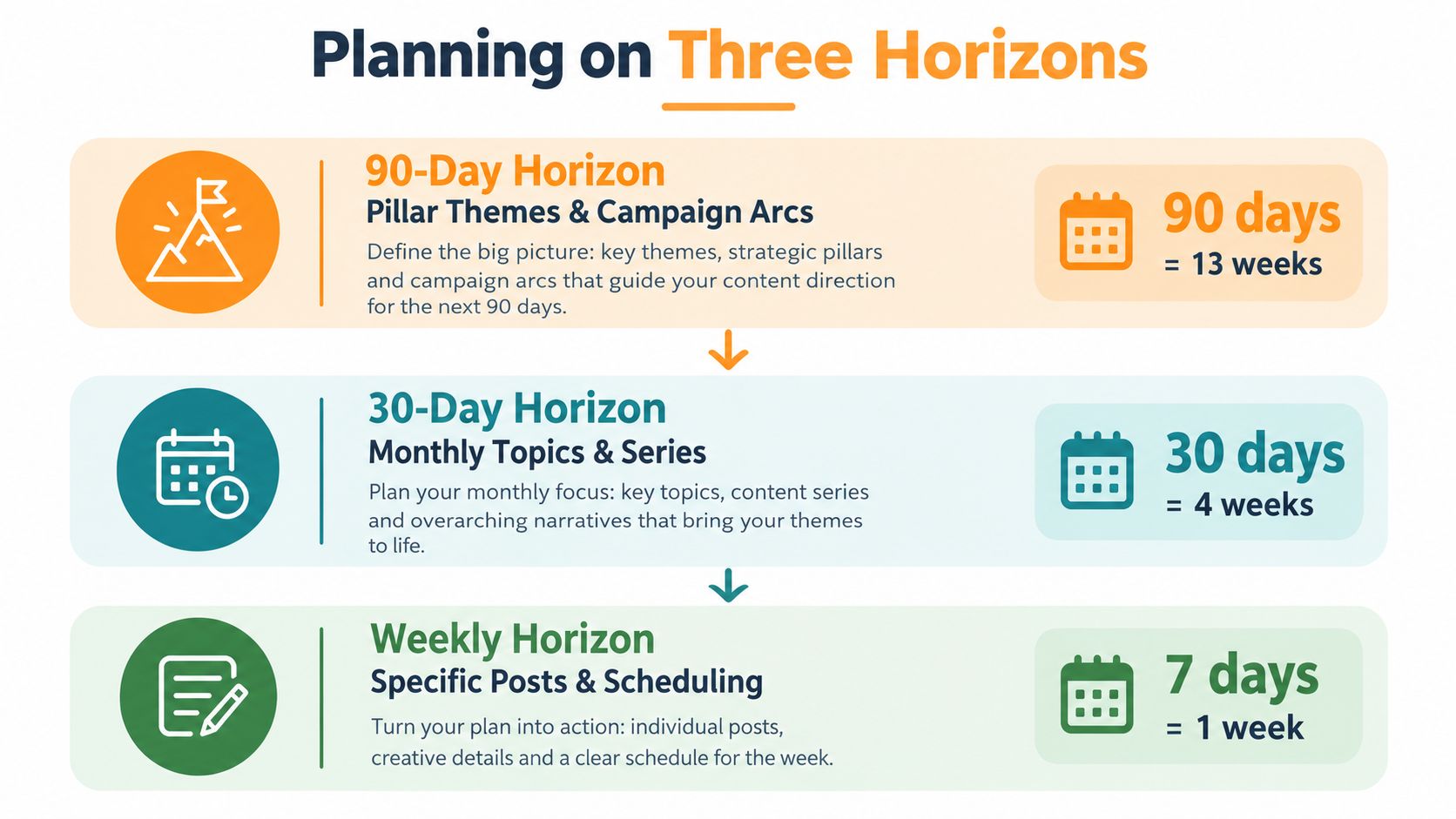
A better system uses three planning horizons:
- 90-day horizon: Choose the main pillar themes, campaign arcs, and seasonal connections.
- 30-day horizon: Select specific topics, supporting assets, and repurposing paths.
- 7-day horizon: Write, edit, schedule, and polish the posts that are about to ship.
The longer horizon gives your work a storyline. The middle horizon turns that storyline into usable ideas. The weekly horizon handles execution.
Let each layer feed the next
Suppose your wider theme is building a calmer sales process. The 30-day layer might contain topics about qualification, proposals, follow-up, and client fit. The 7-day layer turns one of those topics into a specific post with a hook, draft, asset, and status.
Try a simple weekly ritual. Spend 20 minutes moving ideas from the 90-day layer into the 30-day plan, then another 20 minutes selecting what belongs in the coming week. These time blocks are workflow suggestions, not performance benchmarks. Keep some room for a timely reaction when the conversation changes.
Practical rule: Plan the direction far enough ahead to stay intentional, but plan the wording close enough to stay relevant.
This structure prevents a common mistake, overscheduling beyond your actual production capacity. Guidance on editorial workflow and content calendar planning recommends matching cadence to throughput and using different planning horizons for strategy, tactics, and execution.
Your calendar shouldn't predict every detail months ahead. It should stop every weekly decision from becoming a strategic decision.
Why a Calendar Changes Your LinkedIn Results
A calendar changes the quality of your decisions before it changes the appearance of your feed. You can see whether your posts support a recognizable theme, whether your formats vary enough, and whether your ideas move readers from useful education toward a relevant next step.
The performance benchmarks reported for 2026 connect documented planning with several measurable outcomes. That summary reports that 92% of marketers use a content calendar, compared with 85% in 2025, while 65% of small businesses use one, compared with 45% in 2024. It also reports higher social engagement for brands with documented calendars, improved SEO performance when content is planned and published consistently, and higher email open rates when campaigns align with the calendar. Read the 2026 content calendar statistics and benchmarks for the source context behind those figures.
What a solo creator can actually feel
You may notice less time spent choosing a topic, fewer abandoned drafts, and stronger connections between posts. A theme tag also makes repurposing easier. One substantial idea can become a LinkedIn text post, a carousel outline, a poll, and a comment prompt without forcing you to invent four unrelated ideas.
The calendar creates a feedback loop. After publishing, record what happened in the same row, then use those observations during your next planning session. Look for patterns in topics, formats, and audience questions. Don't change your whole strategy because one post felt quiet.
| Metric | Posting Without a Calendar | Posting With a Calendar |
|---|---|---|
| Topic choice | Depends on your mood that day | Comes from a prepared theme or idea bank |
| Publishing rhythm | Breaks when other work becomes urgent | Has visible upcoming slots and statuses |
| Message clarity | Ideas may feel disconnected | Posts reinforce a small set of expertise themes |
| Repurposing | Requires fresh decisions each time | Supporting formats can be planned beside the original |
| Review process | Relies on memory and emotion | Uses published rows and recorded observations |
The calendar won't make every post perform well. It gives you enough structure to learn from the work instead of judging your entire ability from the latest result.
Building a LinkedIn Content Calendar in One Sitting
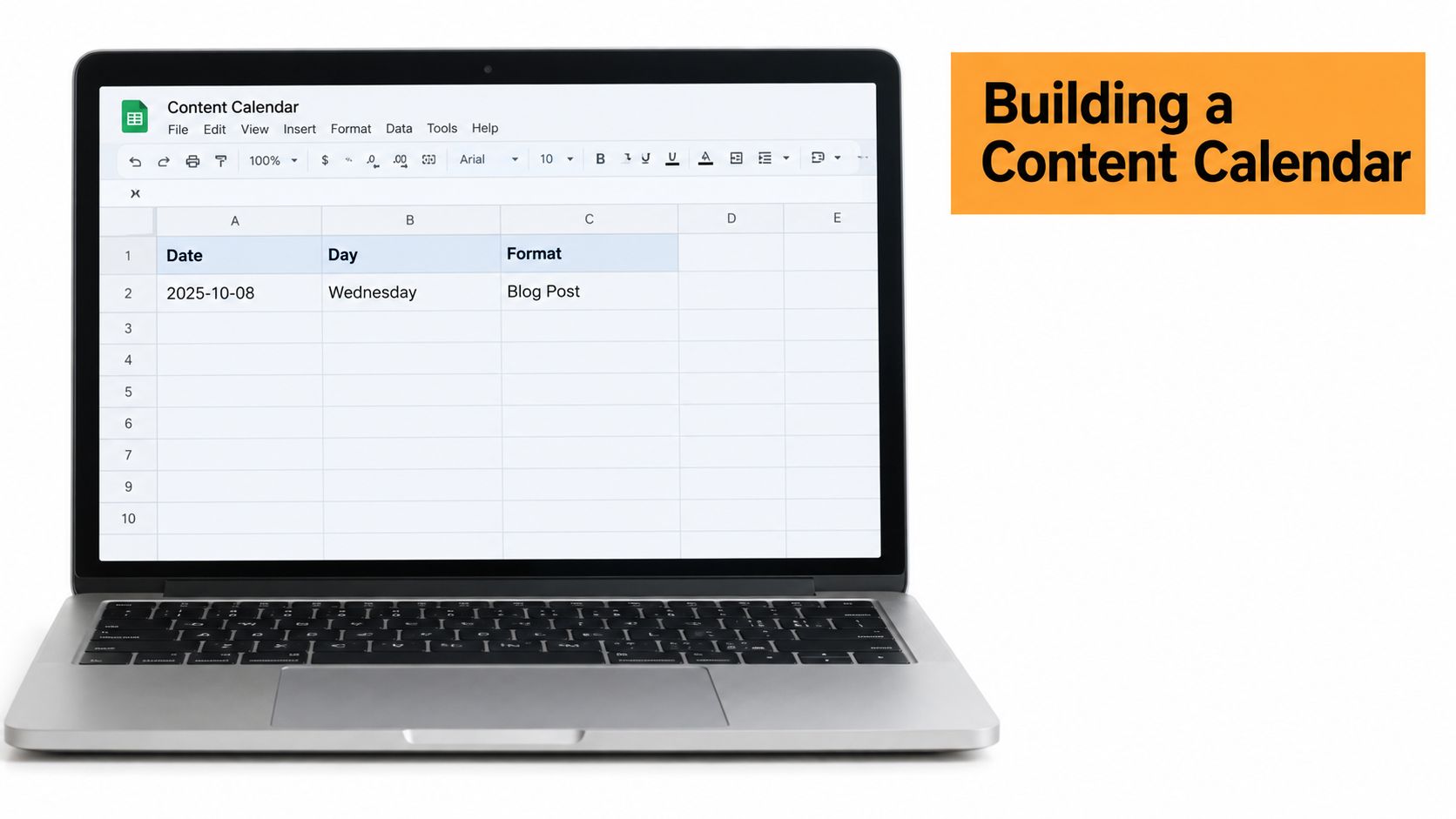
A solo LinkedIn creator can lose an entire Monday morning deciding what to post, searching for an old draft, and realizing the needed screenshot is still unfinished. One focused session can turn that weekly scramble into a simple working plan. Open a spreadsheet and add Date, Day, Format, Hook, Core Idea, CTA, Asset Link, and Status.
Start with themes and a realistic rhythm
Choose three pillars you can discuss with real experience. For example:
- Lessons from client work
- Behind-the-scenes process
- Curated industry commentary
Give each pillar a regular place in the week. One possible rhythm is a Monday text post, Tuesday carousel, Wednesday poll, Thursday story post, and Friday text post. Use the weekend for replies, engagement, and collecting audience questions instead of creating more publishing pressure.
Fill the rows with usable hooks
“Write about sales” identifies a subject, not a post. A stronger entry gives you an angle, such as “Why a full pipeline didn't solve the sales problem.” That sharper direction makes the writing session easier because you already know the tension the post will address.
Match the CTA to the post's purpose. A reach post can invite readers to share their experience. A nurture post can ask a thoughtful question. A conversion-oriented post can point toward a conversation or resource. Add the buyer journey stage so every row does not become a broad awareness post.
Add an asset link when the post needs a graphic, screenshot, source note, or draft document. Set the status to idea, then update it as the work progresses. Keep the rows clear enough to reveal missing hooks, crowded days, and unfinished assets at a glance.
Build the sheet in this order:
- Choose the home base: Use a spreadsheet when you work alone and need a clear view of the plan.
- Define three pillars: Select themes you can support with experience and useful observations.
- Assign the rhythm: Give each format or theme a regular place in the week.
- Write specific hooks: Add angles to upcoming rows instead of vague subjects.
- Add the journey stage: Mark whether each post supports reach, nurture, or conversion.
- Schedule the review: Reserve a recurring Friday session to record what shipped and prepare the next slots.
Use the short walkthrough below as a visual reference for shaping a repeatable content workflow.
Finish with a usable calendar, not a flawless one. A simple document you update will teach you more than an elaborate template you never open.
Keeping the Calendar Alive After Week Two
Calendars usually fail for predictable reasons. The creator treats the spreadsheet as a finished deliverable, adds too many pillars before learning what the audience responds to, or plans ideas without protecting time to turn them into actual posts.
A maintenance loop solves more than a planning overhaul. Keep a single owner, use a short status field, and review only the next 90 days, not an entire year. During a Friday review, check whether Tuesday's post is blocked, tag anything that needs a rewrite, and move an idea if the production work no longer fits your capacity.
Use evidence without becoming rigid
If a topic underperforms, don't delete the entire pillar immediately. Look at the hook, format, clarity, and audience fit first. Keep experiments limited, and let direct questions from messages or comments influence what you add next.
You can also remove stale ideas that no longer fit your direction. A post that has sat unused for 60 days may need a new angle, not another reminder. Replace it with a question your audience has asked, especially when that question reveals a recurring problem.
A calendar is a compass, not a cage.
Leave room for timely commentary. If a relevant conversation appears, move a planned post instead of abandoning the whole system. The calendar should make flexibility easier because you know what can shift, what supports your main theme, and what still needs attention.
Start by reviewing your existing drafts this Friday. Choose the next few useful hooks, assign each a format and status, and schedule the first writing block. If you want help generating personalized LinkedIn drafts, organizing upcoming posts, scheduling updates, and recycling strong content, visit RedactAI and explore its content calendar workflow.































































































































































































