
So, you're putting time, money, and a whole lot of effort into social media. But is it actually paying off? Measuring your social media ROI is how you connect the dots between all that hard work and real, tangible business results. It’s not about counting likes; it's about tracking dollars.
This is your strategy’s ultimate report card. It’s the proof you need to show that your social media presence isn't just a "nice-to-have"—it's a serious engine for growth.
What Social Media ROI Really Means

Let's be real: getting a hundred likes on a post feels great. But that warm, fuzzy feeling doesn't exactly show up on a balance sheet. That's where social media Return on Investment (ROI) comes in. It’s the one metric that bridges the gap between online buzz and business impact.
It answers the one question your boss (or your accountant) really cares about: "For every dollar we put into social media, are we getting more than a dollar back?"
Think of it like this: a local coffee shop runs a new Instagram campaign. Their investment isn't just the $100 they spent on ads. You also have to count the four hours their social media manager spent creating the content, plus the cost of their scheduling software. It all adds up.
If that campaign brought in 20 new customers who each spent $15, that's $300 in new revenue. By weighing that return against the total investment, the owner knows for sure if her Instagram strategy is brewing up profits or just burning cash.
The Basic Formula for ROI
At its core, the math for social media ROI is surprisingly simple.
(Profit / Total Investment) x 100 = Social Media ROI %
Now, the calculation itself is easy. The real trick—and where most people get stuck—is accurately tracking what goes into "Profit" and "Total Investment." It’s a lot more than just ad spend and the sales you can see on the surface.
Why This Metric Is So Important
Tracking your ROI isn’t just about filling out a spreadsheet. It’s a game-changer that gives your entire marketing function a strategic edge. Flying blind is just not an option anymore. Here’s why it’s so critical to get this right:
- It Justifies Your Budget: When you can walk into a meeting and show a positive return, defending your social media budget becomes a whole lot easier. You’re no longer a cost center; you're a proven revenue driver.
- It Helps You Make Smarter Decisions: Hard data tells you what’s working and what’s a waste of time. You might discover your LinkedIn articles are quietly generating high-value leads while your flashy Facebook ads are falling flat. That's an insight you can act on immediately.
- It Proves Your Value: Clear ROI metrics are undeniable proof of your contribution to the company's bottom line. The conversation shifts from "How many new followers did we get?" to "How much revenue did social media generate for us last quarter?"
- It Moves You Beyond Vanity Metrics: Focusing on ROI forces everyone to look past the superficial numbers. You start digging into the metrics that truly matter, like lead quality, customer lifetime value, and sales conversions.
Ultimately, measuring social media ROI turns your strategy from a creative guessing game into a data-backed science. It makes every post, every campaign, and every dollar you spend accountable.
To get started, you need to know what you're tracking. This table breaks down the essentials you'll need to pull together for your ROI calculation.
Key Social Media ROI Components at a Glance
| Component | What It Is | Example |
|---|---|---|
| Investment | The total cost of your social media efforts. | Ad spend, tool subscriptions, team salaries, content creation costs. |
| Return | The total value generated from your investment. | Revenue from sales, value of leads generated, cost savings. |
| Profit | The net financial gain after subtracting costs. | (Return - Investment) |
| Goals | The specific outcomes you're aiming for. | Website conversions, email sign-ups, demo requests. |
Getting these four pieces right is the foundation for everything that follows. It provides the clarity needed to turn abstract social media activity into a concrete business case.
The Metrics You Actually Need to Track

If you're serious about proving the value of your social media efforts, you have to look past the feel-good numbers. Likes, shares, and follower counts are nice, but they don't tell you much on their own. They're what we call vanity metrics—they look good on a report but don't really connect to business results.
To truly understand your impact, you need to focus on the metrics that tie your social media activity directly to the bottom line. These are the numbers that will get your budget approved and show everyone what you're really accomplishing. Let's dig into the four essential metrics that actually matter.
Engagement Rate
Think of this as the pulse of your community. A high engagement rate is proof that your content is hitting the mark and people are genuinely interested in what you’re putting out there. It’s the difference between someone passively scrolling past your post versus stopping to react, comment, or share.
You calculate it by taking your total engagements (likes, comments, shares, saves), dividing that by your total followers or impressions, and then multiplying by 100. If you want to get granular on how reach is counted, our guide on impressions vs views is a great resource.
Let's make it real: Say you publish two posts on LinkedIn. Post A gets 10,000 views and 100 likes. Post B gets just 2,000 views but pulls in 80 likes and 20 comments. Even with fewer eyeballs on it, Post B has a much stronger engagement rate, signaling it resonated deeply with a smaller, more valuable slice of your audience.
Conversion Rate
Alright, now we're talking about real business results. A "conversion" is just a fancy word for when someone takes the specific action you want them to take after seeing your content. That could be anything from buying a product to signing up for your newsletter or downloading an ebook.
Your Conversion Rate is simply the percentage of people who complete that action. For example, if 500 people click the link in your Instagram bio and 50 of them sign up for your webinar, your conversion rate is a solid 10%. This metric draws a straight line from a social media post to a tangible business outcome.
You'll need a little technical setup here, like using UTM parameters in your links or a tracking pixel on your website. But it’s the clearest way of measuring social media ROI for specific campaigns.
Customer Acquisition Cost (CAC)
Plain and simple: How much are you spending to get a new customer through social media? That's your Customer Acquisition Cost (CAC), and it's a non-negotiable metric for figuring out if your spending is efficient.
To find your CAC, add up all your social media marketing costs for a period—ads, tools, even salaries—and divide it by the number of new customers you brought in. If you spent $1,000 on a LinkedIn campaign and it brought you 10 new clients, your CAC is $100 per client. The goal is always to keep this number as low as possible.
Customer Lifetime Value (CLV)
While CAC tells you what it costs to get a customer in the door, Customer Lifetime Value (CLV) tells you what that customer is worth over the entire time they do business with you. A high CLV is a sign that you're building real loyalty, not just making one-off sales.
A strong, engaged community on social media can have a huge impact here, helping to keep customers around longer and encouraging them to buy again. Top-performing teams know that you can't just look at vanity metrics; you have to track hard business outcomes like CAC and CLV to see the full picture.
Of course, financial return isn't everything. Understanding and measuring customer satisfaction effectively gives you even deeper insight into the impact of your social media investments. When you put these four metrics together—Engagement, Conversions, CAC, and CLV—you get a powerful dashboard that tells the complete story of your social media performance.
Picking the Right Attribution Model
Think about a customer's journey like a soccer game. A defender passes to a midfielder, who works the ball down the field and sends a perfect cross to the striker, who heads it in for the goal. Who gets the credit? Just the striker? Or the whole team that made it happen?
That’s the exact question attribution models are designed to answer for your marketing.
A potential customer might see your ad on Facebook, catch a post you wrote on LinkedIn a week later, and then, finally, click a Google Ad to buy something. An attribution model is just the rulebook you use to decide which of these moments gets credit for the sale. Nailing this is absolutely critical for accurately measuring your social media ROI.
If you don't have a clear model, you might accidentally give 100% of the credit to that final Google Ad. You'd be completely ignoring the hard work your social media did to warm up that lead in the first place. This leads to bad budget decisions, like cutting a channel that’s actually a star player early in the game.
Single-Touch Attribution Models
The most straightforward way to assign credit is to give it all to one single touchpoint. These models are a breeze to set up and understand, but they rarely tell the whole story.
- First-Touch Attribution: In this model, the very first interaction a customer has with you gets all the glory. It’s like giving the MVP trophy to the defender who made the first pass. This is really useful for figuring out which channels are best at getting your name out there and generating initial awareness. For a B2B company, this might prove that LinkedIn is a powerhouse for bringing new prospects into your world.
- Last-Touch Attribution: This is the old standby and often the default setting in many analytics platforms. It gives 100% of the credit to the final touchpoint right before the conversion. In our soccer game, only the goal-scorer gets a pat on the back. It’s simple, but it ignores every other play that led to that final shot.
Multi-Touch Attribution Models
Let's be real—most customer journeys are a winding road, not a straight line. Multi-touch models embrace this complexity by spreading the credit across several touchpoints, giving you a much more balanced and realistic view of what’s actually working.
It’s about giving a nod to every player who touched the ball on its way to the net.
A multi-touch approach finally gives social media the credit it deserves. It often plays the role of the "assist," not the final goal-scorer. It builds trust, educates your audience, and keeps your brand top-of-mind long before someone is ready to pull out their credit card.
Here are a few popular multi-touch flavors:
- Linear: This one is all about teamwork. It splits the credit evenly across every single touchpoint in the customer's journey. Everyone gets a slice of the pie.
- Time-Decay: This model gives more weight to the interactions that happened closer to the sale. The first touchpoint gets some credit, but that last click gets the most.
- U-Shaped (or Position-Based): This model gives 40% of the credit to the very first touch, 40% to the last touch, and then sprinkles the remaining 20% across all the interactions in between. It highlights the importance of both the channel that started the conversation and the one that sealed the deal.
So which model is right for you? It really depends on your business. A B2B consultant with a six-month sales cycle might love the U-shaped model to see what initiates and closes their big leads. An e-commerce brand running a weekend flash sale might find that last-touch attribution is perfectly fine for that quick campaign.
Your Step-by-Step Guide to Calculating ROI
Alright, we've covered the metrics and models. Now, let's get our hands dirty and put it all together. Measuring social media ROI isn't some abstract marketing theory—it's a practical process that connects your daily grind to real, tangible business results.
Think of this as your roadmap. We'll walk through it with a real-world example. Let’s follow Sarah, a B2B marketer whose entire focus is generating qualified leads for her sales team through high-value content on LinkedIn.
Step 1: Define Your Goals and Assign a Value
First things first: you can't measure success if you don't know what it looks like. You need to set clear, specific goals for your social media efforts that are tied directly to a business outcome, not just a feel-good vanity metric.
Once you have a goal, you need to put a price tag on it. This is the magic step that turns fuzzy "engagement" into cold, hard cash.
- For Sarah: Her main goal is to get demo requests from her LinkedIn content. She sits down with the sales team and learns that, on average, 1 in 5 demo requests converts into a new client. The average lifetime value (CLV) of that client is $10,000.
- The Value: This means each demo request is worth $2,000 to the business ($10,000 / 5). That $2,000 is the "Return" she'll use in her ROI calculation.
Nailing down this value is everything. For a more detailed look at how this fits into the bigger picture, check out a comprehensive guide on calculating overall marketing ROI.
Step 2: Track Your Total Investment
Your investment is so much more than just what you spend on ads. To get a real, honest ROI number, you have to account for every dollar and every hour poured into your social media strategy. If you ignore these "hidden" costs, you'll end up with a wildly inflated ROI that doesn't reflect reality.
Key Takeaway: A true ROI calculation includes all associated costs—tools, content creation, and the value of your team's time. Don't just count the ad budget.
Make sure your total investment includes:
- Ad Spend: The obvious one—the direct cost of any paid promotion.
- Tools and Software: Your subscriptions for scheduling, analytics, or design software.
- Content Creation: Any money spent on freelance writers, designers, or video editors.
- Labor: The value of the time you and your team spend working on social media. A simple way to calculate this is to multiply the hours spent by a realistic hourly rate.
For Sarah: In one month, she spent $500 on LinkedIn ads and $100 on her content scheduling tool. She also dedicated 20 hours of her time to this campaign. At an internal rate of $50/hour, that's $1,000 in labor costs. Her total investment for the month comes out to $1,600.
Step 3: Measure Your Return
This is where you tally the score. Using your analytics tools and UTM-tracked links, you count up every conversion you generated during the campaign period. Then, you multiply that number by the monetary value you figured out back in Step 1.
This is also where those attribution models we talked about—first touch, multi-touch, or last touch—come into play, determining which channels get credit for the win.
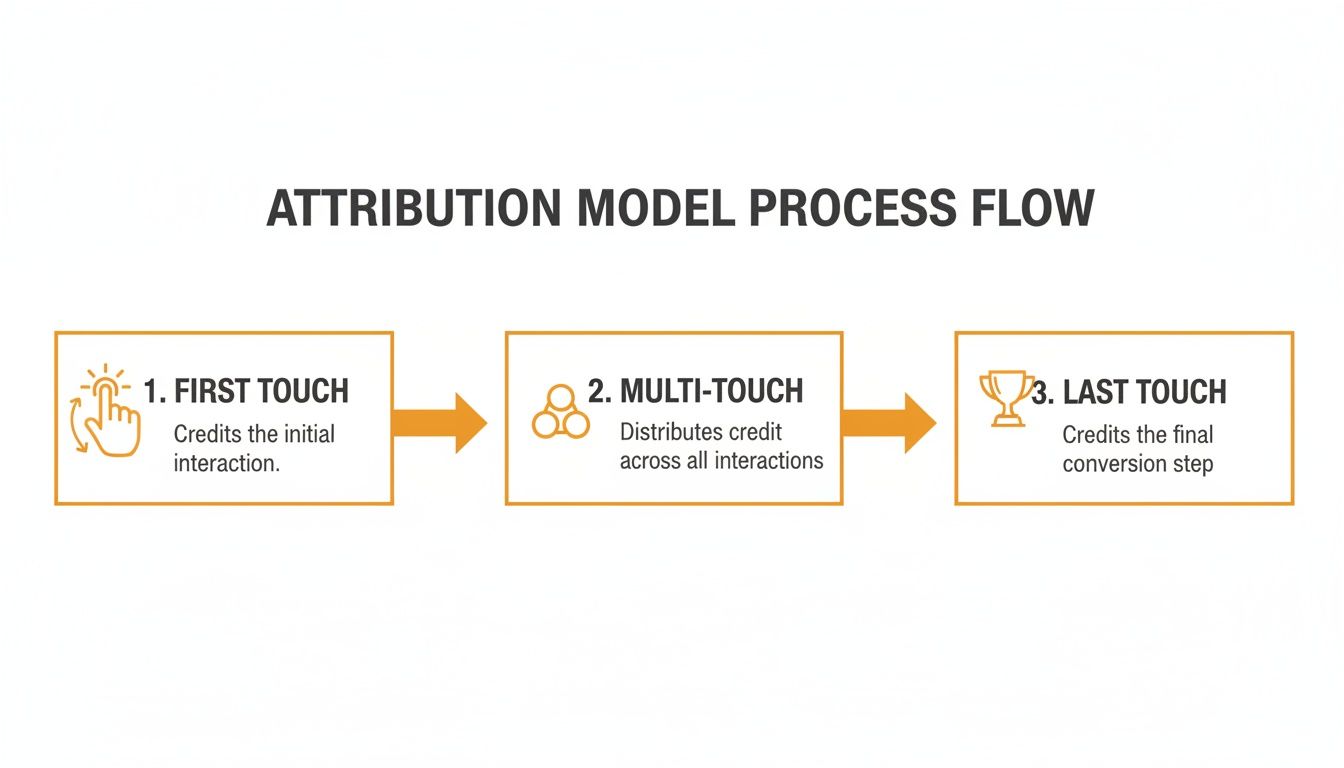
As you can see, the model you choose directly impacts how credit is assigned, whether you value the first interaction, the last one, or all the touchpoints in between.
For Sarah: Her LinkedIn efforts last month generated 3 qualified demo requests. She multiplies this by the $2,000 value per lead, giving her a total return of $6,000.
Step 4: Calculate Your Final ROI
You have all the pieces. Time for the final, surprisingly simple calculation. This is the number that tells the story of your strategy's profitability.
- Calculate Net Profit: Subtract your total investment from your total return.
- Calculate ROI: Divide the net profit by your total investment.
- Make it a Percentage: Multiply that result by 100.
For Sarah:
- Net Profit: $6,000 (Return) - $1,600 (Investment) = $4,400
- ROI: $4,400 / $1,600 = 2.75
- ROI Percentage: 2.75 x 100 = 275%
Boom. Sarah can now walk into any meeting and confidently report that for every $1 she invested in her LinkedIn strategy, the company made $2.75 in profit.
To see this in a more structured format, here’s a quick table breaking down Sarah's calculation.
Sample ROI Calculation for a LinkedIn Campaign
This table lays out Sarah’s numbers in a clean, easy-to-follow way, showing exactly how she arrived at her final ROI figure.
| Metric | Value/Calculation | Notes |
|---|---|---|
| Total Return | $6,000 | 3 demo requests x $2,000 value per request |
| Total Investment | $1,600 | $500 (ads) + $100 (tools) + $1,000 (labor) |
| Net Profit | $4,400 | $6,000 (Return) - $1,600 (Investment) |
| Final ROI | 275% | ($4,400 Net Profit / $1,600 Investment) x 100 |
This simple breakdown makes it easy for anyone, from your boss to the finance team, to understand the direct business impact of your work.
This step-by-step process isn't just for LinkedIn, either. You can adapt it to any platform by following the same core principles. If you want to see how this applies more broadly, we have a guide on https://redactai.io/blog/how-to-measure-content-marketing-roi that goes even deeper.
Using the Right Tools for Accurate Measurement
Trying to measure social media ROI with just a spreadsheet is like trying to build a house with only a hammer. Sure, you can probably nail a few boards together, but you’ll completely lack the precision needed for a solid foundation. You need a proper toolkit.
Building a smart tech stack is non-negotiable if you want to accurately measure social media ROI without getting lost in a sea of data. The right tools don't just gather numbers; they connect the dots. They let you trace a customer's path from their very first click on a LinkedIn post all the way to becoming a paying customer, giving you the full picture of your marketing impact.
Let's break down the essential tools for any serious measurement strategy.
Start with Native Platform Analytics
Your first and most immediate source of truth is always the social media platform itself. Think of tools like Meta Business Suite (for Facebook and Instagram) or LinkedIn Analytics as your ground zero. They're packed with valuable intel, straight from the source.
These built-in dashboards are perfect for keeping a finger on the pulse of your on-platform performance. You can track things like:
- Reach and Impressions: How many eyeballs are you actually getting on your content?
- Engagement Rates: Are people just scrolling past, or are they stopping to like, comment, and share?
- Audience Demographics: Who exactly is following you? This is gold for refining your targeting.
For anyone in the B2B space, LinkedIn is an absolute giant. The data doesn't lie: LinkedIn drives an average 192% ROI for paid social campaigns and an incredible 229% ROI for organic efforts after three years of consistent work, according to B2B social media findings on dsmn8.com. This makes its native analytics an incredibly valuable piece of your puzzle.
Connect the Dots with Google Analytics 4
Native analytics are great for seeing what happens on the platform, but what about when someone clicks through to your website? That's where Google Analytics 4 (GA4) steps in. By adding UTM parameters (little tracking tags) to your social media links, you can follow the breadcrumbs and see exactly what users do once they land on your site.
GA4 is where social media activity starts to translate into real business results. It helps you answer the big questions:
- Which social channel is sending you the most qualified website traffic?
- Do visitors from X (formerly Twitter) bounce right away, or do they stick around and read your blog?
- Which specific social media campaign led to the most demo requests or sales?
This is where you really see your attribution model in action. GA4 helps you visualize the entire customer journey, finally giving social media the credit it deserves for influencing a sale, not just for being the last thing someone clicked.
Streamline Everything with Management Platforms
Let's be honest, logging into five different social media accounts every day to pull data is a recipe for burnout. This is why dedicated social media management platforms are a lifesaver. They pull all your data from every channel into one clean, unified dashboard, acting as your central command center. If you're shopping around, we've got a great breakdown of the best social media analytics tools to help you choose.
These tools do more than just report. They streamline your entire process, from scheduling content and monitoring brand mentions to generating comprehensive reports that tell a cohesive story. You'll save hours of mind-numbing data entry and, more importantly, start spotting cross-channel trends you’d otherwise miss.
Putting it all together—native analytics, GA4, and a solid management tool—gives you a 360-degree view of your performance. It turns the fuzzy task of measuring social ROI into a clear, efficient, and repeatable process.
Common ROI Measurement Mistakes to Avoid
Measuring your social media ROI is how you prove your work actually matters to the bottom line. But it's surprisingly easy to get it wrong. A few common slip-ups can send you down a rabbit hole of bad data and even worse decisions.
Think of it like navigating with a broken compass—you're moving, but probably in the wrong direction. Let's make sure your compass is pointing true north.
The biggest and most common trap? Focusing only on vanity metrics.
Likes, shares, and a growing follower count feel great, don't get me wrong. They're feel-good numbers. But they don't pay the bills. A post that gets 10,000 likes but generates zero leads is a whole lot less valuable than a post with only 100 likes that brings in two amazing clients.
What to do instead: You have to connect your social media efforts to actual business goals. Focus on metrics like conversion rates, cost per lead, and customer acquisition cost. These are the numbers that tell the real story.
Overlooking the Hidden Costs
Here’s another classic mistake: only tracking the obvious expenses, like your ad spend. Doing this will give you a beautiful, wildly inflated ROI figure that unfortunately isn't real. To get an honest number, you have to account for everything you put in.
That means tracking:
- Your team's time: All those hours spent creating content, managing the community, and scheduling posts? That's a real cost. Figure out a realistic hourly rate and add it up.
- Your tools: Don't forget the monthly fees for your scheduling software, analytics platforms, or design tools like Canva.
- Creative work: Did you hire a photographer or a freelance writer? Those costs absolutely count toward your total investment.
Forgetting these costs is like calculating the profit on a lemonade stand but not factoring in the price of the lemons, sugar, or cups. The final number might look fantastic, but it's pure fiction.
Using the Wrong Attribution Model
Attribution is a tricky beast. If you give credit for a sale to the wrong touchpoint, you'll end up thinking the wrong channels are your top performers.
For example, if you rely only on a last-touch model, you might give 100% of the credit to a final Google search click. You'd completely ignore the three LinkedIn posts and two newsletters that actually warmed up the lead and got them interested in the first place.
This is a dangerous mistake because it leads to terrible strategic decisions, like cutting the budget for a platform that’s secretly doing the heavy lifting at the start of your customer's journey.
What to do instead: Use a multi-touch attribution model—something like a Linear or U-shaped model—that gives credit to multiple touchpoints along the way. This gives you a much clearer, more honest picture of what's really working and recognizes the huge role social media plays in building awareness and influencing sales down the line.
Your Top Social Media ROI Questions, Answered
Let's be honest, figuring out social media ROI can feel a bit like navigating a maze. It’s one of those things everyone talks about, but the "how-to" can get fuzzy. Whether you're just getting your feet wet or you're trying to sharpen your existing strategy, you probably have questions. Here are some of the most common ones we hear—and our straightforward answers.
How Often Should I Actually Be Measuring This Stuff?
For your regular, always-on social media activity, checking in monthly or quarterly is a good cadence. This gives you enough data to see real trends emerge, but it’s frequent enough to catch a strategy that’s going sideways before it does too much damage.
Now, for specific campaigns—like a big product launch or a holiday sale—you'll want to measure the ROI as soon as it wraps up. The real key here is consistency. Pick a schedule, stick to it, and you'll be able to see your progress over time and make smarter decisions based on what the numbers are telling you.
So, What’s a "Good" Social Media ROI, Anyway?
You'll hear a lot of numbers thrown around, but a common benchmark that many marketers shoot for is a 5:1 ratio. In plain English, that means for every $1 you put in, you get $5 back.
But here’s a pro tip: don't get too fixated on hitting a universal number. The most powerful benchmark is your own past performance. If you can establish your own baseline and then consistently beat it quarter after quarter, you're winning. That's the kind of steady, positive return that really gets leadership's attention.
Can I Even Measure ROI for My Organic Posts?
Yes, you absolutely can—and you should! It’s not as clean-cut as with paid ads, but it’s critical for seeing the whole picture. The method is pretty much the same: you need to track the conversions coming from your organic content, which is where tools like UTM parameters in your links become your best friend.
Then, you have to tally up your investment. This isn’t just about the cost of your software; it’s also about the value of your team’s time. Figure out a reasonable hourly rate for the people managing your social media, multiply it by the hours they spend, and you can compare that investment against the value of your organic conversions.
Which Social Media Platform Gives the Best ROI?
This is the million-dollar question, and the answer is always: it depends. The "best" platform is wherever your specific audience hangs out and is ready to take action. There's no single right answer for everyone.
- Selling to other businesses (B2B)? LinkedIn is often the heavy hitter. The audience is professional, and the potential for a high-value lead is huge.
- Running an e-commerce shop? You’ll likely find your goldmine on visual platforms like Instagram or Pinterest, where a great photo can lead directly to a sale.
The only way to know for sure is to test them out. Run campaigns, measure the ROI for each platform you're on, and let the data point you to where you should be doubling down on your efforts.
Stop guessing what to post on LinkedIn and start seeing a real return on your time. RedactAI generates high-impact, authentic posts tailored to your unique voice in minutes. Join over 21,000 creators and start for free at RedactAI.
























































































































































































