
You publish three thoughtful LinkedIn posts in one week, disappear for the next two, then spend Sunday night trying to rebuild momentum. The ideas aren't the problem. Your content posting schedule is carrying more ambition than your week can support.
A workable schedule matches three realities: how much useful content you can produce, how much time you have to engage, and how often your audience can hear from you without tuning out. The aim isn't to fill every calendar slot. It's to create a repeatable publishing rhythm that leaves room for quality, conversation, and adjustment.
Why Your LinkedIn Consistency Matters More Than Virality
A founder I worked with had strong customer lessons but an unreliable publishing pattern. After one post drew encouraging responses, she decided to get serious, filled the following week with rushed drafts, and had little time to reply. Client work then took over, the queue emptied, and her audience heard nothing for days.
Her expertise was never the constraint. The schedule exceeded the time and source material she could reliably provide.
Consistency gives each post a clearer job. Instead of asking one update to recover attention, start every conversation, and compensate for a quiet stretch, you build familiarity through a steady presence. That matters for professionals balancing content with sales, delivery, hiring, or team management.
A repeatable schedule also makes publishing decisions easier. Topics, drafting time, review, approval, and engagement can sit in a defined workflow rather than compete for whatever time remains.
What consistency solves
A practical routine helps you:
- Reduce last-minute scrambling: Drafts exist before the publishing day arrives.
- Protect quality: You can revise a post instead of releasing the first acceptable version.
- Create audience familiarity: Readers learn what kind of insight to expect from you.
- Make performance easier to interpret: A steady pattern gives you a fairer basis for comparing posts.
- Keep engagement manageable: You reserve time to respond instead of treating comments as an interruption.
The commonly used LinkedIn range is 2 to 5 posts per week. Treat it as a working range, not a quota. Your position within it should match your supply of useful ideas, available editing time, and ability to participate after publishing. More volume can increase opportunities for reach, but it also raises the risk of repetition, thinner thinking, and unanswered conversations.
Practical rule: Your schedule should make publishing feel boringly repeatable, not heroic.
Consistency will not make every post perform equally. It gives you enough regular output to judge patterns without reacting to one quiet result or chasing one successful post with several rushed follow-ups. To track your posting routine, record planned dates, actual publication dates, content themes, and the time spent creating and engaging.
A workable week might include a short planning session, one focused drafting block, scheduled approval, and dedicated check-ins for meaningful replies. The calendar should protect those decisions, not dictate your voice. That is the difference between a publishing system and a content treadmill.
Finding Your Ideal LinkedIn Posting Cadence
A calendar with five empty slots does not create a useful LinkedIn presence. It creates pressure to fill those slots. The right cadence matches your original thinking, editing time, and audience interaction to the content and attention you can reliably supply.
Use that capacity check before choosing weekly publishing days.
Start with content supply
List ideas you can explain from direct experience. Include lessons from projects, decisions you have made, mistakes you can discuss responsibly, recurring customer questions, and opinions you can defend. If the list is thin, frequent publishing will produce repetition or generic commentary.
A small account with limited source material may work better with two substantial posts each week. A founder who has regular customer conversations and a content partner may support more frequent publishing. Account size does not determine the answer. The quality and reliability of the raw material do.
Measure engagement bandwidth
Every post creates follow-up work. Strong posts can bring comments, direct messages, objections, and requests for clarification. Publishing beyond your ability to participate leaves conversations unattended and weakens the value of the schedule.
Use this practical check:
| Question | If the answer is yes |
|---|---|
| Can you produce useful drafts without recycling the same point? | Consider adding a weekly slot |
| Can you review and improve every draft? | Your current cadence may be sustainable |
| Can you respond thoughtfully after publishing? | Higher frequency may be practical |
| Are posts being rushed or engagement ignored? | Reduce frequency before adding volume |
The commonly reported LinkedIn working range is 2 to 5 posts per week. Treat it as a capacity range rather than a target. Buffer's analysis of LinkedIn cadence also supports keeping quality and consistency intact as frequency increases.
Choose a cadence with margin
A useful starting structure looks like this:
- Starter cadence: Two posts weekly, suitable when content supply or writing time is limited.
- Growth cadence: Three to four posts weekly, suitable when varied ideas and regular engagement are available.
- Power cadence: Five posts weekly, suitable when production, review, and community management already have dedicated support.
These labels describe operating conditions, not status. A solo consultant can sustain a growth cadence with a strong idea bank. A larger team can struggle with five weak posts when approvals are slow or subject-matter input is limited.
Leave space between posts as well. Posts published too close together can compete for attention, so use your audience response and available engagement time to decide whether a wider interval works better. Do not treat a spacing guideline as a performance guarantee.
The schedule should also account for how you define and manage a posting cadence. A clear guide to what posting cadence means can help separate publishing frequency from the broader workflow of planning, creating, and responding.
Different platforms place different demands on the team behind them. LinkedIn may support a measured weekly rhythm, while channels built around faster or more frequent updates can require a different operating model. Do not copy one network's volume onto another. Tools such as Fluidwave Instagram automation can handle distribution mechanics elsewhere, but automation cannot create stronger ideas or supply thoughtful replies.
A practical schedule leaves room for one planning block, focused drafting, review, and post-publication check-ins. If those activities cannot fit without rushing, reduce the number of slots. The durable cadence is the one your team can repeat when the week becomes busy.
Mapping Content Pillars That Fill Your Schedule Effortlessly
A schedule becomes fragile when every post starts from a blank page. Content pillars solve that problem by giving your expertise repeatable routes into different conversations.
Start by reviewing your strongest existing ideas, not just your highest-performing posts. Look for subjects you return to naturally, questions clients ask repeatedly, decisions your audience finds difficult, and experiences that changed how you work. Then group those observations into a small set of themes that can support several formats.
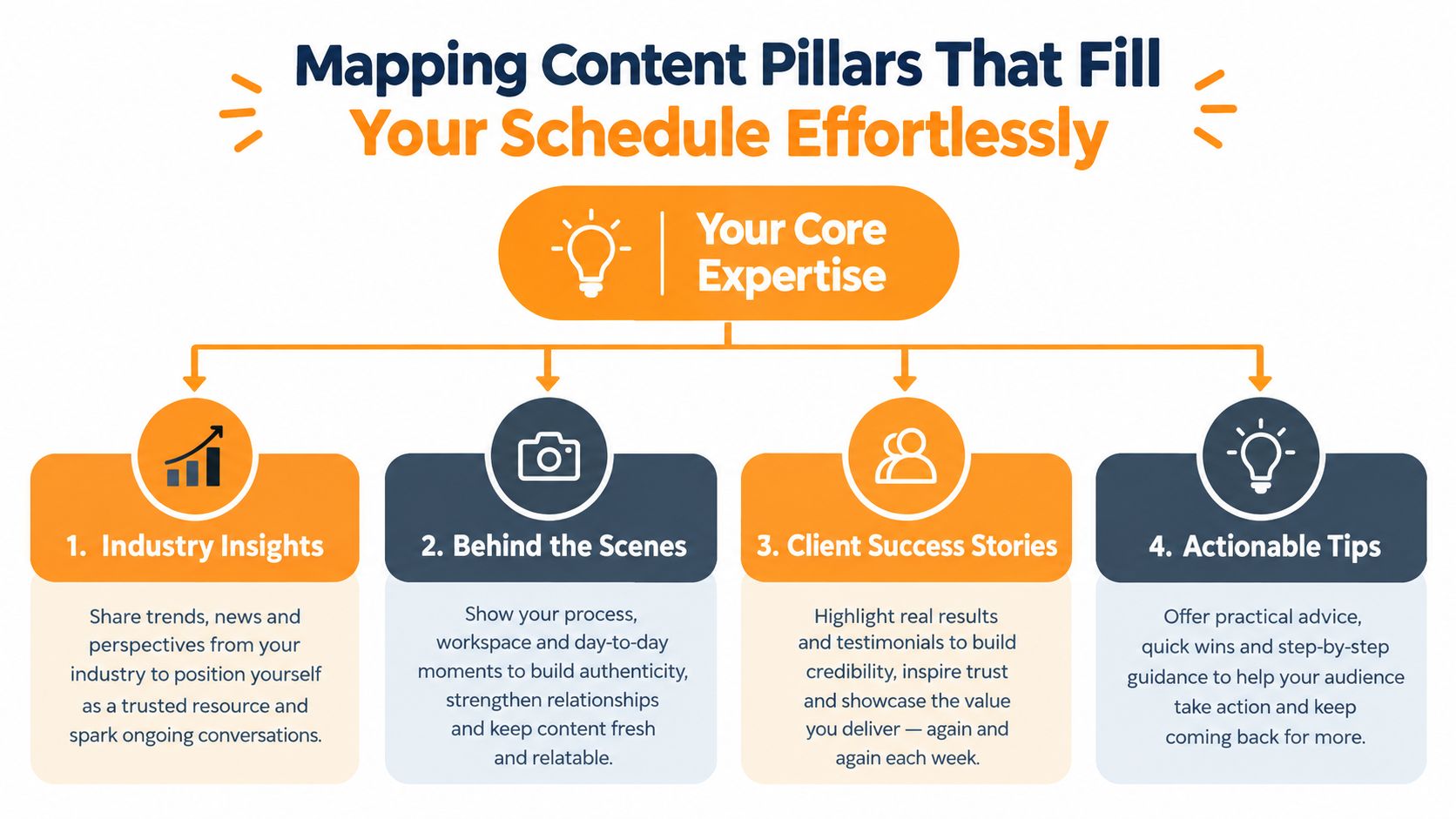
Build four useful lanes
Industry insights give you a place to interpret changes, patterns, or debates in your field. Don't repeat the headline. Explain what the development changes for a buyer, operator, employee, or decision-maker.
Behind the scenes makes your operating judgment visible. Show how you prepare for a difficult meeting, choose between competing priorities, review a draft, or handle a process that looks simple from the outside.
Client stories turn experience into evidence without exposing confidential details. Focus on the decision, constraint, or lesson. You don't need to disclose a client name or attach a dramatic outcome for the story to teach something.
Actionable tips translate your knowledge into a practical move. A checklist, diagnostic question, teardown, or short process works well here because the reader can use it immediately.
Turn pillars into an idea engine
Each pillar should answer a different reader need. Industry insights build interpretation, behind-the-scenes posts build familiarity, client stories build credibility, and actionable tips build utility. Together, they prevent your feed from becoming a stream of sales pitches or a collection of disconnected opinions.
For an executive, one week might draw from a market observation, a hiring decision, a customer lesson, and a practical management prompt. For a freelancer, the same structure could include a niche trend, a look at the research process, a client-safe lesson, and a brief workflow tip. An agency can add team perspectives, campaign reviews, and common buyer objections.
Use a simple idea matrix:
| Pillar | Source of ideas | Possible formats |
|---|---|---|
| Industry insights | News, customer questions, market shifts | Opinion, analysis, contrarian take |
| Behind the scenes | Decisions, processes, trade-offs | Story, photo-led post, process breakdown |
| Client stories | Anonymized lessons and objections | Narrative, before-and-after thinking, FAQ |
| Actionable tips | Repeated advice and frameworks | Checklist, steps, short tutorial |
Keep a private note after meetings and projects. Capture the exact question, the tension behind it, and the advice you gave. Those notes are usually more valuable than a generic prompt because they preserve the language real people use.
The schedule should pull from your pillars, not force you to invent a new identity every publishing day. When a theme stops producing useful ideas, replace the theme, not your entire calendar.
Best Times to Post on LinkedIn Without Chasing Myths
A post can be well written and still arrive when your audience is unavailable. Timing data gives you a starting point, not a guaranteed result. Build a schedule around your audience's working hours, your team's ability to respond, and the supply of content you can publish without lowering quality.
A major analysis of 9,360,007 social media posts found that nearly half were published from Tuesday through Thursday, with Wednesday leading overall. Afternoons were the busiest publishing window, especially 2:00 PM to 5:00 PM, and 3:00 PM was the single most common time (SEO Design Chicago's publishing schedule analysis). Those figures describe broad social publishing behavior. They do not make 3:00 PM the right LinkedIn slot for every account.
Use windows, not magic hours
A benchmark covering 399 million social posts found that Tuesday through Thursday from 9:00 AM to 1:00 PM local time performed well for weekday mornings across nearly every platform. It also found that weekend evenings, from 9:00 PM to midnight, can work better in lifestyle-focused browsing situations, while results vary by platform, audience, and region (Emplifi's social posting timing benchmark).
For LinkedIn, test two competing windows first:
- Midweek morning: A practical starting point for audiences checking professional content during the workday.
- Wednesday afternoon: A reasonable second test because platform-specific research has identified Wednesday at 4:00 PM as a peak period.
Run each window long enough to compare like with like. Keep the topic, format, and call to action reasonably consistent, then examine reach, meaningful replies, profile visits, and qualified conversations. A timing slot that produces views but no useful engagement may be less valuable than a quieter slot that reaches the right people.
A separate analysis of 14 million Facebook posts found Thursday at 9:00 AM was the strongest Facebook time, with weekday mornings from 6:00 AM to 11:00 AM generally stronger than afternoons. That finding applies to Facebook, not LinkedIn. It shows why copying another network's schedule can create false confidence (London School of Economics summary of the Facebook timing analysis).
Localize and protect spacing
Check where your audience lives before setting a publishing window. A schedule based on your own time zone may reach readers during their commute, sleep, or another workday. If your audience spans regions, alternate sensible windows or prioritize the time zone connected to your commercial goal.
Spacing also protects attention. Avoid stacking posts close together, particularly when your team cannot monitor replies. For a focused explanation of LinkedIn timing windows, use this guide to the best times to post on LinkedIn. Schedule an initial version, watch response quality, and adjust the window instead of treating any benchmark as permanent truth.
Building Your LinkedIn Content Calendar Template and Workflow
A calendar becomes useful when it stores decisions, not just dates. A blank monthly grid won't help much if it doesn't show who owns the draft, what the post is trying to do, or whether someone has reviewed it.
Use one working table with these fields:
| Field | What to record |
|---|---|
| Publish date and time | The planned window and time zone |
| Content pillar | The theme supplying the idea |
| Format | Text post, document, image, or video |
| Hook | The first line or central tension |
| Core point | The lesson the reader should retain |
| CTA | The next action, if one is appropriate |
| Owner | Writer, editor, executive, or client approver |
| Status | Idea, draft, review, approved, scheduled, published |
| Follow-up | Replies, messages, or performance notes |
Batch the work around decisions
Reserve one focused weekly block for planning and production. Start by selecting ideas from your pillar bank, then write rough hooks before drafting full posts. A weak hook becomes obvious early, when it's cheap to replace.
Next, draft several posts in one sitting, but don't force identical structures. One post might tell a story, another might answer a recurring question, and a third might challenge a common assumption. Add a review pass for accuracy, specificity, tone, and whether the CTA belongs at all.
The fastest calendar is the one that prevents you from reopening the same decision every day.
Schedule only approved content. Native LinkedIn scheduling, a social media management platform, or a content workspace can handle the publication step, but the tool shouldn't remove the human review that protects an executive's voice. If you want a broader operational checklist, this guide on how to boost engagement with a content calendar is a useful reference for organizing themes and publication tasks.
Keep the queue human
AI can help generate angles, variations, and first drafts, but the source material should come from the person or business being represented. Add the specific detail, disagreement, consequence, or observation that makes the post belong to you.
Repurposing works when you change the entry point. A strong post can become a client question, a process breakdown, a short opinion, or a response to a common objection. Don't paste the same wording into the calendar repeatedly. Reuse the insight, not the surface language.
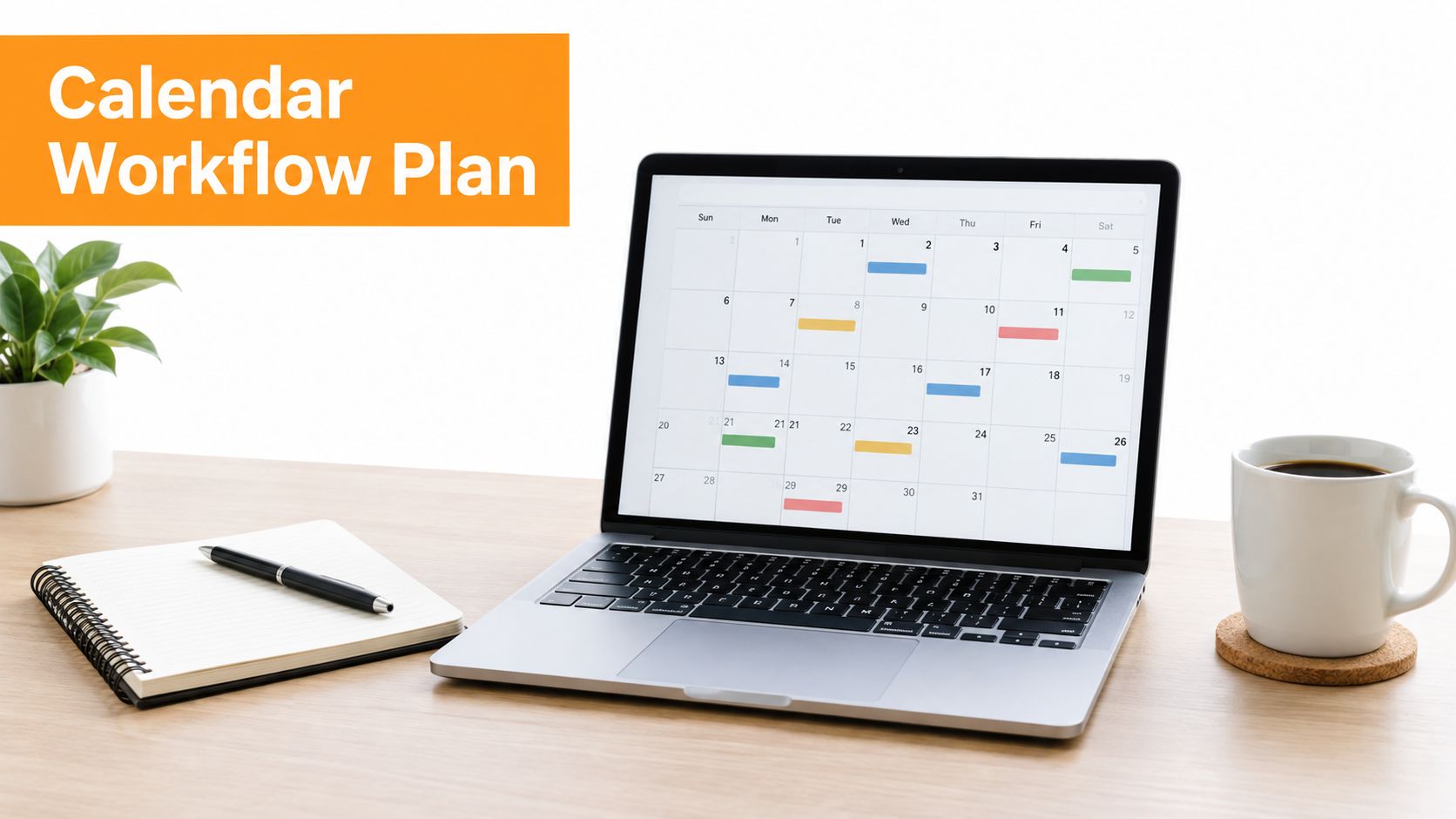
For a practical LinkedIn calendar workflow, see this guide to a content calendar for LinkedIn. The calendar should show both scheduled work and open space, because timely ideas and genuine conversations are part of a credible professional presence.
Measuring What Works and Iterating Your Schedule
A healthy schedule creates useful conversations without taking time away from the work behind the content. Judge it through several signals, not reactions alone.
Track reach per post, engagement quality, and follower movement across comparable publishing periods. Reach shows whether distribution is changing. Engagement rate places responses in context, while follower growth indicates whether the content is attracting people who want more of your perspective. Add operational signals: meaningful comments, relevant profile visits, direct conversations, and the time required to respond.
Test one scheduling variable at a time
Keep cadence, topic, format, hook, and timing from changing together. Otherwise, the result cannot tell you what caused the difference.
Use a controlled workflow:
- Choose a baseline: Hold your weekly frequency and pillar mix steady.
- Test a timing window: Compare a midweek morning slot with a Wednesday afternoon slot.
- Review the pattern: Look for repeated differences across posts, not one unusually strong result.
- Test frequency separately: Change publishing volume only after the timing comparison is clear.
- Record quality signals: Note whether the conversations are relevant and whether you can respond properly.
Test adjacent posting times across a 4 to 6 week window so weekly variation does not dominate the comparison. Apply that principle carefully on LinkedIn, where audience, content, region, and account history can change the outcome. A timing test is useful only if your content supply and engagement bandwidth remain stable.
Know when to pull back
Higher volume does not automatically improve performance. One frequency study found that smaller pages saw declining engagement as posting frequency increased, while larger pages with 10,000+ followers peaked around 31 to 60 posts per month and recorded a median CTR of 1.69%. Those figures describe page-level social data, not an individual LinkedIn creator, so treat them as context rather than a publishing target.
Reduce cadence when posts become thinner, replies become performative, or the same idea keeps returning under different hooks. Increase it only when you can maintain content quality, editing capacity, and timely responses. LinkedIn's practical sweet spot of 2 to 5 posts per week still needs to fit the material you can produce and the attention you can give each post.
A useful iteration loop is publish, observe, compare, adjust, repeat. Start with a reasonable hypothesis, then let your audience and available capacity determine what stays on the calendar.
RedactAI helps professionals turn profile context, posting history, and personal experiences into LinkedIn drafts, then organize approved posts for scheduling, recycling, and analytics. Visit RedactAI to build a content posting schedule that matches your voice, capacity, and publishing goals.

































































































































































































