
Managing social media can feel like spinning a dozen plates at once. You're trying to create killer content, schedule it at the perfect time, engage with your audience, and then somehow prove it’s all working, all while the algorithm changes its mind again. It’s a lot, and doing it manually is a fast track to burnout.
The right tool doesn't just automate tasks; it gives you back your time and sharpens your strategy. But with hundreds of options flooding the market, how do you know which one is right for you? That's where this guide comes in. We’re cutting through the noise to help you find your perfect match. Effective social media management often involves more than just posting; it includes real-time monitoring and integrating Twitter updates with team communication platforms like Slack to keep everyone in the loop. The best social media management tools can streamline these complex workflows.
Whether you're a freelance professional building your brand on LinkedIn, an agency juggling multiple clients, or a startup CEO needing a simple, effective solution, we've got you covered. We dove deep into the features, pricing, and real-world use cases of the top platforms. In this list, we’ll break down exactly what each tool does best, who it's for, and what it costs. Each entry includes screenshots and direct links, so you can see them in action. Let's find the platform that will make your life easier and your social media more effective.
1. RedactAI
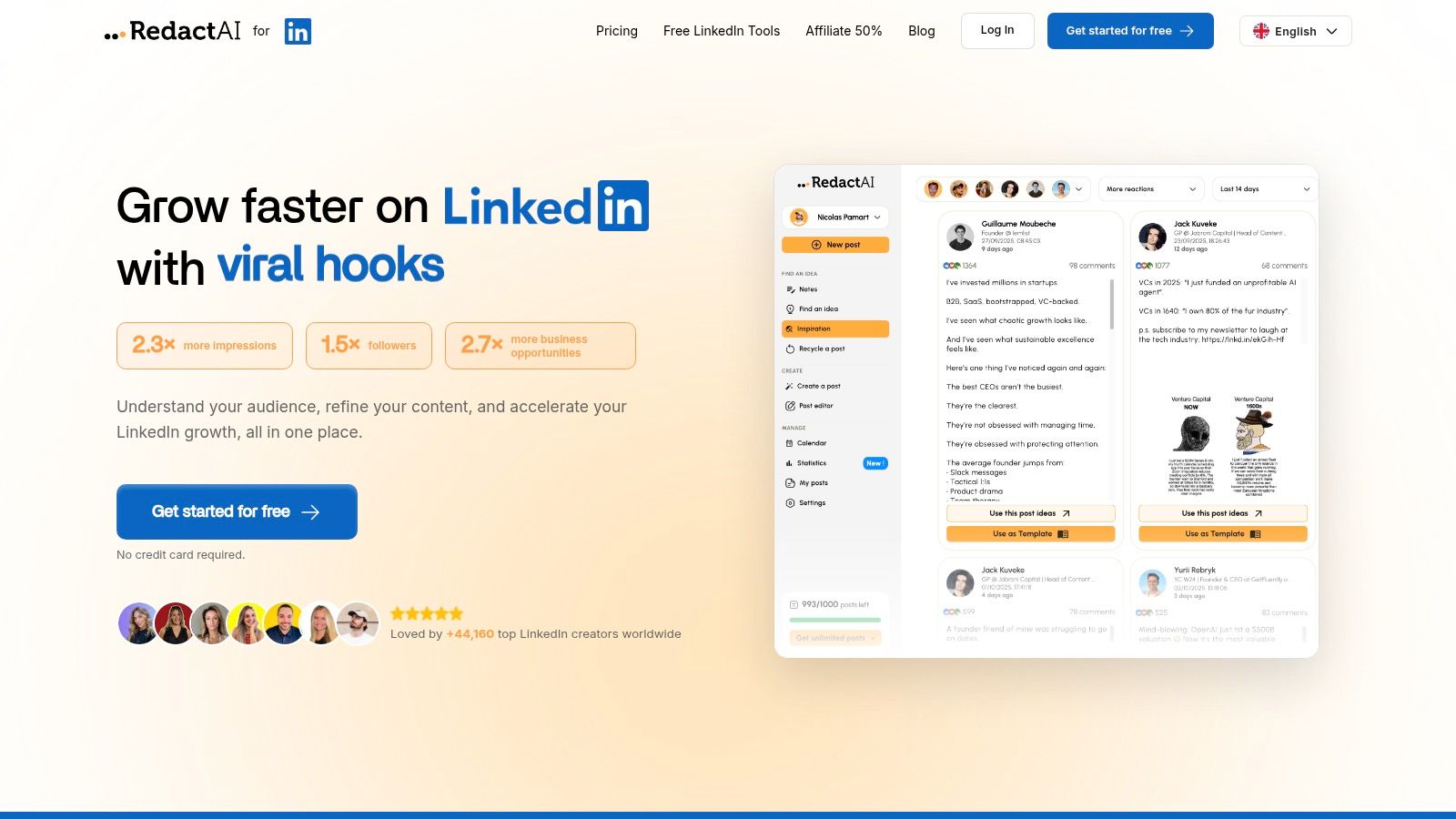
RedactAI takes the top spot because it's not just another scheduler or a generic AI writer; it's a specialized, AI-first platform built to conquer LinkedIn. It's designed for professionals who understand that authentic, high-impact content is key but lack the 10+ hours a week to produce it consistently. Its core genius lies in creating a personalized AI clone of your professional voice, making it a standout contender among the best social media management tools for thought leadership.
Instead of prompting a generic LLM, RedactAI analyzes your LinkedIn profile and your last 100 posts to learn your unique tone, style, and subject matter expertise. From a few keywords, it generates multiple, nuanced post drafts in seconds that sound like you, not a robot. This solves the biggest challenge of AI content: maintaining authenticity. The platform is a complete workflow solution, moving you from a blank page to a fully scheduled, optimized post in minutes.
Key Features & Capabilities
What sets RedactAI apart is its laser focus on LinkedIn-specific performance. It doesn't just write; it equips you with tools to win on the platform.
- Personalized AI Model: This is the game-changer. By training on your past content, the AI captures your cadence, vocabulary, and perspective, ensuring your posts remain genuinely yours.
- Inspiration Feed: The platform surfaces live, viral posts and niche-specific content ideas, helping you spot trends and create timely, relevant content that resonates with your audience.
- Workflow Optimization: Beyond creation, it includes a scheduler, analytics to track what works, and a feature to easily recycle your top-performing content, building a powerful content engine.
- Speed & Scale: Users report saving between 4 and 10 hours per week, generating a week's worth of high-quality drafts in under an hour. This is a massive productivity boost for busy founders, ghostwriters, and agency teams.
Pricing
RedactAI offers a free-to-start model, allowing you to use its tools without a credit card. While the site mentions paid plans, specific pricing tiers are not publicly listed on the main landing pages, so you'll need to explore the app to see full subscription costs after the trial period.
- Website: https://redactai.io
Pros & Cons
| Pros | Cons |
|---|---|
| Saves Significant Time: Generates tailored post drafts in seconds, with users saving 4–10+ hours weekly. | Opaque Pricing: Paid plan details require signing up to view, which can be a hurdle for some users. |
| Authentic Voice Replication: Creates a personalized AI from your profile for outputs that match your genuine style. | Strategy Still Required: The tool amplifies your efforts, but success still depends on a solid content strategy. |
| LinkedIn-Specific Optimization: Combines viral hooks, content ideas, scheduling, and analytics to boost engagement. | Initial Data Needed: Users with a limited posting history may get less-personalized outputs until the AI has more data. |
| Strong Social Proof: Trusted by over 44,000 creators with testimonials citing massive engagement growth. | |
| Complete Workflow Solution: Manages idea generation, drafting, scheduling, and performance analysis in one place. |
The Verdict
For professionals, founders, and agencies serious about scaling their influence on LinkedIn without sacrificing authenticity, RedactAI is an unparalleled solution. It masterfully blends AI-powered speed with deep personalization, directly addressing the core pain points of modern content creation. It’s an investment in consistency, quality, and reclaiming valuable time.
2. Hootsuite
Hootsuite is one of the original players in the social media management game, and it remains a heavyweight champion for a reason. It's an all-in-one platform that centralizes publishing, engagement, analytics, and team collaboration, making it a powerful contender for one of the best social media management tools available. Its dashboard might feel a bit dated to some, but its power lies in its comprehensive feature set designed for complex, multi-brand workflows.
The platform shines with its unified content calendar, which suggests the best times to post and integrates with design tools like Canva. The unified inbox streamlines responding to comments and DMs, and its AI assistant, OwlyWriter, helps generate captions and post ideas when you’re stuck. For larger organizations, the enterprise-grade governance, security, and employee advocacy add-ons are significant differentiators. While you can find more specialized social media scheduling apps, Hootsuite offers a complete suite.
Who is Hootsuite For?
Hootsuite is ideal for agencies and enterprise teams that manage numerous accounts and require detailed reporting and collaboration features. Its robust analytics, including competitor benchmarking and social listening, provide the deep insights larger organizations need to make data-driven decisions. Solo pros might find the cost prohibitive, but teams will appreciate the granular user permissions and approval workflows.
Pricing and Key Features
Hootsuite offers a 30-day free trial to get you started.
| Plan Tier | Price (Billed Annually) | Key Features |
|---|---|---|
| Professional | $99/month | 1 user, 10 social accounts, Unlimited posts |
| Team | $249/month | 3 users, 20 social accounts, Team assignments & roles |
| Enterprise | Custom | 5+ users, 50+ social accounts, Advanced reporting, employee advocacy, social listening |
Pros & Cons
- Pros: Broad feature set for complex workflows, strong enterprise-grade governance, and in-depth analytics.
- Cons: Can be expensive, especially for additional seats, and the advanced modules have a notable learning curve.
Verdict: If your organization needs a battle-tested, all-encompassing tool with powerful team features and isn't scared off by a premium price tag, Hootsuite is an excellent choice.
Visit Hootsuite
3. Sprout Social
Sprout Social is a full-stack social suite built for brands and agencies that need sophisticated tools for collaboration, reporting, and social listening. It stands out as one of the best social media management tools due to its clean, user-friendly interface that doesn't compromise on powerful features. It’s designed to help teams work together seamlessly and prove the ROI of their social media efforts with presentation-ready analytics.

The platform offers a unified publishing calendar with optimal send times and a Smart Inbox that centralizes engagement from all your profiles. Its AI Assist feature helps teams create and refine copy, while advanced tiers unlock competitive and paid performance insights. What truly sets it apart is its reporting capability; the dashboards are not only robust but also visually appealing, making it easy to share performance data with stakeholders who aren't social media experts. You can see why it's a top contender in our list of the best social media analytics tools.
Who is Sprout Social For?
Sprout Social is best suited for mid-market to enterprise-level businesses and larger agencies that prioritize data-driven decision-making and streamlined team collaboration. The per-user pricing model makes it a significant investment, but organizations that need detailed, customizable reports, granular user permissions, and reliable customer support will find immense value in the platform's mature workflows.
Pricing and Key Features
Sprout Social offers a 30-day free trial to explore its features.
| Plan Tier | Price (Billed Annually) | Key Features |
|---|---|---|
| Standard | $249/month (per user) | 5 social profiles, All-in-one smart inbox, Publishing & scheduling |
| Professional | $399/month (per user) | Unlimited social profiles, Competitive reports, Content tagging |
| Advanced | $499/month (per user) | Advanced listening, Message spike alerts, Chatbots & automation tools |
Pros & Cons
- Pros: Best-in-class reports and stakeholder-friendly dashboards, mature collaboration workflows and role-based permissions, and reliable support.
- Cons: Per-seat pricing can become very expensive as teams grow, and many advanced features are gated to the highest-priced tiers.
Verdict: If your team needs a premium, all-in-one platform with unparalleled reporting and collaboration features, and the budget accommodates per-user pricing, Sprout Social is a top-tier choice.
Visit Sprout Social
4. Buffer
Buffer has long been a favorite in the social media management space for its simplicity, clean interface, and transparent pricing. It's an intuitive platform focused on streamlined publishing, analytics, and engagement, making it one of the best social media management tools for those who don't need the complexity of an enterprise-level suite. Where others can feel bloated, Buffer keeps its core functions sharp and easy to navigate.
The platform excels at straightforward scheduling, offering a clean calendar view and a helpful AI Assistant to brainstorm ideas or refine copy. Its analytics provide clear, actionable insights into post performance without overwhelming you with data. Buffer also offers a simple engagement tool to reply to comments from a single dashboard. For those just starting out, the generous free plan is a major draw, providing a risk-free way to test the waters of social media automation.
Who is Buffer For?
Buffer is ideal for solo professionals, small businesses, and creators who need an efficient, no-fuss tool for scheduling content and tracking performance. Its user-friendly design and low learning curve make it perfect for those managing a handful of accounts without a dedicated social media team. The "pay-per-channel" model also makes it a scalable and budget-friendly choice for growing brands.
Pricing and Key Features
Buffer offers a free-forever plan and a 14-day free trial on its paid plans.
| Plan Tier | Price (Billed Annually) | Key Features |
|---|---|---|
| Free | $0/month | 3 channels, 10 scheduled posts per channel, AI Assistant |
| Essentials | $6/month per channel | Unlimited channels, Unlimited scheduled posts, Analytics & Reporting |
| Team | Custom | Unlimited users, Unlimited channels, Advanced collaboration tools, Drafts & Approvals |
Pros & Cons
- Pros: Very clear, low entry pricing and easy to scale, fast learning curve and clean UI ideal for individuals, and solid analytics for the price.
- Cons: Lacks deep social listening and engagement workflows, and add-on costs can grow quickly if you manage many channels.
Verdict: If you value simplicity, a clean user experience, and predictable pricing, Buffer is a fantastic choice. It delivers the core scheduling and analytics features most small businesses need without unnecessary complications.
Visit Buffer
5. Later
Later began as an Instagram-first scheduling tool, and its DNA as a visually-driven platform remains its greatest strength. It has since expanded to support all major networks, but its heart is in helping creators and brands plan beautiful, cohesive feeds. If your strategy is heavily reliant on Instagram and TikTok, Later is undeniably one of the best social media management tools for its intuitive, creator-centric workflow.

The platform’s standout feature is its drag-and-drop visual calendar, which makes it incredibly easy to see how your content grid will look before you publish. It offers robust support for Reels, Stories, and carousels, including auto-publishing where supported. Features like its Link in Bio tool, an AI caption writer, and product tagging help turn visual content into direct revenue streams, streamlining the entire content-to-commerce process.
Who is Later For?
Later is perfect for small brands, solopreneurs, and content creators who prioritize visual planning and have a strong focus on Instagram or TikTok. Its clean interface and straightforward scheduling process make it easy to onboard and manage, even for those new to social media management. Agencies managing a handful of visually-focused clients will also find great value in its higher-tier plans.
Pricing and Key Features
Later offers a 14-day free trial, plus a limited free plan for individuals.
| Plan Tier | Price (Billed Annually) | Key Features |
|---|---|---|
| Starter | $25/month | 1 user, 1 "Social Set", 30 posts per profile |
| Growth | $45/month | 3 users, 3 Social Sets, 150 posts per profile, Analytics |
| Advanced | $80/month | 6 users, 6 Social Sets, Unlimited posts, Team approvals |
Pros & Cons
- Pros: Exceptional visual planning workflow, creator-friendly features for Reels and TikTok, and good value for small teams.
- Cons: Less focused on enterprise-level reporting and social listening, and some key features are only available on higher-priced plans.
Verdict: For visual-first brands and creators who want an easy-to-use tool to plan and schedule beautiful content without the complexity of an enterprise platform, Later is a top-tier choice.
Visit Later
6. Agorapulse
Agorapulse is a powerhouse all-in-one platform known for its exceptional social inbox and robust team collaboration features. It balances a comprehensive toolset including publishing, reporting, and a social CRM with an intuitive, user-friendly interface. While many tools offer similar features, Agorapulse stands out for its straightforward pricing and powerful, built-in collaboration workflows that make it a favorite among agencies and mid-sized teams looking for one of the best social media management tools.
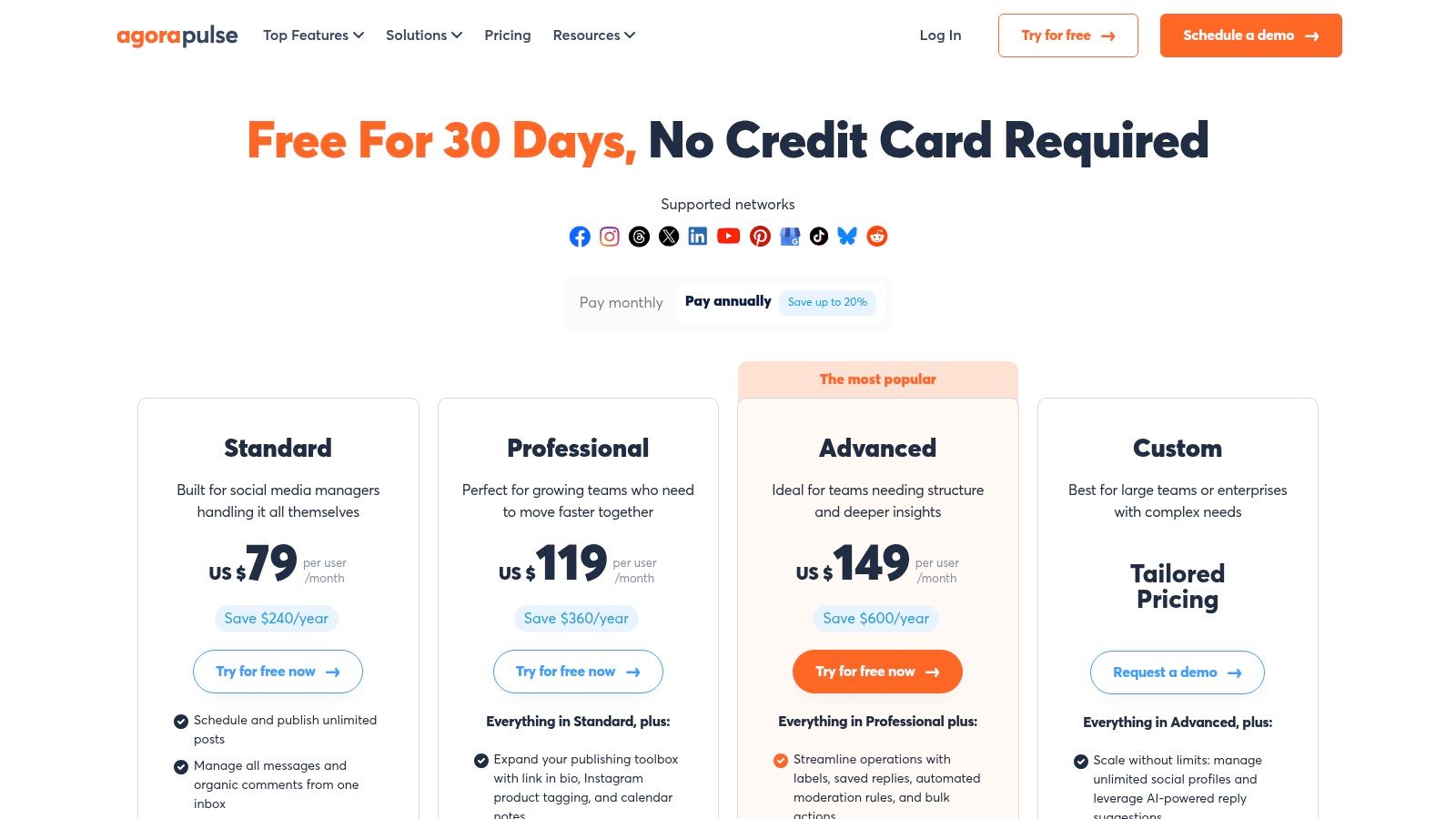
The platform’s unified inbox is a standout, allowing teams to manage organic comments, ad comments, and DMs in one place, with easy assignment and review capabilities. Its reporting is another strong suit, offering branded, exportable reports that are clear and client-ready. Unlimited post scheduling and features like paid comment moderation add significant value, simplifying complex social media tasks. For organizations needing structure, the built-in approval workflows are a lifesaver.
Who is Agorapulse For?
Agorapulse is perfect for agencies and marketing teams that prioritize engagement and efficient collaboration. Its social inbox and team workflow features are designed to streamline communication and ensure no message goes unanswered. The value-packed plans and clear nonprofit discounts also make it accessible for organizations that need powerful tools without an enterprise-level price tag.
Pricing and Key Features
Agorapulse offers a generous 30-day free trial, with no credit card required.
| Plan Tier | Price (Billed Annually) | Key Features |
|---|---|---|
| Standard | $49/user/month | 10 social profiles, Unlimited post scheduling, Unified inbox |
| Professional | $79/user/month | 25 social profiles, Team workflows & approvals, Ad comment monitoring |
| Advanced | $119/user/month | 40 social profiles, Branded reports, Competitor analysis |
Pros & Cons
- Pros: Excellent unified inbox and collaboration tools, strong reporting value with branded exports, and around-the-clock support.
- Cons: Per-user pricing can become costly for larger teams, and some advanced social listening features require higher-tier plans.
Verdict: For teams who live in their social inbox and need a seamless, collaborative tool with fantastic reporting, Agorapulse offers an unbeatable combination of power and usability.
Visit Agorapulse
7. Sendible
Sendible is a social media management tool built with agencies and their clients squarely in mind. It balances a comprehensive feature set with a user-friendly interface, making it a powerful yet approachable platform. Its major differentiator is the focus on agency workflows, offering features like client dashboards, content approval queues, and white-label branding options that streamline managing multiple brands under one roof.
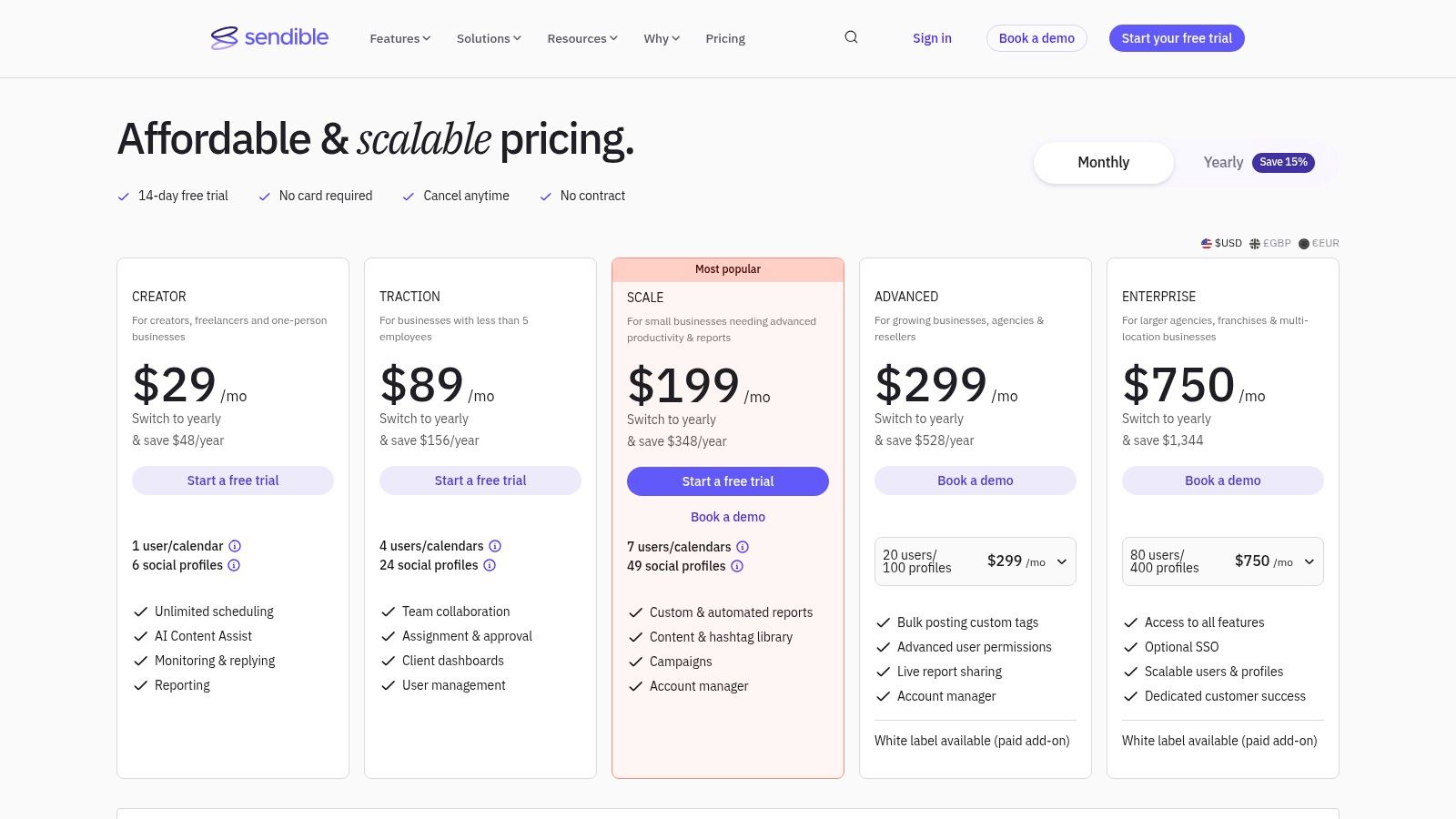
The platform’s strength lies in its meticulous organization. You can create separate, clean dashboards for each client, bulk schedule posts, and build a shared content library for evergreen assets. Its AI Content Assist helps generate post ideas and captions, while the robust, automated reporting engine integrates with Google Analytics for a holistic view of performance. This combination makes it one of the best social media management tools for teams juggling multiple client accounts.
Who is Sendible For?
Sendible is ideal for digital marketing agencies, freelancers, and social media managers handling multiple client accounts. Its structure is purpose-built for collaboration, client approvals, and demonstrating ROI through customizable, white-labeled reports. While solo users can benefit, the platform truly shines in a multi-client environment where organization and efficiency are paramount.
Pricing and Key Features
Sendible offers a 14-day free trial, no credit card required.
| Plan Tier | Price (Billed Annually) | Key Features |
|---|---|---|
| Creator | $25/month | 1 user, 6 social profiles, AI Content Assist |
| Traction | $76/month | 4 users, 24 social profiles, Content approval workflows |
| Scale | $204/month | 7 users, 49 social profiles, White-label option, custom reports |
Pros & Cons
- Pros: Tailored for agencies with excellent client management features, competitive reporting at mid-market price points, and flexible user/profile bundles.
- Cons: Has daily posting limits per user to comply with network guidelines, and the white-label branding requires a higher-tier plan plus an add-on fee.
Verdict: For agencies and freelancers who need a scalable, client-friendly platform without the enterprise-level price tag, Sendible offers an exceptional balance of features, usability, and value.
Visit Sendible
8. SocialPilot
SocialPilot carves out its niche by offering a powerful, cost-effective solution that is particularly attractive for agencies and growing businesses. It stands out by providing generous user and account limits without the enterprise-level price tag, making it one of the best social media management tools for teams focused on value and scale. It packs all the essentials like bulk scheduling, a unified social inbox, and analytics into a straightforward platform.
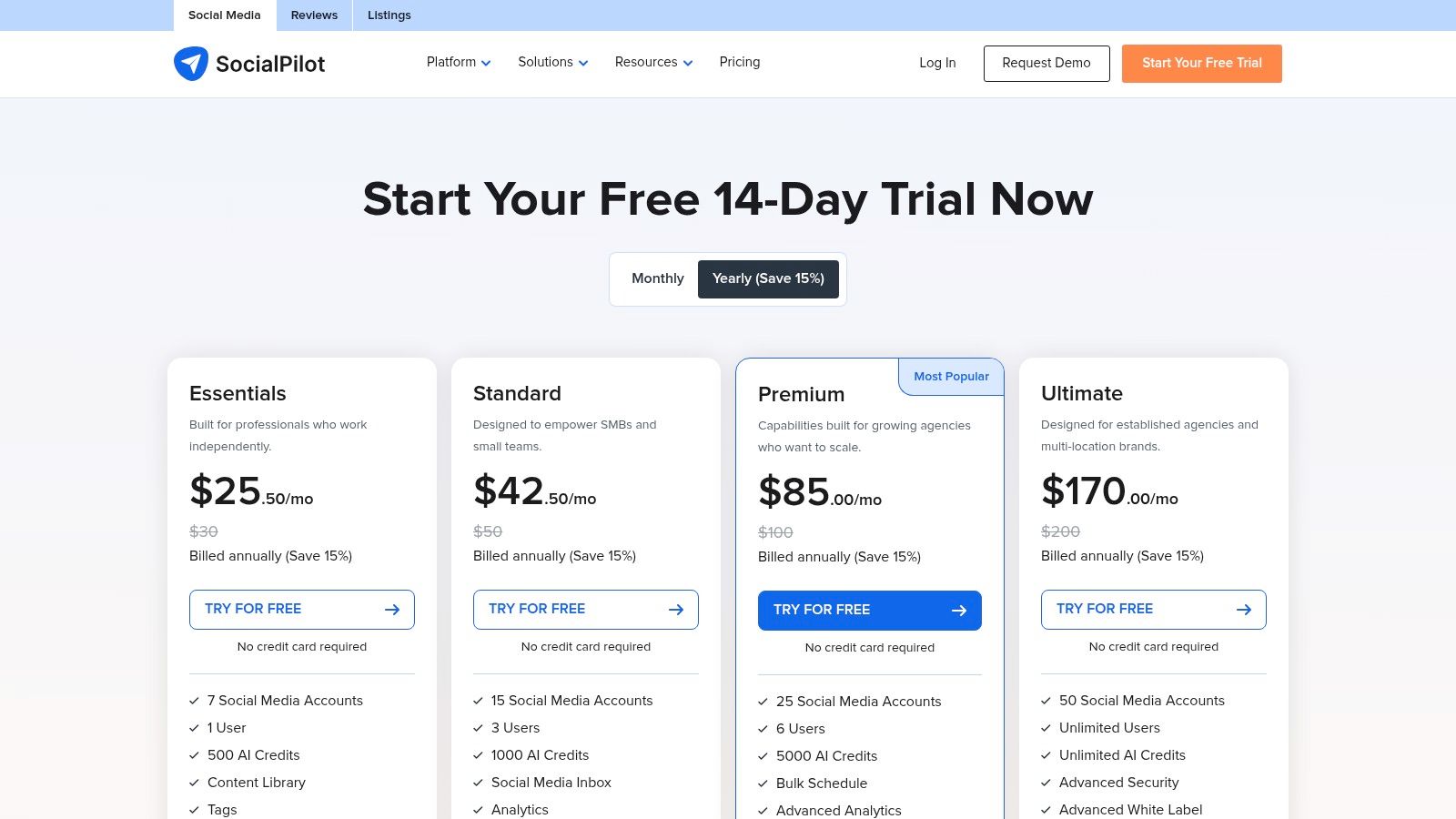
The platform is designed for efficiency, featuring an easy-to-navigate content calendar and approval workflows that streamline collaboration between team members and clients. A major differentiator is its white-label reporting, available on higher-tier plans, which allows agencies to present professional, branded reports. While it may not have the deep, native social listening of premium suites, its core functionality and exceptional value proposition make it a formidable contender.
Who is SocialPilot For?
SocialPilot is perfect for small to mid-sized agencies and marketing teams that need to manage a high volume of social accounts without breaking the bank. The generous user limits, especially on the Ultimate plan, and the ability to add extra accounts at modest fees provide unparalleled scalability. Its straightforward interface and white-label options are a huge plus for agencies managing client work.
Pricing and Key Features
SocialPilot offers a 14-day free trial to explore its features.
| Plan Tier | Price (Billed Annually) | Key Features |
|---|---|---|
| Essentials | $25.50/month | 1 user, 10 social accounts, Bulk scheduling |
| Standard | $42.50/month | 1 user, 20 social accounts, Social inbox, unlimited users |
| Premium | $85/month | 5 users, 30 social accounts, White-label PDF reports |
| Ultimate | $170/month | 10 users, 50 social accounts, White-label dashboard & reports |
| Enterprise | Custom | SSO/API access, Dedicated support |
Pros & Cons
- Pros: Strong value per managed account, straightforward pricing with easy add-ons, and generous user limits on higher plans.
- Cons: Fewer native advanced listening features than top enterprise suites, and the user experience is less polished than some high-end tools.
Verdict: If your team prioritizes value, scalability, and core management features over advanced bells and whistles, SocialPilot is an outstanding choice that delivers serious bang for your buck.
Visit SocialPilot
9. Loomly
Loomly is a brand success platform that puts collaboration and planning at the forefront, making it an excellent choice for teams that prioritize structured content workflows. Its strength lies in its intuitive calendar-first interface, which guides users from brainstorming post ideas to client approvals and final scheduling. While some tools focus on analytics, Loomly excels at the creative and approval process, ensuring everyone is on the same page before anything goes live.
The platform streamlines team collaboration with clear roles, comment threads, and version logs for every post. Agencies particularly love the clean, client-friendly preview links that make sign-offs painless. Loomly also provides post ideas based on trends and holidays, and its asset library keeps all your media organized and accessible. It’s a well-rounded tool that simplifies one of the most complex parts of social media management: getting content approved.
Who is Loomly For?
Loomly is perfect for agencies and in-house marketing teams that need a highly organized and collaborative approval workflow. Its calendar-centric design and client preview features are tailor-made for environments where multiple stakeholders must sign off on content. Small to medium-sized businesses will also find its balance of features and affordable pricing very appealing.
Pricing and Key Features
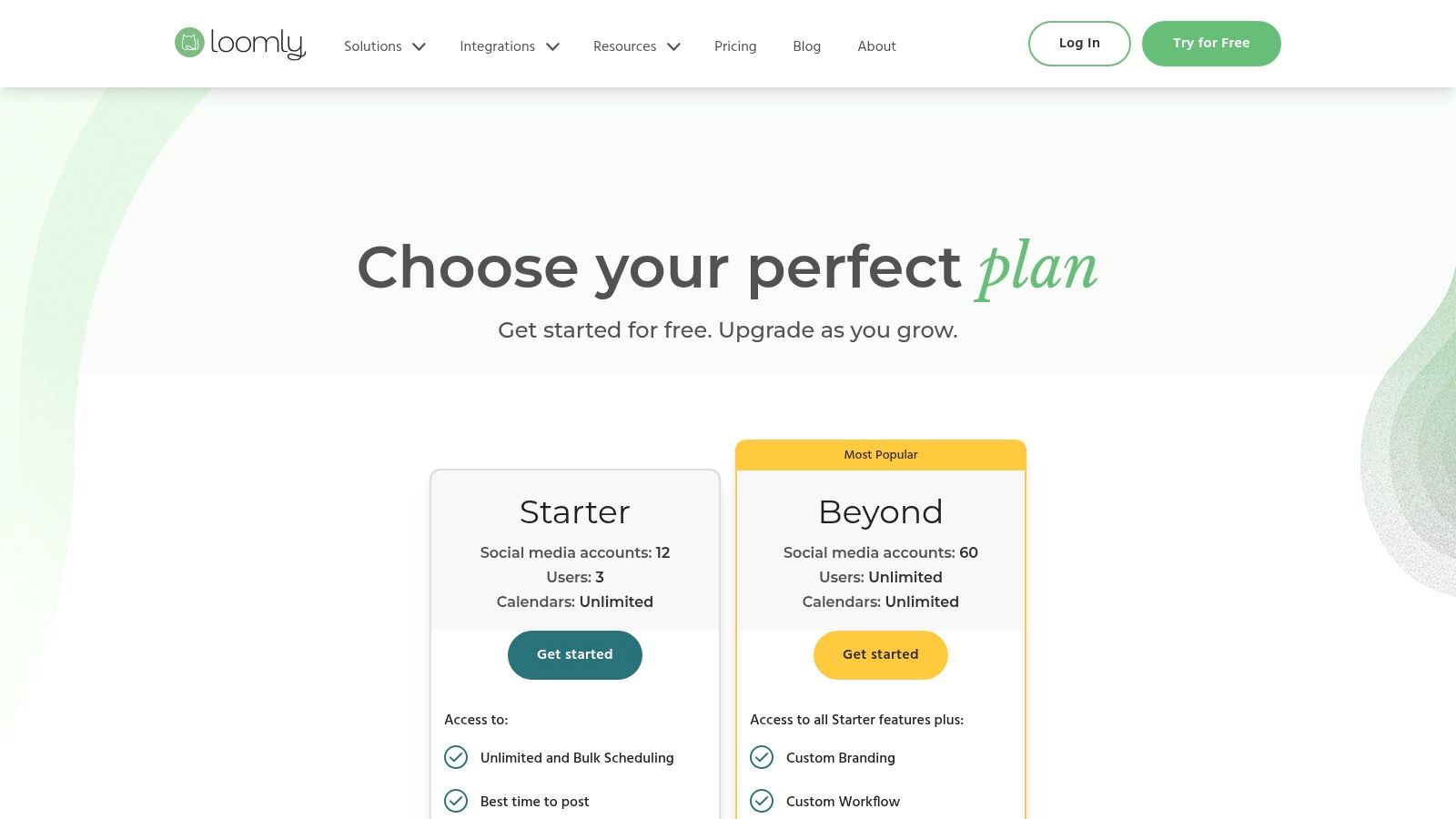
Loomly offers a 15-day free trial on all its plans.
| Plan Tier | Price (Billed Annually) | Key Features |
|---|---|---|
| Base | $32/month | 2 users, 10 social accounts, Unlimited scheduling |
| Standard | $64/month | 6 users, 20 social accounts, Content exports & advanced analytics |
| Advanced | $132/month | 14 users, 35 social accounts, Custom roles & approval workflows |
| Enterprise | Custom | Custom users & accounts, Dedicated account manager |
Pros & Cons
- Pros: Very intuitive calendar and approval process, excellent for client collaboration, and offers a great balance of features for its price point.
- Cons: Lacks deep social listening and CRM capabilities found in enterprise suites, and pricing details on the site can sometimes require interaction to view.
Verdict: If your primary pain point is a messy content creation and approval process, Loomly is one of the best social media management tools to bring order to the chaos. It’s a fantastic, user-friendly choice for teams focused on collaboration.
Visit Loomly
10. Zoho Social
Zoho Social is the social media management arm of the sprawling Zoho business suite, offering a powerful and well-integrated solution that provides incredible value. It’s designed for businesses and agencies that need structured workflows, deep reporting, and seamless connections to other business functions like sales and customer support. While it can stand alone, its real power is unlocked when used within the broader Zoho ecosystem.
The platform supports a wide array of channels, including TikTok and Threads on higher tiers, and comes packed with features like a content calendar with SmartQ posting times, bulk scheduling, and repeat posting. For teams, the custom user roles and content approval workflows are essential. The standout feature, however, is its native integration with Zoho CRM and Zoho Desk, which allows you to enrich lead data and create support tickets directly from social media interactions, making it one of the best social media management tools for sales-focused teams.
Who is Zoho Social For?
Zoho Social is perfect for small to medium-sized businesses and agencies already invested in or considering the Zoho ecosystem. Its deep integration with Zoho CRM makes it a top choice for teams that use social media for lead generation and customer service. The separate agency plans, which are structured around managing multiple brands, also provide excellent, scalable value for marketing agencies.
Pricing and Key Features
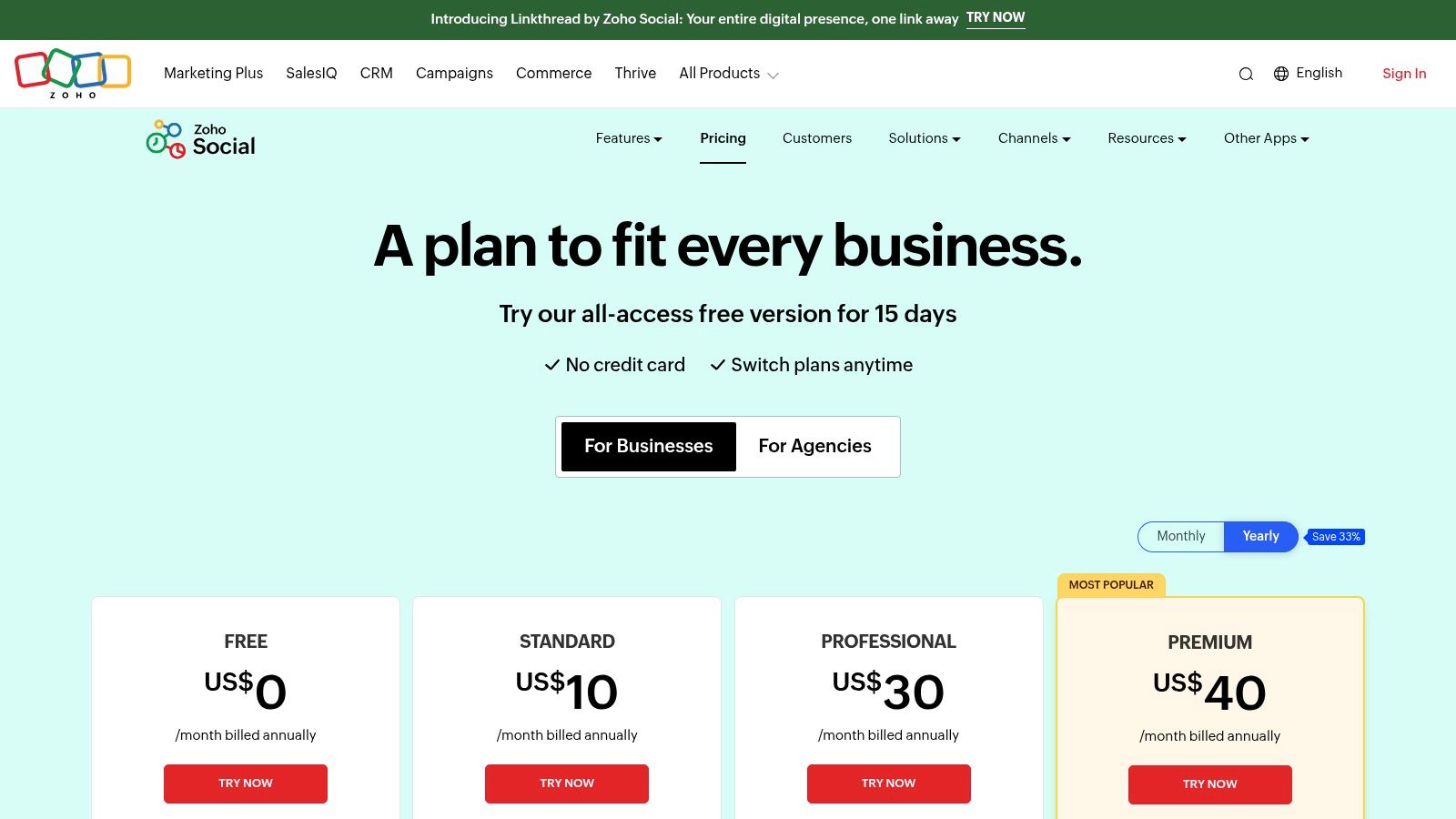
Zoho Social offers a 15-day free trial and a limited free-forever plan.
| Plan Tier | Price (Billed Annually) | Key Features |
|---|---|---|
| Standard | $10/month | 1 team member, 7 channels, Publishing & scheduling |
| Professional | $30/month | 1 team member, 8 channels, SmartQ, repeat posting |
| Premium | $40/month | 3 team members, 9 channels, Content approvals, custom reports |
| Agency | $230/month | 5 team members, 10 brands, Agency-branded reports |
Pros & Cons
- Pros: Exceptional value, especially for Zoho users, deep channel coverage, and powerful CRM/Desk integrations.
- Cons: The interface can feel dense and requires some time to set up properly, and pricing can appear different depending on your region until checkout.
Verdict: If your business runs on Zoho or you need a cost-effective tool that tightly integrates social media with sales and support workflows, Zoho Social is an unbeatable choice that offers enterprise-level features at an SMB price point.
Visit Zoho Social
11. G2 – Social Media Management Tools Category
This entry isn't a tool itself, but rather a meta-resource for finding the best social media management tools based on real user feedback. G2 is a massive software marketplace where you can compare platforms, read verified reviews, and filter solutions based on business size and specific needs. It’s an essential first stop before you commit to a free trial or sales demo, providing an unbiased lay of the land from people who actually use the software daily.
The platform excels at helping you build a shortlist. You can use its comparison grids to see how top contenders stack up side-by-side on features, satisfaction ratings, and market presence. Its detailed review breakdowns let you see what users love and loathe, offering insights you won't find on a vendor's marketing page. Instead of just taking a company's word for it, G2 empowers you with peer-driven data.
Who is G2 For?
G2 is for any buyer in the research phase, from a solo pro trying to validate a choice to an enterprise team conducting a formal RFP. It’s perfect for anyone who wants to benchmark vendor sentiment, discover niche players, and get an honest, unfiltered look at a tool's strengths and weaknesses before investing time and money.
Pricing and Key Features
G2 is free for buyers to use for research and reviews.
| Category | Price | Key Features |
|---|---|---|
| Research | Free | Verified user reviews with detailed pros and cons |
| Comparison | Free | Side-by-side product comparison grids and reports |
| Discovery | Free | Category rankings, buyer guides, and alternative software suggestions |
Pros & Cons
- Pros: Huge volume of verified user reviews, powerful filtering and comparison tools, and excellent for building a confident shortlist.
- Cons: Sponsored placements can sometimes influence which tools appear first, and specific pricing details often require visiting the vendor's site.
Verdict: G2 is an indispensable research hub. Before you get locked into demos, use it to understand the market, validate your options, and ensure the tool you choose is genuinely one of the best social media management tools for your specific needs.
Visit G2 Social Media Management Category
12. Capterra – Social Media Management Software Directory
Sometimes, the best tool isn't a single platform but a resource to find the perfect one for your unique needs. Capterra is a massive software directory that acts as a powerful starting point for your research, cataloging over 250 social media management products. Instead of jumping between vendor sites, you can use its robust filters to narrow down the options by features, pricing models, and user ratings, making it one of the best resources to survey the entire market.
The platform excels at helping you discover niche or emerging tools that might not appear in other top-10 lists. You can sort by "Highest Rated" or "Most Reviews" to see what real users are saying, and each listing often includes direct links to vendor trials and pricing pages. Capterra's buyer's guides and related category navigation (like social listening or reputation management) provide additional context, helping you make a more informed decision without visiting dozens of websites.
Who is Capterra For?
Capterra is ideal for anyone in the research phase, from solo pros to enterprise buyers. It’s particularly valuable for agencies or consultants looking for a specific, hard-to-find feature or trying to find a budget-friendly tool that still packs a punch. If you need a comprehensive overview of your options before committing to demos, Capterra is the place to start.
Pricing and Key Features
Capterra is a free-to-use directory. Pricing for the tools listed varies by vendor.
| Feature | Description | Use Case |
|---|---|---|
| Comprehensive Directory | 250+ tools listed | Get a bird's-eye view of the entire market. |
| Advanced Filtering | Filter by features, pricing model, business size, etc. | Quickly narrow down options to fit specific needs. |
| User Reviews | Ratings and reviews from verified users. | Gauge real-world performance and user satisfaction. |
| Buyers Guides & Comparisons | In-depth articles and side-by-side tool comparisons. | Educate yourself on what to look for in a tool. |
Pros & Cons
- Pros: Excellent for market research and discovering niche tools, and user reviews provide valuable social proof.
- Cons: Sponsored listings can crowd the top of the results, and you still need to visit vendor sites for final pricing confirmation.
Verdict: For a comprehensive, unbiased starting point in your search for the best social media management tools, Capterra is an indispensable resource. It streamlines the research process and helps uncover hidden gems.
Visit Capterra
Top 12 Social Media Management Tools — Features & Pricing
| Product | Core features | UX & quality | Price / Value | Target audience | Standout ✨ |
|---|---|---|---|---|---|
| 🏆 RedactAI | Profile‑trained AI drafts, scheduling, analytics, inspiration feed | ★★★★ — reported engagement uplifts; saves 4–10+ hrs/wk | 💰 Free start; paid tiers (pricing in-app) | 👥 Professionals, founders, agencies, ghostwriters | ✨ Mirrors your tone; one‑click multi‑drafts; real‑time industry insights |
| Hootsuite | Unified publishing, inbox, analytics, integrations | ★★★ — enterprise‑grade governance & breadth | 💰 30‑day trial; premium per‑seat pricing | 👥 Enterprises & multi‑team orgs | ✨ Broadest feature set & governance |
| Sprout Social | Publishing calendar, reporting, collaboration, AI assist | ★★★ — best‑in‑class reports for stakeholders | 💰 30‑day trial; per‑seat pricing scales | 👥 Brands, agencies, large teams | ✨ Stakeholder dashboards & mature workflows |
| Buffer | Scheduling, lightweight analytics, AI ideation, integrations | ★★★ — clean UI, fast learning curve | 💰 Free plan (3 channels); clear low‑entry pricing | 👥 Solo pros & small teams | ✨ Transparent pricing & simple UX |
| Later | Visual calendar, auto‑publish, caption AI, link‑in‑bio | ★★★ — creator‑friendly for visual content | 💰 14‑day trial; good value for creators | 👥 Instagram/TikTok creators & small brands | ✨ Visual planning & auto‑publish for reels/stories |
| Agorapulse | Publishing, unified inbox, social CRM, branded reports | ★★★ — strong inbox & team collaboration | 💰 30‑day trial; clear plans with reporting value | 👥 Teams, agencies needing inbox workflows | ✨ Excellent inbox, assignment & reporting flows |
| Sendible | Multi‑client dashboards, white‑label, reporting | ★★★ — agency‑focused with client controls | 💰 14‑day trial; white‑label on higher tiers | 👥 Agencies & consultancies | ✨ White‑label & client dashboards |
| SocialPilot | Bulk scheduling, approvals, white‑label reporting | ★★★ — strong value per managed account | 💰 14‑day trial; cost‑effective add‑ons | 👥 SMBs & agencies managing many accounts | ✨ High account limits & straightforward pricing |
| Loomly | Calendar‑first planning, approvals, content library | ★★★ — intuitive approvals & client previews | 💰 Free starts; enterprise options available | 👥 Brands & agencies needing approvals | ✨ Client previews & structured approval stages |
| Zoho Social | Multi‑channel publishing, approvals, Zoho CRM ties | ★★★ — deep channel coverage & value | 💰 Free trial & plan; good value in Zoho stack | 👥 Businesses & agencies using Zoho | ✨ CRM/Desk integrations & multi‑brand support |
| G2 | Category pages, side‑by‑side comparisons, reviews | ★★★★ — large base of verified reviews | 💰 Free to browse; vendor pricing links | 👥 Buyers researching & shortlist builders | ✨ Verified reviews + comparison tools |
| Capterra | Directory, filters, buyer guides, vendor links | ★★★ — broad market scan & discovery | 💰 Free to browse; links to trials/pricing | 👥 Buyers discovering niche tools | ✨ Extensive directory & filterable lists |
So, Which Tool Should You Choose?
Alright, we’ve just navigated a pretty packed landscape of the best social media management tools out there. From enterprise-level powerhouses to nimble, budget-friendly platforms, it's clear there’s no single, magical solution that fits everyone. The most powerful tool on the market is useless if it doesn't align with your specific goals, team size, and daily workflow. The real winner is the platform that feels less like a taskmaster and more like a trusted co-pilot for your social strategy.
Think of it this way: choosing a tool is like hiring a new team member. You wouldn’t hire a corporate finance expert to run your creative visual campaigns, right? The same logic applies here. Your decision should be a direct reflection of your primary business objectives.
Making the Final Call: A Quick Recap
Let's boil it down. After reviewing a dozen options, a few core themes emerged that can help guide your final decision. Your choice will likely pivot on one of these key factors:
- For the LinkedIn Power User & Thought Leader: If your primary focus is building authority, generating high-quality leads, and crafting authentic content specifically for LinkedIn, a specialized, AI-driven tool like RedactAI is engineered for your success. It cuts through the noise of generic, multi-platform schedulers to focus on what matters: nuanced, high-impact personal branding.
- For the All-in-One Agency or Large Team: When you’re juggling multiple clients, complex approval workflows, and need deep-dive analytics, platforms like Sprout Social, Hootsuite, and Agorapulse are your best bets. They are the Swiss Army knives of social media management, built for robust collaboration, comprehensive reporting, and handling a high volume of social interactions across every major network.
- For the Solo Creator or Small Business on a Budget: If you value simplicity, clean design, and affordability above all else, Buffer and SocialPilot are fantastic starting points. They deliver the essential scheduling and analytics features you need without the overwhelming complexity or enterprise-level price tag, empowering you to build a consistent presence efficiently.
- For the Visually-Driven Brand: If your strategy is built on Instagram, Pinterest, or TikTok, a platform like Later is a no-brainer. Its focus on visual planning, with features like a visual calendar and Linkin.bio, is tailor-made for brands that communicate primarily through images and video.
Your Actionable Next Steps
Feeling overwhelmed? Don’t be. The goal isn't to demo all twelve platforms. The goal is to identify your top two or three contenders and put them to the test in your real-world environment.
Here’s your game plan:
- Define Your "Must-Haves": Grab a piece of paper (or open a doc) and list the top three to five things your ideal tool must do. Is it advanced LinkedIn analytics? A super-simple content calendar? A rock-solid client approval system? Be specific and ruthless.
- Shortlist Your Candidates: Based on your must-have list and our reviews, pick two or three tools that seem like the best fit. Don’t overthink it.
- Start the Free Trials: This is the most crucial step. All the best social media management tools offer a free trial for a reason. Sign up and actually use them for a week. Connect your accounts, schedule a few posts, pull a report, and see how it feels. Is it intuitive or clunky? Does it save you time or create more headaches?
- Evaluate the Experience: At the end of the trial period, ask yourself: Did this tool make my life easier? Did it help me get closer to my social media goals? The one that gets a resounding "yes" is your winner.
Ultimately, investing in one of the best social media management tools is an investment in your most valuable asset: your time. By automating the tedious parts of social media, you free yourself up to focus on the human element that truly drives results, like engaging with your audience, building relationships, and creating content that resonates. Choose wisely, and watch your social presence transform from a daily chore into a powerful engine for growth.
Ready to stop blending in and start standing out on the one platform that matters most for professionals? If your goal is to build a powerful personal brand on LinkedIn, RedactAI is the specialized tool designed to elevate your content with AI-powered ghostwriting and strategic insights. Stop managing and start influencing by trying RedactAI today.






























































































































































































