
Let's break down what a LinkedIn post impression actually is. In the simplest terms, an impression happens every single time your post shows up on someone's screen.
That’s it. They don't have to stop scrolling, click on it, or even consciously notice it. If it appears in their feed, it counts as an impression.
So, What's an Impression Good For?
Think of your LinkedIn post like a billboard on the side of a digital highway. Every time a car passes and the billboard is visible, that's an impression. It doesn't matter if the driver just gives it a passing glance or stares at it for a full minute—it was seen.
This is why impressions are the foundational metric for your content. It’s the first sign of life, telling you whether the LinkedIn algorithm is even putting your content out there. No impressions means no chance for clicks, comments, or new followers. It's all about raw visibility.
An impression is officially counted once at least 50% of your post is visible on a user's screen for at least 300 milliseconds. Think of it as a measure of opportunity—every impression is a chance to grab someone's attention.
Here's an interesting tidbit: where you post from can make a huge difference. Data shows that content shared from a personal profile can rack up 2.75 times more impressions than the same content posted from a company page. This really shows how much the platform values individual voices. For more on that, check out these LinkedIn marketing statistics and insights on botdog.co.
Getting a handle on this simple metric is the first real step to building a brand that actually gets noticed on LinkedIn.
Impressions, Reach, and Engagement: What’s the Difference?
It’s incredibly easy to get these three terms mixed up, but figuring out the difference is crucial if you want to understand how your content is really doing. Each one tells you a different piece of the story. When you look at them together, you get the full picture.
Let's break it down with a simple analogy. Imagine you're giving a talk at a big conference.
- Impressions are the total number of times people walked past your conference room and saw your session title on the screen. If one person walks by three times, that counts as three impressions.
- Reach is the number of unique people who saw your session title. That same person who walked by three times? They only count as one person in your reach.
- Engagement is the number of people who actually stopped, walked into the room, and listened to your talk. Maybe they even stuck around to ask a question. That’s an interaction.
This visual helps show how impressions are really the first step. They're the foundation that leads to both reach and engagement.
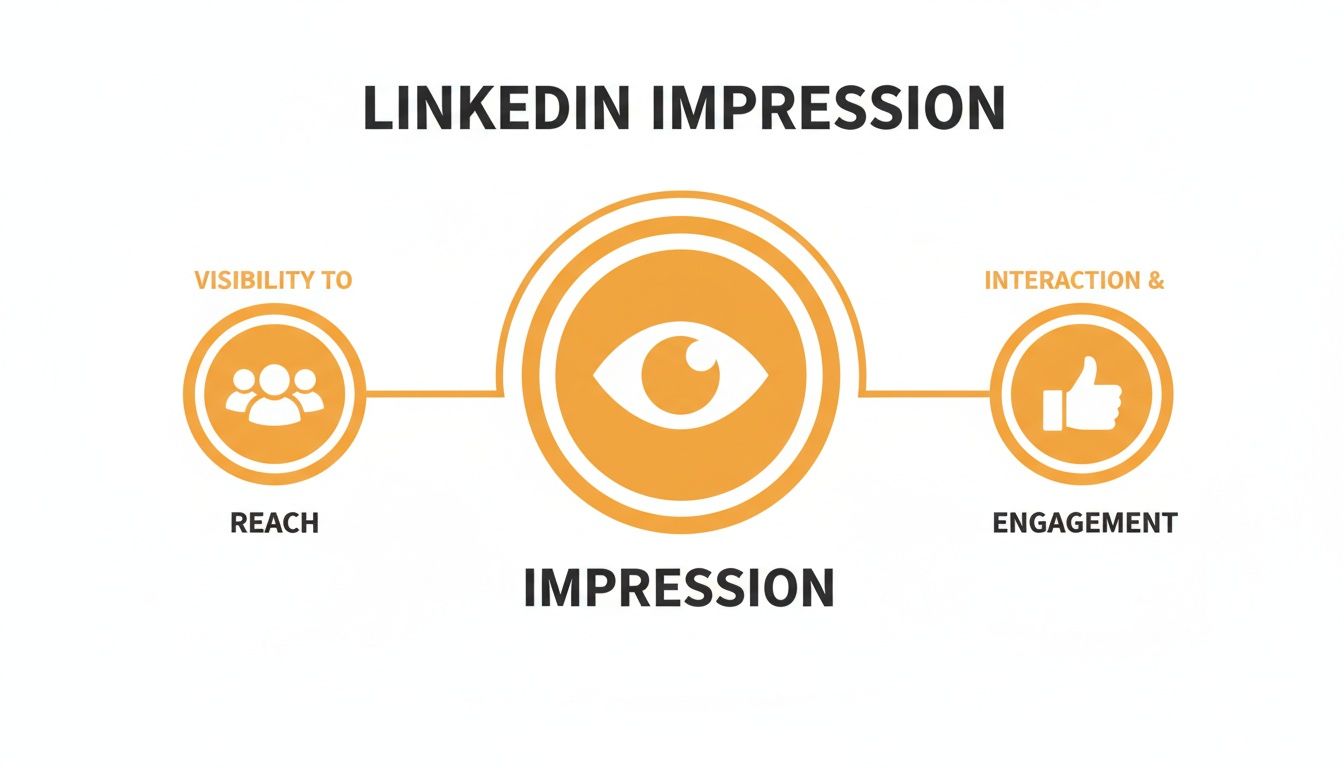
As you can see, impressions are all about raw visibility. That visibility is what creates the opportunity to reach unique individuals and, hopefully, spark a real conversation.
Why All Three Metrics Matter
If you only focus on one of these, you're getting a skewed version of reality. A post could rack up 10,000 impressions but only reach 2,000 people. That just means your core audience saw it an average of five times each. Is that a good thing? Well, that depends entirely on what you were trying to achieve.
On the flip side, what if you have tons of impressions but almost no engagement (likes, comments, shares)? That could be a sign that your hook was great, but the actual content didn't give people a reason to stop scrolling. You have to look at all three to diagnose what's working and what isn't. The relationship between these metrics can be tricky, and you can dive deeper into the nuances in our guide on the key differences between an impression vs a view.
A high impression count shows the algorithm is pushing your content out. High reach shows it’s landing in front of new people. High engagement shows it’s actually hitting the mark.
At the end of the day, understanding what a LinkedIn post impression is—and how it works with reach and engagement—helps you get past the vanity metrics. It allows you to make much smarter, more strategic decisions about your content.
Diving Into Your Impression Data: How to Find and Understand It
Alright, let's get our hands dirty and actually look at the numbers. LinkedIn doesn't hide this stuff; you just need to know where to click. The real trick isn't finding the data—it's figuring out what it all means once you're there.
Finding your post analytics is super straightforward. Just navigate to any of your past posts and look right underneath it. On a computer, you'll spot a little bar graph icon, usually with the text "View analytics." If you're on your phone, you'll see a view count—just tap on that, and it'll open up the full dashboard.
Making Sense of the Numbers
Once you click in, you'll get a snapshot of how your post performed. The big number you’ll probably notice first is impressions—that's the grand total of how many times your post popped up in someone's feed. Think of this as your starting point for measuring visibility.
But it gets much more interesting. LinkedIn gives you a peek into who is seeing your content, breaking down the impressions into helpful categories like:
- Company: Impressions from people working at specific companies.
- Job Title: Views from folks with titles like "Founder" or "Marketing Manager."
- Location: A geographic breakdown of where your audience is.
This is where the real gold is buried. You're not just seeing how many people saw your post, but who they are. This is absolutely critical for knowing if you're hitting your target audience or just shouting into the void.
This data is what bridges the gap between your content strategy and actual business results. If you want to go even deeper, effective B2B social media monitoring on LinkedIn can give you a much richer picture of performance. And while LinkedIn’s built-in analytics are great, there are also some fantastic third-party options. You can explore some of the best social media analytics tools if you find you need more horsepower down the road.
Why Your LinkedIn Impressions Actually Matter
It's easy to write off impressions as just another "vanity metric," but that's a shortsighted view. When you dismiss them as empty numbers, you're missing the whole point. Every single impression is a chance for your brand to be seen, an opportunity to plant a seed of authority, or the moment a future client first notices you.
Think of it like this: your impressions are the digital real estate your professional brand occupies. The more visibility you have, the more top-of-mind you become. That's how those surprise DMs and unexpected career opportunities really start.
From Visibility to Opportunity
Impressions are the very first domino to fall. Before anyone can like your post, hire you for a gig, or buy your product, they have to see your content in the first place. That initial visibility is exactly what impressions measure.
This is a huge deal on a platform like LinkedIn, where the professional context is everything. For sales teams and recruiters, this isn't just a social network; it's a goldmine. Over 65 million users on the platform are business decision-makers, and a staggering 80% of them have a say in purchasing decisions. An impression here just hits different than one on a more casual network. You can dig deeper into how LinkedIn engagement works over at PostNitro.ai.
Impressions aren't just numbers; they are potential handshakes, conversations, and partnerships waiting to happen. High visibility ensures your profile is active when the right person is looking.
At the end of the day, impressions are the fuel for everything else you want to achieve on LinkedIn. They're the starting line for every meaningful interaction. By focusing on getting your content in front of the right eyeballs, you kick off a ripple effect that leads to real, tangible results—leads, collaborations, and a rock-solid professional reputation.
Practical Strategies to Increase Your Post Impressions
Okay, so you know what impressions are. Now for the fun part: making that number climb. Getting more eyes on your LinkedIn posts isn't about some secret formula or a huge ad spend. It really boils down to a handful of smart, repeatable habits that play nicely with the LinkedIn algorithm.
Honestly, the first step is just showing up consistently. LinkedIn's own research shows that posting just once a week can give you a two-times lift in engagement, and engagement is the fuel for impressions. This simple act of consistency tells the algorithm you're a serious contributor and that your content is worth showing to more people.
Master Your Timing and Content Mix
When you post is almost as important as what you post. Sure, there are general trends—midweek mornings tend to be a sweet spot—but every audience is a little different. The only real way to know what works for your network is to experiment. Try posting at different times and keep an eye on your analytics.
For a deeper dive, check out our guide on finding the https://redactai.io/blog/best-time-to-post-on-linkedin.
Beyond timing, the type of content you share makes a massive difference. To give your posts the best shot at getting seen, mix it up with these tactics:
- Experiment with Formats: Don't get stuck in a text-only rut. Posts with images get twice the engagement on average. Things like polls and carousels are even better because they keep people on your post longer, which is a huge green flag for the algorithm.
- Use Strategic Hashtags: Think of hashtags as search terms for your post. A good mix of 3-5 broad and niche hashtags helps people who don't follow you yet discover your content.
- Ask Engaging Questions: Seriously, just end your post with a question. It's a simple invitation for comments, and every single comment gives your post a fresh little boost in the feed.
A lot of people treat LinkedIn like a static resume. Big mistake. Think of it more like an ongoing conversation. Your goal isn't just to list your accomplishments; it's to start discussions that naturally draw more people in.
Build a Brand That Attracts Views
If you want a long-term strategy for more impressions, focus on building a personal brand on LinkedIn. It’s the difference between chasing views and having them come to you. When people know who you are and trust what you have to say, they'll actively seek out your content.
This means sharing real stories, offering your unique take on things, and genuinely engaging with others. One of the most underrated tricks? Leaving thoughtful comments on other people's posts. It puts your name, face, and headline in front of new and relevant audiences.
When you become a go-to voice in your field, you create a kind of magnetic pull. The impressions will follow.
Got Questions About LinkedIn Impressions? We’ve Got Answers.
Let's tackle some of the most common questions that pop up around LinkedIn impressions. Nailing these details will make you way more confident when you're digging into your analytics. Think of this as your personal cheat sheet for understanding what the numbers really mean.
Are Impressions and Views the Same Thing on LinkedIn?
Great question, and the answer is a classic "it depends."
For a regular post—you know, the ones with text, an image, or a document—yes, an impression is the same as a view. The platform uses the terms pretty much interchangeably in this context.
But when it comes to video, LinkedIn gets a little pickier. A video only gets a "view" after someone watches it for at least three straight seconds. This means your video can rack up impressions without getting views, but it can never get a view without first getting an impression.
Do I Add to My Own Impression Count?
Nope! LinkedIn’s pretty sharp about this. It knows when you're checking out your own posts. Your self-views, edits, and general admiring glances will not be counted. Impressions are all about tracking how many times other people see your stuff, giving you a real measure of your reach.
Help! Why Did My Impressions Suddenly Tank?
Seeing your impression count nosedive can be a gut punch, but there's usually a logical reason behind it. A few things could be going on:
- The Algorithm Shifted: LinkedIn is constantly fine-tuning its algorithm. A small tweak can suddenly favor a different type of content, which might put a temporary dent in your visibility.
- You Broke Your Rhythm: If your audience is used to you posting daily and you suddenly switch to once a week, the algorithm might stop pushing your content as frequently. Consistency is key.
- The Content Just Didn't Land: It happens. Maybe the topic you chose or the format you tried just didn't connect with your audience this time around.
The best thing you can do is play detective. Go back and look at what was working. Compare your high-flyers to the posts that fell flat. The clues are almost always right there in your own data.
Is a Higher Impression Count Always the Goal?
Not really. A massive impression number might give you a nice ego boost, but quality is so much more important than quantity.
Think about it: 1,000 impressions from actual decision-makers in your field is infinitely more valuable than 10,000 impressions from a completely random audience.
Always look at your impressions next to your engagement metrics. If you have tons of impressions but crickets in the comments, it's a sign that people are seeing your post but scrolling right on by. The real magic happens when you get high visibility with the right people who actually care about what you're saying.
Ready to create content that consistently drives high-quality impressions? RedactAI is designed to help you craft engaging LinkedIn posts in minutes, using AI that learns your unique voice. Start for free and see the difference.





















































































































































































