
Before you even think about hitting that "boost" button or spending a dime on ads, we need to talk about the foundation. It's the unsexy but absolutely critical groundwork that separates posts that flop from posts that fly.
Think of it this way: boosting a bad post is like putting a rocket on a broken-down car. You'll get a lot of noise and smoke, but you won't get anywhere meaningful. Great content succeeds because it’s built on a solid, intentional base that clicks with the right people.
Building Your Foundation for LinkedIn Success
This whole process boils down to three key areas: your profile, your audience, and your content. Get these right, and everything else becomes ten times easier.
Here's a simple way to visualize how these pieces fit together.
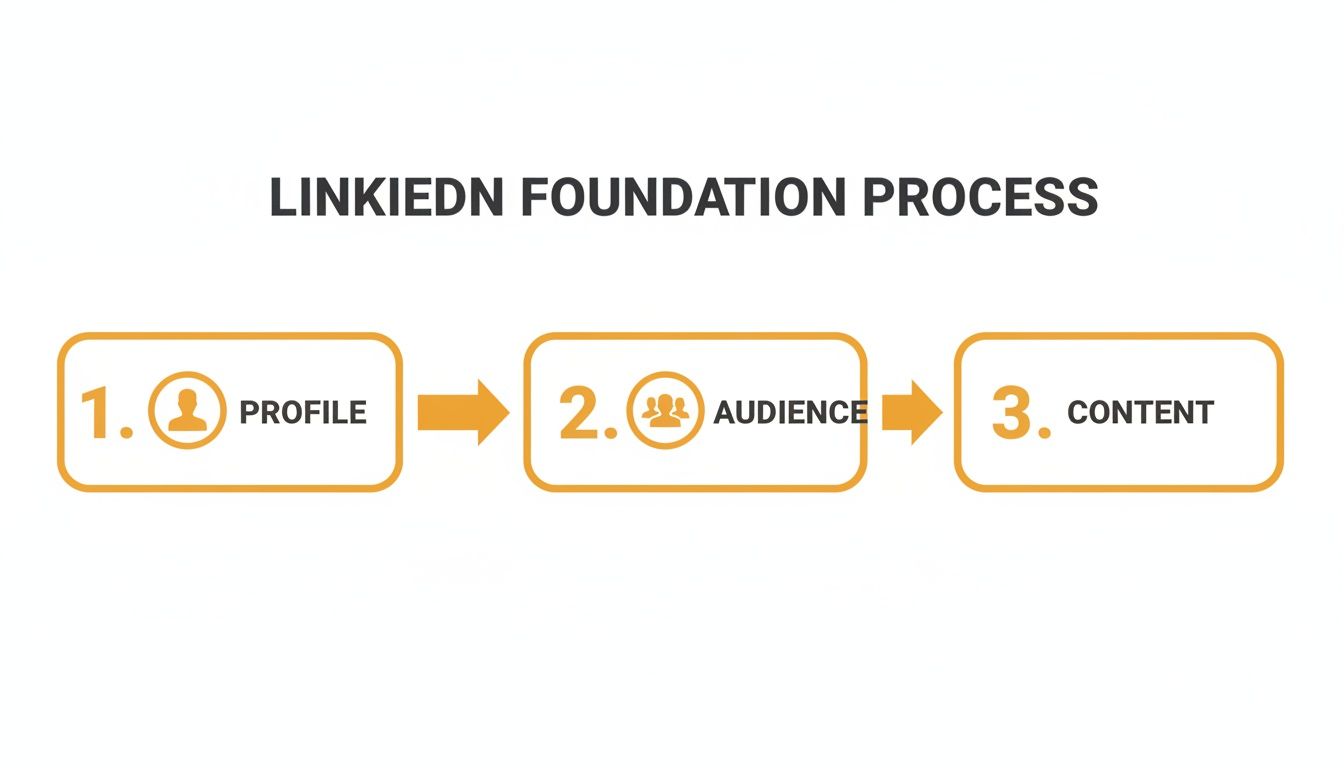
Each step—Profile, Audience, and Content—is a building block. Together, they create a system that gives your boosted content the best possible shot at success.
Your Personal Profile Is Your Home Base
Let's be clear: on LinkedIn, you are the brand. Your personal profile is your most powerful asset, hands down. It's where you build authority and let your expertise shine through.
The data doesn't lie. Content shared from a personal profile gets 2.75 times more impressions and a whopping five times more engagement than the exact same post from a company page.
My two cents: People want to connect with other people, not with faceless logos. Before you do anything else, make sure your profile is polished, complete, and speaks directly to the people you want to attract.
And please, get a good headshot! It's the first thing people see. If you need some inspiration, check out these Unforgettable LinkedIn Photos Examples. It makes a huge difference.
Know Your Audience and Content Pillars
Okay, real talk. Who are you actually trying to reach? What are their biggest headaches? Boosting a post without a crystal-clear audience in mind is just shouting into the void and hoping someone hears you.
Pinpoint Your Ideal Follower: Don't be vague. Get specific. What's their job title? What industry are they in? What problems are they trying to solve that you can help with? Your content should feel like it was written just for them.
Establish Your Content Pillars: These are the 3-5 core topics you’ll talk about over and over again. This isn't about being repetitive; it's about building your reputation as the go-to expert in a specific niche. It tells your audience exactly what to expect from you.
Nailing this groundwork ensures every piece of content you create has a clear purpose. To get this part dialed in, our guide on https://redactai.io/blog/how-to-optimize-your-linkedin-profile is a great next step.
When you finally amplify content that's built on this solid foundation, you’re no longer just crossing your fingers for views—you're strategically engineering growth.
Let's be honest, you can throw all the money you want at LinkedIn ads, but if your organic game isn't strong, you're just pouring water into a leaky bucket. Before you even think about your ad budget, you have to master the art of stopping the scroll.
This isn't about finding some secret algorithm hack. It's about creating content that genuinely connects with people and makes them want to pause their endless scrolling.

And it all starts with that very first line.
Nailing the Hook
You get about two seconds. That’s it. If your opening line is a snoozer, your audience is already gone. A killer hook has to spark curiosity, challenge a tired old belief, or hit a reader right where their biggest professional pain point lives.
Think of your first sentence like a newspaper headline—its only job is to get someone interested enough to read the next sentence.
Here are a few hook formulas I see work all the time:
- The Contrarian Take: "Everyone says you need to do X to succeed. They're wrong. Here's what actually works..."
- The Story Starter: "I completely bombed a presentation early in my career, and it taught me everything I know about..."
- The Bold Claim: "This one tiny habit change boosted my team's output by 50% last month."
The point isn't to write clickbait. It's to create genuine intrigue. A great hook makes a promise that the rest of your post is going to fulfill, setting the stage for the value you're about to drop.
Once you’ve got their attention, you have to make the post easy on the eyes.
Formatting for Skimmers
Let's face it: nobody logs onto LinkedIn to read a novel. People are skimming on their phones, usually in the five minutes between meetings. How you format your post is just as crucial as the words you write.
Short paragraphs are non-negotiable. Aim for one or two sentences per paragraph. Three is pushing it. All that white space makes your content feel less like a chore and more like a quick, valuable insight.
Then, you've got to pick the right container for your idea. A quick tip might be perfect for a simple text post, but a deep-dive process is begging to be turned into something more visual.
Speaking of visuals, LinkedIn carousels are an absolute powerhouse right now. They pull in an average engagement rate of 24.42%, which absolutely smokes the 6.67% you get from a standard text post. The algorithm is currently rewarding content that teaches, and carousels are the perfect format for breaking down complex ideas into bite-sized, swipeable slides.
Getting Seen with Smart Tags and Hashtags
Okay, so you’ve written a fantastic post. Now, how do you get it in front of the right eyeballs? This is where a little strategy with your tags and hashtags goes a long way.
Hashtags: Think of these as topic folders. They help LinkedIn categorize your post and show it to people who are actually interested in that subject. I’ve found the sweet spot is around 3 to 5 hashtags.
- Try a mix of broad and niche tags. Something broad like
#marketingcasts a wide net, while a niche tag like#b2bcontentstrategyhelps you connect with a much more specific, high-intent audience.
Tagging: Mentioning relevant people or companies is a simple way to pour gasoline on your post's reach. When you tag someone, your post gets a chance to show up in their network's feed, which can multiply your visibility overnight.
- But tag with purpose, please. Don't just spam-tag influencers hoping for a like. Tag people you've quoted, partners you collaborated with, or a company whose software you’re genuinely praising. The question is always: "Does this tag add value for my reader?"
These simple moves are huge signals to the algorithm that your content is part of a bigger conversation, which is key to getting that organic boost. For a deeper look at this, our guide on how to write engaging LinkedIn posts has a ton of extra tips.
Starting a Conversation
The last step is to tell people what to do next. A great post doesn’t just fade out; it invites people in. This is your Call to Engagement (CTE), and it’s critical.
Please, avoid the lazy "thoughts?" or "what do you think?" Get specific.
- Ask a direct question that makes them think about what you just shared.
- Invite them to share their own story or a tip that worked for them.
- Prompt them to tag a coworker who needs to see this.
A sharp CTE turns your passive readers into active participants, and all that engagement is pure rocket fuel for the LinkedIn algorithm.
Alright, let's talk about putting some money behind your LinkedIn content. Organic reach is the foundation, but when you really need to make sure the right people see your stuff, it’s time to open up the wallet for Sponsored Content.
Think of it this way: when one of your organic posts starts taking off on its own—racking up comments, shares, and genuine engagement—you've struck gold. That post has already proven it resonates with people. Putting a little ad spend behind it is like adding fuel to a fire, guaranteeing it gets in front of a much larger, and more specific, audience.
And this isn't just a game for massive corporations. Even a small, strategic budget can dramatically expand your reach. It's really about understanding the differences between paid ads and boosted posts so you can pick the right tool for the job.
First Things First: What’s the Goal?
Before you even think about your credit card, you have to ask yourself one simple question: "What am I trying to accomplish here?" You can't just throw money at a post and hope for the best.
When you open up LinkedIn Campaign Manager, it forces you to pick an objective, which is great because it aligns your entire campaign. Your goal might be:
- Brand Awareness: Basically, you just want to get your company's name out there and be seen by as many relevant people as possible.
- Website Visits: You need to drive people off of LinkedIn and onto a specific landing page or blog post.
- Lead Generation: This is a big one. You want to capture leads directly within the LinkedIn platform using their slick Lead Gen Forms.
- Engagement: Your post is designed to start a conversation, and you want to pour gas on it by getting more likes, comments, and shares.
Choosing your goal sets the rules for success. If you're going for website visits, you'll live and die by your click-through rate (CTR). If it's lead gen, your focus is squarely on your cost per lead (CPL).
Building Your Perfect Audience
This is where LinkedIn’s ad platform really flexes its muscles. The professional data it has is unparalleled, letting you get ridiculously specific with who sees your ad. We're talking way beyond basic demographics.
LinkedIn Campaign Manager offers a ton of powerful ways to zero in on your ideal customer. The table below breaks down some of the most effective options you can mix and match to build a hyper-targeted audience.
Key LinkedIn Campaign Targeting Options
| Category | Targeting Options | Use Case Example |
|---|---|---|
| Company | Company Name, Company Industry, Company Size | Targeting employees at your top 50 prospect accounts who work in the "Computer Software" industry. |
| Job Experience | Job Title, Job Function, Job Seniority, Years of Experience | Reaching "Vice Presidents of Sales" with over 10 years of experience, but excluding junior-level staff. |
| Education | Fields of Study, Degrees, Member Schools | Promoting a new fintech tool to people who graduated with a "Finance" degree from specific universities. |
| Interests & Traits | Member Groups, Member Interests | Advertising a project management certification to members of the "PMP" and "Agile" LinkedIn groups. |
| Demographics | Member Age, Member Gender | Tailoring ad creative for an event targeted specifically at "women in technology" between the ages of 25-40. |
Building these audiences is the secret sauce to a successful paid campaign. You're not just shouting into the void; you're whispering directly into the ear of the person most likely to care about what you have to say.
My two cents: Don't get too specific right away. If your audience is too small, the algorithm won't have enough data to work with. I've found the sweet spot is usually between 50,000 and 500,000 people. It gives LinkedIn enough room to optimize without blowing your budget on irrelevant clicks.
If you’re struggling to nail down who you should be targeting, this guide on https://redactai.io/blog/how-to-identify-target-audience is a fantastic starting point.
How Much Should You Spend?
Okay, the final piece of the puzzle: the budget. You don't need to break the bank to see results. LinkedIn gives you a couple of simple ways to control your spending.
- Daily Budget: You tell LinkedIn the maximum you're willing to spend per day. This is perfect for "always-on" campaigns that you want running consistently in the background.
- Lifetime Budget: You set a total amount for the entire campaign flight. This is my go-to for promotions that have a clear start and end date, like a webinar or a flash sale.
You can genuinely start with $10 or $20 a day. The goal at the beginning isn't to generate a million leads; it's to gather data. See what headlines work, which images get clicks, and which audiences respond.
Watch your campaign performance like a hawk, be ready to tweak things, and you can turn a great organic post into a predictable, results-driven machine.
The First 60 Minutes: Making Your Post Go Viral
You've done all the hard work. The hook is perfect, the copy is crisp, and you've just hit that big blue "Post" button. Time to kick back and watch the vanity metrics climb, right?
Not so fast.
Hitting publish is the starting line, not the finish line. What you do in the next 60 minutes can make or break your post's reach. This is the "golden hour"—your chance to show the LinkedIn algorithm that people are actually interested in what you have to say.
Get this part right, and you'll feed the algorithm exactly what it wants: genuine, buzzing conversation.
The Post-and-Engage Checklist
Forget "post and pray." You need a simple, repeatable routine for that first hour to give your content its best shot. The goal isn't to trick the system but to kickstart real human interaction.
It all starts with being there. Don't just drop your content and disappear.
Warm Up the Algorithm: Before you even post, spend 10-15 minutes scrolling your feed. Drop some thoughtful comments on other people's posts, especially those in your niche. This gets you on the algorithm's radar and makes it more likely your connections will see your post when it lands.
Stick Around After Posting: Once your post is live, don't close the tab! Spend another 10-15 minutes engaging with more content. This tells LinkedIn you're an active community member, not just a content-dumping robot.
Think of it like this: you're showing up to the party before and after you're the center of attention. It makes a huge difference.
Turn Comments Into Conversations
When those first comments trickle in, it's game time. A quick "thanks!" or a simple thumbs-up is a wasted opportunity. Every comment is a chance to keep the conversation going and signal to LinkedIn that your post is a hub of activity.
Your replies count just as much as the original comments. Aim to respond to every single one, especially in the first hour.
Pro Tip: A great reply doesn't just thank the person—it adds value or asks a question. This invites another response, creating those juicy comment threads the algorithm can't get enough of.
Let's say someone comments, "Great point, totally agree."
Instead of just liking it, try something like, "Glad it resonated! Have you tried putting this into practice with your team yet? Curious to hear how it went." See the difference? You just opened the door for another reply.
The Art of the Strategic DM
You probably have a few people in your network who you know will love your latest post. Sending it to them directly in a DM is a powerful way to get some early, high-quality engagement.
But you have to do it right, or you'll just come across as a spammer.
The key is to make it personal, never generic.
Personalize Your Opener: Start with something that shows you're thinking of them specifically. "Hey [Name], I just saw your post on project management and it got me thinking..."
Explain Why You're Sharing: Tell them exactly why you thought they'd find it valuable. "I know you're deep into Q4 planning, so I thought the data in point #3 might be useful."
Keep It Low-Pressure: End it casually. "No worries if you're busy, just thought I'd share. Hope you have a great week!"
This approach feels like a genuine colleague sharing something helpful, not a desperate plea for a like. When a few of the right people engage early, it creates the initial momentum your post needs to really take off.
Work Smarter, Not Harder: Using AI Tools in Your LinkedIn Workflow
Let's be real—showing up on LinkedIn every single day with fresh, valuable content is a huge commitment. We all know consistency is key, but the creative energy and sheer time it takes can feel impossible to keep up with. This is where you can get a serious edge by working smarter.
Instead of staring at a blinking cursor, you can bring AI-powered tools into your workflow to build a far more efficient content system. This isn't about letting a robot take over your voice; it's about amplifying it and getting rid of the friction that leads to burnout.
Busting Through Writer's Block for Good
The biggest hurdle for most of us isn't a lack of expertise—it's the struggle to turn that expertise into something compelling day after day. Writer's block is a total momentum killer. Think of AI tools as your personal brainstorming partner, one that’s on call 24/7.
You can toss a simple idea, a keyword, or even a link to an interesting article into a platform like RedactAI and get a dozen unique angles and rough drafts in seconds. This completely flips the script from "What on earth do I write about?" to "Which of these great ideas should I run with today?"
- Fresh Ideas: Instantly get a list of topics and angles your audience actually cares about.
- Quick Drafts: Turn a single thought into multiple, ready-to-edit post drafts.
- New Perspectives: See your core idea from different angles—maybe as a personal story, a tactical guide, or even a contrarian take.
This single step removes the most time-consuming part of creating content, freeing you up to focus on refining the message and injecting your own personality.
Fine-Tuning Your Copy for Maximum Impact
A brilliant idea can easily fall flat if the writing isn't sharp. Small tweaks to your hook, your call-to-action, or the overall structure of your post can make a massive difference in its performance. This is another spot where AI can act as your personal editor and strategist.
Many AI writing assistants can analyze your draft and suggest improvements based on what's proven to get engagement on LinkedIn. They can help you polish your copy to make it more readable, engaging, and likely to start a conversation.
Think of it as having a data-driven copywriter looking over your shoulder. AI can spot a weak hook and suggest punchier alternatives, or rephrase a call-to-action to be more direct. It's one of the fastest ways to learn how to boost posts on LinkedIn—by simply writing better content from the get-go.
For instance, the platform might suggest breaking up a dense paragraph into a bulleted list for better scannability or adding a more specific question at the end to get people talking in the comments. These small, data-backed optimizations really add up over time.
Building a Content Machine with Scheduling and Repurposing
Consistency is the name of the game on LinkedIn. An AI-powered workflow lets you build a content pipeline that works for you, even when you're swamped.
Here’s a glimpse of how a tool like RedactAI can help you organize and manage your entire content strategy right from one dashboard.
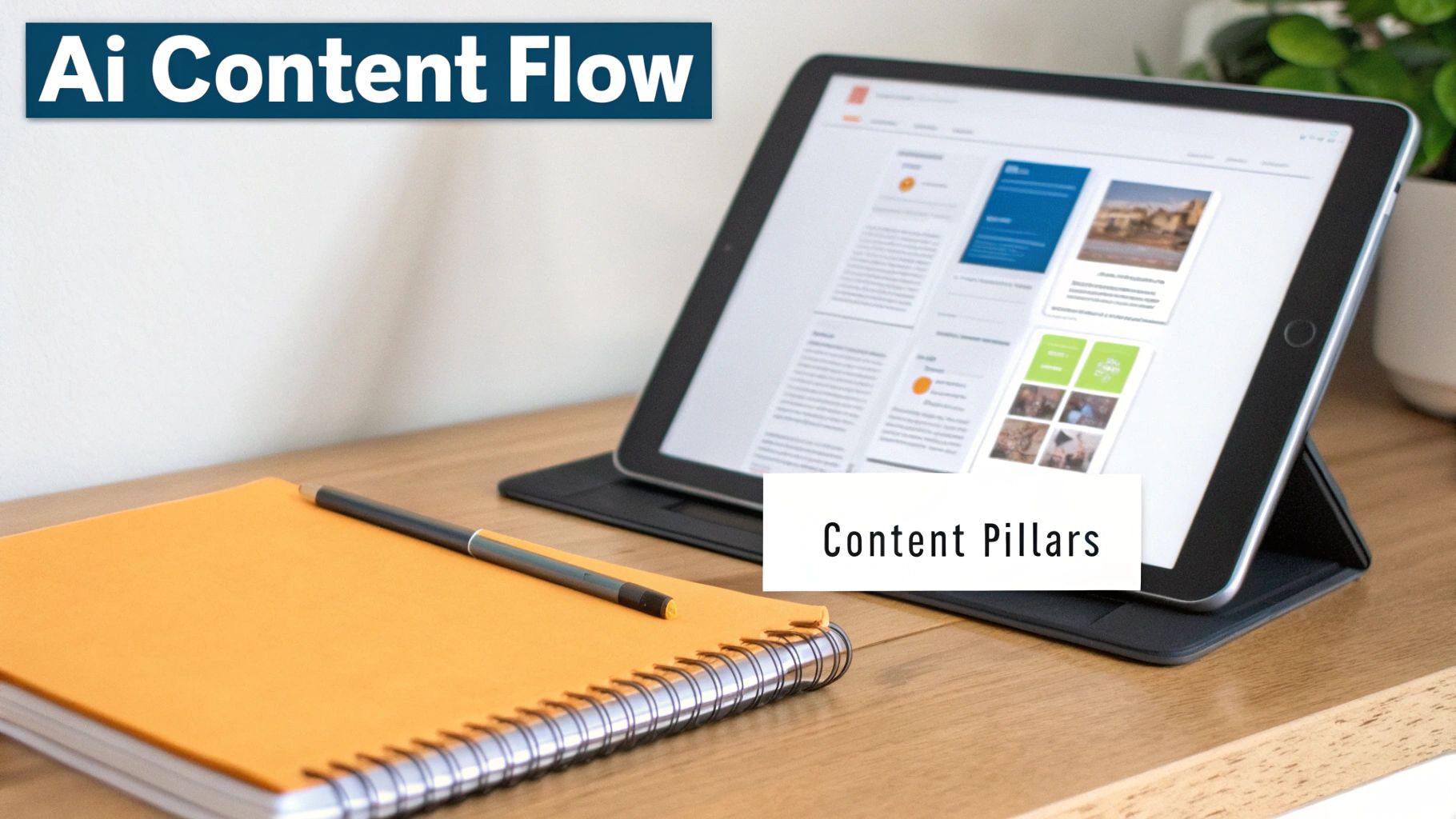
This screenshot shows a clean, organized system for managing your content pillars and scheduling everything out, turning what can be a chaotic process into a streamlined operation.
This approach allows you to batch your content creation. You can sit down and schedule a week or even a month's worth of posts in a single session. For busy professionals, this is an absolute game-changer.
- Schedule in Advance: Plan your content calendar and have the tool post for you at the best times. You'll never miss a posting day again just because a meeting ran long.
- Repurpose Your Winners: AI can help you quickly spot your top-performing posts from the past. With just a few clicks, you can refresh and republish that proven content for a new audience, getting more mileage out of your greatest hits.
Ultimately, bringing AI into your LinkedIn strategy is about reclaiming your time. It takes care of the repetitive, draining tasks of ideation, drafting, and scheduling. That frees you up to focus on what really matters—engaging with your audience, building relationships in the comments, and sharing the unique human expertise that only you can offer.
Don't Just Post and Ghost—Track Your Results
Posting on LinkedIn and then just walking away is like telling a joke and leaving the room before the punchline. You have no idea if it landed. If you really want to get better at this, you have to look at the data. It’s the only way to know what’s actually working.
You don’t need a fancy, expensive analytics suite, either. LinkedIn’s own dashboard has everything you need to start figuring out what your audience loves. It’s time to stop chasing vanity metrics and start paying attention to the numbers that actually move the needle.
What to Look For (Besides Likes)
Getting a flood of likes feels great, but they’re just one piece of the puzzle. A "like" is a quick nod of approval, but what you're really after are comments and shares—those are signs of genuine connection.
Here’s a breakdown of the metrics that truly matter:
- Impressions: This is simply the number of times your post appeared in someone's feed. Think of it as your post's potential reach.
- Comments: This is where the magic happens. A lively comment section tells the algorithm your content is sparking a real conversation, which is a massive signal to show it to more people.
- Shares: When someone shares your post, they're essentially co-signing your content and showing it to their entire network. It's the ultimate compliment.
- Click-Through Rate (CTR): If you included a link, your CTR tells you how many people were compelled enough by your post to actually click it. A high CTR is a clear sign your call-to-action was on point.
Keep an eye on these numbers for a few weeks, and you'll start to see patterns. It's a game-changer.
You might find out that your short, punchy text posts get all the love while your carousels get crickets. Or maybe you'll discover that posts on Friday mornings consistently outperform anything you share on Mondays. This is your personal roadmap for creating content that hits the mark every single time.
The Easiest Way to A/B Test
Once you know your baseline, it’s time to start tinkering. "A/B testing" sounds super technical, but it’s actually pretty straightforward. All you're doing is changing one single thing between two otherwise similar posts to see which performs better.
For instance, try writing two different opening hooks for the same piece of advice. Post the first version on Tuesday and the second on Thursday. Did one get way more comments? Boom. You've found a winning formula.
This simple loop—post, measure, tweak, repeat—is how you stop guessing and start building a strategy that actually works. You let the data tell you what to do next, and that's the secret to real, sustainable growth on the platform.
Got Questions? I've Got Answers.
Still scratching your head about a few things? No problem. Let's tackle some of the most common questions that come up when you're getting serious about your LinkedIn game.
How Often Should I Actually Post on LinkedIn?
Look, there's no single magic number here. The real key is consistency, not just raw frequency. A good starting point is aiming for 3-5 solid posts per week. This keeps you on your audience's radar without flooding their feeds.
Honestly, it's all about finding a rhythm you can stick with long-term without burning out. One thoughtful, high-value post will always beat five rushed, low-effort ones. Quality over quantity, every single time.
What's the Sweet Spot for Post Length?
You've probably noticed that some posts just seem to do better than others. From what I've seen, the LinkedIn algorithm really likes posts that land somewhere between 1,200 and 1,600 characters.
This gives you enough room to share a meaningful story or a genuinely useful insight, but it's not so long that people feel like they're signing up to read a novel.
The most crucial part of your post? Those first two or three lines. You have to earn that "see more" click. Make your hook irresistible, then make sure the rest of the post delivers on that promise.
And please, use short paragraphs. Nobody wants to read a wall of text on their phone. White space is your best friend.
Should I Go Organic or Pay to Play?
This isn't an "either/or" choice—the smartest approach uses both. Think of them as a one-two punch.
Always start with organic posting. It's your free testing ground to see what your audience actually cares about. When you strike gold and a post starts getting a ton of comments and shares on its own, that's your green light. That's the post you put a little ad budget behind to show it to a much bigger, highly-targeted audience.
Ready to stop staring at a blank page and start creating high-impact LinkedIn content in minutes? RedactAI is your personal writing partner, helping you generate ideas, optimize copy, and schedule posts that build your brand. Start for free on RedactAI.























































































































































































