First things first, you can't have a business page without a personal LinkedIn account. Once you're logged into your own profile, find the 'For Business' icon, click on 'Create a Company Page,' and just follow the on-screen steps. You’ll plug in your company's name, logo, tagline, and other basics. It’s pretty quick and is the first real step to carving out your brand’s space on the platform.
A LinkedIn Business Page Isn't Just Nice to Have Anymore
In the business world, showing up is half the battle, and your LinkedIn Business Page is how you show up online. This isn't just another social media profile; it’s your company's digital handshake. It’s the central hub where you network, find top-tier talent, and tell your brand's story.
A polished, active page tells everyone—clients, partners, potential hires—that you’re a serious, legitimate player in your field. If you don't have one, you're essentially invisible where B2B decisions are happening every single day. A solid presence isn't just for show; it's about making sure the right people can find you.
Your Digital HQ for Everything Business
Think of your Company Page as a magnet. If you're an agency, it's the perfect spot to display case studies that pull in new partners. If you're a startup, it's where you share your vision and big wins to grab an investor's attention.
No matter your industry, this page is the foundation for your professional marketing, especially for your LinkedIn lead generation strategies. It becomes the home base for your brand's voice and helps you stand out in a ridiculously crowded market.
Having a complete and active LinkedIn page is non-negotiable. It’s the difference between being a recognized authority and a digital ghost. It signals to the professional world that you’re open for business.
The Numbers Don't Lie
Still not convinced? The stats speak for themselves. LinkedIn is on track to have over 1.15 billion users and 69 million companies by 2025, making it the professional network.
And get this: companies with fully filled-out profiles get 30% more views every week. More views mean more opportunities, plain and simple. This isn't just about being on the platform; it's about using its massive, engaged audience to get your message out there and grow. If you're curious, these LinkedIn statistics from Buffer.com really drive home how important it is. Your business profile is your ticket to being seen by the right people, right when it matters most.
Building Your Company Page From the Ground Up
Alright, let's get your LinkedIn Company Page off the ground. It's actually a pretty straightforward process, and you can get the basic shell up in just a few minutes.
First things first, head to your personal LinkedIn profile. In the top right corner, you'll see a grid icon for "For Business." Click that, then find and select "Create a Company Page."
You'll immediately see a few options: Company, Showcase Page, or Educational Institution. For just about everyone starting out, you'll want to choose "Company". Showcase pages are something you might explore later—they're basically sub-pages for specific brands or initiatives under your main company umbrella.
Nailing the Core Details
Once you've selected "Company," LinkedIn will prompt you for the essentials: your official company name, industry, and size. This part is simple, but don't rush through it.
Pay special attention to the public URL field. You want to claim a clean, branded URL like linkedin.com/company/yourbrandname. If you can, avoid tacking on extra numbers or words. A simple, memorable URL is way more professional and makes it easier for people to find you.
A great LinkedIn page is an extension of your overall brand. Before you even start, it's a good idea to have a solid grasp on how to create a brand identity that connects with the right people.
Just look at the numbers—the potential audience on LinkedIn is massive.
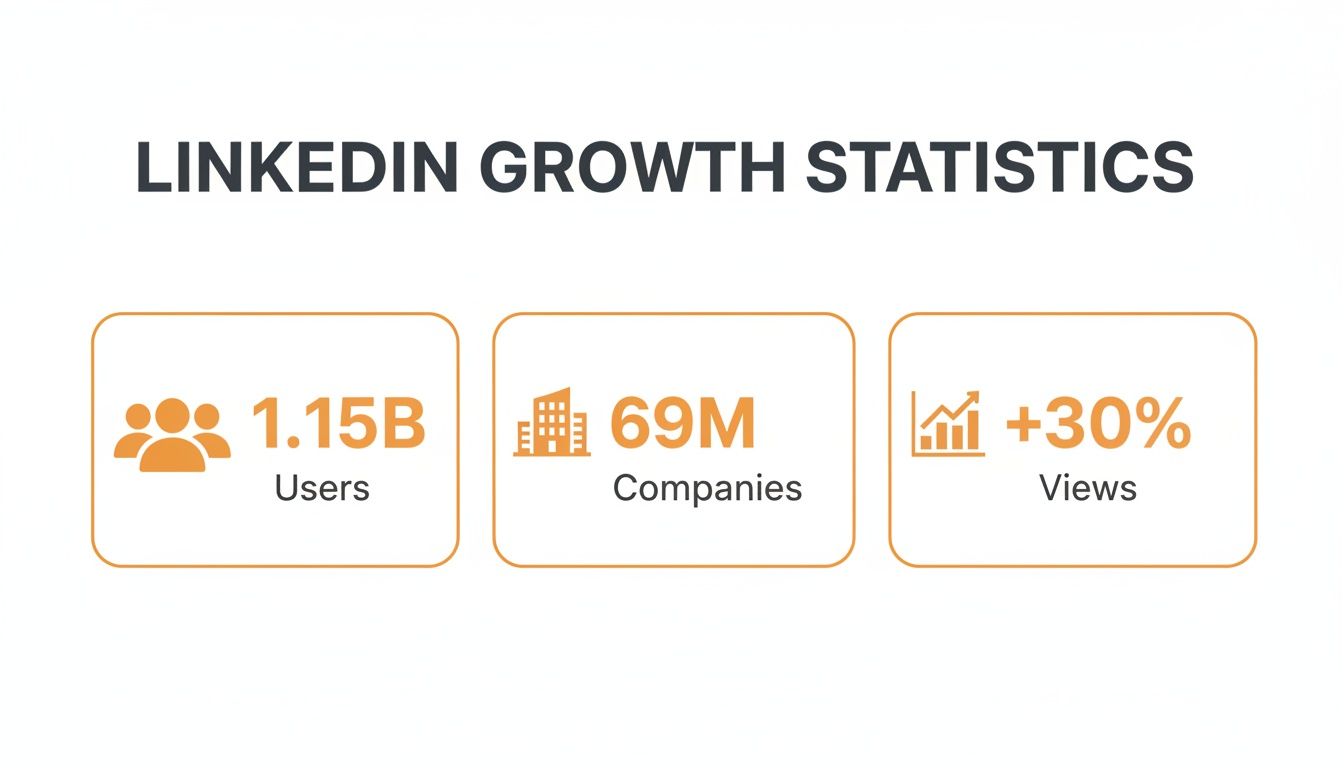
With 69 million other companies on the platform, getting these initial details right is your first real chance to stand out. It all starts with knowing who you're trying to reach. If you haven't already, take some time to really think about your ideal customer; this guide on https://redactai.io/blog/how-to-identify-target-audience can help you zero in.
Optimizing Your Profile to Capture Attention
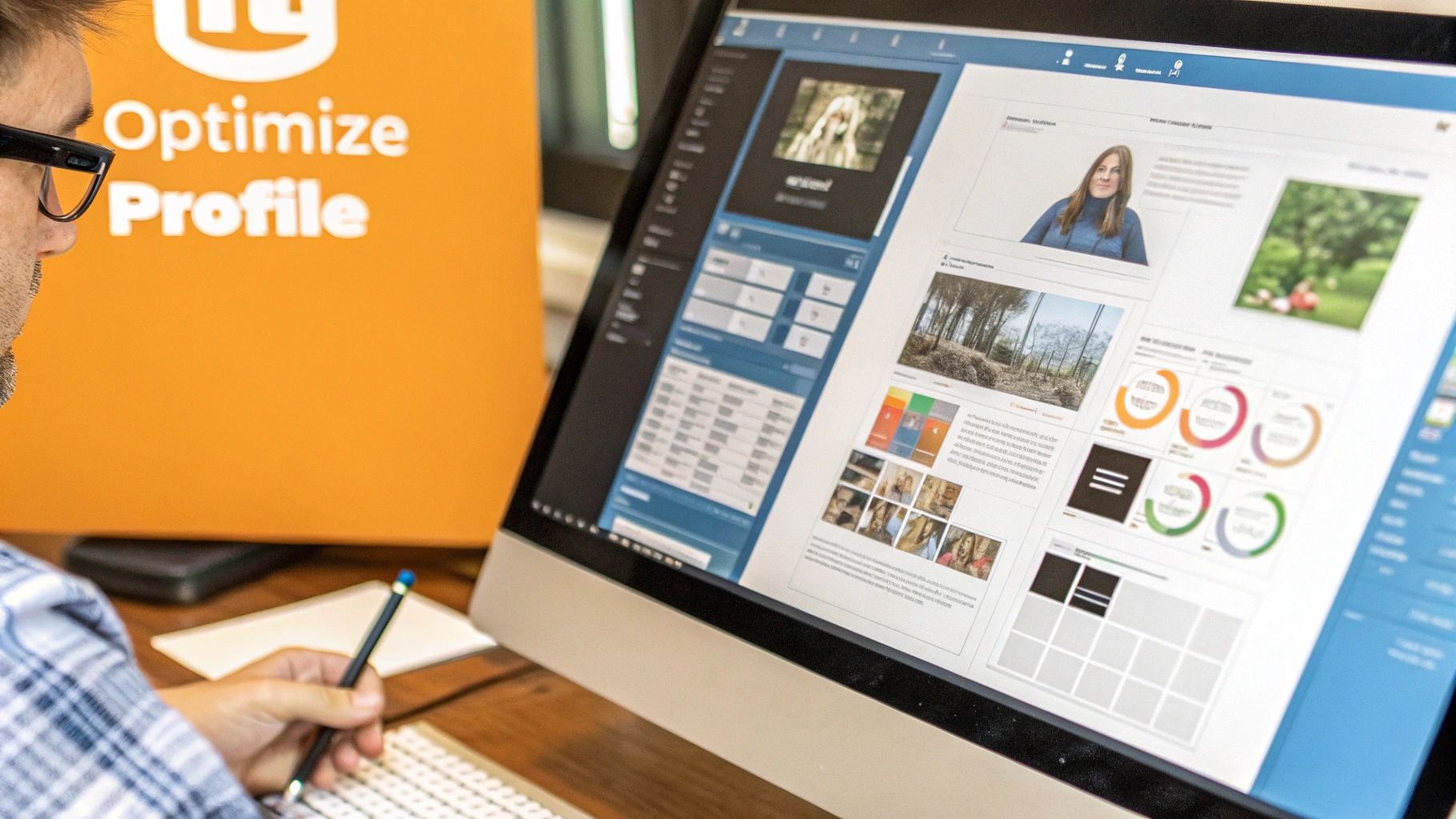
Alright, you've got the basic skeleton of your LinkedIn Company Page set up. Now, let's turn that blank canvas into a compelling profile that actually works for you. This is where you inject your brand's personality and make it a destination, not just a directory listing.
Every single field matters—from your logo to your company description. Don't skip anything. In fact, LinkedIn has said that fully completed pages get a whopping 30% more weekly views. That's a huge lift, so it’s worth taking the time to get it right.
Let's break down how to optimize each part for the biggest impact.
Crafting a Compelling Visual Identity
First impressions are everything, and on LinkedIn, that starts with your visuals.
- Your Profile Logo: This one's simple. Use a crisp, high-resolution version of your company logo. This isn't the place for a team photo or your building's exterior. Keep it consistent with what you use on your website and other social media channels.
- Your Cover Image: This is your billboard. Get creative! It’s prime real estate to show off your company culture, a new product launch, or a banner highlighting your core mission. It’s what people see first, so make it pop.
Think of these visuals as your digital storefront. A sharp, professional look builds instant credibility before anyone reads a single word.
Mastering Your About Section
This is your elevator pitch. The "About" section is your chance to tell your story, weaving in relevant keywords naturally so people can find you. Don't just list what you do—explain why it matters and who you're helping.
Pro Tip: Don't just talk about yourself. Frame your company's story around your customer. Speak directly to their pain points and clearly show how your product or service is the solution they've been looking for.
A well-written summary doesn't just inform; it also boosts your visibility in LinkedIn's search results. Your goal is to create a business profile on LinkedIn that doesn't just sit there but actively attracts opportunities. And it’s the right place to do it—an incredible 80% of B2B social media leads come from LinkedIn, making a stellar profile non-negotiable. You can explore more powerful LinkedIn statistics to really grasp the platform's potential.
LinkedIn Business Profile Key Component Checklist
To make sure you've covered all your bases, use this quick checklist. It’s a simple way to review your new Company Page and ensure every element is optimized for success.
| Component | Best Practice | Why It Matters |
|---|---|---|
| Logo | High-resolution, square format, consistent with other platforms. | Builds brand recognition and a professional first impression. |
| Cover Image | 1128 x 191 px, visually engaging, reflects brand identity. | Acts as a visual hook to tell your story or highlight a campaign. |
| Company Name | Your official, recognizable business name. | The primary way people will search for and identify you. |
| Tagline | 120-character summary of what you do. Keyword-rich. | A concise, powerful statement that appears in search results. |
| About Section | 2,000-character limit. Tell your story, use keywords, solve problems. | The core of your profile. It persuades visitors and helps with SEO. |
| Website URL | Direct link to your company's homepage or relevant landing page. | Drives traffic directly from LinkedIn to your site. |
| Industry & Size | Accurate selections from the provided dropdowns. | Helps LinkedIn categorize your page and show it to relevant users. |
| Location | Your primary physical address or headquarters. | Critical for local search and connecting with regional communities. |
| Custom Button | Choose a CTA like "Visit website," "Contact us," or "Learn more." | Provides a clear, actionable next step for page visitors. |
Checking off each item in this table is a great final step before you start publishing content and engaging with your audience. It ensures your page is not just complete, but strategically built to attract the right people.
Engaging Your Audience with Smart Content
Alright, your profile is looking sharp. Now for the fun part: breathing some life into it. A great-looking page is the first step, but a LinkedIn business profile really comes alive with smart, engaging content. This is how you stop being just another logo and start building a real community.
This isn't just about posting random updates to fill the void. Your content strategy should be a direct line to your business goals. Want to be seen as a thought leader? Start sharing deep-dive articles and unique industry takes. Trying to drum up new business? Post compelling case studies, client testimonials, or announce your next webinar.
Finding Your Posting Rhythm
On LinkedIn, consistency is king. I've seen it time and time again: pages that post weekly see a staggering 2x more engagement. The goal here is to find a sustainable rhythm that keeps your brand top-of-mind without burning out your team. A good starting point is aiming for 3-4 quality posts per week.
The real secret sauce, though, is knowing when your audience is actually online and scrolling. Posting at the right time gives your content an instant visibility boost, which tells the algorithm, "Hey, people like this!"
Nailing that timing can make a huge difference in your reach. If you want to get granular, our guide on the best time to post on LinkedIn walks you through finding those peak hours for your specific audience.
Content That Truly Connects
So, what exactly should you be posting? The key is variety. A feed with the same type of post day after day gets stale fast. Mix it up and see what your audience responds to.
Here are a few ideas I've seen work incredibly well:
- Go behind the curtain: People connect with people. Share photos of your team working on a project or a short video from a company event. It humanizes your brand like nothing else.
- Share an opinion: Don’t just report on industry news—offer your unique take on it. A strong point of view is what starts conversations and cements your expert status.
- Offer quick, actionable tips: Everyone loves free advice. Use a carousel post or a short video to share a handful of useful tips. A marketing agency, for example, could create a carousel on "3 Ways to Instantly Improve Your Ad Copy."
- Start a conversation: Sometimes the simplest approach is the best. Ask open-ended questions or run a poll. It’s one of the easiest ways to get comments rolling and learn directly from your community.
Time to Level Up: Using Advanced Features to Drive Real Growth
Alright, you've got your page looking sharp and you're posting content regularly. Awesome. But if you stop there, you’re leaving a ton of opportunity on the table.
Most businesses treat their LinkedIn Page like a digital brochure, but it’s so much more. Let's get into the powerful, often-missed features that can turn your page into a serious growth engine for hiring, lead generation, and sales.
Showcase What It’s Really Like to Work With You
First up, the ‘Life’ tab. This is your secret weapon for attracting top talent. It’s a dedicated space to pull back the curtain and show people the human side of your business. Think employee stories, behind-the-scenes videos, and a real look at your company culture.
A killer Life tab makes you a magnet for the right people—those looking for a cultural fit, not just a paycheck. It tells a story that no job description ever could.
Make It Obvious How You Can Help
Next, let's talk about the ‘Services’ tab. This is where you get specific. Instead of a vague "About Us" section, you can list out your exact services, add descriptions, and even include calls-to-action. It's like turning your page into a mini-marketplace for what you do best.
When you clearly define what you offer, you automatically pre-qualify visitors. The right clients immediately see how you can help them, making it that much easier for them to reach out.
This is where your page stops being a passive profile and starts actively working for you.
For companies that want to get really proactive, you can explore tools with advanced LinkedIn sourcing capabilities to supercharge your outreach. But honestly, a well-optimized business profile provides its own incredible ROI. In fact, companies often see a 6x higher conversion likelihood just from having a strong brand presence on the platform.
Tools like Lead Gen Forms (which you can hook up to your ads) or dedicated Product Pages take this even further. They’re built to capture interest right on LinkedIn, shortening the path from "just browsing" to "let's talk." It’s a smoother experience for them and a pipeline of warm leads for you.
Alright, you've got your page optimized, but let's be real—a few questions are probably still rattling around in your head. Setting up a business profile on LinkedIn can feel like navigating a maze of unwritten rules.
Let's cut through the noise and tackle some of the most common snags people hit. Think of this as your go-to guide for those "wait, can I do that?" moments, so you can get back to building your brand.
Can I Make a Company Page Without a Personal Profile?
Nope, you can't. LinkedIn has a hard and fast rule: every Company Page must be linked to an active personal profile. This isn't just a random requirement; it's a security measure to make sure a real person is behind the brand.
Before you can even get started, your personal profile needs to check a few boxes:
- It has to be at least seven days old.
- You'll need a decent number of connections (LinkedIn is a bit vague on the exact number, but think dozens, not just a handful).
- Your profile strength needs to be 'Intermediate' or 'All-Star'.
This whole setup is designed to keep the platform authentic and ensure established members of the community are the ones representing businesses.
A lot of people worry that their personal profile will be plastered all over the Company Page. Relax—while you're the admin behind the scenes, your personal identity isn't publicly broadcasted on the page itself. You can maintain that professional separation.
Company Page vs. Showcase Page: What's the Difference?
This one trips people up all the time. Here's the simplest way to think about it:
Your main Company Page is your corporate headquarters. It’s the central hub for your entire brand, where everything lives.
A Showcase Page, on the other hand, is more like a specialized branch office. It's a spin-off page that lets you spotlight a specific product line, a major initiative, or a unique part of your business that speaks to a different audience. For example, Microsoft has its main Company Page, but also Showcase Pages for things like Microsoft Surface and Azure.
The bottom line? Always start with a Company Page. Only add Showcase Pages if a distinct part of your business truly needs its own voice and content stream.
How Many Followers Is "Enough"?
Let's ditch the idea of a magic number. On LinkedIn, the quality of your followers is everything—quantity is just a vanity metric.
Honestly, having 100 highly engaged followers who are actually your ideal customers is a thousand times more valuable than having 5,000 random followers who will never, ever buy from you.
So, where do you start? Kick things off by inviting your own employees and your happiest clients to follow the page. After that, just focus on sharing genuinely useful content, consistently. When that small, dedicated group starts to engage, their networks see it, and your reach will start to grow organically with the right kind of people.
Ready to stop staring at a blank page and start posting content that actually connects? RedactAI is your personal LinkedIn content strategist. It helps you craft high-impact posts in your unique voice in minutes, so you can build your brand and engage your audience without the guesswork. Find out more at https://redactai.io.