
Ever stare at the LinkedIn "Create a post" box and draw a complete blank? Or worse, you post something you think is great, only to be met with a handful of likes and zero comments. You're not alone. The reason most posts fail isn't a lack of good ideas; it's a lack of strategy. Simply sharing a link or a generic update no longer cuts it.
The LinkedIn algorithm prioritizes content that sparks genuine conversation and provides real value. But what does a post like that actually look like in practice? How do you craft something that stops the scroll and encourages a reaction? That's exactly what we're here to show you. This isn't just a gallery of popular posts; it's a strategic teardown of why they work.
We've curated 9 powerful linkedin posts examples and will break down the exact frameworks, psychological triggers, and formatting tricks behind their success. You'll get actionable takeaways and replicable templates for everything from building a personal brand to generating leads. These examples provide a clear roadmap, but for a more holistic view on enhancing your overall presence and post performance, you might also want to check out this complete guide to succeeding on LinkedIn in 2026.
Forget the guesswork. Let's dive into the specific examples that will get you seen, heard, and remembered on the world's largest professional network.
1. The Story-Driven Narrative Post
Humans are hardwired for stories. We remember them, connect with them, and share them. The Story-Driven Narrative post taps into this fundamental truth, transforming a simple professional update into a memorable and engaging piece of content. This format isn't just about sharing what happened; it's about revealing the human experience behind the professional achievement or lesson.
This approach works by creating an emotional arc. You hook the reader, introduce a challenge or conflict, and guide them to a resolution or insight. It’s one of the most powerful linkedin posts examples because it builds trust and relatability, making your professional brand feel authentic and approachable.
The Strategic Breakdown
The goal here is to wrap a key business lesson or personal insight inside a compelling narrative. Instead of just stating, "I learned the importance of persistence," you tell the story of a time your persistence paid off. This makes the takeaway stick.
- The Hook: Start with a bold, vulnerable, or counterintuitive first line. Something like, "My biggest sale ever started with a 'no'."
- The Conflict: Detail the struggle. What went wrong? What was the obstacle? This is where you build tension and make your story relatable.
- The Climax & Resolution: Describe the turning point and what you learned from it. This is the "aha" moment for both you and the reader.
- The Takeaway: End with a clear, concise lesson that your audience can apply. This turns your personal story into a universal piece of wisdom.
Key Insight: People don't just connect with your success; they connect with your struggle and the journey you took to overcome it. This vulnerability is a superpower on a platform often filled with polished perfection.
How to Write Your Own Narrative Post
Ready to try it? Here’s a simple template to get you started.
- Start with the feeling: Think of a time you felt a strong emotion at work - frustration, triumph, surprise.
- Identify the lesson: What did you learn from that experience?
- Craft the hook: Write an opening line that captures that initial emotion.
- Tell the story: Use short sentences and generous line breaks to make it easy to read on mobile.
- End with a question: Ask your audience if they've experienced something similar to spark engagement.
2. The 'How-To' or Step-by-Step Guide Post
People come to LinkedIn to learn and grow professionally. The 'How-To' post directly serves this need by offering a clear, actionable solution to a common problem. This format breaks down a complex process into simple, digestible steps, immediately positioning you as a helpful expert who provides tangible value.
This approach works because it’s inherently practical. Instead of just discussing a topic, you're providing a roadmap. Readers can save the post and apply the steps, making it one of the most shareable and evergreen linkedin posts examples. It’s a direct value exchange: you offer your expertise, and in return, you build authority and trust with your audience.
The Strategic Breakdown
The goal of a 'How-To' post is to deliver a quick, valuable win for your reader. You are giving them a framework they can implement immediately. This builds credibility and makes them more likely to follow you for future insights.
- The Hook: Start by highlighting a common pain point or a desirable outcome. For example, "Struggling to get replies to your cold emails? Here's a 3-step fix."
- The Promise: Briefly explain the benefit of following your guide. What will the reader be able to do after reading your post?
- The Steps: Lay out the process in a numbered or bulleted list. Use clear, action-oriented language for each step.
- The Added Value: Briefly explain the "why" behind each step to provide deeper context and reinforce your expertise.
Key Insight: Utility is a powerful form of marketing. When you solve a small problem for someone for free, they are far more likely to trust you to solve a bigger problem for them when they're ready to buy.
How to Write Your Own 'How-To' Post
Ready to share your expertise? Use this template to structure your guide.
- Identify a common question: Think about what your audience frequently asks you. What's a problem you solve all the time?
- Define the outcome: What specific result will your guide help someone achieve?
- Outline the steps: Break down your process into 3-5 simple, actionable steps.
- Write a compelling hook: Start with the problem or the desired result to grab attention immediately.
- End with an invitation: Encourage readers to try the steps and share their results, or ask them to add their own tips in the comments.
3. The Controversial Question or 'Hot Take' Post
Nothing stops a scroll faster than an opinion that challenges the status quo. The 'Hot Take' post leverages this human tendency by opening with a provocative question or a contrarian viewpoint. This format is designed to deliberately spark debate and drive a high volume of comments, which the LinkedIn algorithm loves.
This approach works by disrupting the echo chamber of polite, agreeable professional content. Instead of nodding along, readers feel compelled to either defend their position or support yours. This type of post is one of the most effective linkedin posts examples for generating rapid engagement and making your profile a hub for industry-defining conversations.
The Strategic Breakdown
The goal here isn't just to be controversial for shock value; it's to start a meaningful discussion that positions you as a thought leader who isn't afraid to question established norms. You are using a sharp opinion to act as a magnet for engagement.
- The Hook: Start with a strong, debatable statement or question. Think, "Is the 40-hour work week outdated?" or "Your obsession with productivity is hurting your career."
- The Justification: Briefly provide a one or two-sentence rationale behind your take. This shows your opinion is based on experience or observation, not just a desire to be provocative.
- The Invitation: Explicitly ask for others' opinions. Phrases like "What do you think?" or "Am I wrong here?" are direct calls to action for the comments section.
- The Engagement: The post isn't finished when you hit 'publish'. Plan to actively moderate and participate in the comments to fuel the conversation.
Key Insight: A strong opinion acts as a filter. It attracts people who share your views and engages those who don't, but it repels indifference. Indifference is what kills your reach on social media.
How to Write Your Own 'Hot Take' Post
Ready to stir the pot constructively? Here’s a simple template to get you started.
- Identify a 'sacred cow': What is a commonly accepted belief in your industry?
- Formulate your counter-argument: What is the opposite perspective? Root it in your genuine experience or data.
- Craft the hot take: Write a single, powerful sentence that summarizes your contrarian view.
- Add minimal context: Provide just enough information to show you've thought about it, but not enough to answer all the questions.
- End with a direct question: Ask your audience to weigh in and commit to replying to comments.
4. The Carousel Post (Multi-Slide Visual Post)
Carousel posts are a visual game-changer on LinkedIn, allowing you to package information into a series of swipeable slides. This format transforms dense topics into digestible, bite-sized content, encouraging users to stop scrolling and engage. Instead of a single image, you deliver a mini-presentation directly in the feed, making complex ideas easy to follow.
This approach works by breaking a larger concept down into a sequential, visual journey. From a 6-slide guide on interview tips to a 10-slide breakdown of a marketing strategy, the format’s interactivity significantly boosts dwell time and engagement. These are standout linkedin posts examples because they deliver high value in a visually appealing and skimmable way, which is perfect for busy professionals.

The Strategic Breakdown
The goal of a carousel is to educate or inform through a step-by-step visual narrative. Each slide builds on the last, creating a sense of completion that keeps the user swiping. It's an excellent way to repurpose blog content, share statistics, or create tutorials.
- The Hook Slide: The first slide is everything. It must have a compelling title and visual that makes someone want to see what’s next. Think of it as your post's headline.
- The Core Content: Each subsequent slide should focus on a single, clear point. Use a mix of bold text, icons, and minimal copy to maintain clarity.
- The Visual Flow: Use consistent branding, colors, and fonts. Visual cues like arrows or progress bars can encourage users to swipe all the way to the end.
- The Call-to-Action: The final slide is your opportunity to drive action. Ask a question, prompt a comment, or direct them to a link in the comments.
Key Insight: The "swipe" action is a form of micro-commitment. Once a user starts swiping, they are psychologically more likely to finish the carousel, internalizing your message more effectively than they would from a static image.
How to Write Your Own Carousel Post
Ready to design your first carousel? Here’s a simple framework.
- Choose a topic: Pick a topic you can break into 3-10 distinct steps or points.
- Outline your slides: Write one key takeaway for each slide. Keep it brief.
- Design the hook: Create a powerful first slide with a title that promises value.
- Build the slides: Use a tool like Canva to design each slide with consistent branding. To deepen your understanding and find more inspiration for multi-slide visuals, consider exploring these 8 social media carousels that stopped the scroll.
- End with an action: Make your last slide a clear call-to-action that encourages engagement or a next step.
5. The Personal Achievement or Milestone Announcement Post
People love to celebrate wins, both their own and those of others. The Personal Achievement or Milestone Announcement post leverages this positive human instinct, turning a personal update like a promotion, work anniversary, or new certification into a powerful networking and brand-building opportunity. This format is about sharing your success in a way that feels genuine and inspiring, not boastful.
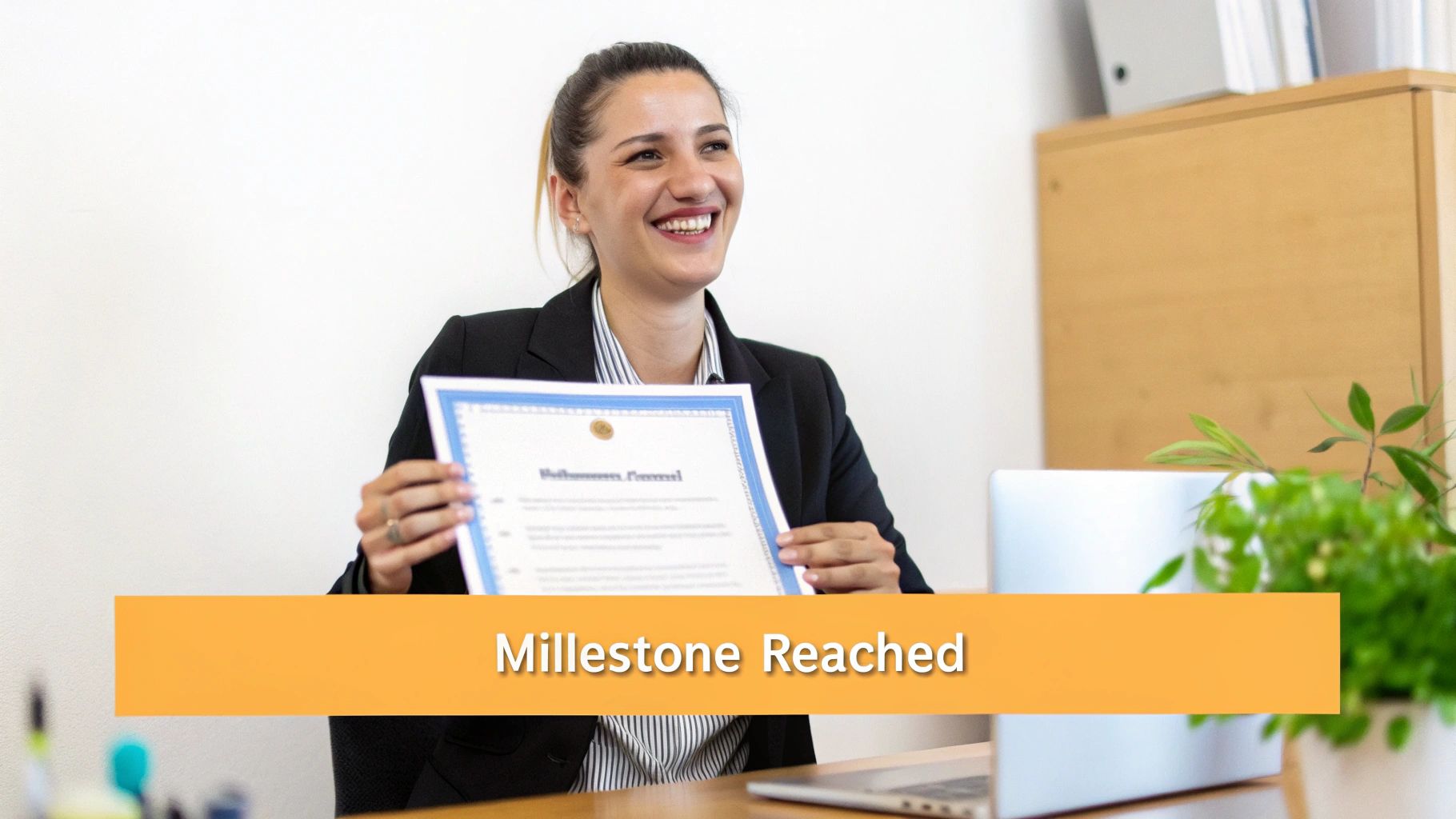
This approach works because it demonstrates professional growth and momentum. When done right, these are some of the highest-engaging linkedin posts examples you can create. They attract congratulations and well-wishes, boosting your visibility and reinforcing your professional identity within your network.
The Strategic Breakdown
The goal is to announce your achievement while expressing gratitude and sharing a valuable lesson. This transforms a self-focused announcement into a community-centric celebration. Instead of just saying, "I got promoted," you share the journey and thank the people who helped you get there.
- The Hook: Start with a clear and celebratory opening line. "Thrilled to share some personal news..." or "Feeling incredibly grateful as I celebrate my 5-year work anniversary."
- The Context: Briefly explain what the milestone is and why it's meaningful to you.
- The Gratitude: Acknowledge specific people, teams, or mentors who supported you. This is the heart of the post and what makes it authentic.
- The Takeaway: Share a key insight or lesson you learned on the journey to this milestone. This provides value to your audience beyond the simple announcement.
Key Insight: The magic of a milestone post isn't just in the achievement itself; it's in the gratitude you express. By highlighting others, you make your personal win feel like a collective success, which encourages more genuine engagement.
How to Write Your Own Milestone Post
Ready to celebrate your next win? Use this simple template to frame your announcement.
- Start with the news: State the achievement clearly and enthusiastically in the first line.
- Identify key contributors: Think of 2-3 specific people or groups who were instrumental to your success.
- Craft the gratitude: Write a genuine sentence or two thanking them. Mention a specific way they helped.
- Share a lesson: Reflect on the journey and pull out one key learning.
- End with a forward look: Briefly mention what you're excited about next to show forward momentum.
6. The Industry Trend or Insight Analysis Post
Nothing says "thought leader" quite like being the person who connects the dots for everyone else. The Industry Trend post leverages timely news, data, and market shifts to provide valuable analysis. Instead of just sharing an article, you break down what it means, why it matters, and what your audience should do next.
This approach works by capitalizing on relevance and curiosity. When a new trend emerges, people are actively seeking informed opinions. By providing a clear, insightful take, you position yourself as a go-to expert in your field. This is one of the most effective linkedin posts examples for building authority and demonstrating strategic thinking.
The Strategic Breakdown
The goal is to move beyond reporting the news to interpreting it. You’re not just a broadcaster; you're an analyst. Your unique perspective is what creates value and makes your content stand out from the endless stream of shared articles.
- The Hook: Start with a bold statement or a provocative question about the trend. For example, "Is remote work killing company culture? The latest data says no."
- The Context: Briefly state the trend or news, citing a credible source. Link to the original article or study to build trust.
- The Analysis: This is the core of your post. Explain what the data really means. What are the second-order effects? What's the hidden opportunity or risk?
- The Takeaway: Conclude with a clear piece of advice or a prediction. Tell your audience what they should think about or do now.
Key Insight: Your audience is drowning in information but starved for wisdom. Being the person who provides clarity and perspective on complex industry trends is an immediate way to establish credibility and relevance.
How to Write Your Own Trend Analysis Post
Ready to share your expert take? Here’s a simple framework to follow.
- Find the trend: Monitor industry publications, newsletters, or use tools to spot emerging topics.
- Form your opinion: What is your unique perspective? Don't just regurgitate the source material.
- Craft the hook: Write an opening line that challenges a common assumption about the trend.
- Structure the analysis: Use bullet points or short paragraphs to present your key insights. Make it scannable.
- End with a question: Ask your network for their take on the trend to drive discussion and engagement.
7. The Value-First Educational Post (Tips, Insights, Principles)
Sometimes, the most effective post is the most direct. The Value-First Educational Post gets straight to the point, delivering actionable tips, key insights, or core principles your audience can use immediately. This format skips the long narrative in favor of pure, undiluted value, positioning you as a generous expert and a reliable source of information.
This approach works by satisfying the audience's need for quick, practical solutions. By consistently sharing useful knowledge, you build trust and authority. This type of content is one of the most dependable linkedin posts examples for establishing yourself as a go-to resource in your field, making your profile a must-follow for anyone interested in your area of expertise.
The Strategic Breakdown
The goal here is to become a trusted advisor by giving away valuable information freely. Instead of just saying you're an expert, you prove it by teaching your audience something useful. This builds a loyal following that sees you as a source of truth rather than just another connection.
- The Hook: Start with a title that clearly states the benefit. Think "5 Ways to..." or "3 Principles for..." This sets clear expectations.
- The Value: Present your tips or principles in a scannable format. Numbered lists or bullet points are perfect for this.
- The Context: Briefly explain why this information is important or how it can solve a common problem for your audience.
- The Takeaway: End with a summary or a call to action that encourages readers to apply the knowledge, like asking which tip they'll try first.
Key Insight: Consistency is more important than complexity. A steady stream of simple, high-value tips builds more authority over time than a single, complicated post that people struggle to digest.
How to Write Your Own Educational Post
Ready to share your knowledge? Here’s a simple template to get you started.
- Identify a common problem: What is a frequent question you get from clients or colleagues?
- Brainstorm 3-5 solutions: List out clear, actionable tips that address that problem.
- Craft the hook: Write a clear, benefit-driven title (e.g., "Tired of unproductive meetings? Try these 3 tips.").
- Structure for clarity: Use numbers, bullet points, and emojis to make the list easy to read and visually appealing.
- End with a question: Ask your audience to share their own tips on the topic to boost engagement and community learning.
8. The Question-Based Engagement Post
Questions are the simplest way to start a conversation. The Question-Based Engagement Post leverages this basic human interaction to spark immediate dialogue on your feed. This format is intentionally short, direct, and inviting, creating a low-friction way for your audience to share their thoughts and experiences.
This approach works by creating a curiosity gap that people feel compelled to fill. You pose a relevant question, and the comments section becomes a forum for discussion. It's one of the most effective linkedin posts examples for boosting engagement because LinkedIn's algorithm heavily favors posts with high comment activity, increasing your content's reach and visibility.
The Strategic Breakdown
The goal here is to ask a question that is specific enough to elicit thoughtful answers but broad enough to appeal to a wide segment of your audience. Instead of just sharing your opinion, you invite others to share theirs, transforming your post from a monologue into a community-building dialogue.
- The Hook: Lead with the question itself. Make it bold and clear so it's the first thing people see. For example, "What's the one piece of career advice you wish you'd ignored?"
- The Context: Briefly add a sentence or two explaining why you're asking. This adds a layer of authenticity. "I was reflecting on my own journey and realized some of the worst advice led to my best decisions."
- The Invitation: Explicitly ask people to share their thoughts in the comments. A simple "Curious to hear your thoughts below" works perfectly.
- The Follow-up: The real work happens in the comments. Plan to reply, like, and engage with the responses to keep the conversation going.
Key Insight: People love to share their opinions and feel heard. By asking a question, you are not just creating content; you are creating a space for your audience to contribute and feel valued.
How to Write Your Own Question Post
Ready to spark a conversation? Here’s a simple template to get you started.
- Identify a pain point or topic: Think about a common challenge or hot topic in your industry.
- Formulate a compelling question: Frame it as an open-ended question that avoids simple "yes" or "no" answers.
- Add minimal context: Write one or two sentences to show your own interest in the topic.
- Post and engage: Schedule the post for a high-traffic time (mid-week mornings are often best).
- Amplify the conversation: Actively reply to comments to fuel the discussion and show you're listening.
9. The Behind-the-Scenes or 'Day in My Life' Post
In a world of polished profiles and curated success stories, authenticity is a rare and valuable currency. The Behind-the-Scenes post peels back the professional curtain, offering a transparent glimpse into your daily work, decision-making processes, or the unvarnished reality of your professional life. It’s about showing the process, not just the result.
This approach works by humanizing your brand and building a deeper connection with your audience. When people see the real, unfiltered moments, whether it's a messy desk during a deadline crunch or the honest thought process behind a tough decision, they feel like they know you. This is one of the most effective linkedin posts examples because it fosters trust and relatability in a way that a perfect headshot never can.

The Strategic Breakdown
The goal is to trade perfection for connection. Instead of only showing the win, you show the work that led to it. This format demonstrates your work ethic, problem-solving skills, and resilience, making your professional journey feel more accessible and real.
- The Context: Briefly set the scene. What project are you working on? What challenge are you facing?
- The "Real" Moment: Share a photo or a short video of the situation. It could be your chaotic workspace, a whiteboard full of ideas, or even a shot of you looking tired but determined.
- The Insight: Explain what's happening and what you're learning from it. This connects the raw visual to a valuable professional takeaway.
- The Human Element: Conclude by sharing an emotion or a lesson. This reinforces the authenticity of the moment.
Key Insight: People are tired of the highlight reel. Sharing the messy middle of your work builds more trust than sharing another polished accomplishment. Authenticity creates a bond that perfection cannot.
How to Write Your Own Behind-the-Scenes Post
Ready to show the real you? Here's a simple template to follow.
- Identify a moment: Look for a non-confidential moment in your day that reflects a real challenge or process.
- Snap a photo or video: Don't overthink it. A quick, unedited phone picture often works best.
- Explain the situation: Write a brief caption explaining what the audience is seeing. For example, "This is what my desk really looks like before a major product launch."
- Share the lesson: What have you learned from this moment? "It's chaotic, but it's a reminder that big goals require focused effort."
- Tag relevant people: If you're collaborating, tag your team to share the credit and expand your reach.
9 LinkedIn Post Types Comparison
| Post Type | 🔄 Implementation Complexity | ⚡ Resource & Time | 📊 Expected Outcomes | Ideal Use Cases | ⭐ Key Advantages / 💡 Tip |
|---|---|---|---|---|---|
| The Story-Driven Narrative Post | Medium — requires reflection and structure | Low design, moderate writing time | High engagement & shareability (often 3–5x) | Personal branding, lessons learned, trust-building | Builds trust & memorability; tip: hook in first sentence, end with clear takeaway |
| The "How‑To" / Step‑by‑Step Guide | Low–Medium — needs clear step structure | Low design, research/time to verify steps | High saves & shares; positions as expert | Tutorials, practical workflows, lead magnets | Actionable & skimmable; tip: lead with why and keep steps parallel |
| The Controversial Question / "Hot Take" Post | Low — short, opinionated format | Minimal time but needs credibility | High comment volume; high visibility (but polarizing) | Sparking debate, thought leadership, visibility boosts | Rapid visibility & discussion; tip: base provocation on data/experience, moderate tone |
| The Carousel Post (Multi‑Slide Visual) | High — requires sequential design & editing | High design effort and tooling (Canva/Figma) | Very high engagement & dwell time (top reach) | Tutorials, multi-step explanations, comparisons | Polished, high reach; tip: compelling first slide + one idea per slide |
| Personal Achievement / Milestone Announcement | Low — straightforward announcement | Low (photo or certificate) and quick write-up | High congratulatory engagement but short shelf life | Promotions, certifications, anniversaries, client wins | Humanizes creator & builds community; tip: lead with genuine gratitude |
| Industry Trend / Insight Analysis Post | High — research, sourcing, and synthesis | Moderate–High: data sourcing and timely publishing | Establishes thought leadership; referenced by peers | Market commentary, newsletters, decision‑maker outreach | Positions as expert; tip: cite sources and post within 24–48 hrs |
| Value‑First Educational Post (Tips/Principles) | Low — concise, repeatable structure | Low time per post; batchable | Moderate engagement; high save/share rates | Consistent authority-building, recurring series | Reliable & practical; tip: include an unexpected insight to stand out |
| Question‑Based Engagement Post | Very Low — short and direct | Minimal time; needs active moderation | Highest comment-to-like ratio; strong algorithmic reach | Community engagement, audience research, quick polls | Generates dialogue & insights; tip: ask specific, meaningful questions |
| Behind‑the‑Scenes / "Day in My Life" Post | Medium — requires authentic storytelling + visuals | Requires photos/videos and candid time | High emotional engagement and loyalty from core audience | Founder transparency, process sharing, culture building | Deep connection & relatability; tip: use visuals and avoid oversharing |
Your Turn: Go from Inspiration to Action
You’ve made it. We’ve dissected nine powerful LinkedIn post examples, peeling back the layers on everything from story-driven narratives to engaging carousel guides. But inspiration without implementation is just entertainment. The goal was never for you to simply admire what others are doing; it’s to equip you with the strategic tools to do it yourself, starting today.
The most crucial takeaway is that there is no single “magic bullet” post type. A successful LinkedIn strategy is not built on one viral hit but on a consistent, diverse content mix that builds trust and authority over time. It's about showing up regularly with value, authenticity, and a clear understanding of what your audience needs.
From Analysis Paralysis to Consistent Action
It’s easy to look at these polished examples and feel overwhelmed. You might be thinking, "I don't have a dramatic story," or "I'm not a data expert." That’s a trap. Remember, the core of every effective post is a simple exchange of value. You have experiences, insights, and a unique perspective that someone in your network needs to hear.
Let’s boil down the recurring themes from all the LinkedIn posts examples we analyzed:
- Lead with a Strong Hook: The first one or two lines determine whether someone stops scrolling or keeps going. Make them count.
- Structure for Skimmability: Use short paragraphs, white space, bullet points, and emojis to guide the reader’s eye and make your content easy to digest.
- Focus on One Core Idea: Don’t try to cram three different topics into a single post. A focused message is a powerful message.
- End with a Clear Call-to-Action (or Conversation): Tell your audience what you want them to do next. Should they comment, share their thoughts, or visit a link? Guide them.
Your Actionable Next Steps
Knowledge is only potential power. Action is what turns it into a real professional asset. Don't just close this tab and forget everything you've learned. Here’s how to put it into practice immediately.
- Pick ONE Format: Don't try to master all nine at once. Choose the one that feels most natural to you right now. Was it the 'How-To' guide? The personal milestone? The 'Hot Take'? Commit to creating one post using that framework this week.
- Adapt, Don't Copy: Use the examples as a strategic blueprint, not a script. Infuse your own personality, your industry’s specific language, and your unique point of view into the structure. Your authenticity is your greatest advantage.
- Schedule 15 Minutes: Block out a small chunk of time on your calendar specifically for this task. Overcoming inertia is the hardest part. Once you post once, the next time gets easier.
- Engage with the Results: The conversation doesn't end when you hit "post." Respond to every comment. Thank people for their insights. Your engagement in the comments section is just as important as the post itself for building community and visibility.
Mastering the art of LinkedIn content isn't about chasing vanity metrics. It’s about building a robust personal brand, generating inbound opportunities, and establishing yourself as a go-to authority in your field. The LinkedIn posts examples in this guide are your roadmap. Now, it’s time for you to start the engine and drive.
Feeling inspired but short on time or struggling with writer's block? RedactAI is designed to turn these strategies into ready-to-publish content in seconds. It analyzes your unique voice and generates tailored post ideas based on these proven formats, helping you stay consistent and impactful without the heavy lifting.















































































































































































