
Ever scheduled a LinkedIn post, only to have it seemingly vanish into thin air a few minutes later? It's a maddeningly common problem. The good news is, you can usually find it in seconds.
Just click the 'Start a post' box on your desktop homepage, then look for the small clock icon in the bottom-right corner. Clicking that will pull up your entire queue of scheduled content.
Your Quick Guide to Finding Scheduled LinkedIn Posts
We’ve all been there. You line up the perfect post, schedule it for that prime-time engagement slot, and then—of course—a last-minute change comes up. Suddenly you’re frantically clicking around, trying to figure out where LinkedIn tucked away your carefully planned content.
The truth is, it’s not always obvious. The location changes depending on whether you’re on a desktop, your phone, or managing a Company Page.
Knowing how to wrangle your scheduled posts is non-negotiable for keeping your content strategy agile. If you can't get to them quickly, you risk publishing outdated info, missing a chance to tweak your message, or just losing control of your content calendar. This guide will cut through the noise and show you exactly where to look, no matter how or where you scheduled the post.
First things first, you need to answer one simple question: did you schedule the post inside LinkedIn, or did you use an external tool? This flowchart breaks it down.
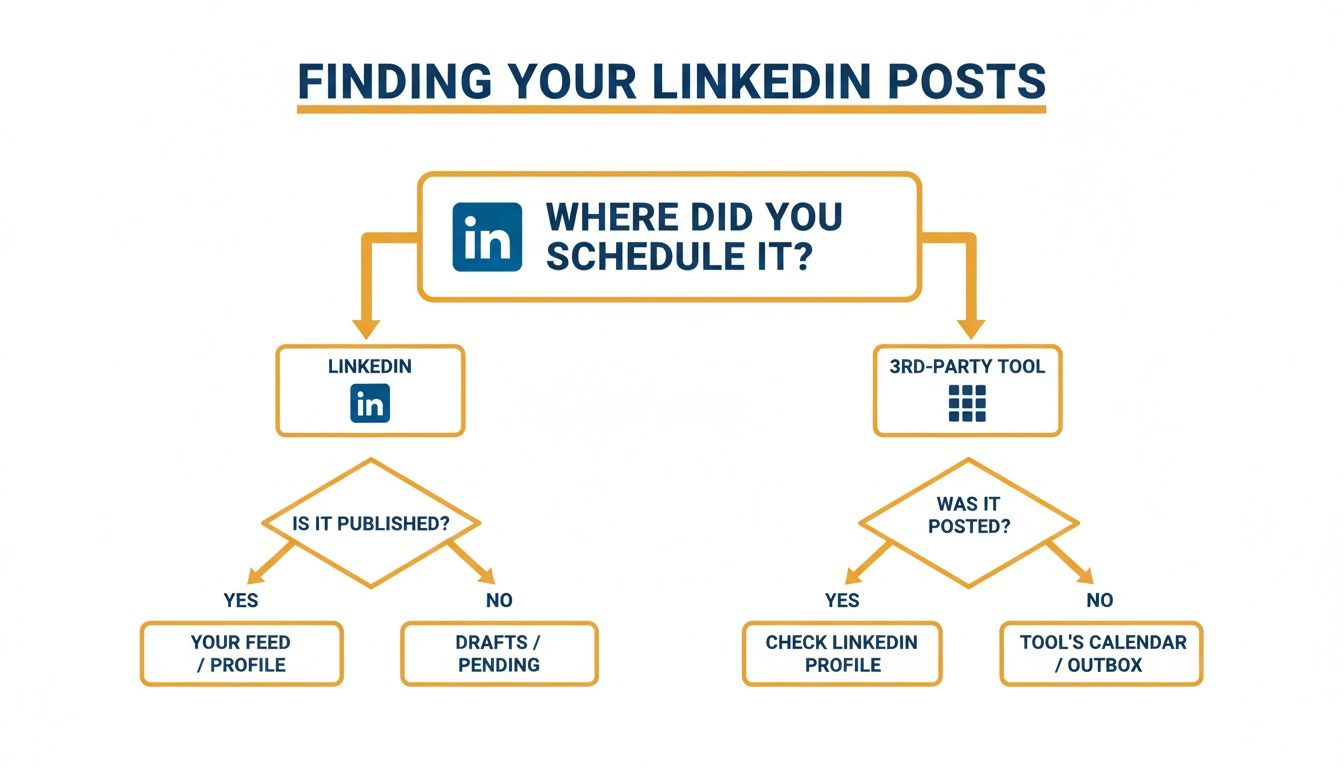
The key takeaway here is that your search starts with the tool you used. Why? Because posts scheduled with third-party apps like Buffer or Hootsuite will never show up in LinkedIn's native scheduler. That one distinction is the source of 99% of all "missing post" mysteries.
For content you scheduled directly on the platform, LinkedIn's built-in tool is pretty straightforward. You just head to the 'Start a post' box and find the clock icon. This gives you a full view of everything you have teed up. You can dig deeper into the nuances of the native scheduler in this great breakdown from Social Champ.
To make it even simpler, here's a quick cheat sheet for finding your posts across the different LinkedIn interfaces.
Finding Your Scheduled Posts At a Glance
| Platform or Account Type | Where to Find Your Schedule |
|---|---|
| LinkedIn Desktop (Personal Profile) | Click 'Start a post' on the homepage > Click the clock icon in the pop-up window. |
| LinkedIn Mobile App (Personal Profile) | Tap the '+ Post' button at the bottom of the screen > Tap the clock icon next to the 'Post' button. |
| LinkedIn Company Page (Desktop) | Go to your Page > Click the 'Schedule a post for later' clock icon in the post composer. |
| Third-Party Scheduling Tool | Log in to the tool's dashboard (e.g., Buffer, Hootsuite, Sprout Social) and find its "Queue" or "Scheduled" section. |
This table should help you get to your scheduled content in a matter of clicks, no matter where you're working from.
Finding Posts You’ve Scheduled on Your Personal Profile
We've all been there. You schedule what feels like the perfect post, then wake up in a cold sweat realizing you need to change something. Or maybe you just want to double-check what's going out next week. Don't worry, finding those scheduled posts on your personal LinkedIn profile is easy once you know the trick.
It's not the most obvious feature, and the path is slightly different depending on whether you're on your computer or your phone.
On a Desktop Computer
From your LinkedIn home feed, click into the "Start a post" box at the top, just like you're about to write something new. This will pop open the full post editor.
Down in the bottom-right corner of that window, you'll see a little clock icon. That's your target. Click it.
Instead of opening the scheduler to pick a new time, clicking this icon when you haven't written anything will show you a "View all scheduled posts" link. Bingo. That takes you straight to your content queue.
On the LinkedIn Mobile App
The process on your phone is nearly identical. Tap the '+ Post' button in the center of the bottom navigation bar to open the post editor.
Look for that same clock icon, but this time it's hanging out in the top-right corner, right next to the 'Post' button. Tap it, and you'll see the option to view your scheduled posts.
A Quick Heads-Up: Once you find your post, you can edit the text, pick a new time, or delete it completely. The one major limitation? You cannot change or add an image, video, or document to a post that's already been scheduled. For that, you’ll have to scrap the original and start a new one.
What You Can Do With a Scheduled Post
Once you’ve navigated to your queue, you have a few options for each post:
- Edit the text: Found a typo? Want to rephrase a sentence? Just click to edit.
- Reschedule it: Click the clock icon within the post editor to move it to a different day or time.
- Delete it: If the post is no longer relevant, hit the three-dots menu and you can delete it from the queue for good.
Mastering this little workflow is key to keeping your personal brand agile and ensuring your content always hits the mark.
Managing Scheduled Content for a Company Page
If you’re managing a LinkedIn Company Page, you’ve probably noticed that the scheduling workflow is completely different from a personal profile. Forget looking for that little clock icon in the post composer—you won't find it there.
For Company Pages, LinkedIn puts all your scheduled content in a dedicated admin area. It’s a much better system for managing a full content calendar, trust me.
To get there, just head over to your Company Page. On the left-hand admin menu, click the “Content” tab. A new sub-menu will pop up, and that’s where you’ll find the “Scheduled” option. This is your command center for everything you have queued up, giving you a bird's-eye view of your content pipeline.
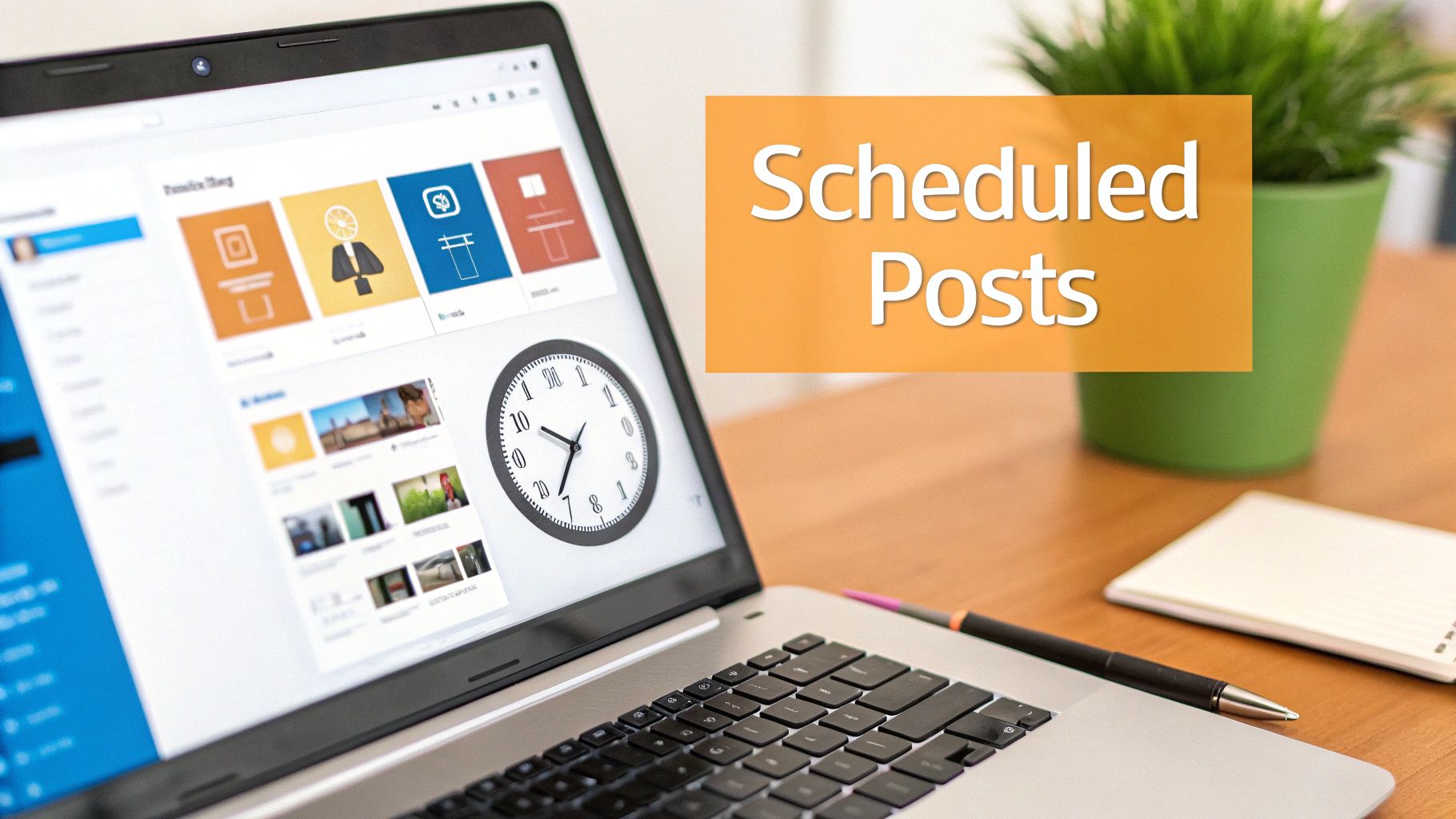
Having this centralized view is a game-changer for keeping your posting cadence consistent, which is crucial for keeping your audience engaged. And while we're talking about timing, it’s always a good idea to think about your strategy across all your channels. You might find some interesting parallels when looking at optimal posting times for other social media platforms like Pinterest.
Why Admin Permissions Matter
So, you’re an admin on the page, but you still can't find the "Scheduled" tab? This is a super common snag, and it almost always boils down to your specific admin role. On LinkedIn Pages, not all admins are created equal.
If you're still getting the hang of managing a page, our guide on how to create LinkedIn Pages is a great place to start for the basics.
Here's the deal: The power to see, edit, or delete scheduled posts is typically locked down to Super Admins and Content Admins. If your role is more specialized, like an Analyst or Recruiter, you simply won't have access to the content queue.
This setup is actually a smart move by LinkedIn to prevent anyone from accidentally messing up the content calendar. So, if a post has seemingly vanished, your first move should be to check your admin level with a Super Admin on the team. Chances are, it's a permissions issue, not a platform glitch.
Finding Posts You Scheduled with a Third-Party Tool
So, what happens if you’re using a dedicated social media tool like Buffer, Hootsuite, or Sprout Social? This is where a lot of people get tripped up. If you scheduled a post through one of these apps, you will never find it waiting inside LinkedIn's own scheduler.
It's a common point of confusion, but the reason is simple: your post doesn't actually exist on LinkedIn yet. Your scheduling tool is holding onto it and will only send it over to LinkedIn at the exact moment it's set to go live.

Think of it this way: your third-party app is the command center. To edit, reschedule, or delete anything, you have to go back to the place where you created it in the first place.
Honestly, this separation is a good thing. These tools pack a serious punch with features like full-blown content calendars and bulk scheduling that LinkedIn's native option just doesn't offer. If you're serious about your content game, checking out some different social media scheduling apps is well worth your time.
Where to Look in Your Scheduling App
While every dashboard looks a little different, they all have a dedicated spot for your upcoming content. It's usually front and center, so you won't have to do much digging.
Just look for a main menu item with a name like one of these:
- Publisher
- Calendar
- Queue
- Scheduled
- Content
For instance, if you're a Buffer user, you'll find everything you need under the "Publishing" tab, laid out in a clean calendar view. Sprout Social also uses a "Publishing" section where you can see your queue and even drag and drop posts to different time slots.
The Golden Rule: Manage your content where you created it. A post scheduled in Hootsuite must be edited in Hootsuite. It's stored on their servers, not LinkedIn's, until go-time.
Once you get that concept down, the whole process clicks into place. You'll stop frantically searching for "missing" posts because you'll know exactly which digital home they're in. This simple shift in thinking makes managing your entire LinkedIn content pipeline so much smoother.
Troubleshooting Common Scheduling Problems
So, your scheduled post has vanished. We've all been there—that sinking feeling when a carefully crafted post is nowhere to be found. Before you start to worry, take a breath. It's almost always something simple.
First, the most common mix-up: are you looking in the right spot? It’s incredibly easy to schedule something for your Company Page and then instinctively check for it from your personal profile. They have completely separate scheduling queues, so make sure you’re in the right admin view.
Another classic slip-up is hitting "Save draft" instead of "Schedule." In the rush to get content lined up, it happens more often than you'd think. Just pop back into the creation window and double-check that you actually finished the scheduling process.
When Technical Glitches Strike
Sometimes, the issue isn't user error but a simple tech hiccup. Your browser's cache can get cluttered and prevent the scheduled posts window from loading properly.
A quick fix is a hard refresh. Try Ctrl+Shift+R on a Windows machine or Cmd+Shift+R on a Mac. If that doesn't work, clearing your browser cache usually does the trick.
Posts can also fail because of broken links or an API connection problem with your third-party tool. If a post goes missing right after its scheduled time, your first stop should be the error logs in your scheduling platform. This is why getting a final look at your content is so important. Our guide on how to preview a LinkedIn post can help you add that crucial final check to your process.
The best content strategies aren't just about what you post, but when you post. The LinkedIn algorithm heavily favors early engagement, which has completely changed the game for scheduling.
This is why modern tools often use AI to pinpoint the exact times your audience is most active. Smart scheduling isn't just about getting content out the door; it's about making sure it lands with maximum impact. You can learn more about how the LinkedIn algorithm works at SocialBee.
Common Questions About LinkedIn Scheduling
Even with the best planning, you're bound to run into a few tricky situations when scheduling content on LinkedIn. Let's walk through some of the most common questions that pop up so you can navigate them like a pro.
One of the biggest head-scratchers I hear is, "Why don't the posts I scheduled in Buffer show up in my LinkedIn scheduled view?" It's a simple answer: that content lives on your third-party tool's servers, not on LinkedIn's, until the exact moment it goes live. You have to manage it where you built it.
Limits and Editing Headaches
People also get tripped up by the limitations of LinkedIn's own scheduling tool. For instance, you can only schedule posts up to three months in advance. That's usually plenty of runway for most content, but it can feel restrictive if you're mapping out a major, long-term campaign.
But the real pain point is editing. Once a post is scheduled natively on LinkedIn, what can you actually change?
- You can: Tweak the text, reschedule it for a new time, or just delete the whole thing.
- You can't: Add, remove, or swap out media like images, videos, or documents.
If you need to change a visual, you have to scrap the entire post and start from scratch. It's a frustrating workflow, to say the least.
My Two Cents: This inability to edit media is probably the single biggest reason serious content creators rely on third-party tools. If you're constantly making last-minute adjustments to graphics or videos, a dedicated scheduler will save you a ton of headaches.
Finally, what about scheduling a first comment? It's a great tactic for kickstarting engagement by adding extra context or a link right away. Natively, LinkedIn doesn't offer this. This is a feature you'll only find in more advanced third-party tools designed to give your content an algorithmic edge right from the start.
Stop wrestling with clunky schedulers and start creating content that works. With RedactAI, you get AI-powered post generation, smart scheduling, and powerful analytics all in one place. Join over 21,000 creators and try it for free.






















































































































































































