
Ever stared at a blank screen wondering what to write for your next LinkedIn article? We've all been there. The secret to breaking through that creative block and actually writing something impactful isn't about being a "born writer"—it's about having a game plan.
Before you even think about writing a catchy headline, you need to lay the groundwork. A clear goal, a relevant topic, and a solid outline are the three pillars that support every successful article. Skipping this step is like trying to build a house without a blueprint. It’s messy, inefficient, and rarely ends well.
First, Figure Out Your "Why"
Seriously, what's the point of this article? Before you get lost in brainstorming ideas, you need to define what success looks like. An article without a clear purpose is just noise in the feed. But an article with a specific goal becomes a powerful tool.
What are you trying to accomplish?
- Establish yourself as an expert? This is all about building thought leadership and becoming the go-to person in your field.
- Get more leads? Your goal here is to get readers to book a demo, download your e-book, or reach out for a consultation.
- Send traffic to your site? Maybe you want to get more eyeballs on a new blog post, a case study, or your portfolio.
- Start a conversation? Sometimes, the goal is simply to spark a meaningful discussion and get your network talking.
Think of your goal as your North Star. Every sentence, every example, every single word should serve that primary objective. If it doesn't, cut it. That's how you create focused, high-impact content.
Brainstorm Ideas and Sketch Out Your Structure
With your goal in mind, now you can think about topics. Don't just write about what you find interesting. Put yourself in your audience's shoes. What are their biggest headaches? What questions do they secretly Google? The best article ideas come from the sweet spot where your expertise meets their needs.
Once you’ve landed on a topic, don't just start writing. Create an outline. It doesn't have to be a formal, roman-numeral affair. A simple list of bullet points will do the trick. Map out your intro, the main points you want to cover, and how you plan to wrap it all up.
An outline saves you from the dreaded "writer's block" and ensures your article has a logical flow that's easy for busy readers to follow. If you're looking for inspiration on how to position yourself as an authority, checking out some thought leadership content examples can be a huge help.
This whole process can be broken down into three simple, repeatable steps.
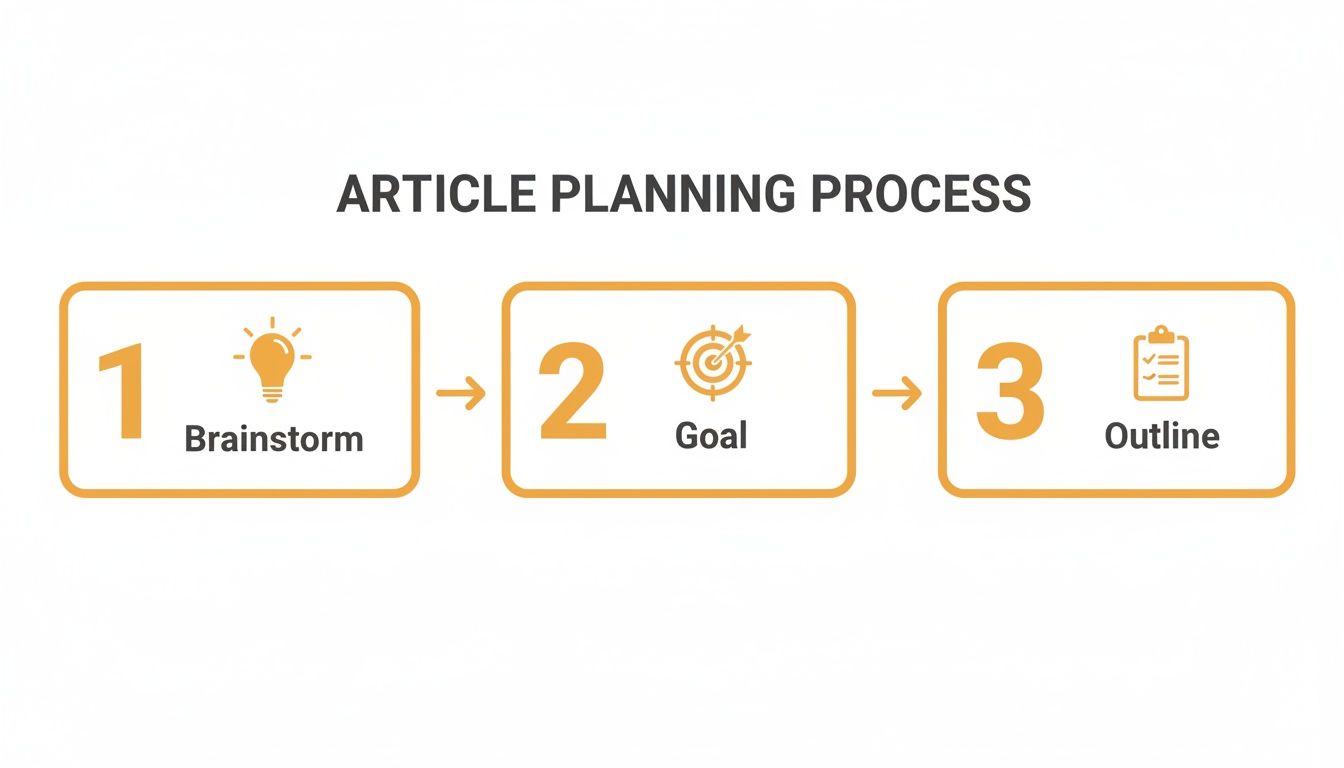
Getting this planning phase right is what separates the articles that get scrolled past from the ones that get read, shared, and remembered. It makes the actual writing process faster, easier, and a whole lot more effective.
Headlines That Actually Stop People From Scrolling
Let's be real: on LinkedIn, your headline is everything. It's your one shot to grab someone's attention in a sea of updates, job posts, and corporate humblebrags. If it doesn't land, that brilliant article you spent hours on might as well be invisible. The goal isn't just to sound smart; it's to be so compelling that a busy professional has to stop and click.
Think of your headline as the bouncer for your content. The stats are pretty brutal: 8 out of 10 people read headlines, but a mere 2 out of 10 will stick around for the rest. That’s a massive drop-off, and it shows just how much heavy lifting your title has to do. It needs to scream value, poke at their curiosity, or offer a solution to a problem that's been bugging them for weeks.
The Secret Sauce of a Click-Worthy Headline
The best headlines aren't just descriptive; they tap into basic human psychology. They create an intellectual or emotional itch that a reader simply has to scratch. Most great LinkedIn headlines do one of these things really well.
- Make it about them (The Benefit): Don't say, "My Thoughts on Project Management." Instead, try something like, "The PM Method That Handed My Team 10 Hours Back a Week." See the difference? One is about you, the other is about what they get.
- Create a curiosity gap: Hint at something unexpected or reveal a secret. "Why I Said No to a Six-Figure Offer" makes you need to know the rest of the story.
- Get specific with numbers: Vague is boring. "5 Rookie Mistakes New Managers Make in Their First 90 Days" feels much more tangible and valuable than just "Tips for New Managers."
A killer headline is a promise. It’s a handshake with the reader that says, “Give me a few minutes, and I’ll give you an insight, a solution, or a new way of thinking that will make you better at what you do.”
Your headline is the most crucial part of your article, period. For a deeper dive into crafting titles that get clicks, check out our complete guide to writing a headline for LinkedIn.
You Got the Click. Now, Hook Them Fast.
So, your killer headline worked. They clicked! Now the clock is ticking. Your very first sentence—the hook—has to prove they made the right choice. A great hook pulls them in, while a weak one feels like a bait-and-switch, sending them straight for the back button.
I’ve seen a few techniques work absolute magic for keeping readers glued to the page.
Hooks That Work Every Time:
- Start with a shared pain point: "We've all been in that meeting—the one that absolutely, positively could have been an email." Boom. Instant connection.
- Drop a surprising stat: "Did you know that over 70% of professionals feel disengaged at work? The real reason why is probably not what you think." It positions you as an expert and builds intrigue.
- Ask a challenging question: "What if everything you've ever learned about networking is flat-out wrong?" This immediately challenges their assumptions and makes them want to hear your take.
- Tell a quick story: "The first time I completely bombed a client pitch, I learned a lesson that changed my career forever." Nothing hooks a reader like a personal, vulnerable story.
Nailing that one-two punch of a powerful headline and an irresistible hook is the game-changer. It’s what turns a passive scroller into an active reader, giving your hard-earned insights the audience they deserve.
Structuring Your Article to Keep People Reading
So, you’ve nailed the magnetic headline and a hook that grabs attention. The real challenge starts now: keeping them on the page. Nothing makes a busy professional click away faster than a gigantic wall of text.
Let’s be honest—people on LinkedIn are scanners first and readers second. They’re looking for quick takeaways and immediate value. Your job is to structure your article so it feels completely effortless to digest.
This isn't just about making things look nice. The LinkedIn algorithm pays close attention to "dwell time," which is just a fancy way of saying how long someone sticks around. The longer they stay, the more valuable LinkedIn assumes your article is, and the more people it will show it to.
A well-structured article is a well-read article. Simple as that.
Design for the Skimmer
Think about how you read online. You probably scroll through first, your eyes jumping from headings to bolded text to images, trying to decide if the article is worth your time. Your audience does the exact same thing.
This means you need to break up your content into small, bite-sized chunks. I have a strict rule: no paragraph should ever be longer than three sentences. This creates crucial white space that makes the content feel less intimidating and much easier to navigate on a phone.
Every few paragraphs, throw in a visual break to re-engage the reader’s eye.
- Subheadings (H3s): These are your signposts. Use them to guide readers through the different parts of your argument.
- Bullet Points: Perfect for rattling off tips, benefits, or key takeaways without getting bogged down in long-winded sentences.
- Blockquotes: Use these to make a powerful quote, a surprising stat, or a core insight pop off the page.
With this approach, your main points become impossible to miss, even for someone just quickly scanning for the highlights.
Give Your Article a Narrative Flow
Beyond just formatting, your article needs a clear beginning, middle, and end. It should feel like you’re taking the reader on a logical journey from a problem they recognize to a solution they can use.
Here's a simple, conversational framework that always works when you need to figure out how to write an article on LinkedIn:
- Start with their problem. Open with a common pain point or challenge your reader is struggling with—the very one you hinted at in your hook.
- Build your case. This is the meat of your article. Use your subheadings to break this down into 2-4 distinct points. Back each one up with evidence, a personal story, or a real-world example to make it stick.
- Offer the solution. After you’ve explored the problem from a few angles, present your core insight. This should be the "aha!" moment for your reader.
- End with a clear CTA. Don't just trail off. Tell the reader what to do next. The best call-to-action (CTA) is one that invites a conversation. Ask a question, prompt them to share their experience, or point them to another resource.
Your goal isn't just to dump information; it's to guide. Structure your article like a conversation where you anticipate your reader's questions and lead them to a valuable conclusion.
How Long Should Your LinkedIn Article Be?
While structure is everything, article length also matters. You should never add fluff just to hit a word count, but the data is pretty clear: more substantial, in-depth articles tend to perform better on LinkedIn.
Detailed analysis from experts like Neal Schaffer shows the sweet spot for a high-performing LinkedIn article is somewhere between 1,500 and 2,000 words. In fact, some of the absolute top-performing content clocks in right around the 1,900-word mark.
Why? Because that length gives you enough room to really dig into a topic, which naturally increases dwell time and signals to the algorithm that you're an authority worth listening to. You can dive deeper into the data yourself by checking out this great analysis on LinkedIn content trends.
Not every article needs to be a mini-ebook, though. The right length really depends on your goal.
Here’s a quick guide to help you decide.
LinkedIn Article Length and Purpose
A breakdown of recommended article lengths based on your content goals, helping you choose the right format for your topic.
| Word Count Range | Best For | Primary Goal |
|---|---|---|
| 300-600 words | Quick tips, announcements, personal reflections | Generate quick engagement and start conversations |
| 700-1,200 words | How-to guides, listicles, industry commentary | Provide actionable value, drive traffic to a link |
| 1,500-2,000+ words | In-depth analysis, case studies, thought leadership | Establish authority, boost SEO, and maximize dwell time |
Ultimately, the best structure is one that serves your reader. Combine short paragraphs, smart formatting, and a clear narrative, and you’ll create an experience that feels valuable and respects their time. That’s how you turn casual skimmers into loyal readers and followers.
Give Your Article Some Visual Punch
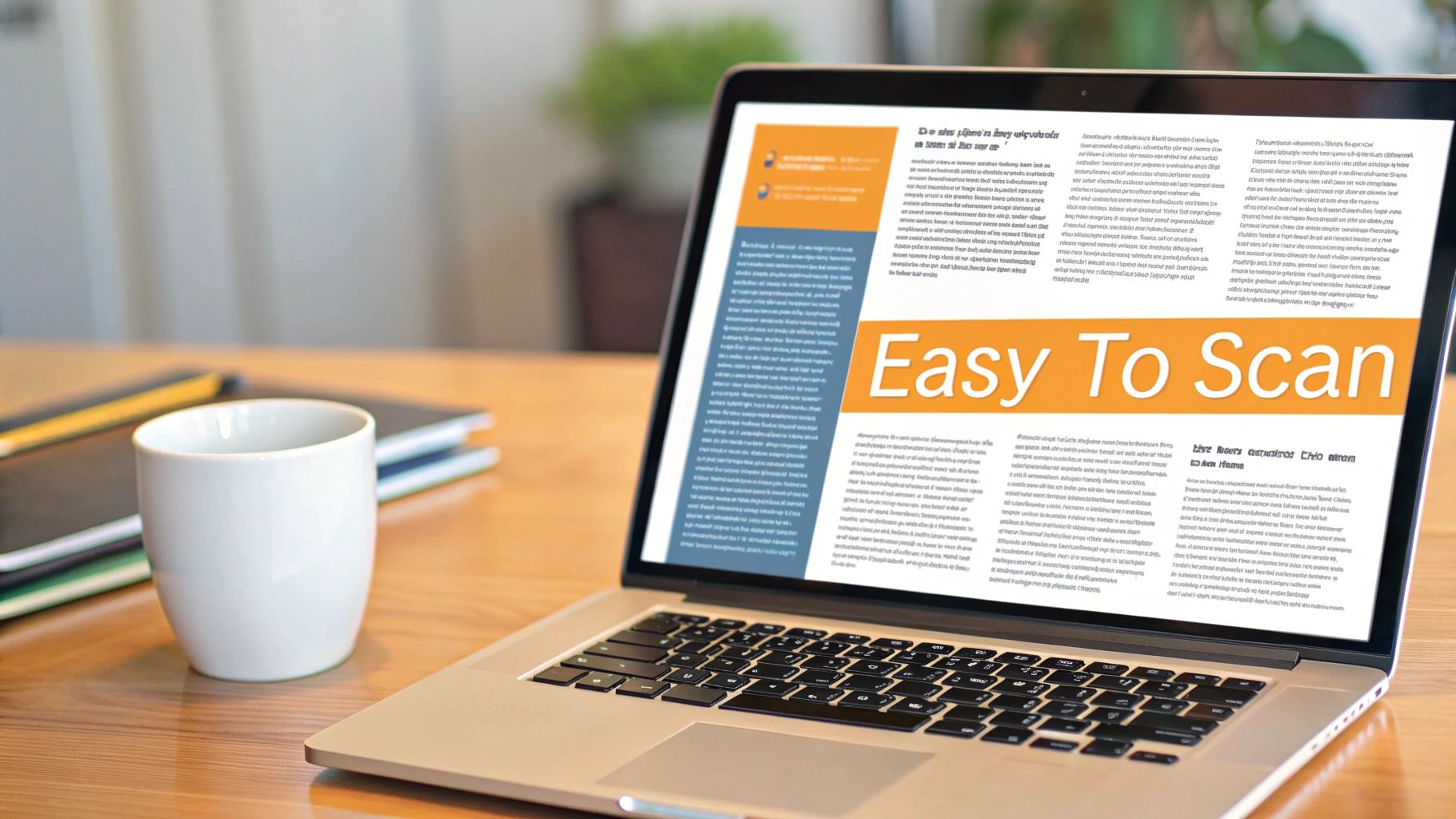
Let's be real: the LinkedIn feed is a crowded place. In a sea of text, visuals are your secret weapon for stopping the scroll. They aren't just there to look pretty; they're a strategic tool for breaking up long blocks of text and making your key points stick.
Think of an article without any multimedia like a presentation with no slides. You can do it, but you're making it much harder for your audience to stay locked in. Visuals act like powerful punctuation, giving the reader's eyes a much-needed break and often explaining a complex idea faster than a paragraph ever could.
Don't Just Add Images, Add Value
The visuals you pick need to do some heavy lifting. A random stock photo just creates noise, but a well-placed chart or a helpful screenshot can instantly build credibility and make your argument feel more real.
Here are a few types of visuals that I've seen get great results in LinkedIn articles:
- Custom Infographics: These are fantastic for simplifying data, breaking down a process, or sharing statistics. A simple graphic showing a step-by-step workflow is way more engaging than a numbered list buried in text.
- Charts and Graphs: Sitting on a compelling statistic? Show it, don't just say it. A simple bar chart can make your data pop and help people grasp the takeaway in seconds.
- Helpful Screenshots: If you're writing a "how-to" guide, screenshots are an absolute must. They show your reader exactly what to do and where to click, offering clear proof along the way.
- Embedded Videos: Want to tell a richer story or show a concept in action? Embedding a short video can dramatically increase how long people spend on your article and add a whole new dynamic to your piece.
Your visual strategy should be as thoughtful as your writing strategy. Before you add an image, ask yourself: "What could I show here that would make this point clearer or more powerful?" That's how you find multimedia that truly adds value.
The Numbers Don't Lie: Visuals Drive Engagement
If you're still on the fence, the data is overwhelming. Posts with images on LinkedIn get 2x higher engagement rates and double the comments of text-only updates. It's a huge difference.
One deep dive into over 400 viral posts found that single images made up a whopping 62.7% of the top-performing content. Text-only posts? They trailed at a tiny 4.6%. And if you really want to grab attention, videos on the platform are shared 20x more than other formats. For a full breakdown of these numbers, you can check out the complete LinkedIn content analysis.
The takeaway is clear: the LinkedIn algorithm—and the people using it—prefer content that's visually interesting. Learning to write a great article is as much about visual storytelling as it is about crafting killer copy.
Getting the Technical Stuff Right
Once you've picked your visuals, you need to make sure they look good. A blurry or awkwardly cropped image can make your whole article feel unprofessional.
For your main article banner, LinkedIn recommends a size of 744 x 400 pixels. This ensures it looks crisp and clean on both desktop and mobile. If you want to nail the dimensions for every type of post, we've got a full guide on image sizes for LinkedIn that breaks it all down.
Finally, a pro tip: use your visuals to promote your article. Pull a few key images or infographics from your piece and create a simple carousel post (by uploading a PDF). This acts as a visual teaser in the main feed, hooking people with valuable snippets and encouraging them to click through to read the full article. It’s a simple trick that can seriously boost your article's reach from day one.
Promoting Your Article for Maximum Visibility
Hitting "publish" feels great, doesn't it? But the truth is, your work has just begun. An amazing article with zero promotion is like a billboard in the desert—it's there, but nobody sees it.
That first 24 hours after you go live is absolutely critical. This is your prime window to show the LinkedIn algorithm that your piece is valuable and deserves a bigger audience. A little strategic promotion right out of the gate can turn a one-off article into a long-term asset that keeps working for you.
Without that initial push, even the best content gets lost in the noise. Let’s make sure that doesn't happen.
First, Share It As a Post
When you publish, LinkedIn immediately prompts you to share the article in a post. Never, ever skip this. This is your official launch, and it's the single best way to get your network’s eyes on it.
But don’t just drop the link and hope for the best. You’ve got to sell it.
- Write a killer hook. Grab a surprising stat, a controversial point, or a relatable story from your article to make people stop scrolling.
- Tag relevant people and companies. If you mentioned a thought leader or quoted an expert, tag them! It’s a direct notification that dramatically increases the odds they'll engage or even share it.
- Ask a genuine question. Spark a conversation by ending your post with a question related to your topic. Engagement is basically rocket fuel for the algorithm.
Think of this initial post as the movie trailer for your article. It’s not the full story; it’s a compelling preview designed to make people want to see the main feature.
Choose Your Hashtags Wisely
Hashtags are how people outside your immediate circle discover your work. They plug your article directly into relevant, ongoing conversations. But this is one area where "more" is definitely not "better."
I’ve found that sticking to 3-5 highly relevant hashtags is the sweet spot. A great mix usually includes:
- Broad industry tags: Something like #Marketing or #ProjectManagement.
- Niche-specific tags: Get more focused with #ContentStrategy or #AgileMethodology.
- A branded tag: If you have one, use it. Something like #YourCompanyName or #YourWeeklyTip helps build a recognizable brand.
This tight, focused approach tells the algorithm exactly who your article is for, making sure it lands in front of the right people. Piling on a dozen irrelevant tags just looks spammy and dilutes your impact.
Distribute Beyond Your LinkedIn Feed
Your promotion plan can't just live and die on your personal feed. To truly get your article out there, you need to take it on a bit of a tour. Think about all the digital places your ideal reader already hangs out.
Smart Distribution Channels:
- Relevant LinkedIn Groups: Find active, well-moderated groups in your niche and share your article. Don't just spam the link—frame it with a thoughtful comment or a question that adds to the group’s conversation.
- Your Email List: These people are your warmest audience; they already trust your insights. Send them a personal note about why you wrote the piece and what they'll learn from it.
- Other Social Platforms: Cross-post to Twitter, Facebook, or anywhere else you have a professional presence. Pro tip: create a simple graphic with a key quote to make the share more visual and stop the scroll.
To really get your content seen, it's worth exploring different content distribution strategies. And if you want to take it a step further, understanding broader organic traffic strategies can make a huge difference.
Fuel the Conversation in the Comments
Your job isn't done when the comments start rolling in—that's when the real magic happens. Diving into the comments is one of the most powerful things you can do to keep your article visible.
When someone takes the time to comment, try to respond within a few hours. Acknowledge their point, thank them for reading, and maybe ask a follow-up question. This back-and-forth not only builds real relationships but it also signals to the algorithm that your post is sparking a valuable discussion. That's what gets LinkedIn to show it to even more people.
Got Questions About LinkedIn Articles? We've Got Answers.
Even after laying out the perfect plan, it’s natural to have a few questions pop up. Getting the hang of writing articles on LinkedIn means figuring out some of its quirks.
Let’s tackle some of the most common questions professionals run into.
What's the Real Difference Between a LinkedIn Article and a Post?
This one trips up a lot of people, but it’s probably the most important distinction to understand. The easiest way to think about it is like a quick chat versus a deep, meaningful conversation.
A LinkedIn post is your quick hit. You've got 3,000 characters to play with, making it perfect for sharing a sharp insight, a great photo, or a link to something interesting. Posts are all about sparking immediate engagement in the fast-scrolling feed.
A LinkedIn article, on the other hand, is your long-form powerhouse. There's no character limit, so you can really dig into a topic. You get all the bells and whistles of a blog post—headlines, subheadings, bullet points, and you can embed all sorts of media. These articles live permanently on a special tab on your profile, building a library of your expertise over time.
Here's the kicker: LinkedIn articles can be indexed by search engines like Google. This gives them a much longer life than a post, meaning they can drive traffic and build your authority for months or even years to come.
How Often Should I Be Publishing Articles?
Honestly, quality beats quantity every single time. It's way better to publish one fantastic, well-researched article a month than to churn out four half-baked ones just to hit a quota.
Think of your articles as your "cornerstone" content—the big pieces that truly showcase what you know. For most people, a steady rhythm of one or two high-quality articles per month is the sweet spot. It builds anticipation with your audience and establishes you as a reliable voice in your field.
Save the daily thoughts and quick updates for your shorter posts. Reserve the article format for when you have something genuinely important to share.
Where Do I Even Find Good Topics to Write About?
The best ideas almost never come from staring at a blinking cursor. They come from paying attention to the conversations happening all around you. Your goal is to find that perfect overlap between what you're an expert in and what your audience is desperate to know.
Here are a few ways I uncover great topics:
- Listen to your network. What questions do your clients, customers, and colleagues ask you over and over? Every one of those is a potential article just waiting to be written.
- Keep an eye on industry hashtags. What are the big names in your space debating? What challenges keep popping up? Find a gap in the conversation where your unique perspective can add real value.
- Mine your own greatest hits. Go back and look at your most popular LinkedIn posts. Did one spark a flurry of comments or questions? That's a massive signal from your audience that they want you to go deeper. Expand on it!
How Do I Know if My Article Is Actually Working?
Once you hit "publish," LinkedIn gives you a handy analytics dashboard to see how your article is doing. Just head to the article page and click on the stats to see your numbers.
It's easy to get fixated on one metric, but the real story is in looking at all of them together.
Key Metrics to Watch:
- Views: This is your top-line number, showing how many people saw your article. It’s a great pulse check on your headline and how well your initial promotion worked.
- Likes and Reactions: This shows you who your piece resonated with. Did it hit home with the right audience?
- Comments: This is gold. Thoughtful, engaging comments are the clearest sign that you didn't just share information—you started a valuable conversation.
- Shares: When someone shares your article, they’re putting their own reputation on the line to endorse you. It's one of the most powerful ways to expand your reach.
Beyond the raw numbers, watch for the qualitative results. Are you getting connection requests from people who mention your article? Did anyone send you a DM about it? Those are the signs that your content is truly building your brand and making an impact.
Ready to stop guessing and start creating LinkedIn content that gets results? RedactAI builds a personalized AI model based on your unique voice and expertise, helping you craft authentic, high-impact posts in minutes. Discover how RedactAI can supercharge your LinkedIn strategy today.



























































































































































































