
A LinkedIn summary builder is a smart little tool, usually running on AI, designed to help you nail that "About" section on your profile. Think of it as your personal copywriter, helping you turn your career history into a story that actually gets recruiters and potential connections to sit up and take notice.
Why Your LinkedIn Summary Is Your Digital Handshake

Let's be honest, your LinkedIn summary is often the first real look someone gets into who you are professionally. It’s more than just a bio; it’s your digital handshake, your elevator pitch, and your career highlight reel all in one. A good one makes people want to keep scrolling. A bad one? They're gone in seconds.
A great summary sets the stage for everything else on your profile. It’s what turns a boring list of job titles into a compelling story that people remember. Those generic, buzzword-filled summaries just blend into the background.
Turning a Profile into a Story
Your summary is like the back-of-the-book blurb for your career. It needs to be interesting enough to make someone want to read the whole thing. It gives you a chance to explain the why behind your career moves, something a standard resume just can't do. This is your spot to:
- Let your personality show. Are you a meticulous, data-obsessed analyst or a big-picture creative thinker? Let people know.
- Connect the dots. If your career path has a few twists and turns, this is where you explain how every step prepared you for what you're doing now (or what you want to do next).
- Speak to your audience. Write directly to the recruiters, clients, or collaborators you want to attract. Use their language and show you understand what they're looking for.
The best LinkedIn summaries tell the story your resume can't. If you've had a non-linear career path, this is your golden opportunity to frame it as a unique strength.
Standing Out in a Crowded Room
The professional world is unbelievably noisy. As of 2025, LinkedIn is home to over 1.15 billion users—that’s a massive leap from 644 million back in 2019. This explosion in growth shows just how vital the platform has become. In a sea of profiles, your summary is your best shot at making a real impression. (You can dig into more of these wild LinkedIn user stats over at Cognism.com.)
Using a LinkedIn summary builder isn’t about taking a shortcut. It's about being strategic. It helps you craft a polished, keyword-rich story that helps you get found by the right people. And if you're looking to give your whole profile a boost, our guide on how to optimize your LinkedIn profile has a ton of other practical tips.
Gathering the Right Ingredients for Your AI Summary
Look, an AI summary builder is an amazing tool—think of it as your creative co-pilot. But it can't fly the plane solo. The secret to getting a stellar output is giving it high-quality input. It's just like cooking: you can't expect a gourmet meal from subpar ingredients. So, let's get our ingredients ready.
Your first job is to collect the raw materials that tell your professional story. This means going way beyond just listing your old job duties. Instead, I want you to dig deep and think about your biggest wins and most impactful contributions. What projects still make you proud? When did you pull off a miracle to solve a really tough problem? Get it all down on paper, even the stuff you think is small.
Let's Talk Numbers: Quantify Your Impact
Once you've got a list of accomplishments, the next step is absolutely critical: you have to attach numbers to them. Vague claims like "I increased sales" or "I improved efficiency" are completely forgettable. They just get lost in the noise. Specific, measurable achievements, on the other hand? They grab a recruiter's attention and prove you deliver real value.
This is especially true on a platform like LinkedIn. We're talking about a place where B2B marketers see a whopping 277% greater lead generation effectiveness than they do on Facebook. And since a massive 80% of all high-quality B2B leads from social media come straight from LinkedIn, your summary needs to make an immediate, data-backed impression. You can read more about how LinkedIn dominates B2B lead generation.
Here’s what I mean by translating your wins into powerful metrics:
Instead of: "Managed a social media campaign."
Try: "Grew organic social media engagement by 45% in Q3 by launching a targeted video content series."
Instead of: "Helped streamline team workflows."
Try: "Implemented a new project management system that cut project delivery times by 20% and saved the team an estimated 15 hours per week."
See the difference? One is a bland statement, the other tells a story of tangible success.
Find Your Keywords and Define Your "Why"
Okay, you've got your quantified achievements. Now it's time to put on your recruiter hat. What specific words or phrases would someone type into LinkedIn's search bar to find a person just like you? The easiest way to do this is to scan job descriptions for roles you're interested in. Pull out the recurring skills, software, and terminology. A good AI summary builder can then weave these keywords into your bio so it sounds completely natural.
My Pro Tip: Don't just dump a list of keywords into the AI. Give it context. Instead of just "SaaS," feed it a phrase like "expert in closing complex, multi-stakeholder SaaS sales cycles." This helps the tool grasp the real-world application of your skills.
Finally, get crystal clear on your goal. What do you want this summary to do? Are you actively hunting for a new job? Trying to attract freelance clients? Or are you aiming to position yourself as an industry thought leader? Defining your objective from the start helps the AI nail the right tone of voice and craft the perfect call-to-action.
Once you’ve prepped these key ingredients—your wins, metrics, keywords, and goals—you've given the AI everything it needs to draft a summary that sounds less like a resume and more like you.
Let's Get AI to Write Your First Draft
Okay, this is where the fun starts. You’ve done the hard work of digging up your wins, putting numbers to your impact, and figuring out the keywords you want to rank for. Now it's time to plug all those ingredients into a linkedin summary builder and let it do the heavy lifting.
Don’t expect perfection right out of the gate. The goal here is to get a solid draft—a starting point you can shape and polish.
Think of the AI as your junior copywriter. You give it the creative brief (your achievements, metrics, and goals), and it gets rid of that intimidating blank page for you. The process is pretty simple: just drop your key points into the builder's input fields.
Why Basic Prompts Get You Basic Results
Most people just throw in their job title and a few skills and call it a day. But if you want a summary that actually sounds like you, you need to give the AI a little more direction. The secret is to tell it who to be.
Instead of letting the tool default to a bland, corporate voice, give it a persona to work with. This one small step is how you go from a generic summary to one that feels authentic.
Try prompts that paint a picture for the AI:
- For a leadership role: "Write this in the voice of a seasoned tech executive who is passionate about building great teams and driving innovation."
- For a creative professional: "Generate a summary from the perspective of a creative marketer who uses data to tell unforgettable brand stories."
- For a technical expert: "Draft this as a detail-oriented software engineer who loves solving tricky problems and working with product teams."
This simple tweak makes all the difference. You’re not just telling the AI what to write, but how to write it. The result? A first draft that’s already much closer to your personal brand.
This diagram shows how your raw ingredients—wins, metrics, and keywords—are the foundation for what the AI creates.
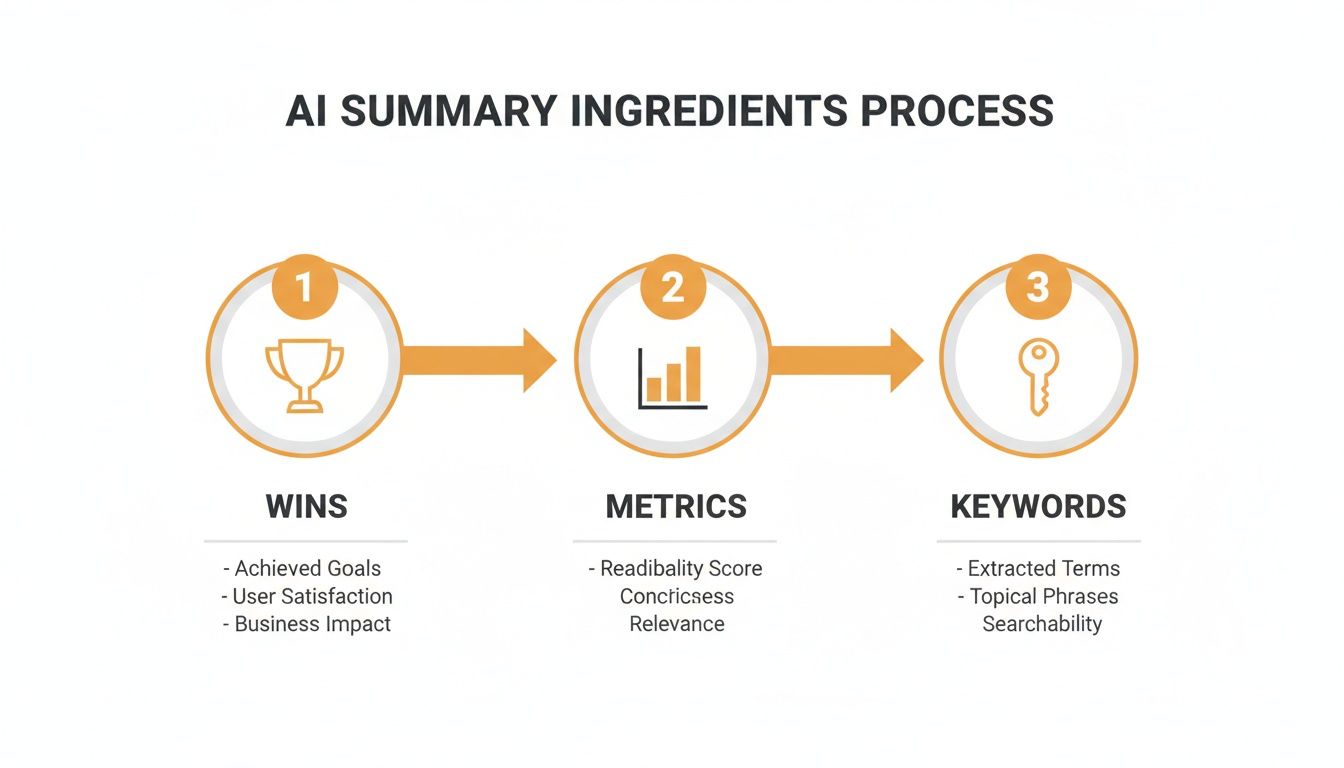
As you can see, the quality of what you put in directly impacts the quality of what you get out.
From Bullet Points to a Compelling Story
Let's walk through a real-world example. Say we have a project manager whose notes look like this:
Increased project efficiency by 30%
Managed a team of 8
Completed a major software migration ahead of schedule
Keywords: Agile, Scrum, Project Management, SaaS
Dropping this straight into a free LinkedIn summary generator will give you a decent start. But if we add a bit more flavor with a prompt like, "Create a summary for an empathetic project leader focused on team collaboration and successful SaaS rollouts," the output gets way more interesting.
Before AI Builder:
Just a list of accomplishments.
After AI Builder (with a specific prompt):
"As a dedicated Project Manager with a passion for building efficient and collaborative teams, I thrive on turning complex challenges into streamlined successes. Over my career, I've led cross-functional teams of up to 8 specialists, fostering an Agile environment that resulted in a 30% boost in project efficiency. My proudest moment was steering a critical SaaS migration to completion ahead of schedule, a testament to what a motivated team can achieve with clear direction."
Look at that transformation. The AI didn't just list the facts; it wove them into a narrative that highlights both hard skills and personality. This is the real power of these tools—they handle the first pass at storytelling, freeing you up to focus on making it perfect.
Adding Your Human Touch to the AI Draft

Alright, the AI has done the heavy lifting. You've got a solid, keyword-rich draft, and the dreaded blank page is a thing of the past. Now for the fun part: making it yours.
Think of the AI's output like a perfectly tailored suit off the rack. It fits, it looks professional, but it’s missing your personal style—the details that make it uniquely you. This is where you step in to add the one thing AI can't possibly replicate: your authentic voice. The goal is to go from a summary that looks good to one that sounds like a real person someone would actually want to work with.
Inject Your Unique Personality
First thing's first: read the draft out loud. Seriously. Does it sound like something you would say in a conversation? If it feels a bit stiff or overly formal, don't worry, that's normal. Your mission now is to loosen it up.
The quickest way to do this is to weave in a short, relevant story or a core belief you hold about your work. This is the stuff that builds a genuine connection, and an AI simply can’t invent it.
- Share your "why": What got you into your field in the first place? A simple sentence like, "Ever since I took apart my family’s VCR at age 10, I've been obsessed with understanding how things work," adds a memorable human touch.
- Mention a unique hobby: You could add something like, "When I'm not untangling complex data sets, you can find me training for my next marathon. It’s taught me a lot about discipline and pushing past perceived limits—skills I bring to every project."
These little details make you more than just a collection of skills on a screen. They make you relatable.
Your LinkedIn summary is prime real estate to share the narrative your resume can't. If your career journey wasn't a straight line, this is the perfect place to frame that as a unique strength that sets you apart.
Polish for Readability and Impact
Once your voice is in there, it’s time for a practical edit. Let's be honest, people don't read online; they scan. Long, dense paragraphs are a surefire way to get someone to scroll right past your profile.
Go through the AI draft and be ruthless. Break up any long sentences. Chop up those chunky paragraphs. Your goal is to make the entire summary feel effortless to skim.
Here’s how to use formatting to your advantage:
- Short Paragraphs: Aim for just one or two sentences per paragraph. All that beautiful white space makes your text feel much more approachable.
- Strategic Bold Text: Make key metrics pop. Think slashed delivery times by 30% or core skills like full-stack development to draw the reader's eye right where you want it.
- Bullet Points: Got a list of accomplishments or areas of expertise? Throw them into bullet points. They’re incredibly easy for the brain to process quickly.
If you’re feeling stuck, it can be a huge help to see what others are doing. Checking out a few different LinkedIn about section examples can give you some great ideas on how to structure your own story for maximum impact.
Finally, every great summary needs to point people in a clear direction. The last line should tell them exactly what you want them to do next. This is your call-to-action (CTA). Keep it friendly, direct, and tied to your goals.
- For networking: "I'm always up for a chat with fellow marketing pros. Feel free to connect!"
- For job seeking: "Currently exploring new opportunities in the SaaS space and would love to connect. Drop me a line if you think I'd be a good fit for your team."
- For client work: "Need a freelance writer to breathe some life into your content? Send me a message or email me at [your-email-here]."
By blending the AI's solid structure with your personal story and a clear CTA, you've created a powerful summary that works for you 24/7.
Testing Your New Summary for Real-World Results
So you’ve crafted a brilliant new summary with the help of a LinkedIn summary builder. Great! But hitting 'save' isn't where this story ends.
Think of your LinkedIn profile less like a static resume carved in stone and more like a living, breathing tool for your career. The summary you just wrote is your best guess—your hypothesis—about what will grab the attention of recruiters and peers. Now it's time to see if you were right.
You don't need fancy, expensive software for this part. LinkedIn gives you all the essential data you need, right there on your profile dashboard. The whole point is to figure out if your new, AI-assisted summary is actually making a difference on the metrics that matter.
What to Keep an Eye On
Once you've published your new summary, let it sit for a week or so to gather some data. Then, pop over to your profile and find your analytics dashboard. You’re looking for two numbers specifically: profile views and search appearances.
These are your bread and butter. They tell you if your summary is not only catching people's eyes but also if it’s packed with the right keywords to pop up when people are searching for someone just like you. If both numbers are climbing, you’re on the right track.
Don't get stressed if you see your numbers bounce around day-to-day. That's totally normal. What you're really looking for is a steady upward trend over a couple of weeks. Honestly, a 15-20% bump in profile views after an update is a massive win.
How to Run a Simple A/B Test
Ready to get a little more hands-on? Let's talk about A/B testing. It sounds super technical, but it's not. All you're doing is pitting two versions of your summary against each other to see which one comes out on top.
A fantastic place to start this experiment is with your opening line. It's the first thing anyone reads, and it carries a ton of weight.
Here’s how you can do it, step-by-step:
Version A (Your "Control"): This is your current summary. Before you change anything, jot down your profile views and search appearances over a two-week span. This is your baseline.
Version B (The "Challenger"): Now, switch things up. Tweak only the first two sentences. For instance, if your current opener is a straight-up list of skills, try swapping it for a short, compelling story or even a thought-provoking question.
Compare the Results: Let Version B run for its own two weeks. Then, pull up the numbers and compare them to your baseline. Did you see more views? Did more connection requests land in your inbox?
This simple test can uncover some seriously powerful insights. You might find that a hook with a bit more personality connects way better in your industry than a dry list of qualifications.
By using your initial draft from a LinkedIn summary builder as a starting point and then testing it in the real world, you turn your profile from a passive document into a powerful career tool. Continuously tweaking and testing ensures your digital handshake is always as strong as it can possibly be.
Got Questions About Using AI for Your LinkedIn?
Diving into a new tool always brings up a few questions. It's smart to be curious about how a LinkedIn summary builder actually works and if it's the right move for you. Let's get into some of the most common concerns I hear so you can feel good about giving it a try.
Will This Make My Profile Sound Like a Robot Wrote It?
This is the big one, right? And it's a totally valid fear.
The short answer is no—not if you treat the AI as a collaborator, not a ghostwriter. The whole point is to let the AI create a solid first draft that logically lays out your skills and accomplishments. Its job is to get you past that dreaded blank page.
Then, you come in. This is where you tweak the tone, drop in a personal story or two, and inject your own voice. The AI does the heavy lifting with structure and keywords; you bring the personality. It's this partnership that makes your summary sound both professional and genuinely you.
Think of the AI as your brainstorming partner. It hands you a fantastic starting point, but you're the one who adds the spark that makes it shine.
How Often Should I Actually Update My Summary?
Your LinkedIn summary isn't a "set it and forget it" kind of thing. I always tell people to give it a quick once-over every few months, just to make sure it still feels fresh and aligns with where you're headed.
But you should definitely update it right after any big career move. Think of moments like:
- You just landed a promotion or a cool new job.
- You wrapped up a huge, impactful project.
- You're shifting your career focus or jumping into a new industry.
Your summary needs to be a real-time reflection of your professional life and your future goals. Keeping it current means it’s always out there, working hard to grab the right kind of attention.
Can an AI Builder Actually Help with SEO Keywords?
Oh, absolutely. This is one of its secret weapons. You can feed a LinkedIn summary builder a specific list of keywords and skills you've pulled from job descriptions you're eyeing. The tool is great at weaving those terms into your summary in a way that sounds natural, not like you just stuffed them in there.
This is a game-changer for getting seen on the platform. It helps your profile pop up when recruiters and hiring managers are searching for someone with your exact experience. Simply put, it makes it way easier for the right people to find you.
Ready to stop staring at a blank page and start crafting a summary that gets results? RedactAI uses your unique profile data to generate authentic, engaging content in minutes. Start creating your high-impact LinkedIn summary with RedactAI today!


























































































































































































