
Ever wonder what "impressions" on your LinkedIn posts actually mean? It’s a term that gets thrown around a lot, but what does it really tell you?
Imagine your post is a digital billboard on a super busy highway. Every single time a car drives by and that billboard is visible to the driver, that’s one impression. It doesn't matter if they stop to read it, or just glance at it as they zoom past. The opportunity to see it was there.
That's exactly how LinkedIn impressions work.
Your Quick Guide to LinkedIn Post Impressions
An impression is counted every time your post shows up on someone's screen. They could be scrolling right past it, but if it appeared in their feed, that's an impression. It’s the most basic measure of your content’s visibility.
Think of it as the starting line. Without impressions, nobody has the chance to engage with your post, click your link, or even know you exist. A high number of impressions is a great sign—it means LinkedIn's algorithm is putting your content in front of more people, giving you a bigger stage.
So, What Exactly Is a LinkedIn Impression?
To get a little more technical, LinkedIn counts an impression when your post is at least 50% visible on a logged-in user's screen for a minimum of 300 milliseconds. This isn't just about your post flashing by; it has to be on screen long enough to be genuinely seen, even for a moment.
With over 1.15 billion members on the platform, these quick moments of visibility are your entry ticket to reaching a massive professional audience.
An impression doesn't mean someone read your post. It just means they had the chance to. It’s the very beginning of a potential conversation, not the end of one.
Let's break this down further with a quick overview.
LinkedIn Impressions at a Glance
This table provides a quick summary of what a LinkedIn impression is, what it measures, and why it's a foundational metric for your content strategy.
| Metric | Definition | What It Measures |
|---|---|---|
| Impression | Your post appears on a user's screen (at least 50% in view for 300ms). | The total number of times your content was delivered to a user's feed. |
| Reach | The number of unique people who saw your post. | The size of the unique audience that your content reached. |
| View | A user watches your video content for 3+ seconds. | The initial interest level specifically for your video content. |
In short, impressions are the first and most fundamental signal of your content's visibility.
Why This Metric Actually Matters
Think of impressions as the very top of your content funnel. A healthy impression count is a good sign that your post format, timing, and topic are hitting the right notes with the LinkedIn algorithm.
This is your first clue to figuring out what's working and what isn't. Seeing lots of impressions but getting very few likes or comments? That's a classic sign your opening hook or headline isn't strong enough to stop the scroll.
To turn those impressions into something more, you've got to create content that makes people pause. This means using eye-catching visuals, writing compelling first lines, and talking about things your audience actually cares about. For a deep dive into what works best, check out our complete guide on LinkedIn post specs and formats.
Impressions vs. Reach vs. Views: Let's Clear Things Up
Diving into your LinkedIn analytics can feel like you're trying to learn a new language. You've got "impressions," "reach," and "views" all thrown around, and it's easy to assume they mean the same thing. They don't. Each one tells a unique and important part of your content's story.
Getting these terms straight is the first step to really understanding your impact on the platform.
A Simple Analogy: Your Post is a Billboard
Imagine you've put up a giant billboard on a busy highway to advertise your business.
- Impressions: This is the total number of times your billboard is seen. If a commuter drives past it on their way to work and then again on their way home, that’s two impressions. It's all about total exposure.
- Reach: This is the number of unique cars that drove past your billboard. That same commuter is only counted once, no matter how many times they see it. Reach tells you how many individual people your message got in front of.
- Views (for video): This is a bit like someone slowing down to actually read your billboard for at least a few seconds. For LinkedIn videos, a "view" is triggered after a few seconds of watch time, filtering out people who just scrolled past without a second glance.
Why This Distinction Actually Matters
Here's the key takeaway: a ton of impressions doesn't automatically mean you reached a huge audience. If one really engaged follower sees your post pop up in their feed five different times throughout the day, you get five impressions, but your reach only goes up by one.
This is a critical distinction. It helps you understand if your content is being seen by a wide variety of people, or if it's being shown repeatedly to a smaller, more engaged group.
This concept map breaks it all down visually.
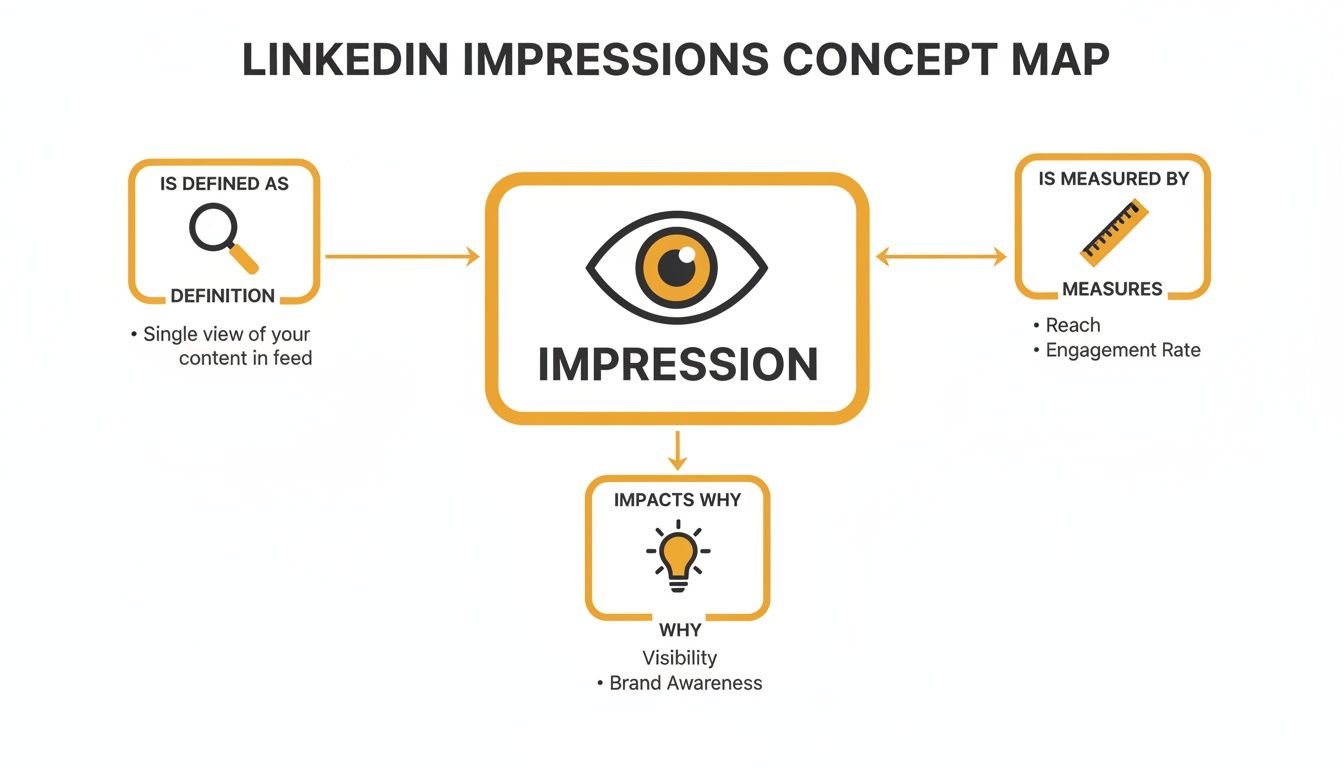
As you can see, impressions are the foundation. They're the starting point for everything else. Without visibility, you can't get engagement, clicks, or followers.
How Impressions Fuel Engagement
Don't mistake impressions for a simple vanity metric. They are the engine that drives your engagement rate. In fact, LinkedIn's engagement rate formula is literally (total interactions) ÷ (impressions).
While the average rate hovers around 2.8%, some content types do way better. Posts featuring multiple images or carousels, for instance, can often see that number jump past 6%. And consider this: a tiny fraction of users—just 1%—are responsible for generating a staggering 9 billion impressions every single week. Getting your content seen is the first, and biggest, battle.
Think of it this way: You can't get likes and comments (engagement) if no one ever sees your post in the first place (impressions).
At the end of the day, these three metrics are a team. Impressions tell you how frequently your content is appearing on screens. Reach tells you how many unique people it's appearing for. And views confirm that your video content caught someone's attention.
For a deeper dive, check out our guide on the key differences between impressions vs views. Once you master these concepts, you'll have a much clearer picture of your content's entire journey, from first glance to genuine connection.
Where to Find Your Post Impressions on LinkedIn
Okay, we’ve sorted out the difference between impressions, reach, and views. Now for the fun part: finding your own numbers and putting them to work. Knowing what a metric means is one thing, but knowing where to find it is how you actually start improving.
Luckily, LinkedIn makes it pretty easy to track your post impressions, whether you're building your personal brand or running a full-blown company page. Let's walk through exactly where this data lives.
Finding Impressions on Your Personal Profile
For your personal LinkedIn profile, the analytics are baked right into every single post. This makes it super simple to get a quick pulse check on how your content is doing.
Here’s the drill:
- Head to your profile and scroll to the post you're curious about.
- Look right below the post text. You'll see a small gray bar with the total impression count.
- Click on that number. This opens up a detailed analytics dashboard for that specific post.
Boom. You're in. This dashboard is a goldmine, giving you an immediate snapshot of who's seeing your content. It even breaks down your audience by their job title, company, and location.
Here's a peek at what that post analytics dashboard looks like.
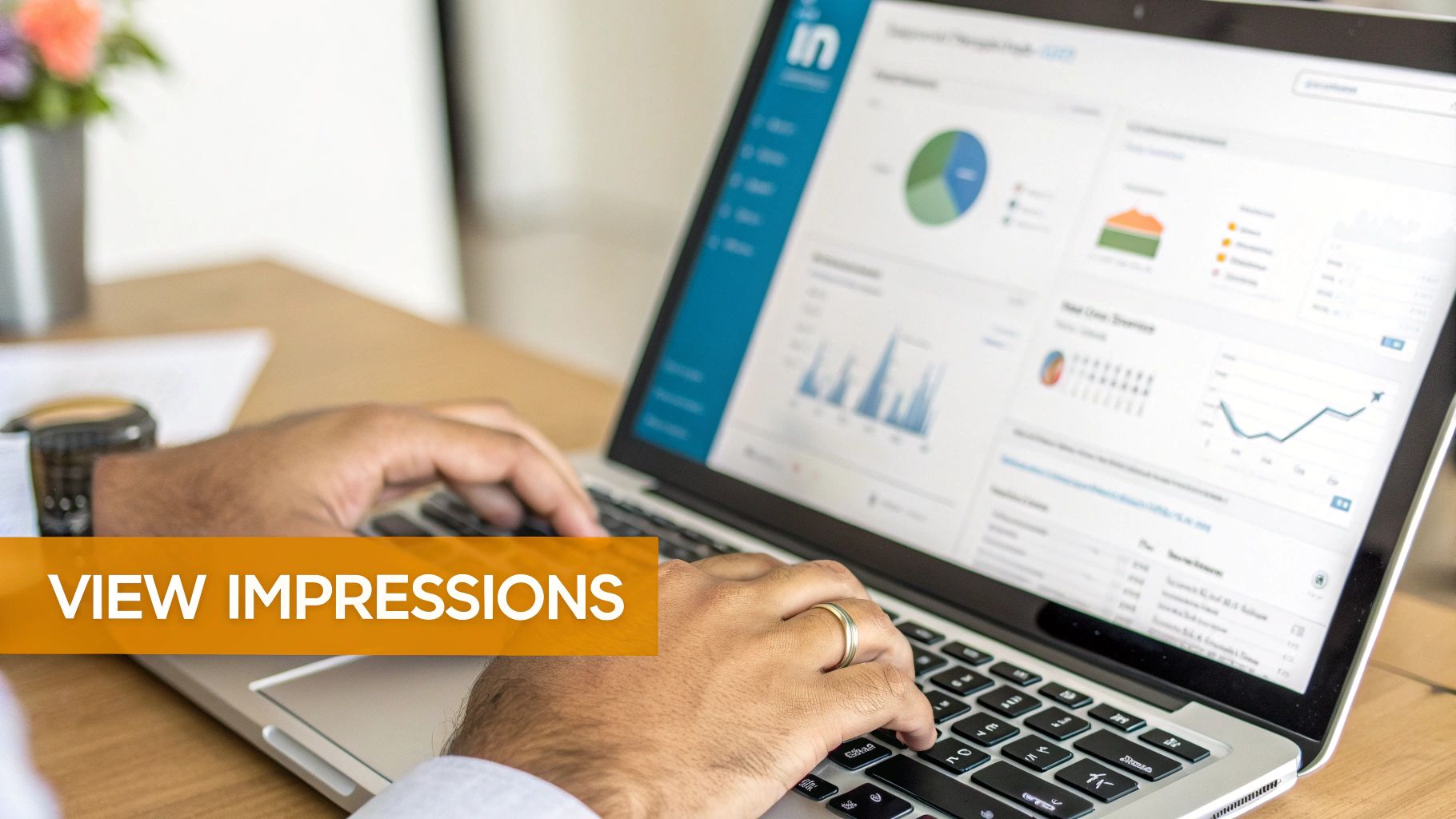
This view doesn't just give you the raw number of impressions; it tells you who those impressions belong to, which is incredibly valuable.
Locating Impressions for a Company Page
If you’re running a LinkedIn Company Page, you get a much more powerful analytics suite. It’s built for a deeper dive, giving marketers the tools to see the bigger picture of their content performance over time.
Key Takeaway: Think of it this way: personal analytics are a quick snapshot of a single post, while Company Page analytics give you a panoramic view of your entire content strategy.
Here’s how you access these insights:
- Navigate to your Company Page while you're in admin mode.
- Click the "Analytics" tab in the main navigation menu at the top.
- Select "Updates" from the dropdown menu. This takes you to the performance data for all your page's posts.
This dashboard lets you see impressions, engagement rates, and a ton of other metrics across any date range you choose. It's the best way to spot your winning content, see what's falling flat, and understand what your audience truly cares about. For a company, understanding what post impressions on LinkedIn mean for growth starts right here.
Why High Impressions Don't Always Mean Success
It's so easy to get hooked on chasing big numbers. You see a post hit thousands of impressions and it feels like you've won the LinkedIn lottery. But honestly, that number can be a bit of a mirage. A massive impression count doesn't automatically equal real results for your career or your business.
Think of it this way: it’s like casting a giant fishing net across a huge lake. Sure, you might pull up a ton of stuff—old boots, tangled seaweed, maybe a few dozen tiny minnows. Your "catch count" is impressive, but you didn't actually land the fish you were after. LinkedIn impressions can work just like that.
The real goal isn't just to be seen; it's to be seen by the right people.
The Viral Post With Zero Value
Let’s get real with an example. Imagine you're a B2B software consultant trying to land new clients. You post a funny meme about the horrors of Monday morning meetings. It unexpectedly goes viral, racking up 100,000 impressions. Your phone is buzzing with notifications from college students and people in totally unrelated fields.
On the surface, the visibility is amazing. But did it get you in front of a single potential client? Did it spark a conversation with a decision-maker in your target industry? Probably not. This is a classic case of high impressions, low impact. The eyeballs you captured weren't the ones that actually move the needle for your business.
Key Takeaway: Impressions tell you about your potential audience size, not the quality of that audience. True success on LinkedIn is about connecting with people who can hire you, partner with you, or buy from you.
Attracting the right audience is always more valuable than attracting a huge one. A post that gets just 2,000 impressions but reaches a concentrated group of VPs in your niche is infinitely more powerful than the viral meme that reached everyone but them.
Shifting Your Focus from Quantity to Quality
So, instead of getting obsessed with the impression count on its own, start looking at it alongside other metrics. This gives you the full picture and helps you figure out if your visibility is actually leading to real-world results.
Here’s what you should be tracking along with your impressions:
- Engagement Rate: Are people just scrolling by, or are they actually stopping to react, comment, or share? A high engagement rate, even on a post with fewer impressions, is a great sign that your content is hitting home with the right crowd.
- Audience Demographics: Dive into your post analytics. Who are you actually reaching? Check out the job titles, companies, and locations. If they don't match your ideal client profile, it's a clear signal to rethink your content strategy.
- Profile Clicks and Follows: Is your content compelling enough to make people curious? If your impressions are leading to more profile views and new followers, you know you're doing something right.
At the end of the day, understanding what post impressions on LinkedIn are all about means seeing them as a starting point, not the finish line. They open the door, but it's the quality of the people on the other side that truly defines your success.
Ready to Boost Your LinkedIn Impressions? Here’s How.
Knowing what impressions are is one thing, but actually getting more eyes on your content is where the magic happens. It's time to move from just watching your analytics to actively making them grow. Boosting your visibility on LinkedIn isn't about luck—it's about getting smart and using a few proven tactics that the algorithm loves.
So, are you ready to get your posts seen by more people? Let's dive into seven practical ways you can start increasing your impressions and expanding your professional network today. These aren't just abstract ideas; they're the real-deal building blocks for a strong LinkedIn presence.
1. Hook Them in the First Three Lines
On LinkedIn, your first few sentences are everything. They're your "shop window," and you have just a moment to convince someone to stop scrolling and pay attention. You need to grab them immediately by asking a provocative question, stating a surprising fact, or hinting at a solution to a common problem.
For example, don't just say, "I learned a lot at the marketing conference." Instead, try something that sparks curiosity, like, "The single biggest marketing mistake I heard repeated at last week's conference? Thinking..." This makes people want to know the rest of the story, prompting them to click "See more." That click is a huge green light for the LinkedIn algorithm.
2. Use Hashtags the Smart Way
Think of hashtags as your content's filing system. When used correctly, they help LinkedIn figure out who needs to see your post, which can seriously pump up your organic impressions. But piling on dozens of tags isn't the answer.
A solid strategy is to use 3 to 5 highly relevant hashtags per post. Try to use a healthy mix:
- Broad Hashtags: These are the big ones like
#Marketingor#Leadership. They cast a wide net and get your post in front of a massive audience. - Niche Hashtags: Get more specific with tags like
#B2BContentStrategyor#SaaSSales. This helps you connect with a smaller but much more interested group of people. - Branded Hashtags: Create a unique tag for your company or brand, like
#RedactAI. It's great for building a community and tracking conversations about you.
This balanced approach gives you the best of both worlds: wide exposure and targeted reach.
3. Mix Up Your Content Formats
Sure, a text-only post can work, but visual content almost always gets more traction. The LinkedIn algorithm tends to favor posts that keep people on the platform longer, and some formats are just better at doing that. For instance, posts with images typically see twice the engagement compared to those without.
The name of the game is to stop the scroll. Formats like carousels and polls do more than just catch the eye—they actively invite people to interact, which tells the algorithm, "Hey, this is good stuff, show it to more people!"
Some formats you should definitely have in your rotation are:
- Carousels (as PDFs): These multi-slide posts are perfect for telling a story, breaking down a tricky concept, or sharing a quick "how-to" guide. Each swipe keeps the user engaged, which is gold for the algorithm.
- Polls: Hands down, polls are one of the easiest ways to get people to interact. They're low-effort for your audience to answer and give you instant engagement that LinkedIn's algorithm loves to see.
- Video: Always upload your video directly to LinkedIn instead of sharing a YouTube link. Native videos perform way better and are a fantastic way to connect with your audience on a more personal level.
To help you decide what to post, here's a quick look at how different formats can impact your impressions.
Content Formats and Their Impact on Impressions
| Content Format | Typical Engagement Rate | Best Use Case |
|---|---|---|
| Carousels (PDFs) | High | Breaking down complex topics, tutorials, or showcasing a portfolio. |
| Polls | Very High | Asking for opinions, market research, or starting a quick debate. |
| Native Video | High | Sharing personal stories, expert tips, or behind-the-scenes content. |
| Image Posts | Medium-High | Announcing news, sharing quotes, or illustrating a single key point. |
| Text-Only Posts | Medium | Sharing quick thoughts, asking open-ended questions, or telling a short story. |
Ultimately, variety is key. By mixing these formats, you keep your feed interesting and appeal to different audience preferences, which can lead to a healthy boost in impressions.
4. Post When People Are Actually Listening
This one sounds simple, but it’s so important. If you post when most of your network is offline, your content might as well be invisible. You need to post when your audience is most likely to be scrolling through their feed to get that crucial initial burst of impressions.
While conventional wisdom points to mid-morning on Tuesdays, Wednesdays, and Thursdays, your audience might be different. Dive into your own analytics to see when your posts really take off. For a more detailed breakdown, our guide on the best time to post on LinkedIn can help you nail down the perfect schedule.
5. Tag Relevant People and Companies
When you tag someone, they get a notification. If they engage with your post by commenting or sharing, their entire network gets a chance to see it. It's a simple way to create a ripple effect that can dramatically increase your impressions.
The key word here is relevant. Only tag people or companies that are genuinely connected to your post—maybe you quoted them, worked with them on a project, or are referencing their work. Nobody likes being tagged for no reason, and spam-tagging will just hurt your credibility.
6. Find Your Posting Rhythm
The LinkedIn algorithm loves consistency. Posting randomly here and there just doesn't work as well as maintaining a steady, predictable schedule. Aiming for 3-5 high-quality posts per week is a great goal.
This consistency not only trains the algorithm to favor your content but also builds anticipation with your audience. For professionals juggling a million tasks, tools like RedactAI can be a lifesaver for generating ideas and scheduling content ahead of time. And if you're looking to level up your entire social media game, digging into some powerful social media marketing strategies can offer a broader perspective.
7. Don't Just Post—Engage
Finally, remember that LinkedIn is a two-way street. It's not just about broadcasting your own content; it's about being part of the conversation.
Try to spend 15-20 minutes every day leaving thoughtful comments on posts from other people in your industry. This does two amazing things: it gets your name and profile picture in front of new audiences (every comment is a mini-impression!), and it helps you build real relationships. That goodwill often comes back to you in the form of more people engaging with your content, which is exactly what you want.
Got Questions? Let's Clear Things Up
Even after you get the hang of impressions, a few tricky questions always seem to pop up. Let's walk through some of the most common ones I hear, so you can stop guessing and start building your content strategy with total confidence.
Think of this as your quick-reference guide for the finer points of LinkedIn analytics.
Are Impressions Different for Personal Profiles vs. Company Pages?
Great question. While the definition of an impression stays the same—one person seeing your post on their screen—how you use that data is totally different. The tools and the end goals just aren't the same.
- Company Pages give you the full dashboard. You get access to a much deeper set of analytics, letting you spot trends over time, dig into follower demographics, and separate your paid and organic impressions. The goal here is usually about boosting brand awareness and bringing in leads.
- Personal Profiles offer a more streamlined, "in the moment" view. The analytics are designed for quick feedback on individual posts, showing you which companies and industries are seeing your content. It’s all about telling your story authentically and growing your personal brand.
It’s like comparing a mechanic's full diagnostic computer for a car (Company Page) with the simple speedometer and fuel gauge on the dashboard (Personal Profile). Both tell you something important, but one is designed for a much deeper analysis.
Do My Own Views Count?
I get this one all the time, and the answer is a firm no. Thankfully, LinkedIn’s system is smart enough to know it's you. An impression only gets logged when your post shows up in the feed of another signed-in member.
This is a good thing! It means your metrics aren't getting skewed every time you pop back in to check for comments or make a quick edit.
Every single impression you see in your analytics is a real person's screen. That gives you a genuine, unfiltered look at how visible your content truly is.
How Long Until I Actually See My Impressions Go Up?
This is where patience and consistency become your secret weapons. If you stick to a smart strategy, you should start seeing a real, noticeable bump in your average impressions within about 2 to 4 weeks.
It's definitely not a magic wand. The LinkedIn algorithm tends to reward people who show up and consistently add value. By posting good stuff 3-5 times per week, jumping into conversations, and mixing up your content formats, you’re basically telling the algorithm, "Hey, my content is worth sharing!" The trick is to build that momentum and keep it going.
Ready to create high-impact LinkedIn content without the guesswork? RedactAI uses a personalized language model based on your unique style to help you generate engaging post ideas, optimize copy, and schedule updates in minutes. Stop staring at a blank screen and start building your brand. Join over 21,000 creators and try RedactAI for free.






















































































































































































