Your LinkedIn engagement rate is simply the percentage of people who saw your post and actually did something—liked it, commented, or shared it. It's the clearest sign you have that your content is hitting the mark with your audience. Frankly, it's a much better measure of success than just follower count because it tells the LinkedIn algorithm your stuff is worth showing to more people.
Why Your LinkedIn Engagement Rate Is Your Secret Weapon

Ever feel like you’re shouting into the wind on LinkedIn? You spend all this time writing a brilliant post, you hit publish, and then… nothing. It’s a super common feeling, but the answer isn’t just to post more. The secret is to focus on the one metric that actually matters.
Your LinkedIn engagement rate is the true health score for your professional brand on the platform. It cuts through the noise of vanity metrics like followers and gives you a real signal of how good your content is. Think of it this way: would you rather speak to a silent auditorium of a thousand people or have an animated discussion with a small, engaged group?
It’s More Than Just a Number
A high engagement rate is the fuel for real growth. It’s a direct signal to the LinkedIn algorithm that people find your content valuable, which makes the platform show it to a much wider audience, well beyond your existing network. This is how you get that sweet, sweet organic reach and build genuine influence.
Every single like, comment, and share kicks that engine into a higher gear. This visibility drives real-world results that a big follower number just can't deliver on its own:
- Builds Authority: When people consistently engage with you, it cements your reputation as a go-to expert.
- Opens Doors: Recruiters, potential clients, and future business partners all pay attention to profiles that are buzzing with activity.
- Creates a Real Network: Meaningful interactions turn passive connections into actual professional relationships.
A strong LinkedIn engagement rate doesn't just mean people see your content; it means they care about it. That's the difference between having an audience and building a community.
Setting the Stage for Success
When you start focusing on your engagement rate, your entire strategy shifts. You stop broadcasting at people and start connecting with them. Instead of asking, "How many people can I reach?" you start asking, "What can I share that’s so valuable people can't help but respond?" This mindset shift is the key to unlocking real growth.
A healthy engagement rate isn't a fluke. It comes from truly understanding your audience, creating content that speaks directly to them, and then actively participating in the conversation. For example, a post in the tech industry that gets a 4% engagement rate is doing better than average—a clear sign that the content is a perfect fit for its audience.
In the rest of this guide, we'll walk you through exactly how to get there. We’ll go from understanding why this metric is so critical to showing you how to systematically improve it, with all the formulas, benchmarks, and practical tips you need. Let's get started.
How to Calculate Your LinkedIn Engagement Rate
Let's pull back the curtain on the math behind your LinkedIn performance. Figuring out your engagement rate is way more straightforward than it sounds, and once you get the hang of it, you'll have a super useful tool for seeing what’s hitting the mark and what’s falling flat.
Honestly, it’s just simple division. The most common and useful formula looks like this:
(Total Engagements ÷ Total Impressions) x 100 = Engagement Rate %
This little equation turns a pile of raw data into a clear percentage. It tells you how compelling your content actually is to the people who saw it. Let’s break down what goes into that formula.
What Counts as an Engagement on LinkedIn
First off, what does "engagement" even mean on LinkedIn? It’s not just one thing. Think of it as a bundle of all the different ways someone can interact with your post, signaling they're paying attention.
To get your Total Engagements, you just need to add up all the little interactions your post gets.
Here’s a quick breakdown of what goes into that number:
| Engagement Type | What It Means | Why It's Valuable |
|---|---|---|
| Reactions | A quick thumbs-up, celebrate, love, insightful, or funny emoji. | The fastest way for someone to say, "I see this and I like it." It’s a low-effort but positive signal. |
| Comments | Someone takes the time to type out a reply to your post. | This is a huge indicator of interest! Comments start conversations and show your content made someone think. |
| Shares | Someone re-posts your content to their own network. | The ultimate compliment. They found your content so valuable they put their own name on it and shared it. |
| Clicks | Clicks on links, your profile, the "see more" button, or photos/videos. | This shows active curiosity. People wanted to learn more, see more, or find out who you are. |
Each of these actions tells a story about how your content is landing. Adding them all up gives you a complete picture of your post's interactive power.
What Are Impressions?
Next up: Impressions. This one's simple. It’s the total number of times your post was shown in someone's feed.
That's it. It doesn't mean they read it, or even noticed it—just that it scrolled past their screen. If you want to dig deeper into why this number matters for your overall reach, check out our guide on impressions on LinkedIn.
Using impressions in the formula is the gold standard because it measures how well your content performed based on how many people actually had a chance to see it.
Putting It All Together: A Real-World Example
Alright, let's walk through how this works with a real post. Imagine you shared a key takeaway from a recent project. A few days later, you pop into your analytics to see how it did.
You can find all this data right on LinkedIn under your post.
Let's say your post analytics look like this:
- Impressions: 5,000
- Reactions: 150
- Comments: 25
- Shares: 10
- Clicks: 15
First, let’s add up all your engagements: 150 (Reactions) + 25 (Comments) + 10 (Shares) + 15 (Clicks) = 200 Total Engagements.
Now, we just plug those numbers into our formula: (200 Engagements ÷ 5,000 Impressions) x 100 = 4% Engagement Rate
And there you have it! A 4% engagement rate is pretty solid. It tells you that the insight you shared really connected with the people who saw it.
LinkedIn engagement rate is typically calculated by dividing the total interactions by the post's impressions. This gives you a clear, reliable measure of how well your content resonates. For the best insights, track this over a longer period—say, three months—to spot real trends instead of just one-hit wonders. You can find more details on LinkedIn engagement benchmarks on SocialStatus.io.
When you do this for every post, you start building a really clear picture of what works. You’ll quickly learn if your audience prefers text-only updates, polls, videos, or something else entirely. This is how you move from guessing to making smart, data-driven decisions with your content.
Benchmarking Your LinkedIn Engagement Rate
Okay, so you've calculated your engagement rate. Now for the million-dollar question: Is that number any good?
Honestly, there’s no single, universal "good" LinkedIn engagement rate. It's a bit like asking if 50 degrees is warm. It depends entirely on where you are and what you're used to. Context is everything.
Think of it like a car's gas mileage. A sports car getting 20 MPG might be amazing, but you'd be pretty disappointed with that same number from a tiny hybrid. Your engagement rate is the same—what’s considered stellar in one industry could be just 'meh' in another. It all comes down to your audience, your niche, and even the size of your company.
Why Context Is Your Best Friend
Getting hung up on a generic benchmark is a classic rookie mistake. A small, tight-knit community of, say, specialized engineers will naturally interact differently than a huge, broad audience of marketing professionals. The real goal isn't to hit some arbitrary number; it's to figure out where you stand in your world.
This dashboard view gives you a perfect snapshot of what we're talking about—how all those individual interactions (likes, comments, shares) and impressions come together to give you that final engagement rate percentage.
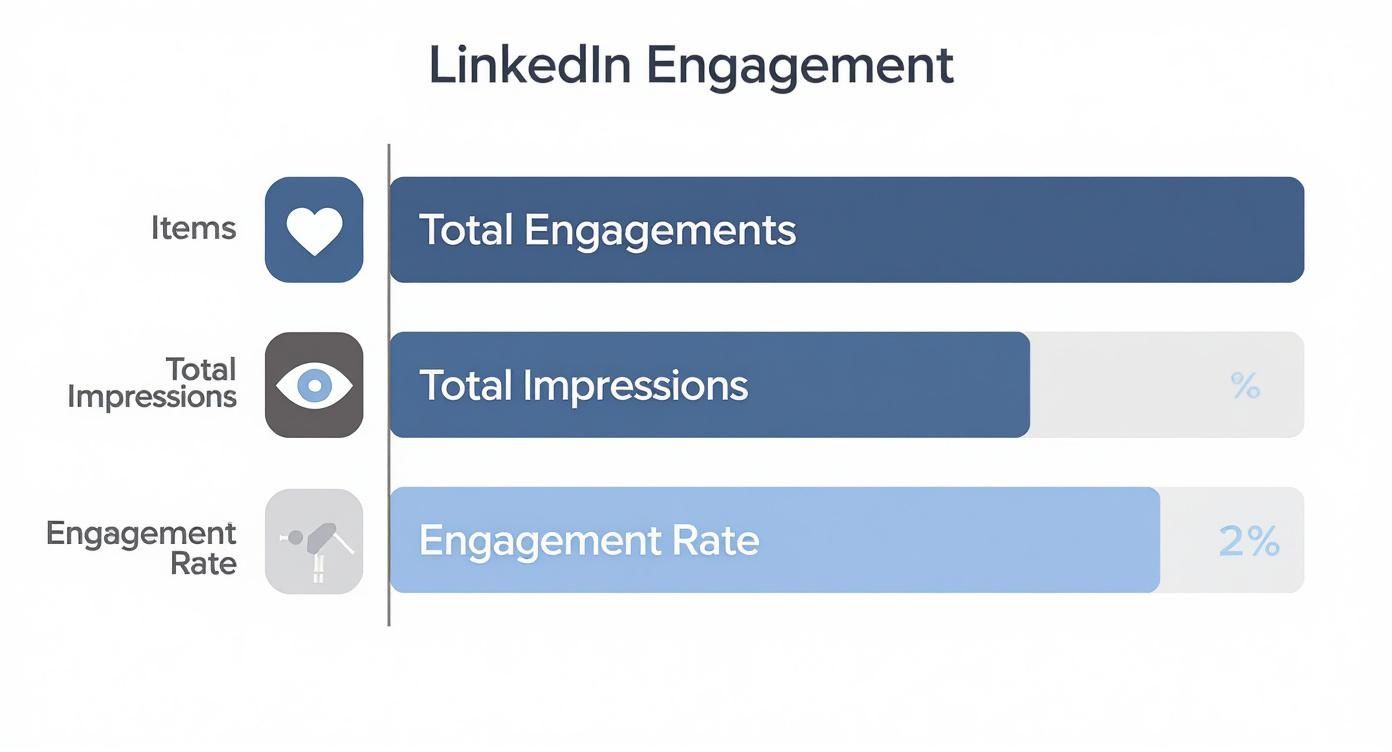
As you can see, the rate is a simple but powerful measure of how well your content is landing. It's not just about getting seen; it's about getting a reaction.
So, using benchmarks correctly is all about setting goals that make sense for you. It's about measuring your own progress and focusing on steady improvement, not getting discouraged because some other company has a different set of numbers.
Industry Averages: What the Data Says
So, where do you start? The best place is with data from your own industry. Engagement rates on LinkedIn swing pretty wildly from one sector to another, which just reflects how different audiences behave.
For example, you might be surprised to learn that some of the highest engagement rates are in hands-on industries like Construction, Mining, and Manufacturing, which pull in an average of around 4.0%. On the other hand, sectors like Technology and Financial Services see solid-but-lower rates, hovering at 3.6% and 3.2%. Agencies also do quite well, averaging about 3.7%—which, by the way, blows their engagement on platforms like Twitter and Facebook out of the water.
The most important benchmark is your own past performance. Aim to consistently improve your rate month-over-month. That’s the truest sign of a healthy, growing LinkedIn presence.
Using Benchmarks to Guide Your Strategy
Knowing these numbers helps you set much smarter goals. If you're in tech and your rate is sitting at 1.5%, shooting for 2.5% is a fantastic, achievable first step. It's a much more motivating target than immediately trying to jump to the industry average of 3.6%.
Here’s how you can put benchmarks to work for you:
- Set Realistic Goals: Use the industry averages as a North Star, not a rulebook.
- Peek at Your Competitors: See what the top players in your space are up to. What are they posting? How are they talking to their audience?
- Track Your Own Progress: This is the big one. Keep an eye on your numbers consistently. Using some of the best social media analytics tools can make this way easier by automating the process and helping you spot trends.
- Focus on Improvement: Celebrate the small wins and learn from the posts that didn't quite hit the mark.
At the end of the day, benchmarking isn't about judging yourself. It’s about giving yourself direction. It provides the context you need to sharpen your strategy, create content that truly connects, and build real momentum on the platform.
Seven Proven Strategies to Boost Your Engagement
Alright, you’ve got the numbers and know how to calculate your engagement rate. That’s the first step. Now for the fun part: creating content that people actually want to interact with.
This isn't about chasing some magic formula. It’s about consistently applying a few solid tactics that spark real conversations and give your network genuine value. These seven strategies are your new toolkit for getting your LinkedIn engagement rate moving in the right direction. You can start with the very next post you write.
1. Spark Conversations With Strategic Questions
The simplest way to get a response? Ask a question. Instead of signing off with a plain statement, wrap up your post with a thoughtful, open-ended question. Invite your audience to share their own stories and opinions.
The key is to avoid boring "yes" or "no" questions. Your goal is to kick off a real discussion, not just collect a few quick likes. A great question makes people stop scrolling, think for a second, and feel an urge to chime in.
Here’s how to do it:
Instead of: "Our team is excited about our new project."
Try: "We just kicked off a major new project. What's the one piece of advice you'd give a team on day one?"
Instead of: "Time management is important."
Try: "What's the most unconventional productivity hack that actually works for you?"
2. Find Your Content Sweet Spot
Let's be honest, not all content is created equal. Your audience definitely has preferences, and your job is to find that perfect overlap between what you know (your expertise) and what they need (their problems and curiosities). That intersection is your content sweet spot.
Think of it like a Venn diagram. One circle is everything you’re an expert in. The other is what your audience is struggling with. The real magic happens right in the middle. When you post from that zone, your content feels authentic to you and incredibly helpful to them. Engagement becomes almost automatic. If you're stuck on what to post, our guide on what to post on LinkedIn is a great place to start brainstorming: https://redactai.io/blog/what-to-post-on-linkedin
Your most engaging content will always be a generous act of sharing something you know to help someone else solve a problem they have. Value is the ultimate currency of engagement.
3. Harness the Power of Visuals and Video
LinkedIn is a professional network, sure, but our brains are still wired for visuals. Posts with images or videos almost always beat text-only updates because they physically stop the scroll in a busy feed.
A simple, relevant image can buy you the few seconds needed for someone to read your caption. A quick, unpolished video can build a human connection that a wall of text just can’t match.
Easy Visual Ideas to Try:
- A behind-the-scenes photo of your desk or team.
- A simple infographic pulling out a key statistic.
- A short video of you sharing one quick tip.
- A carousel post that breaks down a big idea into bite-sized slides.
4. Tag People and Companies Thoughtfully
Tagging a relevant person or company in your post is a great way to widen your reach and invite more people into the discussion. When you tag someone, you're not just giving them a nod; you're bringing them and their network into the conversation.
But—and this is a big but—use this power wisely. Only tag people who are actually connected to what you’re talking about. Randomly tagging influencers or a long list of people just looks spammy and can seriously damage your credibility. A good tag feels like a compliment; a spammy one feels like a desperate grab for attention.
5. Optimize Your Posting Time
This one’s a classic for a reason. Posting when your audience is most active is a simple win that gives your content an early boost. That initial flurry of likes and comments signals to the LinkedIn algorithm that your post is worth showing to more people.
You can find plenty of guides on the "best" times to post, but the only data that really matters is your own. Dive into your LinkedIn Analytics to see when your followers are online, and test out a few different time slots. A little experimenting goes a long way.
6. Actively Participate in the Conversation
Engagement is a two-way street. Don't be a "post and ghost." When someone takes the time to comment on your post, they’re handing you an invitation to chat. Make it a rule to respond to every single comment. It shows you're listening and that you appreciate their input.
This does two massive things for you:
- It encourages more comments: People are way more likely to join in if they see you’re actually responding.
- It boosts your post: A lively, active comment section tells the algorithm your content is a winner.
This principle even works for ads. LinkedIn's ad engagement rates are already 50% higher than other platforms, and InMail messages get a 300% higher response rate than cold emails. It just proves that the audience here is ready to interact if you are.
7. Tell Compelling Stories
Facts tell, stories sell. It's a cliché because it's true. We're all hardwired to connect with narratives. So instead of just listing facts or sharing dry data, wrap your insights in a personal story.
Talk about a challenge you overcame, a lesson you learned the hard way, or a mistake that taught you something valuable. Storytelling makes your content relatable and human. It builds a genuine connection, making your audience feel like they know the person behind the profile—and that's when they truly start to engage.
For more creative ideas, check out these top social media content ideas to boost engagement. Many of them can be easily adapted for LinkedIn to help you build a loyal and active community.
Avoiding Common LinkedIn Engagement Killers

Sometimes, boosting your LinkedIn engagement isn't about learning a new, secret strategy. It’s about stopping what’s holding you back. A few common, easily fixable mistakes can silently sabotage your best efforts, and most people don’t even realize they’re making them.
Think of it like trying to fill a bucket with a hole in it. You can keep pouring water in (creating new content), but you won't get far until you patch the hole. Avoiding these pitfalls is often just as powerful as adopting a new tactic.
Let's break down the most common engagement killers and swap them out for habits that actually build community and spark conversation.
The Dreaded Post and Ghost
The number one offender, by far, is the "post and ghost." You know the move: you share something thoughtful and then immediately vanish, never to be seen in the comments. This tells your audience you're here to broadcast at them, not talk with them.
When someone takes a moment to comment on your post, they're starting a conversation. Ignoring them is the digital equivalent of someone paying you a compliment and you just walking away without a word. The LinkedIn algorithm sees this, too, and it’s way less likely to push your content out if it thinks you don't care about the people engaging with it.
The Fix: Make a point to reply to every single comment, especially within the first few hours. It doesn’t have to be an essay. A simple, "Great point, thanks for adding that!" or asking a follow-up question is all it takes to turn a monologue into a real discussion.
The Irrelevant Hashtag Flood
Hashtags are supposed to be signposts, guiding the right people to your content. But when you overload a post with a dozen generic tags that are barely related to your topic, it just looks desperate and spammy. Slapping #business #growth #leadership #sales #marketing on a post about a specific software update confuses both people and the algorithm.
Think of hashtags like keywords for a library. A few specific, accurate ones will lead the right reader straight to your book. A pile of generic ones just gets it lost on a crowded shelf.
The Fix: Stick to three to five super-relevant hashtags. A good mix includes a couple of broader industry tags (like #ProjectManagement) and a few niche ones that get really specific (like #AsanaTips). This helps your content find its ideal audience—the people who are most likely to care and engage.
The Nonstop Sales Pitch
LinkedIn is a place to build professional relationships, not a 24/7 infomercial. If every single one of your posts is a hard sell for your product or a direct pitch for your service, you'll get tuned out—fast. People can smell a sales pitch from a mile away, and they'll just keep scrolling.
Your LinkedIn engagement rate is built on the value you provide, not the products you push. Relentless selling feels transactional and erodes the trust you need to build a genuine community around your name or brand.
The Fix: Live by the 80/20 rule. Dedicate 80% of your content to being genuinely helpful, insightful, or entertaining. Give away your knowledge freely. For the other 20%, you’ve earned the right to be a bit more promotional. This balance positions you as a trusted resource, so when you do have something to sell, your audience is far more likely to listen.
Putting It All Together: Your Sustainable Engagement Plan
Alright, we’ve dug into the nitty-gritty of calculating your engagement rate and explored some solid tactics to get it climbing. Now, let’s wrap it all up into a simple plan you can actually stick with. This isn't just a summary; it's about turning theory into a real-world habit.
Building a strong LinkedIn engagement rate really comes down to a few key things. You need to know your numbers, have a realistic idea of what "good" looks like, and use the right strategies. But honestly, the secret sauce is your mindset.
Forget trying to game the algorithm. Real engagement grows from genuine connections and consistently providing value. Think of it less like a marketing chore and more like being a helpful, active member of your professional community.
Your First Steps to Better Engagement
The biggest mistake I see people make is trying to do everything at once. You don't need to apply every single tip from this guide tomorrow. The goal here is small, consistent actions that build powerful momentum over time. Progress, not perfection.
Here's a super simple action plan to get the ball rolling this week:
- Pick One Thing: Scroll back up and choose just one or two tactics that feel easy to you. Maybe it's as simple as making sure every post has a question, or adding a relevant image.
- Stick With It: For the next two weeks, apply that one tactic to every single post. Don't obsess over the numbers just yet—focus on making it a habit.
- Check In and Adjust: After a couple of weeks, pop into your analytics. Did that little tweak move the needle? From there, you can decide to keep it up or try another small change.
The secret to a high LinkedIn engagement rate isn't one viral hit. It's the combined power of dozens of small, thoughtful actions that signal to your network you're here to listen, help, and connect.
This approach flips engagement from a daunting task into a simple, repeatable system. By focusing on one small improvement at a time, you’ll steadily and sustainably build a real presence on the platform.
Got Questions? We've Got Answers.
Still have a few things on your mind? Perfect. Let's tackle some of the most common questions people ask about LinkedIn engagement. These quick answers will help you polish your strategy and post with a lot more confidence.
What's the Magic Number for Posting Frequency?
Spoiler alert: there isn't one. The real secret is consistency over sheer volume.
For most people, aiming for 2-5 quality posts a week is a great sweet spot. It keeps you on your audience's radar without flooding their feeds.
The LinkedIn algorithm really values a steady rhythm. If you post a flurry of content one week and then go silent for the next two, your visibility will likely take a hit. It’s much smarter to share three genuinely valuable posts every single week than to burn out trying to post daily with content that's just okay. Find a pace you can actually stick with.
Likes vs. Comments: Which One Wins?
While both are valuable, comments are pure gold. A "like" is a quick thumbs-up, an easy nod of agreement. It’s a good signal, but it’s a low-effort interaction.
Comments are a whole different ballgame. When someone stops scrolling and takes the time to write a response, they’re truly engaging with your ideas. The algorithm loves this. It sees that deeper interaction as a sign that you've created something valuable, which can give your post a serious reach boost.
Think of it like this: Likes are the polite applause at the end of a speech. Comments are the conversation that happens in the hallway afterward. The applause is nice, but the conversation is where relationships are built.
Can AI Tools Actually Help with My LinkedIn Content?
They absolutely can, as long as you use them smartly. AI tools are amazing for blasting through writer's block, brainstorming new angles, and polishing your posts until they shine. They can help you spot trends, come up with relevant topics, and spin one idea into several different drafts, which is a massive time-saver.
The trick is to treat AI as your creative sidekick, not as a replacement for your own brain and personality. Use it to do the heavy lifting—like initial drafting and idea generation—but then you step in to inject your own stories, insights, and unique voice. That combination of AI efficiency and human authenticity is how you'll really see your LinkedIn engagement rate climb.
Ready to stop guessing and start creating LinkedIn posts that actually connect? RedactAI is like having a personal AI partner who can brainstorm ideas and draft content that sounds exactly like you. Ditch the blank-screen anxiety and start building your personal brand. Give it a try for free and see what you can create at https://redactai.io.