
Let's be real: "engagement" isn't just a buzzword anymore. It's the lifeblood of any modern brand, the direct line to generating leads, and the secret to building authentic connections online. But managing it all-scheduling posts, replying to DMs and comments, figuring out what to post next, and then trying to measure if any of it is actually working-is a full-time job in itself. Trying to do it manually is a surefire way to burn out.
That's where social media engagement tools come into play, saving you from the endless tab-switching and spreadsheet chaos. This guide is your definitive, no-fluff breakdown of the 12 best platforms designed to streamline this entire process. We’re moving beyond the generic marketing copy to give you the real scoop.
We'll explore everything from all-in-one powerhouses like Sprout Social and Hootsuite to specialized AI assistants perfect for nailing your personal brand. Each breakdown will tell you exactly who the tool is for, its standout features (and its limitations), and how to integrate it with a LinkedIn-focused tool like RedactAI to supercharge your professional networking. While our main focus is on these comprehensive management platforms, it's worth noting how specialized tools like a Snapchat Story Viewer can provide unique insights for platform-specific content monitoring.
Forget sifting through endless feature pages. This is your shortcut to finding the right tech stack to turn your social media efforts into tangible, measurable results. Let's get started.
1. RedactAI
RedactAI is our top pick for professionals and agencies aiming to master LinkedIn. It’s not just another AI writer; it's a specialized LinkedIn assistant designed to preserve your authentic voice while dramatically boosting efficiency and impact. The platform’s core strength lies in its personalization. By analyzing your profile, headline, and up to 100 past posts, RedactAI builds a custom language model that ensures the content it generates truly sounds like you, solving the biggest complaint about generic AI tools.
This makes it one of the most effective social media engagement tools for personal branding, lead generation, and thought leadership. Instead of starting from a blank page, you provide a few keywords and get multiple post drafts, complete with formatting, hooks, and calls to action optimized for the LinkedIn algorithm.

Why It Stands Out
What elevates RedactAI is its end-to-end workflow built specifically for LinkedIn. It handles everything from ideation (surfacing viral post examples and niche-specific ideas) to creation, scheduling, and performance analysis. This integrated approach saves users hours each week, allowing them to maintain a powerful and consistent presence without the heavy lifting.
Real-World Impact: Users frequently report significant jumps in key metrics. One creator noted their impressions soared from 2,000 to 25,000 in just one month, while another saw a 3x increase in post engagement after adopting the tool.
Key Features & Use Cases
- Personalized AI Voice: Builds a custom model from your past content to ensure outputs match your unique tone, style, and expertise.
- End-to-End Workflow: Combines AI-powered drafting, content ideation, scheduling, post recycling, and integrated analytics in a single dashboard.
- Live Inspiration Feed: Provides access to trending posts and real-time industry insights to help you create timely, relevant content.
- Time-Saving Efficiency: Ideal for busy professionals, founders, and agencies who need to scale their LinkedIn presence without dedicating hours to writing.
Practical Considerations
While RedactAI is powerful, it's not a magic bullet for virality. It significantly improves your odds by leveraging proven formats and data-driven insights, but success still depends on a solid content strategy. The platform performs best for users with an existing post history it can learn from. However, its free starter plan (no credit card required) makes it easy for anyone to test its capabilities and see the value firsthand.
Website: https://redactai.io
2. Sprout Social
Sprout Social is the heavyweight champion for teams that need more than just a scheduler; it's a full-stack social media management platform. Think of it as the central nervous system for your brand's entire social presence, combining publishing, listening, and some of the most robust analytics you can find in one place. Its standout feature, the Smart Inbox, consolidates all incoming messages from every connected platform into a single, manageable stream.

This unified inbox is what makes Sprout Social one of the best social media engagement tools for larger teams or agencies. You can tag messages, assign tasks to teammates, and track resolution times, turning social media from a chaotic mess into an organized, collaborative workflow. The reporting capabilities are also a major draw, allowing you to create presentation-ready reports that dive deep into performance metrics. It's particularly useful for distinguishing between different engagement types, a topic we explore when comparing impressions vs. views in social media analytics.
Who Is It For?
Sprout is best suited for established businesses and agencies that require enterprise-grade governance, collaboration features, and deep reporting. If you manage multiple brands or have a dedicated social media team, the approval workflows and permission levels are indispensable.
Key Features & Pricing
| Feature | Description | Pricing Tier |
|---|---|---|
| Smart Inbox | Unified inbox for all social channels with message tagging and tasking. | All Plans |
| Publishing & Scheduling | Content calendar, optimal send times, and asset library. | All Plans |
| Reporting & Analytics | Deep-dive analytics, competitive reports, and paid performance tracking. | Starts on Standard |
| Social Listening | Advanced tools for trend analysis and brand health monitoring. | Add-on |
Pricing: Starts at $249 per user/month, with more advanced features in the Professional ($399/user) and Advanced ($499/user) plans. Premium add-ons like Listening and Premium Analytics cost extra. Find detailed plans at sproutsocial.com.
RedactAI Pro-Tip: Use Sprout’s reporting to identify your most engaging LinkedIn topics. Then, feed those topics into RedactAI to generate a queue of high-quality, data-informed posts. This creates a powerful feedback loop where Sprout’s analytics guide RedactAI’s content creation for a smarter LinkedIn strategy.
3. Hootsuite
Hootsuite is one of the original all-in-one platforms, and it has evolved significantly to remain a strong contender. It offers a comprehensive suite for scheduling, monitoring, and engaging, but its modern standout is OwlyWriter AI, an assistant that generates captions and content ideas based on real-time trending topics. This makes it a great choice for teams that want a reliable, broad-coverage platform with a creative AI boost built right in.
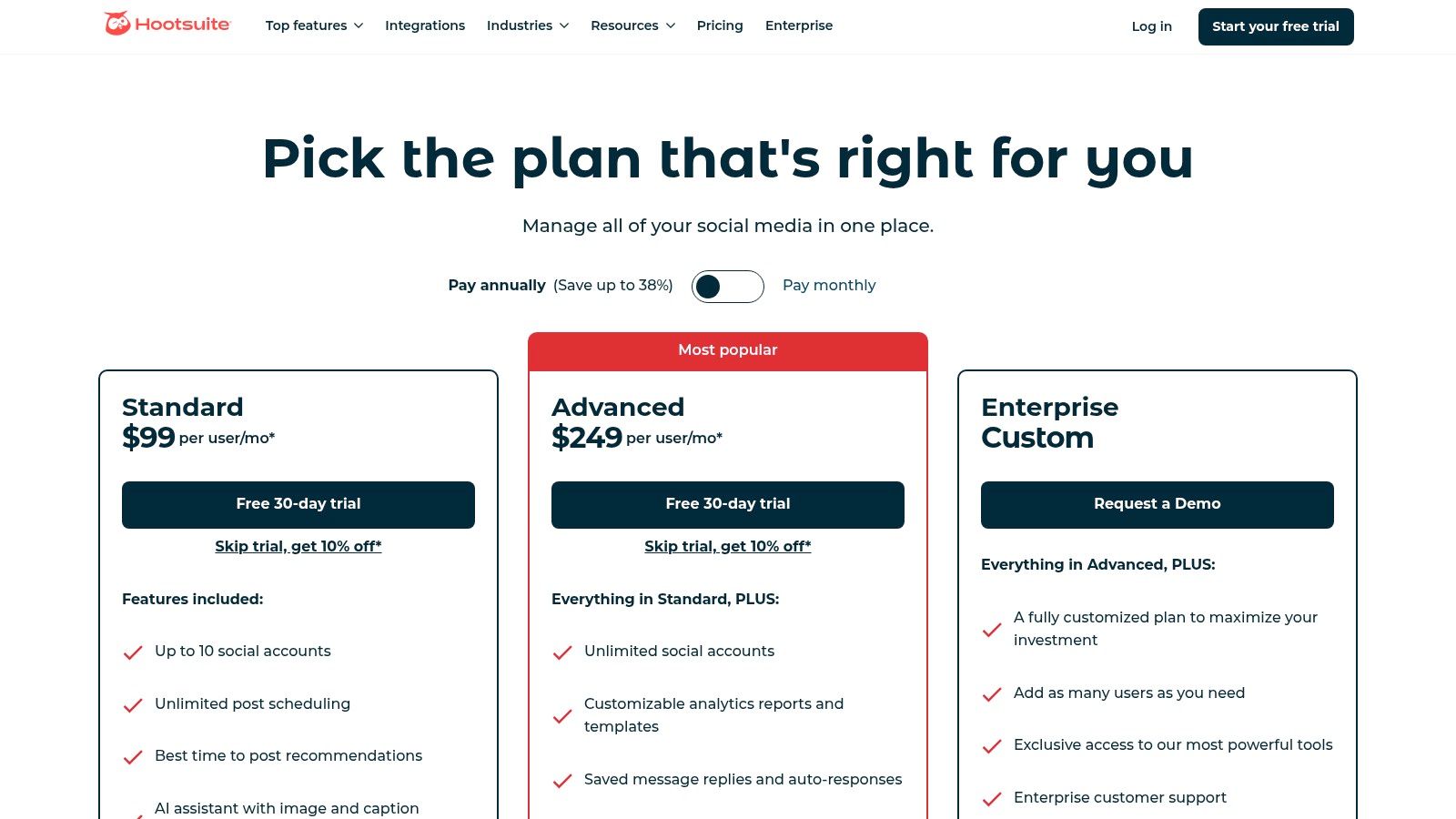
Its Advanced Inbox allows teams to manage conversations efficiently with automations like auto-assignments and saved replies, turning community management into a streamlined process. The ability to integrate with apps like Canva and Adobe Express directly within the composer is a huge workflow advantage. As one of the most established social media engagement tools, it supports an impressively wide range of networks, making it a versatile hub for brands with a presence across many different platforms.
Who Is It For?
Hootsuite is ideal for small to medium-sized businesses and organizations that need a powerful, centralized tool covering a wide array of social networks without the enterprise-level price tag of some competitors. Its AI features are particularly useful for teams looking to stay on top of trends and generate content ideas quickly.
Key Features & Pricing
| Feature | Description | Pricing Tier |
|---|---|---|
| Unified Calendar | Plan and schedule content across all networks with best-time-to-post suggestions. | All Plans |
| Advanced Inbox | Manage all incoming messages with automations and team assignments. | All Plans |
| OwlyWriter AI | Built-in AI assistant for generating captions, post ideas, and images. | All Plans |
| App Integrations | Connect with tools like Canva, Adobe Express, and more. | All Plans |
Pricing: Starts at $99 per month for the Professional plan (1 user, 10 accounts), with the Team plan at $249 per month (3 users, 20 accounts). Enterprise solutions are also available. Find detailed plans at hootsuite.com.
RedactAI Pro-Tip: Use Hootsuite’s OwlyWriter to brainstorm trending topics relevant to your industry. Take the best high-level ideas and use them as prompts in RedactAI to create more detailed, expert-level LinkedIn carousels and articles, turning a simple trend into an authoritative piece of content.
4. Buffer
Buffer is the go-to tool for creators and small businesses looking for a straightforward, effective way to manage their social media without the enterprise-level complexity. It excels at its core job: scheduling content simply and reliably. But its value extends into engagement with a clean, user-friendly inbox for managing comments and replies across your connected channels.
Its transparent, per-channel pricing model is a major differentiator. Instead of forcing you into expensive tiers packed with features you don't need, Buffer lets you build a plan that precisely fits the number of accounts you manage. This makes it one of the most accessible and scalable social media engagement tools on the market for those just starting out or managing a handful of focused profiles.
Who Is It For?
Buffer is perfect for individual creators, solopreneurs, and small to medium-sized businesses that prioritize ease of use and affordability. If your primary need is a rock-solid scheduler with solid engagement and analytics features, Buffer delivers without overwhelming you.
Key Features & Pricing
| Feature | Description | Pricing Tier |
|---|---|---|
| Community Inbox | A unified space to quickly reply to comments across Facebook, Instagram, and LinkedIn. | All Plans |
| AI Assistant | Generate ideas, rewrite posts, and repurpose content with unlimited credits. | Paid Plans |
| Unlimited Scheduling | Plan your content far in advance without post limits. | Paid Plans |
| Team Collaboration | Invite team members, manage access levels, and set up approval workflows. | Team Plan |
Pricing: Starts with a Free plan for up to 3 channels. Paid plans begin at $6 per channel/month for the Essentials tier, with the Team plan starting at $12 per channel/month. Explore the options at buffer.com.
RedactAI Pro-Tip: Use Buffer to schedule your core LinkedIn content pillars, which you can plan using the principles of how to create a great editorial calendar. Then, use RedactAI to generate spontaneous, timely posts about industry news or personal insights to fill the gaps, creating a balanced and engaging feed.
5. Agorapulse
Agorapulse is the engagement-focused workhorse for teams that need to prove social media’s business value. While many platforms offer an inbox, Agorapulse’s is uniquely designed to prioritize what matters, separating organic comments, ad comments, and mentions so you can act on high-priority interactions first. It excels at turning chaotic social conversations into a structured, accountable workflow.
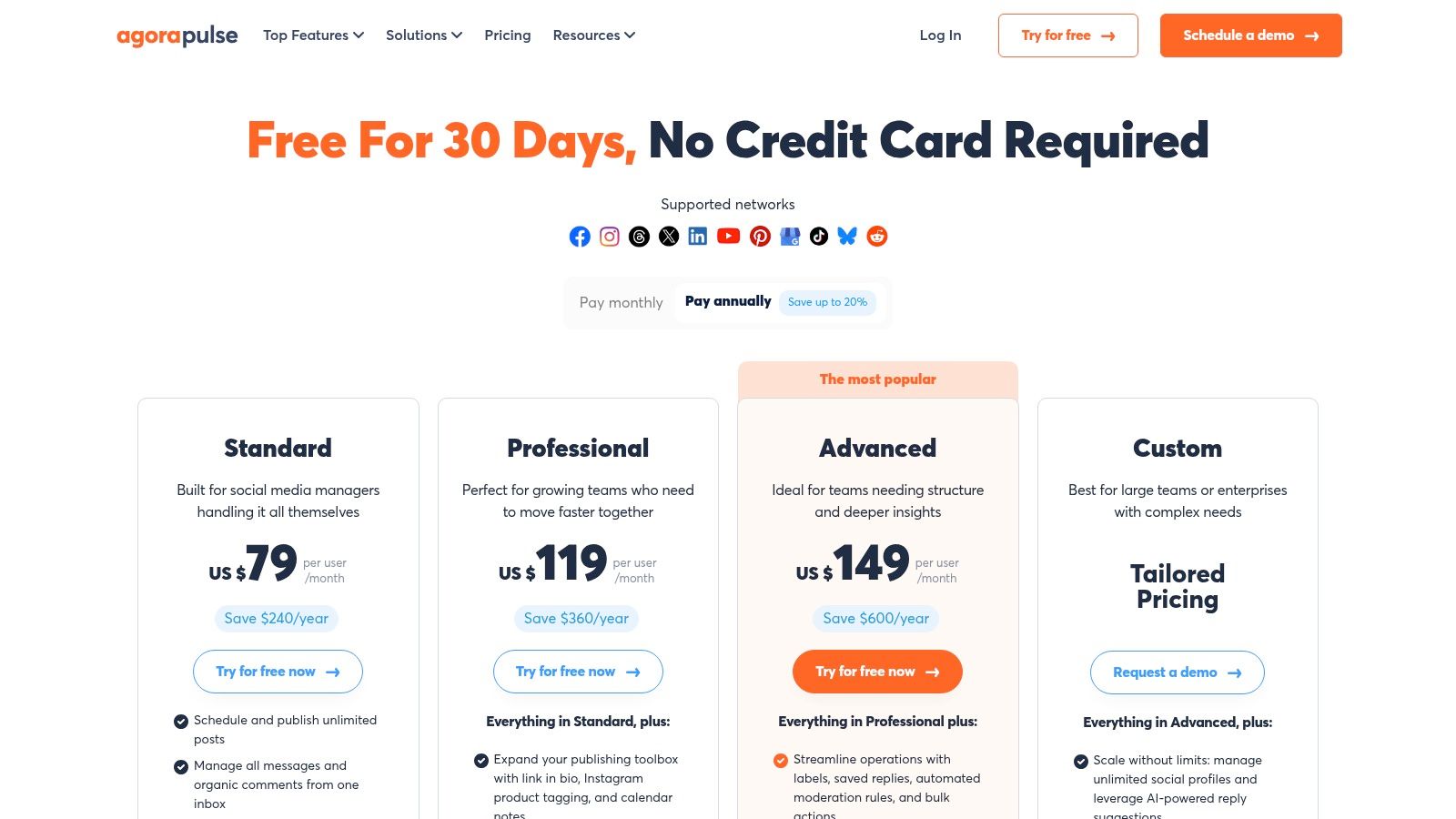
Its standout feature is the built-in Social Media ROI dashboard. By integrating with Google Analytics, it directly connects social activities to website traffic and conversions, providing clear evidence of your team's impact. This makes Agorapulse one of the best social media engagement tools for marketers who are constantly asked, "But what’s the ROI?" The clear team performance reports also make it easy to track response times and assign tasks, ensuring no comment or message slips through the cracks.
Who Is It For?
Agorapulse is ideal for small to mid-sized businesses and agencies that prioritize team collaboration and need to demonstrate tangible ROI from their social efforts. If you need a tool that’s less enterprise-heavy than Sprout but more robust in its reporting and inbox management than a simple scheduler, Agorapulse hits the sweet spot.
Key Features & Pricing
| Feature | Description | Pricing Tier |
|---|---|---|
| Unified Social Inbox | Prioritized inbox that includes organic comments and ad comments. | All Plans |
| Team Collaboration | Advanced task assignments, internal notes, and team performance reports. | All Plans |
| Social Media ROI | Built-in dashboards with Google Analytics integration to track conversions. | All Plans |
| Competitive Benchmarking | Analyze competitors' performance and content strategy. | Add-on |
Pricing: Starts with a limited free plan. Paid plans begin at $49 per user/month (billed annually), with the Professional plan at $79 per user/month and the Advanced plan at $119 per user/month offering more features and profiles. Find detailed plans at agorapulse.com.
RedactAI Pro-Tip: Use Agorapulse’s inbox to spot frequently asked questions or common pain points from your LinkedIn audience. Take those exact themes and use them as prompts in RedactAI to generate helpful, problem-solving posts. This turns your customer service insights directly into high-engagement content.
6. SocialPilot
SocialPilot is the go-to choice for agencies and small teams looking for a powerful, cost-effective social media hub without the enterprise-level price tag. It balances robust scheduling and analytics with generous user and account limits, making it incredibly scalable for those managing multiple client profiles. It offers a clean, straightforward interface that prioritizes efficiency for core tasks like content publishing, engagement, and reporting.
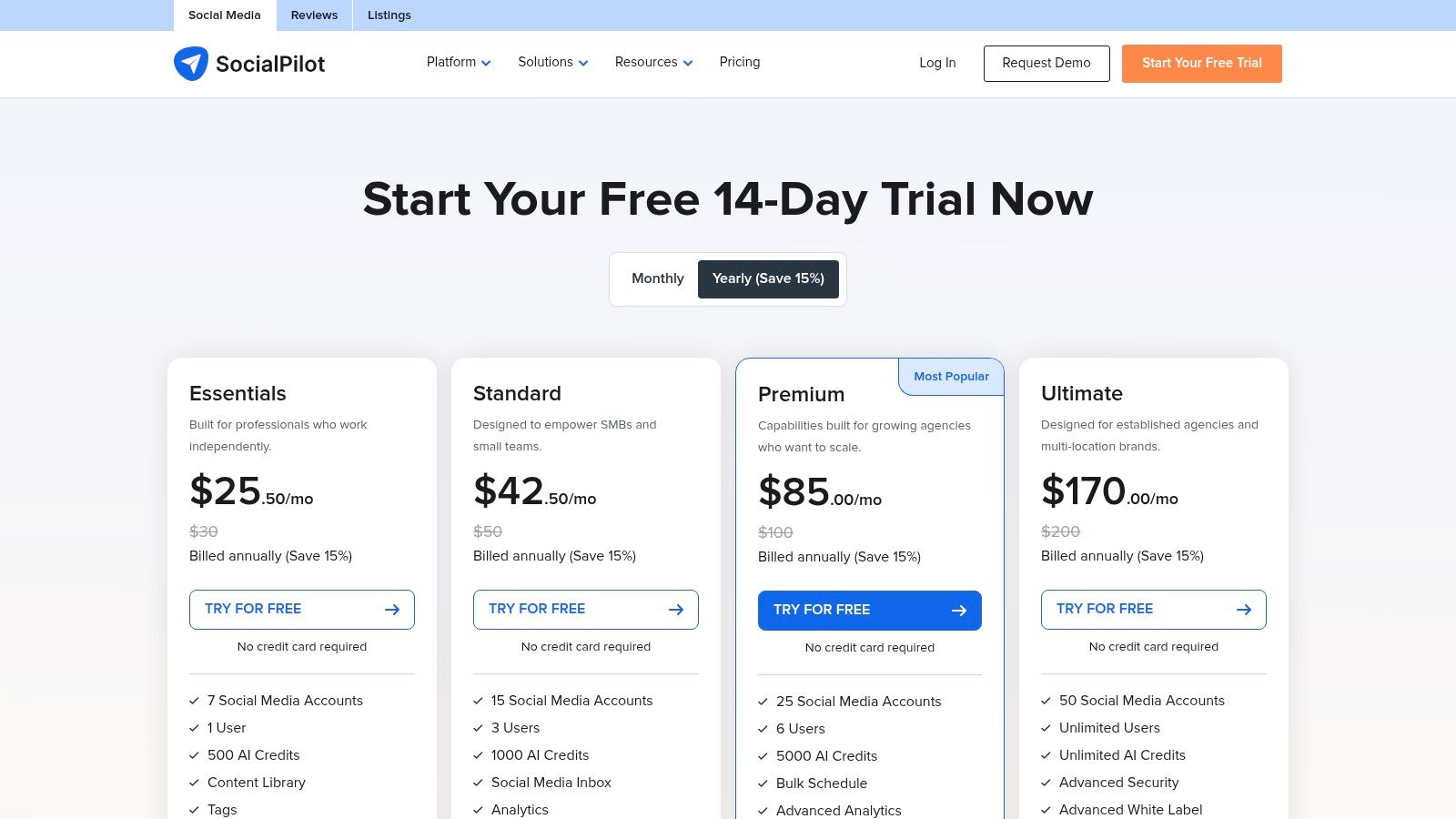
Where SocialPilot really shines for agencies is its white-label reporting and client management features. You can create custom, branded reports and provide clients with secure portal access, streamlining the approval workflow. While it may not have the deep listening capabilities of its pricier competitors, it excels as one of the best social media engagement tools for agencies focused on delivering core management services efficiently and affordably.
Who Is It For?
SocialPilot is ideal for marketing agencies, small to medium-sized businesses, and teams that need to manage a high volume of social media accounts without breaking the budget. Its collaboration and white-label features are specifically designed for an agency-client dynamic.
Key Features & Pricing
| Feature | Description | Pricing Tier |
|---|---|---|
| Social Inbox | A unified inbox to manage comments and messages across Facebook pages. | All Plans |
| Bulk Scheduling & Calendar | Upload and schedule up to 500 posts at once and visualize your content plan. | All Plans |
| White-Label Reporting | Create and share custom-branded analytics reports with clients. | Agency+ |
| Team & Client Management | Set up approval workflows and provide secure access for team members and clients. | Professional+ |
Pricing: Starts at $25.50/month (billed annually) for the Professional plan. The popular Agency plan is $85/month, offering more users and accounts. Find detailed plans at socialpilot.co.
RedactAI Pro-Tip: Use SocialPilot’s content calendar to spot gaps in your LinkedIn publishing schedule. Then, turn to RedactAI to instantly generate a batch of high-quality posts to fill those empty slots. You can bulk upload the AI-generated content back into SocialPilot, ensuring your LinkedIn presence remains consistent and engaging with minimal effort.
7. Later
Later is the go-to platform for brands and creators who think visually first. Originally built as an Instagram scheduler, it has evolved into a comprehensive suite for planning and publishing content on visually-driven platforms like TikTok, Pinterest, and of course, Instagram. Its standout feature is the Visual Planner, which lets you see a grid preview of your Instagram feed, making it incredibly easy to curate a specific aesthetic before you post.

While its strength is in scheduling, Later offers solid engagement features, particularly for Instagram. The Social Inbox centralizes comments and DMs, preventing you from missing important interactions. This makes it a great choice among social media engagement tools for those who prioritize a clean, visual-first workflow without needing the enterprise-level complexity of other platforms. The Link in Bio tool is another major plus, turning your social bio into a clickable micro-landing page to drive traffic.
Who Is It For?
Later is perfect for solo creators, influencers, and small to medium-sized businesses, especially in e-commerce, fashion, or travel, where a strong visual identity is key. It's also great for agencies managing clients who need simple content approval workflows without a steep learning curve.
Key Features & Pricing
| Feature | Description | Pricing Tier |
|---|---|---|
| Visual Planner | Drag-and-drop calendar to preview your Instagram feed grid. | All Plans |
| Social Inbox | Manage Instagram and Facebook comments and DMs in one place. | Growth & Advanced |
| Link in Bio | A customizable, clickable landing page for your social media bio. | All Plans |
| Analytics | Track post-performance, audience growth, and best times to post. | Starts on Starter |
Pricing: Starts with a free plan for basic scheduling. Paid plans begin at $25/month for the Starter tier, with more features and user seats in the Growth ($45/month) and Advanced ($80/month) plans. See full details at later.com/pricing.
RedactAI Pro-Tip: While Later excels at visual planning, its AI-powered caption writer can sometimes feel generic. Use it to generate a basic idea, then bring that idea into RedactAI to expand it into a more nuanced, brand-aligned post for your LinkedIn audience, ensuring your message is as polished as your visuals.
8. Loomly
Loomly is designed for teams that live and breathe by the content calendar. It’s less of an all-in-one engagement suite and more of a powerful, collaboration-first publishing and planning platform. Its entire user experience is built around a clear, calendar-driven workflow, making it perfect for visualizing your content strategy, managing approvals, and ensuring nothing slips through the cracks.
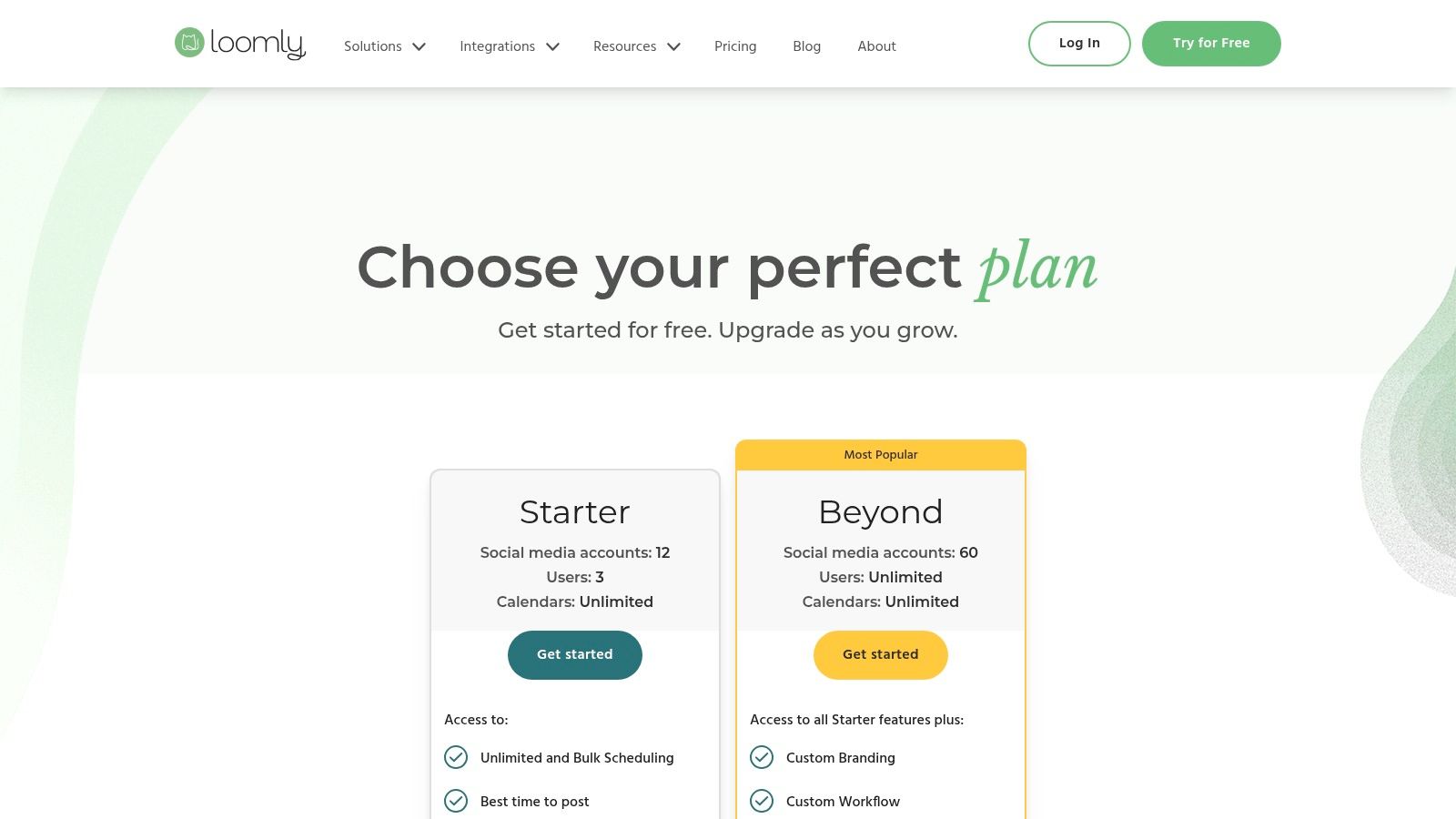
The platform truly shines with its robust approval workflows. You can create custom, multi-step approval processes that are ideal for agencies managing client content or larger teams with strict compliance needs. This focus on planning and governance makes it one of the most effective social media engagement tools for operational excellence. It also provides post ideas, link shortening, and best-time-to-post suggestions to inform your content before it ever goes live.
Who Is It For?
Loomly is perfect for marketing agencies, freelance social media managers, and in-house brand teams that need a structured content creation and approval process. If your primary pain point is managing multiple stakeholders and getting content signed off efficiently, Loomly is built for you.
Key Features & Pricing
| Feature | Description | Pricing Tier |
|---|---|---|
| Advanced Approval Workflows | Create custom, multi-step approval processes with different user roles. | All Plans |
| Content Calendar | A central, visual hub for planning, creating, and scheduling content. | All Plans |
| Post Ideas & Optimization | Generates post ideas based on trends, RSS feeds, and social media best practices. | All Plans |
| Ads Manager | Create, preview, and manage ad campaigns for Facebook & Instagram. | Starts on Standard |
Pricing: Starts at $32/month for the Base plan (2 users). The Standard ($64/month) and Advanced ($136/month) plans add more users, calendars, and features like advanced analytics. Find detailed plans at loomly.com.
RedactAI Pro-Tip: Use Loomly's post ideas feature to spot a trending topic relevant to your industry. Once you have the topic, use RedactAI’s "Thought Leadership Post" template to instantly generate a well-structured, insightful draft. This combines Loomly’s trend-spotting with RedactAI’s expert-level content creation for a fast and effective workflow.
9. HubSpot Marketing Hub (Social)
For businesses already living in the HubSpot ecosystem, the social media tools within Marketing Hub are a no-brainer. This isn't just a bolt-on scheduler; it's a social media management suite that’s deeply intertwined with a powerful CRM. Its core strength lies in its ability to connect social media engagement directly to a customer's journey, from their first tweet interaction to a closed deal.
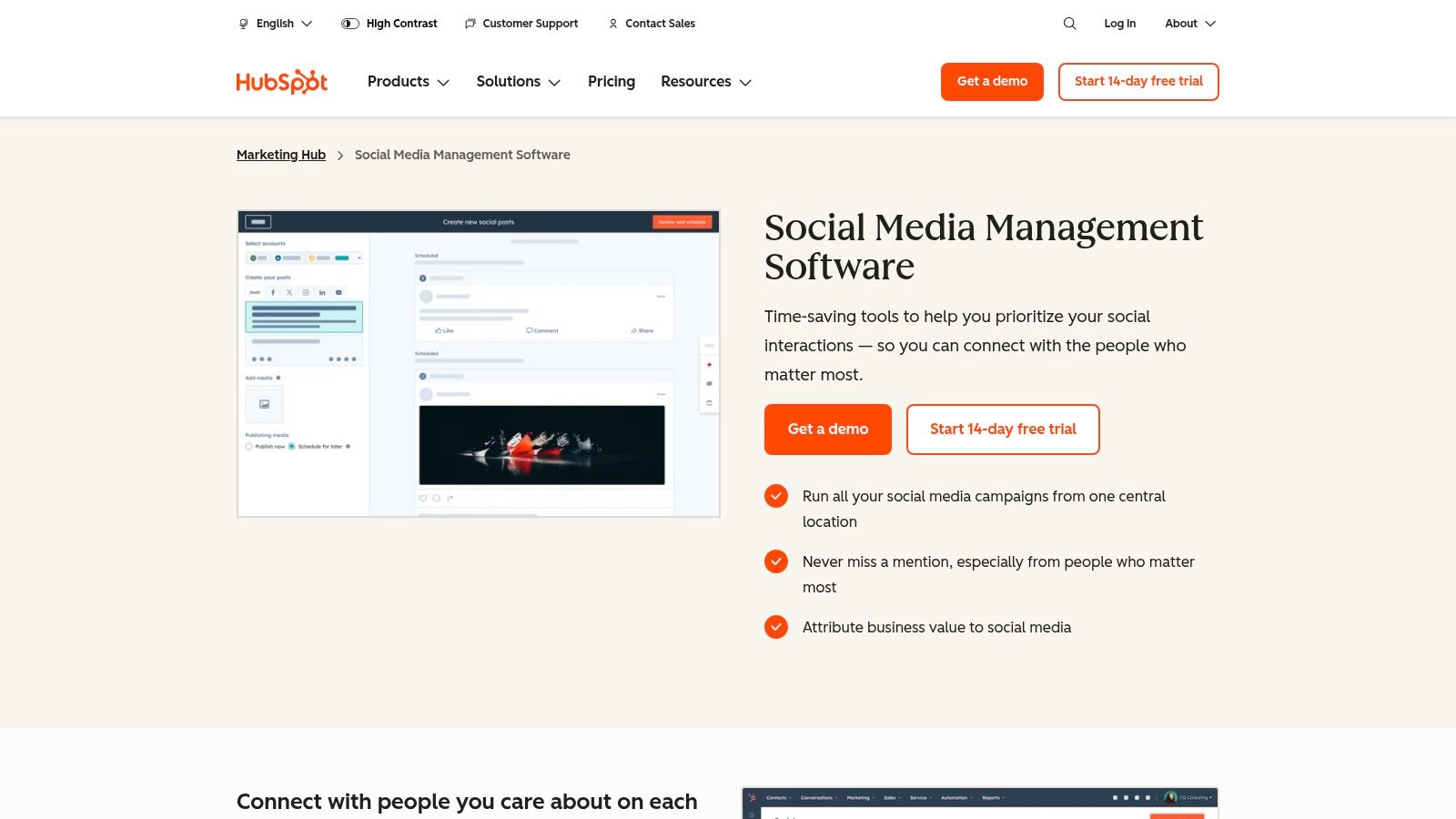
This CRM integration makes HubSpot one of the most powerful social media engagement tools for proving ROI. You can track which social posts generate leads, attribute revenue to specific campaigns, and see a contact's social interactions right on their CRM record. The unified social inbox also helps you monitor keywords and manage conversations, ensuring that your engagement efforts are seamlessly logged and tracked against business objectives.
Who Is It For?
This is ideal for marketing and sales teams that are already using or plan to use the HubSpot CRM. If your primary goal is to tie social media activity directly to lead generation, customer lifecycle, and revenue, this is the most integrated solution you'll find.
Key Features & Pricing
| Feature | Description | Pricing Tier |
|---|---|---|
| CRM-Connected Attribution | Out-of-the-box reports showing how social media impacts leads and revenue. | Starts on Professional |
| Social Inbox | Monitor keywords and engage with audiences from a unified inbox. | All Plans |
| Publishing & Scheduling | Schedule posts across networks, with AI assistance and bulk uploading. | All Plans |
| Part of a Broader Platform | Integrates natively with email marketing, landing pages, and sales tools. | All Plans |
Pricing: Social tools are included in the Marketing Hub, which starts at $18/month (for very limited features). The more robust features needed for serious engagement and reporting are in the Professional plan, starting at $800/month. Onboarding fees apply to higher tiers. Find detailed plans at hubspot.com.
RedactAI Pro-Tip: Use HubSpot’s CRM data to identify the pain points and interests of your most valuable customer segments. Plug these specific topics into RedactAI to generate highly targeted LinkedIn content that speaks directly to their needs, then use HubSpot to track which posts drive the most qualified leads.
10. Brandwatch Social Media Management
Brandwatch brings its enterprise-grade social listening powerhouse into the world of social media management. Formerly Falcon.io, this platform combines publishing, engagement, advertising, and measurement with some of the most sophisticated listening and consumer intelligence capabilities on the market. It’s built for organizations that need to not only manage their social channels but also understand the entire digital conversation surrounding their brand, competitors, and industry at a massive scale.
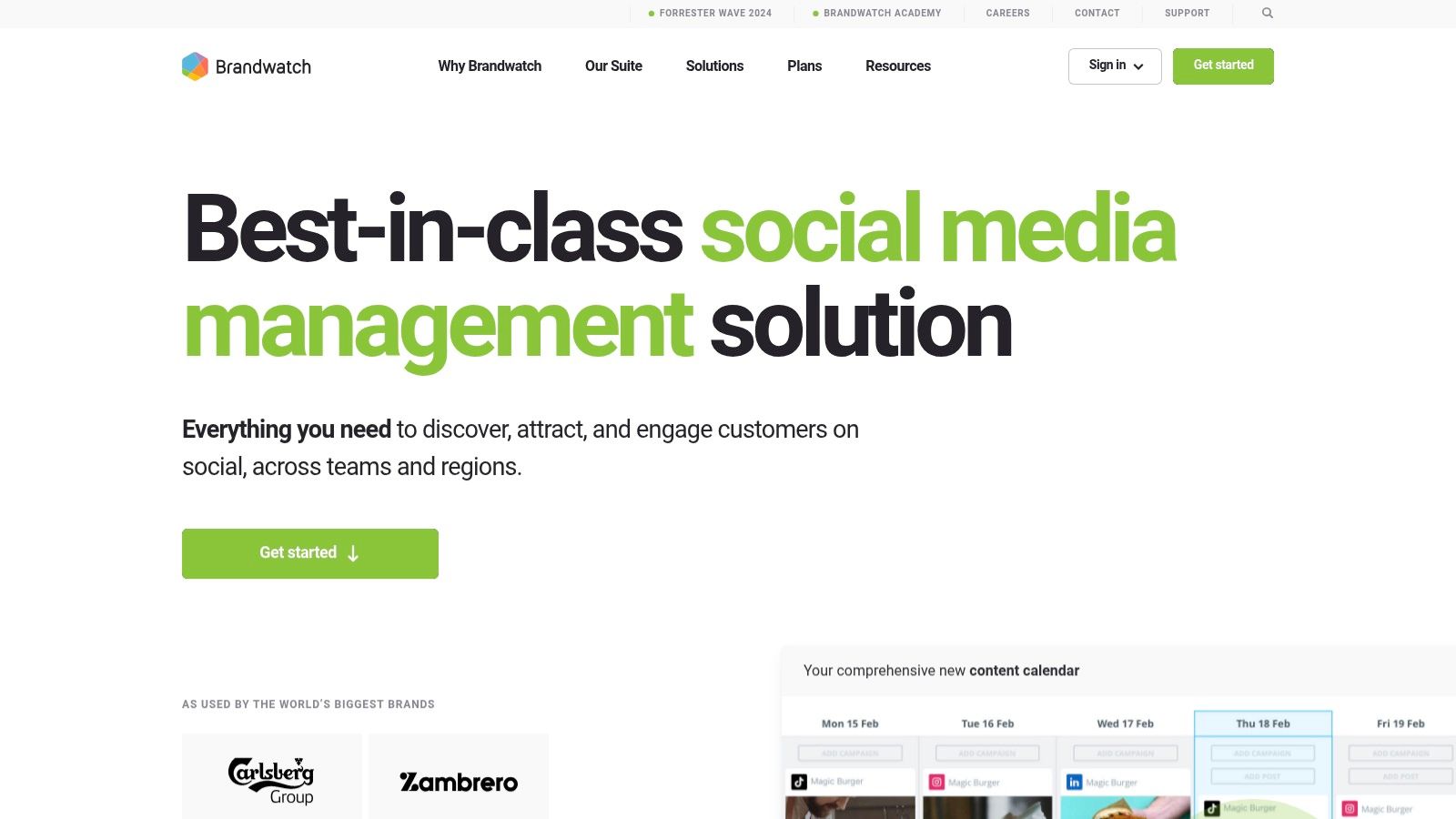
The key differentiator is the seamless integration of its listening data (from over 100 million sources) directly into your management workflow. This allows teams to move from insight to action instantly, using real-time trend analysis to inform content strategy. Its cross-channel inbox, robust approval workflows, and unified content calendar make it one of the most comprehensive social media engagement tools for large, data-driven marketing departments that demand strong governance and competitive benchmarking.
Who Is It For?
Brandwatch is ideal for enterprise-level organizations and global brands that require a single, powerful solution for both social media management and deep consumer intelligence. If your strategy relies heavily on listening and competitive analysis, this is your tool.
Key Features & Pricing
| Feature | Description | Pricing Tier |
|---|---|---|
| Unified 'Engage' Inbox | Cross-channel inbox with automation rules, labels, and task assignments. | All Plans |
| Publishing Suite | Unified calendar, content pool, asset library, and approval workflows. | All Plans |
| Social Listening & Benchmarking | Monitors 100M+ sources for brand mentions and competitor activity. | All Plans |
| AI-Assisted Content (Iris) | An AI writer to help brainstorm and generate content ideas. | All Plans |
Pricing: Brandwatch uses a quote-based pricing model tailored to your specific needs. It's an enterprise-grade solution, so expect pricing to be higher than SMB-focused tools. Contact their sales team for a custom quote at brandwatch.com.
RedactAI Pro-Tip: Use Brandwatch’s listening dashboards to identify emerging B2B trends and pain points in your industry. Once you’ve pinpointed a hot topic, use those specific insights as a prompt in RedactAI to create an authoritative, timely LinkedIn post that directly addresses the conversation.
11. Metricool
Metricool is the scrappy, data-driven multitool for freelancers and agencies on a budget. It punches well above its weight class by combining scheduling, in-depth analytics, competitor tracking, and reporting into an incredibly affordable package. Where enterprise tools charge per user, Metricool's flexible, brand-based pricing makes it an accessible entry point for managing multiple client accounts without breaking the bank.

Its standout feature is the powerful analytics and reporting engine. You get unlimited historical data (on paid plans) and the ability to generate clean, professional-looking branded PDF or PPT reports in minutes. This makes Metricool one of the best social media engagement tools for demonstrating ROI to clients without paying for an expensive, bloated platform. While its unified inbox is more basic than competitors like Sprout Social, its core focus on analytics and reporting is a massive advantage for its price point.
Who Is It For?
Metricool is ideal for freelance social media managers, small agencies, and brands that prioritize deep analytics and professional reporting on a lean budget. If you need to manage several brands and provide data-backed reports without high per-seat costs, this is your tool.
Key Features & Pricing
| Feature | Description | Pricing Tier |
|---|---|---|
| Unified Analytics | Track social media, website, and ad performance in one dashboard. | All Plans |
| Competitor Tracking | Analyze competitor performance on major social networks. | Starts on Starter |
| Branded Reports | Generate unlimited custom-branded PDF and PPT reports. | Starts on Starter |
| SmartLinks | Create a single link-in-bio page with multiple clickable links. | All Plans |
Pricing: Offers a generous free plan. Paid plans start at a very accessible $18/month for managing 5 brands, scaling up to the Team plan at $45/month for 15 brands. Find more at metricool.com/pricing.
RedactAI Pro-Tip: Use Metricool’s competitor analysis to see which LinkedIn posts are getting the most engagement for similar brands in your niche. Isolate the core topics and angles from their top-performing content, then use those insights as prompts in RedactAI to create original, high-impact posts that tap into proven themes.
12. Taplio
If LinkedIn is your primary battleground, Taplio is the specialized weapon you need. While other tools try to be everything for every platform, Taplio goes all-in on LinkedIn, offering a suite of AI-powered features designed to help individuals and teams build their personal brand and generate leads. It's less of a general management tool and more of a growth engine, with a heavy focus on content creation and network engagement.
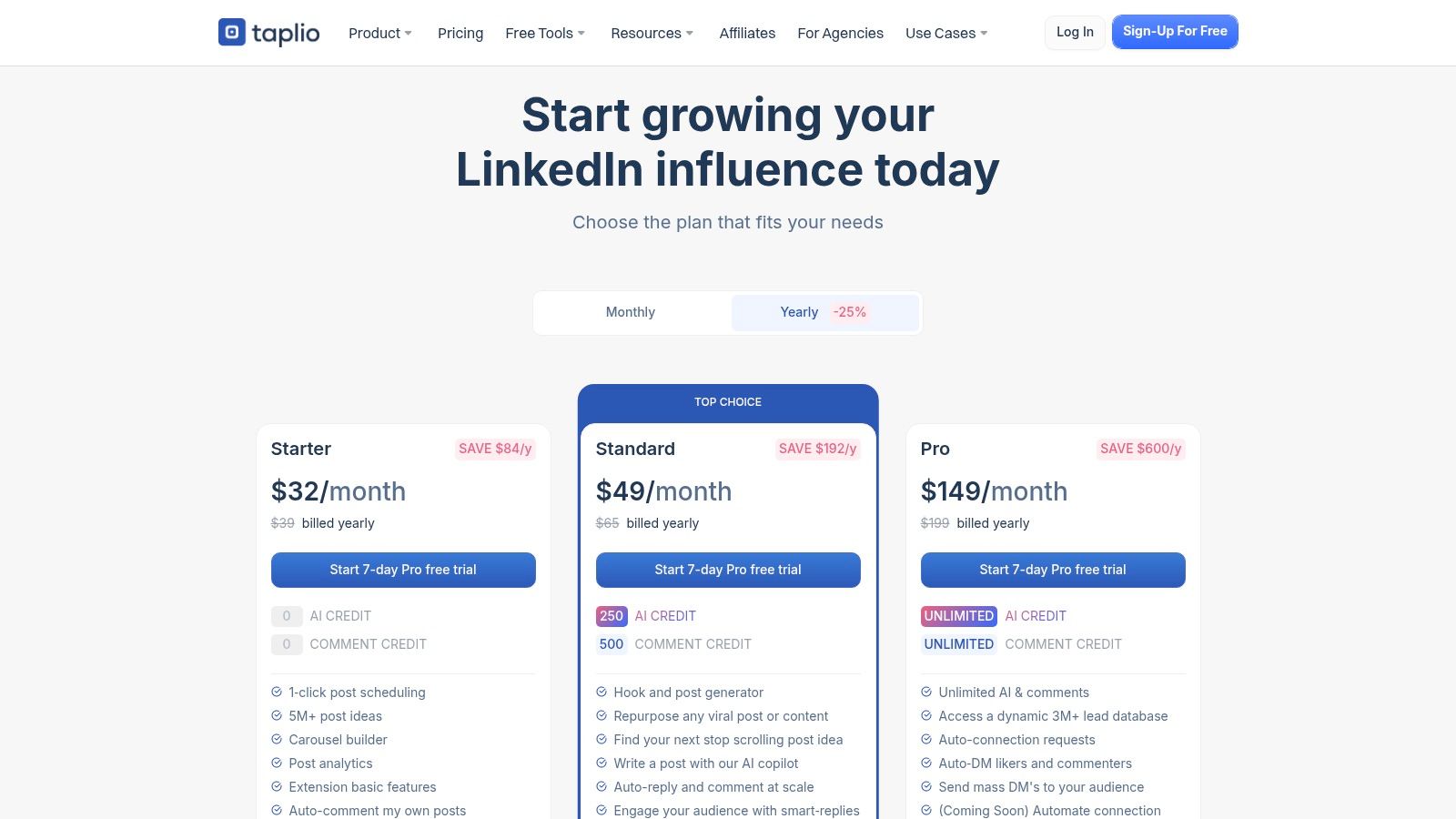
The platform’s strength lies in its AI copilot, which helps you generate post ideas, write engaging hooks, and even create carousels from scratch. This makes it one of the most efficient social media engagement tools for busy executives or creators who need to maintain a consistent, high-quality presence. Beyond content, its engagement tools allow you to find relevant conversations and use smart replies to participate at scale, turning a time-consuming task into a streamlined process.
Who Is It For?
Taplio is purpose-built for individual creators, executives, sales teams, and ghostwriters who live and breathe LinkedIn. If your core business strategy revolves around personal branding and lead generation on this single platform, Taplio provides a focused and powerful toolkit that other all-in-one tools can't match.
Key Features & Pricing
| Feature | Description | Pricing Tier |
|---|---|---|
| AI Content Copilot | AI-assisted post, hook, and carousel generation with a viral post library for inspiration. | All Plans |
| Engagement Suite | Find relevant posts and use smart replies or bulk comments to engage with your network. | Starts on Standard |
| Scheduling & Analytics | Queue posts, find the best times to publish, and track post-performance. | All Plans |
| Lead Database & Outreach | Find and engage potential leads directly from LinkedIn conversations. | Starts on Pro |
Pricing: Starts at $65 per month for the Starter plan, with more advanced engagement and AI features in the Standard ($99/month) and Pro ($299/month) plans. Find detailed plans at taplio.com/pricing.
RedactAI Pro-Tip: Use Taplio’s viral post library to identify high-performing content formats and hooks within your niche. Feed these successful structures into RedactAI as style prompts to generate an endless supply of original, on-brand posts that are already optimized for LinkedIn’s algorithm.
Top 12 Social Media Engagement Tools Comparison
| Tool | Core features | UX / Quality | Pricing / Value | Target audience | Standout (USP) |
|---|---|---|---|---|---|
| RedactAI 🏆 | LinkedIn‑specialized AI drafts, scheduling, analytics | ★★★★☆ Personalized voice & outputs | 💰 Free starter; paid tiers | 👥 Professionals, agencies, creators | ✨ Builds personal LM from your profile; live viral examples |
| Sprout Social | Smart Inbox, publishing, analytics, listening, AI Assist | ★★★★☆ Enterprise‑grade workflows | 💰 High; per‑seat | 👥 Agencies & large teams | ✨ Deep analytics & governance |
| Hootsuite | Scheduling, unified inbox, listening, OwlyWriter AI | ★★★☆☆ Broad network coverage | 💰 Mid–High; tiered | 👥 Organizations needing wide integrations | ✨ Strong integrations + trend‑tuned AI |
| Buffer | Scheduler, Community Inbox, AI Assistant, approvals | ★★★★☆ Simple, creator‑friendly UX | 💰 Low; per‑channel, free tier | 👥 Creators & SMBs | ✨ Transparent per‑channel pricing |
| Agorapulse | Unified inbox, team workflows, ROI dashboards | ★★★★☆ Collaboration & attribution | 💰 Mid; per‑user | 👥 Teams needing clear attribution | ✨ Built‑in ROI + GA integration |
| SocialPilot | Scheduling, inbox, analytics, white‑label reports | ★★★☆☆ Agency‑focused value | 💰 Low–Mid; agency friendly | 👥 Agencies managing many profiles | ✨ White‑label reporting & generous allowances |
| Later | Visual planning, auto‑publish, Link in Bio, inbox | ★★★★☆ Visual‑first UX | 💰 Low–Mid | 👥 Visual creators & teams | ✨ Best for visual workflows & UGC collection |
| Loomly | Calendar, approvals, role permissions, analytics | ★★★★☆ Calendar‑first content ops | 💰 Mid | 👥 Agencies & multi‑brand teams | ✨ Robust multi‑step approvals |
| HubSpot Marketing Hub (Social) | Social publishing, monitoring, CRM attribution | ★★★★☆ CRM‑connected reporting | 💰 High; Pro/Ent + onboarding | 👥 Teams on HubSpot wanting attribution | ✨ Native CRM tie‑in for lifecycle ROI |
| Brandwatch Social Media Management | Publish, engage, ads, social listening, benchmarks | ★★★★☆ Enterprise listening & veillance | 💰 Quote‑based (High) | 👥 Enterprises & global brands | ✨ 100M+ sources + competitive benchmarking |
| Metricool | Scheduling, analytics, competitor tracking, reports | ★★★☆☆ Cost‑effective analytics | 💰 Low; brand‑based tiers | 👥 Freelancers & small agencies | ✨ Branded PDF/PPT reports & Looker Studio |
| Taplio | LinkedIn AI copilot, scheduling, bulk replies, lead DB | ★★★★☆ LinkedIn growth focus | 💰 Mid; Pro for full features | 👥 Executives, creators, sales pros | ✨ Massive viral post library & lead automation |
Putting Your Perfect Tool to Work
And there you have it, a deep dive into some of the best social media engagement tools on the market. We've navigated the all-in-one powerhouses like Sprout Social and HubSpot, explored the scheduling simplicity of Buffer and Later, and highlighted the LinkedIn-specific genius of specialists like Taplio and our own RedactAI. But now, the big question remains: what’s next?
Choosing a tool from a list is the easy part. The real work, and the real reward, comes from integrating it into your daily workflow and building a strategy around it. Remember, these platforms are not magic wands. They are powerful amplifiers for a well-defined plan. A tool can schedule a post, but it can't invent your brand's voice or define your audience's needs.
From Selection to Strategy
So, how do you make the right choice and ensure it sticks? Start by brutally honest self-assessment.
- For the Busy Professional or CEO: Your most valuable asset is time. Your primary goal is likely brand building and lead generation on a key platform, probably LinkedIn. A specialized, time-saving tool like RedactAI is your best friend. It helps you create high-quality, authentic content without the hours of brainstorming, letting you focus on your core business. You don't need the complexity of an enterprise suite.
- For Marketing Agencies and Consultants: You need scalability, client management, and robust reporting. An all-in-one solution like Agorapulse or SocialPilot offers the features to manage multiple accounts efficiently. You’ll be looking for shared calendars, approval workflows, and white-label reports to prove your ROI. Your stack might involve one of these core platforms combined with a specialized tool like RedactAI to supercharge content creation for your B2B clients.
- For the Solopreneur or Content Creator: Budget and ease of use are paramount. Tools like Buffer, Metricool, or Loomly offer incredible value without a steep learning curve or hefty price tag. You need something that helps you stay consistent across a few core channels without becoming a full-time job.
Your Action Plan for Success
Don't just subscribe and hope for the best. Take these concrete steps to get the most out of your new social media engagement tools.
- Define Your "Why": Before you even sign up for a trial, clearly write down what you want to achieve. Is it more leads? Higher brand awareness? Better customer service response times? This "why" will be your North Star.
- Master One Platform First: If you’re a LinkedIn-first professional, dedicate your energy there. Don't try to be a superstar on five platforms at once. Use your chosen tool to dominate one channel, understand its nuances, and build a real community. Once you have a working system, then you can expand.
- Create a Simple Workflow: Map out your process. For example: Monday is for ideation (using RedactAI), Tuesday is for scheduling (using Buffer), and Friday is for reviewing analytics. A documented process removes the daily guesswork and keeps you on track.
- Analyze and Adapt: This is non-negotiable. Set aside time each week or month to look at the data. What posts got the most comments? What time of day is your audience most active? This is where your strategy evolves. Implementing data-driven growth marketing principles is key to continuously refining your use of social media engagement tools and achieving measurable results. If a certain content style isn't working, the data will tell you, allowing you to pivot quickly.
Ultimately, the best tool is the one you actually use consistently. The perfect tech stack is the one that removes friction from your creative and analytical process, freeing you up to do the one thing software can't: build genuine human connections. Now go turn those clicks into conversations.
Tired of staring at a blank screen trying to write the perfect LinkedIn post? Let RedactAI do the heavy lifting. As one of the most focused social media engagement tools for professionals, we help you generate authentic, high-impact content in your unique voice, turning your expertise into engagement in minutes, not hours. Try RedactAI for free and see the difference.





























































































































































































