
Alright, let's break down one of the most common—and often misunderstood—metrics you'll see on your LinkedIn posts: impressions.
When you post something and check your analytics, that big "impressions" number is often the first thing you see. So, what is it really telling you?
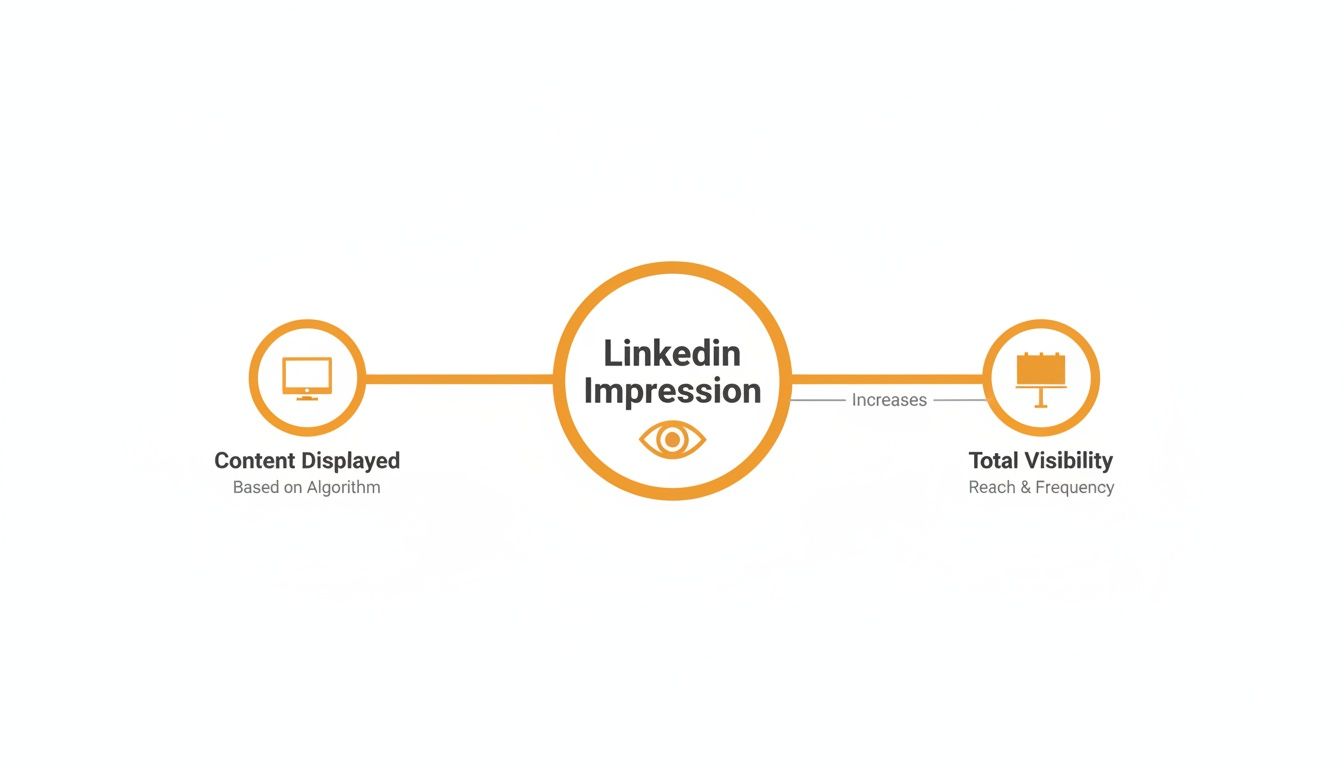
Think of it this way: an impression is counted every single time your content shows up on someone's screen. It's the digital equivalent of a car passing a billboard on the highway.
Demystifying Your First LinkedIn Metric
You've put in the work, crafted a great post, and hit that publish button. Now you're watching the analytics, and the "impressions" count is climbing. It's exciting, but what does it actually mean for your content?
Simply put, an impression happens every time your post is displayed in someone's feed. That's it. It’s the most basic measure of visibility you have.
Here’s where people get tripped up:
- Someone scrolls past your post in their feed. That’s one impression.
- They refresh the page and see it again a few minutes later. That's another impression.
- A friend shares your post, and that same person sees the shared version. That’s a third impression, all from the same individual.
The key takeaway is that impressions count the total number of views, not the number of unique people who saw it. This is exactly why your impression count is almost always way higher than your likes, comments, or even your reach.
Why This Simple Number Is So Powerful
So, why should you care about what seems like a simple vanity metric? Because it’s the bedrock of your entire content strategy. Before anyone can engage with your post—before they can like, comment, or share—they have to see it first.
And it seems that getting more eyes on your content is paying off. Recent data shows LinkedIn's average engagement rate (based on impressions) has jumped by 30% year-over-year and now hovers around 5%. This tells us that as visibility goes up, so does the real potential for meaningful interaction. You can dive deeper into how impressions impact engagement with RedactAI's findings.
Think of impressions as the first signal you send to the LinkedIn algorithm. A post with a high impression count is telling the platform, "Hey, people are seeing this," which gives it a fighting chance to get even more distribution.
An impression is the digital equivalent of someone glancing at your storefront. They might not walk in (engage), but at least they know you exist. The more people who glance your way, the higher the chance someone will eventually step inside.
At the end of the day, tracking impressions tells you if you're even in the game. A post with zero impressions is a ghost—it doesn't exist. But a post with thousands has successfully caught the algorithm's attention, opening the door for clicks, connections, and conversations. It all starts here.
Impressions vs. Reach vs. Views: Which One Should You Actually Track?
Trying to make sense of LinkedIn analytics can feel a bit like you're lost in a sea of jargon. You see these terms thrown around—impressions, reach, views—but what do they really mean for your content? Let's cut through the noise.
Think of it like putting up a poster for a local event.
Impressions: This is the total number of times your poster is seen. If 500 people walk by, but 100 of them walk by twice, that’s 600 impressions. It’s all about total exposure, every single time your content shows up on a screen.
Reach: This is the number of unique people who saw your poster. In that same scenario, your reach is 500 people, even though you racked up more impressions. Reach tells you how many individuals you’ve actually managed to get in front of.
Views (for videos/articles): This one is different. It’s not just about someone glancing at your poster; it’s about them stopping to actually read it for a few seconds. A "view" on LinkedIn means someone consumed your content, not just scrolled past it.
This simple breakdown shows you why lumping them all together is a mistake. Impressions measure how far your content is spreading, reach measures the size of your audience, and views measure who’s truly paying attention. If you want to dive even deeper, our guide on the differences between impressions vs. views on various platforms is a great next step.
An impression is really just the first domino to fall. It's the moment the LinkedIn algorithm decides to serve your content to someone, kicking off the entire visibility process.
So, What's the Bottom Line?
The big question is, which number should you be watching? Honestly, it completely depends on what you’re trying to achieve.
If your goal is pure brand awareness—just getting your name out there—then impressions are your best friend. A high impression count is a great sign that LinkedIn’s algorithm likes what you're doing and is showing your posts to more people.
But if you want to know how many real people your message touched, reach is the metric that matters. It cuts through the noise of repeat views to give you an honest count of your audience size.
And for things like videos or long-form articles? A view is the holy grail. LinkedIn only counts it after someone watches for at least 3 seconds, so it's a much stronger signal of genuine interest.
Key Takeaway: Impressions track total visibility and how often your content is shown. Reach tracks your unique audience size. Views track genuine interest. Knowing which is which is the key to accurately measuring your success.
LinkedIn Metrics at a Glance: Impressions vs. Reach vs. Views
To make this super clear, here’s a quick-reference table breaking down the core differences between these three key LinkedIn metrics. It's your cheat sheet for understanding what each one really measures.
| Metric | What It Measures | Example Scenario | Key Takeaway |
|---|---|---|---|
| Impressions | The total number of times your content is displayed on a screen. | Your post shows up in one person's feed 3 times. That equals 3 impressions. | The best metric for tracking overall visibility and whether the algorithm is favoring your content. |
| Reach | The number of unique individuals who saw your content. | That same person sees your post 3 times. That only equals a reach of 1. | The best metric for understanding the actual size of the audience you've connected with. |
| Views | Meaningful consumption of content, typically for videos or articles. | Someone watches your video for 5 seconds before scrolling on. That's a view. | The best metric for gauging genuine interest and how "sticky" your content is. |
Once you get a handle on the difference between an impression, a reach, and a view on LinkedIn, you can start setting much smarter goals. Instead of just chasing vanity numbers, you can focus on the metric that truly reflects what you're trying to do—whether that's casting a wide net, growing a loyal audience, or creating content that people can't stop watching.
How Content Formats Influence Your Impressions
On LinkedIn, the type of content you share has a massive impact on how many eyeballs you get. The algorithm doesn't treat a simple text post the same way it handles a slick video or an interactive poll. If you want to build a content strategy that actually works, you have to understand these differences.
Think of each content format as a different tool in your toolbox. A text post is like a hammer—it’s basic, reliable, and gets the job done. But sometimes, you need a power drill (like a video) to really make a splash. Choosing the right tool for the job can be the difference between a post that sinks without a trace and one that takes off.
Your number one job is to stop the scroll. People are flying through their feeds, and a dense block of text is easy to ignore. A striking image, a native video, or a quick poll gives them a reason to pause. That pause is where impressions—and eventually, engagement—are born.
The Power Players: Video and Visuals
When it comes to grabbing attention, some formats are just plain better than others. Video consistently crushes it because platforms like LinkedIn want to keep users on-site for as long as possible. The longer someone watches your content, the more the algorithm sees it as valuable and shows it to more people.
That’s why live video generates a staggering 24 times more engagement than a standard post. It’s immediate and interactive. But even pre-recorded videos pack a serious punch, pulling in about five times more engagement than text alone. If you're ready to dive in, our guide on how to post a video on LinkedIn can get you started.
It’s not just video, though. Visuals of any kind are critical. Posts with images have been shown to get up to twice the comment rate compared to their text-only cousins. More comments signal to the algorithm that your content is worth promoting.
The Underdog Strategy: Commenting for Impressions
Here's a little secret: you don't always have to create your own content to rack up impressions. One of the most overlooked strategies is dropping thoughtful, strategic comments on popular posts from other people in your niche.
When you add a valuable comment to a post with high visibility, your name, headline, and profile picture are suddenly in front of that post’s entire audience. It’s a surprisingly effective way to get noticed.
Key Insight: A single, well-crafted comment on an influencer's post can sometimes generate more profile views and impressions than one of your own posts.
The data backs this up, suggesting that comments get 5 to 10 times more views than likes do. It’s a low-effort, high-reward tactic for getting in front of the right people without the pressure of publishing a full-blown article or video.
Building a Smarter Content Mix
So, what’s the takeaway here? You need to vary your content. Relying on just one format is like trying to build a house with only a screwdriver—you're limiting your potential from the start.
Here’s a quick-and-dirty guide to help you mix it up:
- Text-Only Posts: Perfect for quick thoughts, asking sharp questions, or sharing a strong opinion. They're fast to create but can easily get lost in the noise.
- Image Posts: Your go-to for stopping the scroll. Use them for powerful quotes, simple infographics, or behind-the-scenes photos that humanize your brand.
- Video Posts: The heavy hitter for storytelling, how-to guides, or sharing dynamic insights. Videos hold attention, which is gold for the algorithm.
- Polls: The best way to drive fast, easy engagement. They're low-friction and encourage people to participate, giving your post a vital boost in its first hour.
By mixing and matching these formats, you’ll appeal to different people's preferences and give the LinkedIn algorithm more reasons to share your stuff. Don't be afraid to experiment, keep an eye on your analytics, and double down on what resonates with your network.
Getting Your Hands on Your LinkedIn Analytics
Alright, knowing what an impression is helps, but the real fun begins when you start using that data to make smarter decisions. First things first: you need to know where to find your numbers on LinkedIn. Don't worry, it's not buried in some complicated dashboard.
For any post you've made from your personal profile, just look right underneath it. You'll spot an "Analytics" button hanging out next to the like and comment icons. Give that a click, and you'll open up a treasure trove of info: your impressions, engagement stats, and even some juicy demographic data about who saw your post—things like their job titles, companies, and where they're based. This is your mission control for figuring out what's hitting the mark.
Making Sense of the Numbers
Once you're staring at the data, you might start seeing some things that make you scratch your head. How did that quick thought you shared get 5,000 impressions, while the well-researched post from yesterday barely scraped 500? And why does a post with a mountain of impressions have just a few likes?
This is the LinkedIn algorithm in action. When you first hit "post," LinkedIn shows your content to a small test group from your network. If that initial audience bites—liking, commenting, or sharing—the algorithm gets excited and pushes it out to a much wider circle. That’s when your impressions take off. If it falls flat, distribution gets cut short. So, a post with high impressions but low engagement was likely an algorithmic test that caught people's eyes but didn't quite convince them to click.
Key Insight: Don't freak out about big swings in your impression counts. They're just signals from the algorithm telling you what's resonating. High impressions mean you've piqued its interest; low impressions are a sign to go back to the drawing board.
Organic vs. Paid Impressions: What’s the Difference?
It’s also super important to know what kind of impressions you're looking at. The numbers you see on your personal posts? Those are almost always organic impressions. You earned those views fair and square through your network and the quality of your content.
But if you're running a Company Page or dipping your toes into LinkedIn Ads, you'll also see paid impressions. These are the views you’ve paid for to get your content in front of a hand-picked audience. Both types of impressions boost your visibility, but keeping them separate is key. It's the only way to figure out if your organic content strategy is working or if your ad dollars are being well spent. If you really want to get into the weeds, checking out the best social media analytics tools can help you track these metrics with more precision.
On top of LinkedIn's own tools, other platforms like LinkedIn mention tracker tools can give you a more detailed picture of who's talking about your brand and where those conversations are happening.
So, what’s a "good" number of impressions? Honestly, it depends entirely on what you're trying to achieve. If you're running a big brand awareness campaign, then the higher, the better. But if you're targeting a tiny group of VPs in a niche industry, a lower impression count with a handful of meaningful comments is a massive win. When you look at your analytics with that kind of context, you stop just seeing numbers and start finding real, actionable insights.
Actionable Strategies to Increase Your LinkedIn Impressions
Okay, so you know what an impression is. Now for the fun part: getting more of them. Forget trying to "hack" the system. The real secret to boosting your impressions is to create content so genuinely useful or interesting that the LinkedIn algorithm can't help but show it to more people.
Let’s move past the theory and dive into the practical, hands-on tactics that will actually get more eyes on your content. These aren't just one-off tricks; they work together to build a rhythm that turns visibility into meaningful results.
Optimize Your Posting Cadence and Timing
Consistency is your best friend on LinkedIn. When you post regularly, you're signaling to the algorithm that you're an active and valuable contributor. It’s no surprise that consistent weekly activity can generate twice the engagement compared to posting whenever you feel like it.
But it’s not just about how often you post; it's also about when. The old advice of posting mid-week mornings (think Tuesday to Thursday, 9-11 AM) is a decent starting point, but don't treat it as gospel. Your audience is unique. The only way to find your true sweet spot is to experiment with different days and times and keep a close eye on your analytics.
Master the Art of Hashtags and Tagging
Think of hashtags as the search engine for your content. They’re how people who don't follow you can discover your posts by tracking topics they care about.
- Be Specific: A good strategy is to mix broader tags like
#Marketingwith more niche ones like#B2BContentStrategy. This helps you hit both a wide audience and a highly targeted one. - Keep it Focused: Don't go overboard. Sticking to 3-5 highly relevant hashtags is the sweet spot. Loading up a post with a dozen tags just looks spammy and confuses the algorithm.
Tagging people or companies is another fantastic way to expand your reach, but you have to be smart about it. Only tag people who are actually relevant to your post or who you genuinely want to pull into the conversation. A single, thoughtful tag can get a discussion going, and that's exactly what the algorithm loves to see.
An impression is your content’s first handshake with a new viewer. Strategic tagging and hashtags are how you introduce your content to the right people in a crowded room, making that handshake count.
Spark Conversations That Fuel the Algorithm
If there's one thing to remember, it's this: early engagement, especially comments, is the single biggest driver of impressions. A post with a lively comment section tells the algorithm, "Hey, people are really interested in this!" In return, it pushes your content out to a wider audience.
Your job isn't just to broadcast information; it's to start a conversation.
- Ask Open-Ended Questions: Don't just state a fact. Ask your network what they think or what their experience has been.
- Share a Strong Opinion: A well-argued, even slightly controversial take, can be a magnet for passionate debate.
- Tell a Relatable Story: People connect with stories. A personal anecdote that ties into a professional lesson is one of the most powerful ways to get people talking.
Ultimately, more impressions are only useful if they lead to something more. That's why understanding how to improve social media engagement is so critical. Every time you reply to a comment, you're not just building a relationship—you're also doubling your comment count and sending powerful positive signals to the algorithm. These interactions are the fuel that turns an average post into a high-impression home run.
When Impressions Are a Vanity Metric
It's easy to get a thrill from seeing a post rack up thousands of impressions. That big number feels like a win, but does it actually move the needle for your business? The honest answer is: it depends entirely on your goal. Impressions can be a powerful Key Performance Indicator (KPI) or just a distracting vanity metric.
Knowing the difference is what separates a smart LinkedIn strategy from a busy one. Chasing impressions without a clear "why" is like collecting a stack of business cards at a conference and never following up. You feel productive in the moment, but you aren't actually building anything real.
When Impressions Are Your Best Friend
For some goals, a high impression count isn't just nice to have—it's the whole point. If you're focused on top-of-funnel activities where visibility is everything, impressions are a fantastic measure of success.
Here are a few scenarios where you should absolutely be tracking impressions:
- Brand Awareness Campaigns: Launching a new company or product? Your number one job is to get your name in front of as many relevant eyeballs as possible. In this game, every single impression is a small victory.
- Establishing Thought Leadership: If you want to be seen as the go-to expert in your niche, being seen is half the battle. A steady stream of high-impression posts keeps you top-of-mind with the people you want to influence.
- Announcing Major News: Got a big company announcement, a funding round, or a major hire? You want that news to spread like wildfire. Impressions directly measure how far your message has traveled.
Think of an impression as planting a seed. The more seeds you plant in the right field, the higher the chance something will eventually grow. Your goal here is sheer volume and visibility, making impressions the perfect KPI.
When Impressions Don't Tell the Whole Story
On the flip side, if your goals live further down the sales funnel, focusing only on impressions can be seriously misleading. A post can get 100,000 impressions but generate zero tangible results for your business. That's a classic vanity metric.
Consider these situations where impressions are just noise without a signal:
- Lead Generation: Trying to get people to sign up for a webinar or download an ebook? You need clicks and conversions, not just passive views. A post with 1,000 impressions and 50 clicks is infinitely more valuable than one with 50,000 impressions and only 5 clicks.
- Driving Website Traffic: If your goal is to pull people from LinkedIn over to your blog or a product page, your north star metric should be your click-through rate (CTR), not your impression count.
- Building a Community: Is your aim to foster deep connections and create a loyal following? Engagement is what truly matters. Comments, discussions, and real conversations are far better signs of a healthy community than passive views.
The key is to always align your metrics with your mission. For brand visibility, impressions reign supreme. For driving action, they’re just the first, and frankly, least important step.
Got Questions About LinkedIn Impressions? We've Got Answers
Once you get the hang of the basics, a few tricky questions about LinkedIn impressions always seem to surface. Let's clear up the common head-scratchers so you know exactly how this metric works in the real world.
Do My Own Views Count as Impressions?
Nope, and that's a good thing! LinkedIn is savvy enough to know when you're looking at your own content. It filters your own views out of the impression count.
This metric is all about measuring how many times your post shows up for other people. So go ahead, refresh your feed and check on your post as much as you want—you won't be messing with your data.
"Why Are My LinkedIn Impressions So Low?"
This is the big one, isn't it? If your impression numbers feel stuck in the mud, it usually comes down to a few common issues. You might be posting at random times, your content isn't sparking any real conversation, your hashtags are missing the mark, or you're simply posting when your audience is asleep.
The LinkedIn algorithm is hungry for early engagement, especially comments. If a post doesn't get people talking within the first hour or so, LinkedIn assumes it's not very interesting and stops showing it to a wider audience. It's a tough crowd.
So what's better: high impressions or high engagement? The real answer is: it depends entirely on your goal. High impressions are gold for brand awareness—just getting your name and face in front of as many eyeballs as possible. But high engagement (likes, and especially comments and shares) is what builds community, proves your expertise, and actually gets people to take action.
Ultimately, you're chasing both. The sweet spot is creating content that earns genuine engagement, which then signals to the algorithm to boost your post's visibility. This creates a powerful cycle where engagement drives more meaningful impressions. The two metrics should be partners in crime, not rivals.
Ready to stop guessing and start creating posts that actually get seen? RedactAI learns your unique voice and helps you write authentic, high-impact content in a fraction of the time. Start creating with RedactAI for free and watch your impressions climb.



























































































































































































