
Figuring out how to get more connections on LinkedIn really boils down to two things: actively reaching out with personalized requests and creating content that draws people to you. The best playbook combines both—start with a killer profile, then layer on targeted, thoughtful outreach. The goal isn't just to rack up a high number of contacts, but to build a professional network that actually means something.
Why Your LinkedIn Network Is Your Biggest Career Asset

Before we get into the "how," let's talk about the "why." A strong LinkedIn network is so much more than a digital address book. Think of it as a living, breathing asset that can unlock opportunities you’d never find on your own. It's your personal ecosystem for career growth.
This isn't about hoarding contacts. It's about building real professional relationships that lead to real results. The right connection might tip you off to a job that isn't even posted yet, introduce you to your next big client, or share an insight that gives you a major edge. Every quality connection you make expands your influence and what’s possible for your career.
The Power of a Strategic Network
When you're strategic about who you connect with, you create a powerful ripple effect. Connecting with relevant people in your industry doesn't just give you access to them; it makes you visible to their entire network. Suddenly, your exposure multiplies, positioning you as a known voice in your field.
This visibility is how you build authority. Your network is the audience for your professional brand, and a bigger, more engaged audience makes you more credible. With a platform that's grown to over 1.2 billion members as of 2025, the potential here is massive.
Of course, blindly sending requests won't get you very far. LinkedIn is a crowded place. The numbers tell the story: the average connection request gets accepted about 29.61% of the time. But that's just an average. For example, that rate can drop to a low of 21.45% in January when everyone's hitting "connect" as part of their New Year's resolutions. In less crowded months, it can climb closer to 45%. You can dig into more of these trends with LinkedIn statistics from Sprout Social.
To put the sheer scale of LinkedIn into perspective, here are a few numbers that really stand out.
LinkedIn Growth and Engagement at a Glance
These statistics paint a clear picture of why a strategic approach to networking on the platform is so crucial for professional growth.
| Metric | Statistic |
|---|---|
| Total Members | Over 1.2 billion users in 2025 |
| Companies on LinkedIn | 67 million+ |
| Average Connection Acceptance | 29.61% |
| Content Engagement | 15x higher on LinkedIn than job postings |
| Decision-Makers | 4 out of 5 members drive business decisions |
The data shows that LinkedIn isn't just a place to list your resume; it's where business happens, decisions are made, and careers are built.
From Connections to Opportunities
At the end of the day, building your network is about laying the groundwork for your future. Every person you connect with is a potential collaborator, a mentor, or a business lead. A solid network is your safety net during a career change and your launchpad when you're ready to grow.
A well-curated network delivers a few key benefits:
- Access to Hidden Opportunities: So many of the best gigs and projects happen through word-of-mouth. A strong network puts you right in the middle of those conversations.
- Enhanced Credibility: When you're connected to respected leaders in your field, some of that credibility rubs off on you. It shows you're a serious professional who’s plugged in.
- Knowledge Sharing: Your feed becomes an incredible source of real-time information. You'll see industry trends, challenges, and new ideas as they happen, which keeps you sharp.
The goal isn't just to be on LinkedIn; it's to be part of the conversation. Understanding the 'why' behind networking transforms the process from a tedious task into a strategic investment in your professional future.
Building a Profile People Actually Want to Connect With
Before you even think about sending a connection request, put yourself in their shoes and ask one simple question: "Why should I connect with you?" Honestly, if your LinkedIn profile is just a bland, bare-bones resume, your requests are heading straight for the ignore pile. It's really that simple.
Your profile isn't a history book of everything you've ever done. Think of it as a pitch—a compelling argument for what you can do for them. Every single section needs to work together to tell a story about the value you bring, making people feel like they're genuinely missing out if they don't click "accept."
Craft a Headline That Sells Your Value
Your headline is the most valuable piece of real estate on your entire profile. It follows you everywhere—in connection requests, comments, and even Google search results. Most people totally waste this space with just their job title, like "Marketing Manager at Company X." Sure, that tells people what you are, but it says nothing about what you do or who you help.
Let's fix that. Create a headline that’s all about the value you deliver. A killer formula I've seen work time and again is: [Your Role] | Helping [Your Target Audience] Achieve [Their Goal].
- Before: "Software Engineer"
- After: "Senior Software Engineer | Building Scalable FinTech Solutions for Growing Startups"
See the difference? That one little tweak instantly communicates expertise and relevance, making you infinitely more interesting to a potential connection.
Turn Your Summary into a Professional Story
Your "About" section is where you get to be a human, not just a list of job titles. Please, don't just dump a wall of text listing your skills. Tell a story. Kick it off with a hook that grabs their attention, talk about the kinds of problems you love to solve, and maybe even share a bit about your unique approach or work philosophy.
Keep it easy on the eyes. Use short paragraphs and maybe a few bullet points to break up the text and highlight your sweet spots. And whatever you do, end with a clear call to action. Tell them what's next—whether that's connecting with you, checking out a project you're proud of, or dropping you a message.
Pro Tip: Always write your summary in the first person ("I," "my"). It feels way more authentic and conversational. A stuffy third-person bio can come off as distant or even a little arrogant, and nobody wants to connect with that.
Showcase Your Wins with the Featured Section
The "Featured" section is your personal highlight reel, yet so many people leave it completely empty. It's a visual portfolio sitting right there at the top of your profile! This is your chance to offer up cold, hard proof of what you can do.
You can feature all kinds of cool stuff here:
- Case studies showing your direct impact on a project.
- Links to articles you’ve written or been quoted in.
- Slide decks from a presentation you knocked out of the park.
- Screenshots of client testimonials or glowing feedback.
This section is what turns the claims in your summary into something tangible and real. It's an incredibly powerful way to build credibility by showing, not just telling. If you want to dive deeper, our guide on how to optimize your LinkedIn profile breaks all this down in much more detail.
Gather Powerful Social Proof with Recommendations
Think of recommendations as the five-star reviews of the professional world. They're third-party proof that you’re as good as you say you are. A profile with a handful of genuine, thoughtful recommendations is instantly more believable than one without any.
The trick is to be proactive about it. Don't just sit around and hope someone writes one. Reach out to former managers, clients, or teammates you really clicked with. When you ask, make it super easy for them. Gently remind them of a specific project you crushed together and the awesome results you got. A detailed story is way more powerful than generic praise. A key part of this strategy involves optimizing your LinkedIn profile to make sure every piece works together to support your networking.
Mastering the Art of the Connection Request
Ever sent a blank connection request? It's the digital equivalent of walking up to a stranger at a conference, handing them a business card without saying a word, and just walking away.
It’s awkward. It's confusing. And it's totally forgettable.
If you really want to grow your LinkedIn network with the right people, you have to get good at personalizing your requests. This isn’t about some complex, secret formula. It’s simply about being a human who took thirty seconds to show you’ve done the bare minimum of research. Your goal is to find one genuine point of common ground that makes your request feel personal, not like another automated blast from a bot.
Before someone even reads your note, they're glancing at your profile. Your headline, summary, and featured section are your first impression—they have to back up why you're reaching out in the first place.
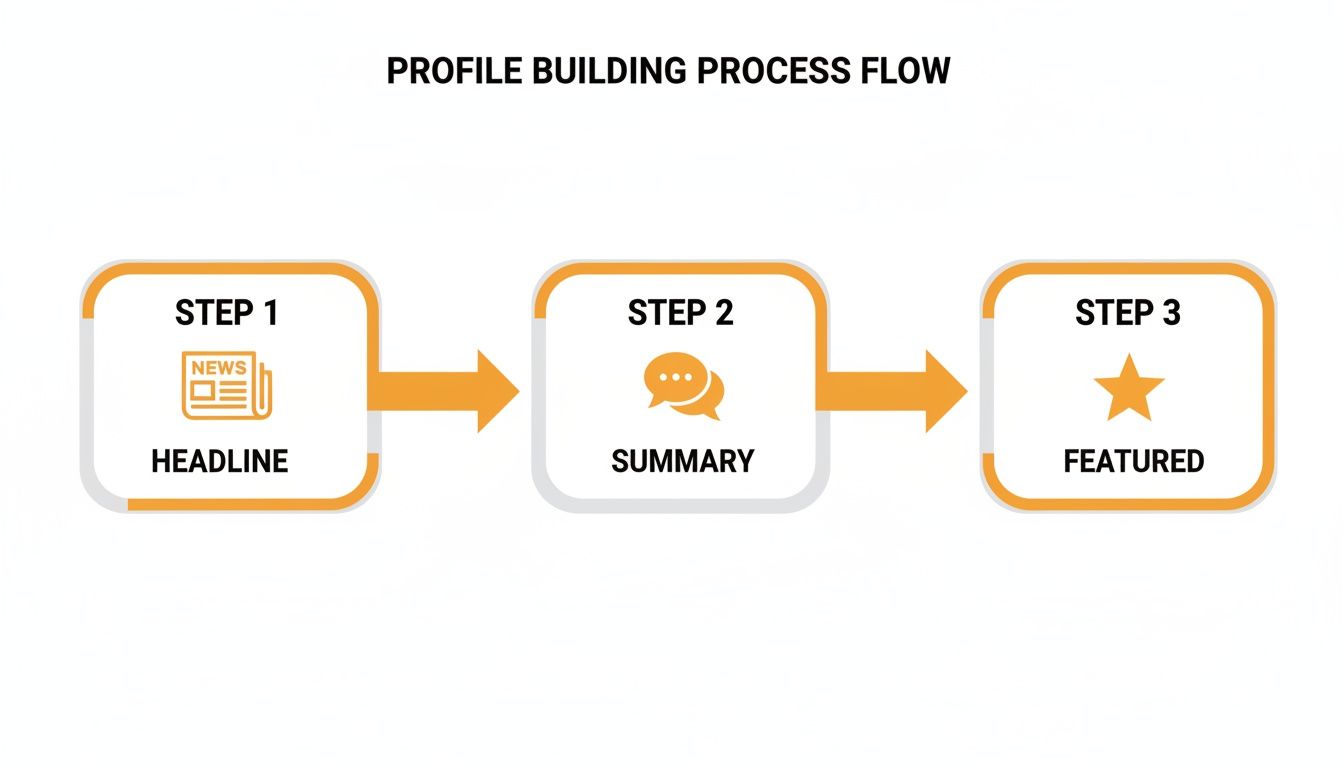
These three elements need to tell a cohesive story that makes someone want to accept.
The Power of Personalization
A quick personalized note is the single biggest lever you can pull to boost your acceptance rate. It turns a cold ask into a warm introduction and shows you aren't just trying to rack up vanity metrics.
Put yourself in their shoes. They get dozens of generic requests a week. The ones that cut through the noise are the ones that say, "I see you, I know a little about what you do, and here's a good reason for us to connect."
A generic request just asks, "Will you connect with me?" A personalized request says something like, "I've been following your work on X and was really impressed by Y. I'd love to connect and learn more." The difference is genuine respect for their time and expertise.
The data backs this up. The average approval rate for connector campaigns hovers around 29.61%, but this number can swing wildly. It might dip to 21.45% during a busy month like January. But here's the kicker: LinkedIn messages boast an incredible 85% average reply rate, blowing email completely out of the water.
And with 71% of users sending 50 or fewer requests a week, there's a massive opportunity for anyone willing to be thoughtful and strategic.
Finding Your Common Ground
So, where do you find this "common ground"? It’s hiding in plain sight. Before you even think about hitting that connect button, do a quick 30-second scan of their profile for one of these hooks:
- Mutual Connections: See someone you both know and respect? Naming them is an instant trust-builder.
- Shared Groups: Being in the same industry group is an immediate signal that you share professional interests. It's an easy "in."
- Recent Activity: Did they just post a great article, share a smart comment, or get a promotion? Referencing it shows you're actually paying attention.
- Similar Background: Maybe you went to the same college, worked at the same company years ago, or volunteer for a similar cause.
All you need is one small detail to make your message feel like it was written just for them—because it was.
Crafting a Request That Gets Accepted
Let's get practical. A solid connection request has three simple parts: the context (how you found them), the compliment (what you admire), and the call to action (the connection itself). It should be short, specific, and not at all demanding.
Here are a few simple templates I’ve seen work wonders.
Connection Request Templates For Different Scenarios
This table gives you a few non-generic starting points for common networking situations. Feel free to tweak them to match your own voice.
| Scenario | Template Example |
|---|---|
| After a Webinar or Event | "Hi [Name], I really enjoyed your presentation on [Topic] today. Your point about [Specific Insight] was a huge takeaway for me. I'd love to connect and follow your work." |
| Mutual Group Member | "Hi [Name], I saw your great comment in the [Group Name] about [Topic]. I'm also passionate about that and would appreciate connecting with like-minded professionals." |
| Shared Connection | "Hi [Name], I see we're both connected with [Mutual Connection's Name]. I'm working to expand my network of [Your Role/Industry] leaders and would love to connect." |
| Company of Interest | "Hi [Name], I've been following [Their Company]'s work in the [Industry] space for a while. As a [Your Role], I'm inspired by what you're building. Would be great to connect." |
These are just frameworks. The more you can make them your own, the better they'll perform.
Just remember to be mindful of how many requests you're sending. LinkedIn has limits to prevent spam, so a targeted approach always beats a spray-and-pray method. If you're planning to scale up, it's worth understanding the official LinkedIn connection request limit, which we cover in detail elsewhere on the blog. Quality over quantity will always win this game.
Turning New Connections into Real Relationships
Getting that "accept" notification feels great, but let's be real—that’s not the finish line. It's the starting gun.
The real magic in growing your LinkedIn network isn’t just about collecting contacts. It's about what you do after they connect. A connection is just a name on a list until you turn it into a genuine professional relationship.
Right now, your only goal is to shift from a digital handshake to a real conversation. This is the long game. Forget about making an immediate ask or jumping into a sales pitch. Your first move needs to be simple, genuine, and all about opening the door for later.
The Art of the First Follow-Up Message
That first message after you connect sets the entire tone for the relationship.
If you come in hot with a hard sell or a request for a favor, you've already lost. Best case, they ignore you. Worst case, they un-connect and mentally file you away as "that annoying person."
Instead, lead with a simple, no-pressure thank you. It shows you’re a real human who appreciates their time.
Here are a few quick ideas you can adapt:
- Simple & Direct: "Hey [Name], thanks so much for connecting. Really looking forward to following your work. Hope you have a great rest of your week!"
- Reference the Connection Point: "Hi [Name], great to be connected. Like I mentioned, I was really impressed with your insights on [Topic] in the [Group Name]. Excited to learn more from your posts."
- Offer Future Value: "Thanks for connecting, [Name]. I often share resources on [Your Area of Expertise] that you might find helpful. Always happy to chat if our work ever overlaps."
The key? Be brief, be friendly, and ask for absolutely nothing in return. This tiny act builds a sliver of goodwill and keeps the vibe positive.
Stay on Their Radar (Without Being Annoying)
Okay, you’ve sent the first message. Now what? The next phase is all about thoughtful, not aggressive, engagement. You want to become a familiar, valued name in their feed, not a pest in their DMs.
This is all about meaningful engagement.
A "like" is a polite nod from across the room. A thoughtful comment is pulling up a chair and joining the conversation. One is passive acknowledgement; the other is active relationship-building.
So, how do you actually do this?
- Leave Insightful Comments: Ditch the "Great post!" or "I agree." Add a layer of value. Ask a smart follow-up question, share a quick personal story that relates, or build on their point with a supporting idea. This proves you actually read what they wrote.
- Share Their Content (When It Makes Sense): If a connection posts an incredible article or a sharp insight that your own network would love, share it. Make sure to tag them and add a sentence about why you found it so valuable. It’s a huge compliment and shows you respect their expertise.
- Remember the Details: Pay attention. If you see they’re launching a big project or speaking at an event, make a mental note. A simple "Hope the [Project Name] launch went well!" in a future message shows you're paying attention on a deeper level.
This kind of consistent, value-first engagement is incredibly powerful. And the numbers back it up. Audiences exposed to brand messages on LinkedIn are 6 times more likely to convert. A massive 40% of B2B marketers see LinkedIn as their top source for high-quality leads.
This proves that genuine networking isn't just a "nice-to-have"—it directly fuels real business opportunities. You can dive deeper into the data by checking out these key LinkedIn statistics from Cognism.
Offer Value Before You Ask for Anything
This is the golden rule of networking, online and off: give before you get.
Before you even think about asking a new connection for an introduction, a referral, or a sales call, you need to be looking for ways to help them first.
It doesn’t have to be some grand gesture. It can be as simple as:
- Sharing a helpful resource: "Saw this article on [Topic] and immediately thought of your post from last week. Hope it's useful!"
- Making a useful introduction: "I noticed you're in the [Industry]. I happen to know someone who's looking for an expert in that space—would you be open to an introduction?"
- Answering a question they post: If they ask their network for a recommendation, and you have a good one, jump in and help out.
When you focus on adding value first, you completely change the dynamic. You’re no longer just another person who wants something. You're a helpful, knowledgeable peer invested in mutual success. And that’s how you turn a simple connection into a powerful professional advocate.
Letting Your Network Come to You with Smart Content

So far, we’ve been all about active outreach. Now, let's flip the script.
Instead of constantly knocking on doors, you can make your LinkedIn profile a destination—a place where the right people find you. This inbound approach is all about creating and sharing content that proves you know your stuff.
When you consistently put out valuable insights, you stop being just another name in a sea of profiles. You become a resource. A magnet. You’ll start getting high-quality connection requests from people who are already sold on what you have to say.
Content That Actually Gets Seen on LinkedIn
First thing's first: LinkedIn isn't Facebook or TikTok. It's its own beast. People here are looking for professional value, not just cat videos. The goal isn't to go viral; it's to build trust and authority with the people who matter to your career.
So what actually works? From what I've seen, the content that performs best usually falls into one of these buckets:
- Telling a personal story: Talk about a professional challenge you navigated or a tough lesson you learned. People connect with real, relatable experiences.
- Teaching something specific: Break down a complex idea into simple, bite-sized steps. Think quick "how-to" guides or a simple carousel explaining a process.
- Sharing a strong opinion: Have a well-reasoned take on an industry trend? Share it. This sparks real conversation and shows you're a critical thinker.
- Asking a great question: Post something that invites your network to weigh in with their own experiences or opinions.
The common thread here is value. Every single post should aim to teach, inspire, or make your audience think. If it doesn't do one of those three things, it's probably just noise.
Defeating the Blank Page with Smart Tools
"But what do I even post about?" I hear this all the time. It's the biggest hurdle for most people, and the fear of the blank page is very real. But it's totally solvable. You don't have to be a professional copywriter to create great content.
This is where AI-powered tools can be a game-changer for getting the ball rolling. Platforms like RedactAI are built for this exact problem. You can feed it a simple keyword or a half-baked idea, and it’ll generate multiple post drafts for you to work with.
The key is to use AI as your creative partner, not as a replacement for your own voice. Let it help you brainstorm and structure your thoughts, then you come in and add your personal stories and unique expertise. It’s a shortcut from zero to a solid first draft, freeing you up to focus on the parts that truly matter.
Want to go deeper? Our complete guide to building a https://redactai.io/blog/linkedin-content-strategy has the full playbook.
Beyond Your Own Feed: Engaging in Conversations
Creating your own content is only half the battle. The other, equally important piece is jumping into conversations that are already happening.
Think of LinkedIn as a massive, ongoing professional conference. You wouldn't just stand in a corner and hope people notice you, right? You'd join conversations, add your two cents, and meet people.
This means actively commenting on posts from key people in your network and participating in relevant industry groups. Your goal is simple: add value.
Here's a quick framework for writing comments that get you noticed:
- Acknowledge their point: Start by showing you actually read the post. ("Great point about...")
- Add your own insight: Build on their idea with a personal story, a relevant stat, or a follow-up thought.
- Ask a question: End with an open-ended question to keep the dialogue flowing.
Honestly, a single thoughtful comment can sometimes be more powerful than an entire post. It puts you directly in front of a new, highly relevant audience. When you consistently show up with smart takes, people will naturally start clicking on your profile.
And this isn't just about LinkedIn. A strong content game is also key if you want to learn how to grow your social media following on other platforms, too. By combining great content with strategic engagement, you turn your profile from a static resume into a dynamic hub that attracts exactly the right people.
Got Questions About LinkedIn Networking? I've Got Answers.
Building a solid network on LinkedIn can feel like you're trying to solve a puzzle with a bunch of unwritten rules. It's easy to get stuck. Let's cut through the noise and tackle some of the most common questions and tricky situations you'll run into.
Here are some straight-up, no-fluff answers to the things you've probably been wondering.
How Many Connection Requests Can I Realistically Send a Week?
LinkedIn officially caps you at about 100 connection requests per week. They put this limit in place to cut down on spam and push people toward making more genuine connections.
But here’s the thing: don't look at that 100 as a weekly goal to smash. The real question isn't how many you can send, but how many truly thoughtful, personalized requests you can actually manage.
I've found that aiming for 10-15 highly targeted requests a day is a much smarter play. This pace gives you the breathing room to actually look at someone's profile, figure out why you want to connect, and write a note that doesn't sound like a robot. Trust me, quality beats quantity every single time.
Should I Connect with People I Don't Know?
Ah, the classic dilemma. My short answer? It really depends on what you're trying to accomplish.
If your main goal is to get your name out there and build broad brand awareness, then being open to connecting with people outside your immediate circle is a good move. On the other hand, if you're trying to build a close-knit group of industry pros, you'll want to be much pickier.
Before you hit "Accept," do a quick 30-second vibe check on their profile. I usually ask myself:
- Is their job title and industry even remotely relevant to me?
- Do we have any mutual connections I know and respect?
- Does their profile look like a real person, or does it scream "sales bot"?
If their profile checks out, accepting could lead to something great. And remember, you can always quietly remove a connection later if it's not a good fit. No harm, no foul.
Is There a "Best" Time of Day to Send Requests?
There's no single magic hour, but timing definitely helps. The data, and my own experience, shows that sending requests during business hours in your target's time zone gets you a better response rate. Think mid-morning or that little window after lunch.
Try to avoid sending requests late at night or over the weekend. By the time Monday morning rolls around, your request is likely to be buried under a mountain of other notifications.
If you're looking for a sweet spot, I'd aim for Tuesday, Wednesday, or Thursday between 9 AM and 2 PM. That's usually when people are at their desks and actively checking LinkedIn, but not totally slammed with their morning rush.
What If No One Is Accepting My Connection Requests?
It's a huge downer when your requests seem to vanish into thin air, but it’s a problem you can usually fix. If your acceptance rate is tanking, the answer isn't to send more requests—it's time to figure out what's going wrong.
First, take a hard look at your own profile. Is your headline clear and compelling? Does your "About" section actually tell people what you do and why they should care? A confusing or incomplete profile is the number one reason people will hesitate.
Next, be brutally honest about your outreach messages. Are you actually personalizing them? A note that mentions a post they wrote, a shared connection, or a mutual interest is a world away from a blank request or a generic "I'd like to connect."
Finally, make sure you're aiming for the right people. Sending a cold request to the CEO of a Fortune 500 company is a long shot. Start by building momentum with peers, former colleagues, and people who are just a step or two ahead of you in their career.
Tired of staring at a blank screen? You can start attracting connections to you with great content. RedactAI is an AI tool that helps you whip up high-impact LinkedIn posts in minutes, all while learning your unique voice. Start creating for free and see how it works.



























































































































































































