If you want people to actually engage with your LinkedIn posts, you have to stop thinking like a broadcaster and start thinking like a conversation starter. It’s a simple mindset shift, but it’s everything. Ditch the corporate-speak and focus on writing for humans by offering real, tangible value that makes them stop scrolling.
This is the foundation for creating content people genuinely want to read and talk about.
Why Your LinkedIn Posts Are Being Ignored
Let's be honest. Staring at a post with zero likes is a gut punch. You put in the work, hit "publish," and get nothing but digital silence. That’s not just bad luck—it’s usually a clear sign that what you're posting isn't connecting with what people on LinkedIn actually want.
So many professionals fall into the same old traps, turning their feeds into a graveyard of ignored updates. The real problem isn't some secret formula you're missing; it's the habits we don't even realize are killing our engagement.
Writing for Robots Instead of People
One of the biggest mistakes I see is people trying to "game" the algorithm instead of just writing for other humans. When you get caught up in keyword stuffing or chasing the latest trend, your content loses all its personality. People connect with people, not with a post that sounds like it was written by a committee to please a machine.
Another killer is relying on corporate jargon that instantly puts people to sleep. Phrases like "synergistic solutions" or "paradigm-shifting initiatives" don't make you sound smart. They just make you sound out of touch. Your audience wants you to talk to them directly, in plain language, about their real-world problems and goals.
At its core, an engaging post makes a reader feel seen and understood. If your content doesn't connect on a human level, it doesn't matter how "optimized" you think it is.
The Value Disconnect
At the end of the day, most posts fail because they offer zero real value. They’re either thinly veiled sales pitches or vague, generic statements that don’t teach, inspire, or entertain anyone. Everyone on your feed is busy. You have to give them a damn good reason to stop what they're doing and pay attention to you.
Think about this for a second: the creator economy on LinkedIn is surprisingly small. Industry reports for 2024–2025 suggest that only about 1% of members post weekly. Yet, this tiny group is behind a staggering 9 billion impressions every single week. You can dig into more of these LinkedIn statistics on ColumnContent.com. This is a massive opportunity for anyone willing to learn how to create valuable content consistently.
To cut through all that noise, every post you write needs to do one of these things:
- Solve a specific problem for your ideal reader.
- Share a relatable personal story that has a clear takeaway.
- Offer a unique insight or a fresh angle on a tired topic.
- Ask a thought-provoking question that makes people want to chime in.
If your posts are getting ignored, take a hard, honest look at what you’ve been putting out there. Are you just broadcasting at people, or are you trying to connect with them? Making that shift is where real engagement finally starts.
Build Your Content Foundation Before You Write
The best LinkedIn posts—the ones that get real traction—almost never happen by accident. They’re the result of a solid strategy put in place long before anyone starts typing. Just jumping online to post random thoughts is a surefire way to get ignored.
So, before you write anything, take a minute to do a quick pre-flight check.
First things first: you need to nail down your "why." What's your core message, and who are you actually talking to? Trying to appeal to everyone on LinkedIn is a fool's errand. The real goal is to connect with a specific niche that genuinely cares about what you have to say.
Define Your Content Pillars
To keep your content focused and consistent, you need to establish a few core content pillars. Think of these as the 3-5 main topics you’ll talk about, over and over again. They become your guideposts, making sure every post is on-brand and relevant to the audience you want to attract.
For example, your pillars could look something like this:
- If you’re a Marketing Consultant: Social Media Strategy, B2B Lead Generation, and Content Marketing ROI.
- If you’re a Software Developer: Front-End Development Tips, Career Growth in Tech, and Project Management Hacks.
Having this simple system in place means you'll never wake up wondering what to post. Better yet, it trains your audience on what to expect from you, turning them from casual scrollers into a real community. If you really want to get this foundational step right, our guide to building a LinkedIn content strategy will walk you through it in more detail.
The secret to great content isn't having endless ideas—it's having a strong filter. Your content pillars are that filter, making sure everything you publish has a purpose.
This whole process is about moving from just feeding the algorithm to actually starting conversations with real people. This diagram lays it out perfectly.
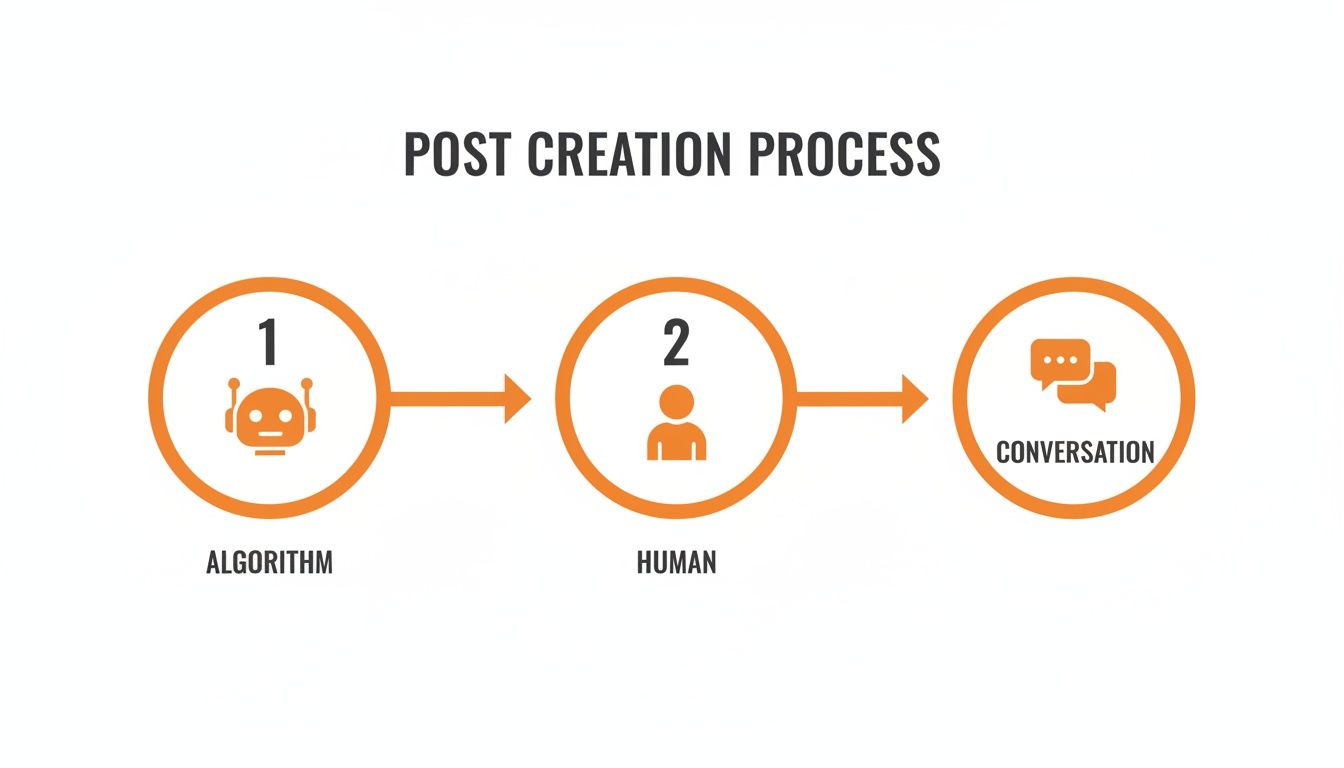
Sure, you need to be aware of how the algorithm works, but the real magic happens when you focus on that human connection. This foundation isn't about chasing a one-off viral hit; it's about building a sustainable engine that consistently attracts the right people to your profile.
Master the Art of the Scroll-Stopping Hook

Let's be real. You've got about two seconds to stop someone from scrolling right past your post. That's it. In the fast-moving river of the LinkedIn feed, your first sentence is everything. It’s the one thing that separates you from being totally ignored.
This isn't about writing cheap clickbait. It’s about earning the reader's attention by sparking their curiosity, hitting a relatable nerve, or teasing a solution to a problem they're dealing with right now. Think of it as the firm handshake that pulls them into your conversation.
Without a killer opening, even the most brilliant, insightful post is dead on arrival. This is more true than ever, as the LinkedIn algorithm rewards posts that get people talking right away. In fact, 2025 data shows that posts with strong engagement in the first hour get a massive visibility boost. You can find more on how the LinkedIn algorithm works over on Agorapulse.com. Your hook is what lights that initial fire.
How to Write Hooks That Actually Work
So, how do you do it? The best hooks prey on universal human triggers: curiosity, a bit of healthy controversy, and good old-fashioned relatability. You have to break the reader's pattern and make them pause.
For instance, don't just say, "Work-life balance is important." That’s a snooze-fest.
Instead, try something like, "I stopped checking emails after 6 PM, and my career took off. Here’s why." See the difference? One is a bland statement you've heard a thousand times. The other is the start of a story you want to hear the end of.
A great way to get started is by using proven formulas. I’ve put a few of my favorites into a table to give you a head start.
Hook Formulas That Grab Attention on LinkedIn
A breakdown of different opening line formulas with examples and use cases to help you craft compelling hooks for your posts.
| Hook Formula | Example | Best Used For |
|---|---|---|
| The Bold Declaration | "The 40-hour work week is dead. And it’s the best thing to happen to productivity." | Challenging a common belief or industry norm. |
| The Shocking Statistic | "Over 85% of resumes are rejected by software before a human ever sees them." | Framing a problem with hard-hitting data. |
| The Relatable Confession | "I completely bombed my first big presentation. It taught me the most valuable lesson of my career." | Building an immediate, authentic connection through vulnerability. |
| The "How I..." Story | "How I went from 0 to 10,000 followers in 90 days without a single ad." | Teasing a case study or a personal success story. |
| The Direct Question | "What's the one piece of bad career advice you're glad you ignored?" | Prompting immediate engagement and audience participation. |
These formulas aren't meant to be rigid templates, but rather springboards for your own ideas. Mix and match them, and always tailor them to your unique voice and audience.
Your hook is a promise. It tells the reader, "Give me a few more seconds of your time, and I'll give you something valuable in return." Make sure the rest of your post delivers.
Ultimately, getting good at writing hooks comes down to understanding what makes people tick. It's about knowing what makes them pause, think, and want to learn more. Don't be afraid to experiment. Test different styles, see what your network responds to, and watch how it completely changes your results.
How to Structure Your Post for Maximum Impact
Let's be real. You could have the most mind-blowing idea in the world, but if you present it as a giant, intimidating wall of text, it's going to fail. On LinkedIn, how you say something is just as important as what you say.
People are scrolling. Fast. Their attention is gold, and you have seconds to earn it. Your job is to make your content ridiculously easy to read.
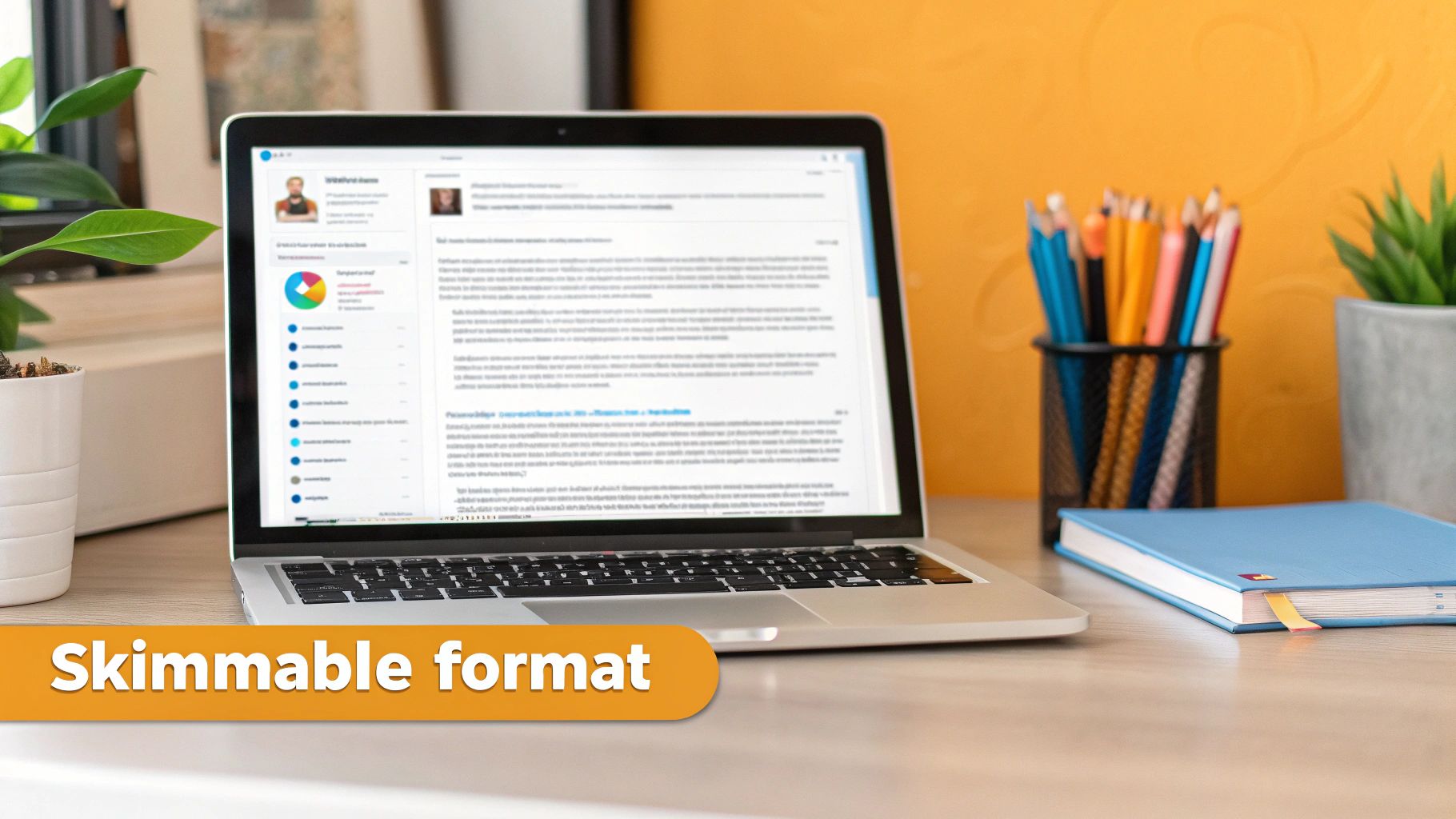
This means you need to get comfortable with short, punchy paragraphs. Think of white space as your best friend—every blank line is a chance for the reader to breathe and digest your point before moving on. It's a simple trick, but it's what separates an inviting post from an overwhelming one.
The Power of Skimmable Formatting
Your first goal is to stop the scroll. Your second, more important goal is to guide the reader’s eye down the page without them even realizing it. Nobody sits down to read a novel on their LinkedIn feed. We all skim for keywords, bullet points, and standout phrases.
To make your posts a skimmer’s dream, nail these basics:
- Keep paragraphs to 1-2 sentences. This is a non-negotiable, especially on mobile, where the majority of your audience will see your content.
- Use bullet points or numbered lists. They act like little signposts, breaking up the text and signaling to the reader that you’re about to drop some clear, organized knowledge.
- Add emojis strategically. A well-placed emoji can inject personality and act as a visual cue, drawing the eye to a key takeaway.
When you format your content this way, you're telling your audience, "I respect your time." You're making it effortless for them to get value from your post in just a few seconds.
Proven Structures That Just Work
Once you have the formatting down, you need a solid narrative structure to hold it all together. This is what keeps someone reading from your hook all the way to your call to action. The good news? You don't have to reinvent the wheel every single time.
One of the most effective frameworks I've seen is Problem-Agitate-Solve (PAS). It’s a classic for a reason. First, you pinpoint a pain your audience is feeling. Then, you agitate it by digging into the consequences. Finally, you ride in with the solution.
Here’s what PAS looks like in the wild:
Problem: Feel like you’re shouting into the void on LinkedIn?
Agitate: You spend hours crafting what you think is a great post, only to hear crickets (or just get a few pity-likes from your coworkers). It’s so frustrating.
Solve: The secret isn't just posting more often. It’s about structuring your posts for skimmers. Try using single-sentence paragraphs and bullet points to make your key insights impossible to miss.
Another powerful move is just good old-fashioned storytelling. Share a personal experience—a failure, a lesson learned, a surprising win—and tie it back to a universal truth for your audience. If you're feeling stuck, browsing through different LinkedIn post templates can be a great way to spark some ideas for different situations.
And don't forget the final touch: hashtags. The structure gets people to read your post, but hashtags help them find it in the first place. Understanding the effective use of hashtags on social media is what will get your beautifully structured post in front of a much wider, more relevant audience.
Using Different Content Formats to Boost Engagement
If you're only posting text, you’re leaving a massive amount of engagement on the table. Seriously. To actually stop someone mid-scroll, you have to think beyond just words. A multi-format content strategy is your ticket to making your profile feel dynamic and worth following.
This isn't about needing a design team to create slick, corporate graphics for every single post. It’s about being smart and choosing the right format for your message. Frankly, mixing up your content types is one of the best ways to keep your audience from getting bored and tuning you out.
Elevate Your Posts with Visuals and Carousels
The fastest way to stand out is with a good visual. But what makes an image work on LinkedIn? It’s usually authenticity. I’ve seen a slightly blurry, behind-the-scenes photo of a team brainstorming get way more love than a perfect, polished stock photo ever could. People want to see the real stuff.
Another absolute powerhouse is the carousel post, which you create simply by uploading a PDF. Carousels are fantastic for breaking down complex ideas into easy-to-digest, swipeable slides. They work so well because they get people to interact—that simple act of swiping keeps them on your post longer, which the algorithm loves.
Pro Tip: Don't just tell people something—show them. Use a carousel to create a mini-tutorial, share the highlights from a report, or walk someone through a process. Your goal should be to teach one small, valuable thing with each one.
Drive Interaction with Polls and Native Video
Looking for a quick engagement win? Polls are your best friend. They're one of the easiest ways to get an immediate response. The trick is to ask questions that are simple but also a little provocative. Ditch the generic stuff like "What are your goals?" and try something more specific and debatable, like "Is a 4-day work week the future or a productivity killer?"
This simple format practically begs for participation and gives you instant feedback on what your audience is thinking.
And then there's video. The data on this is overwhelming. Visuals get a huge boost on LinkedIn. According to the latest stats, image posts get about 2× more comments than plain text, while native video? It gets roughly 5× more engagement. You can dig into more of these eye-opening LinkedIn engagement stats on Buffer.com.
Making Video Work for You
The secret to great LinkedIn video isn't a Hollywood budget; it's being real. People connect with other people, not with faceless brands. A simple, one-minute video you shoot on your phone sharing a genuine insight can be way more powerful than a highly produced ad.
If you're going to try video, just stick to these simple rules:
- Add Captions: Assume everyone is watching with the sound off, because most people are. Always burn captions into your video so your message actually lands.
- Keep it Short: Get to the point. Aim for 60-90 seconds, tops. Deliver your value and get out.
- Have a Clear Takeaway: What's the one thing you want someone to remember? Focus your entire video on making that single point.
If you're ready to jump in, our detailed guide on how to post video on LinkedIn walks you through all the technical steps and best practices. By mixing these formats into your content plan, you’ll create a much richer experience that stops the scroll and, more importantly, starts real conversations.
Got Questions About LinkedIn Content? I've Got Answers.
When you start getting serious about LinkedIn, the same questions always seem to surface. It's easy to get bogged down by conflicting advice, so I’ve pulled together the most common ones I hear to give you some straight, actionable answers.
Think of this as your go-to cheat sheet for the nitty-gritty of posting on LinkedIn.
So, How Often Should I Actually Post?
This is the big one, isn't it? The answer is probably simpler than you think: consistency will always beat frequency.
For most people, aiming for 2-3 high-quality posts a week is a fantastic sweet spot. It's enough to signal to the algorithm that you're an active, valuable voice, but not so much that you'll burn out trying to come up with ideas.
Honestly, one truly insightful post that sparks a real conversation is worth a hundred times more than five mediocre ones that fall flat. Find a rhythm you can stick with for the long haul. That’s how you build momentum.
What’s the "Magic" Time to Post?
You’ll see a million articles claiming Tuesday at 10 AM is the golden hour. The truth? The only "best" time is when your audience is actually online. Your own data is your best friend here.
Don't just guess. Go look. Pop into your LinkedIn analytics and see if you can spot any trends in when your followers are most active and engaging.
The best approach is to run your own little experiment. Post at different times for a couple of weeks—try morning commute hours, the lunchtime scroll, even evenings. Track what happens and let the numbers guide you.
How Many Hashtags Are Too Many?
Hashtags still matter for getting discovered, but you don't need a laundry list of them. In fact, stuffing your post with a dozen generic tags just looks spammy and waters down your message.
My rule of thumb is to stick to 3 to 5 super-relevant hashtags.
I've had the most success by mixing it up:
- 1-2 broad tags: These are your high-volume ones, like
#leadershipor#marketingstrategy. - 2-3 niche tags: Get specific here with things like
#b2bcontentor#startupfoundersto attract a more targeted crowd.
And a pro tip: tuck them at the very end of your post. It just keeps the main body of your text clean and easy to read.
How Do I Get More People to Comment?
Getting comments isn't about luck; it's about being intentional. You have to actively invite people into the conversation. The easiest way to do this is to end your post with a simple, open-ended question.
Instead of a generic "What do you think?", try something more specific that’s easy to answer. Something like, "What's the best piece of career advice you ever ignored?" immediately prompts a story or an opinion. Sharing a personal anecdote or a slightly controversial take also works wonders for getting people to chime in with their own experiences.
And for businesses, keeping up with things like the latest updates to LinkedIn Company Pages can unlock new features and ways to connect with your followers directly.
Feeling inspired but short on time? RedactAI is your secret weapon for creating high-impact LinkedIn content in minutes. It analyzes your unique style to generate post ideas, drafts, and optimizations that sound just like you. Stop staring at a blank page and start building your brand today at https://redactai.io.