All topics

12 Must-Have LinkedIn Post Templates to Elevate Your Content in 2025

Nicolas Pamart
Nicolas PamartLast updated: 12/18/2025

Crafting a standout LinkedIn post every time can feel like a guessing game. That’s why we’ve curated 12 top websites offering proven linkedin post templates - from announcements and thought leadership to case studies and engagement prompts. Each resource is packed with practical scenarios, honest limitations, and customization tips to streamline your workflow and boost engagement.

In this listicle you’ll learn:

  • Which platform fits your skill level and budget
  • Real use cases for each template category
  • Key features that make templates flexible
  • Quick customization tips for consistent branding

Every entry includes screenshots and direct links so you can preview designs and jump straight into editing. Whether you’re a freelance writer, marketing agency, startup CEO or HR specialist, these curated resources help you:

  • Save hours on formatting
  • Maintain a consistent posting schedule
  • Craft posts that drive conversations
  • Implement brand voice seamlessly

Banish inconsistency and see real ROI on your LinkedIn efforts. Skip the trial and error—explore tools like RedactAI, Adobe Express, Canva, Envato Elements and more to find the templates that match your goals. This guide cuts through the noise and spotlights platforms that deliver results. Let’s dive in.

1. RedactAI

RedactAI is an AI-powered LinkedIn post generator built to help professionals publish high-impact, on-brand posts in minutes. It creates a personalized AI from your LinkedIn profile and recent posting history to match your tone and expertise so every draft feels like you not a generic chatbot. Visit https://redactai.io to get started for free.
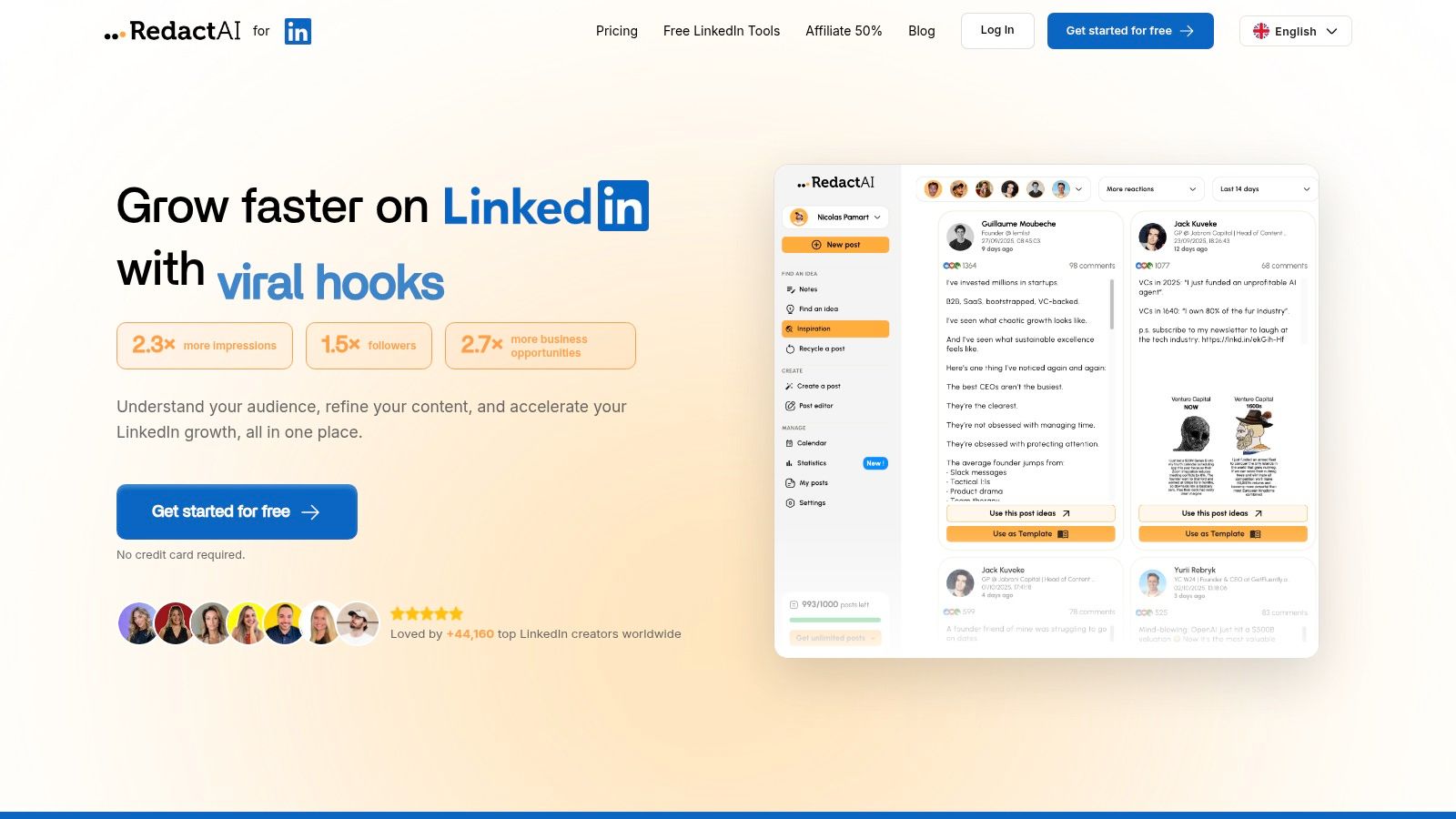
RedactAI

Key Features

  • Voice Modeling
    Builds a custom AI using up to 100 past posts
  • Multi-Draft Generation
    One-click creation of multiple post drafts from keywords
  • Growth Toolkit
    Live viral feed, scheduling, content recycling, integrated analytics
  • Niche Suggestions
    AI-driven topic ideas tailored to your industry

Practical Use Cases

  • Individual pros share announcements or thought leadership without writer’s block
  • Agencies scale content calendars for multiple clients
  • Recruiters highlight candidate success stories at scale
  • Sales teams craft case studies and engagement prompts

Pros and Cons

Pros Cons
Hyper-personalized voice closely matching you Pricing tiers and paywall features unclear
Saves hours with bulk draft generation Less accurate until you build up history
End-to-end LinkedIn growth tools

Tips for Effective Use

  1. Seed the AI with your best-performing post as a prompt
  2. Monitor the viral feed to adapt content quickly
  3. Schedule drafts for peak engagement windows
  4. Recycle evergreen posts quarterly to extend reach

Learn more about LinkedIn post writing tips on RedactAI

2. Adobe Express

Adobe Express offers a huge, constantly updated gallery of LinkedIn post templates you can customize right in your browser. The drag-and-drop editor and integration with Adobe Stock means you rarely need a second tool when designing static or animated posts.
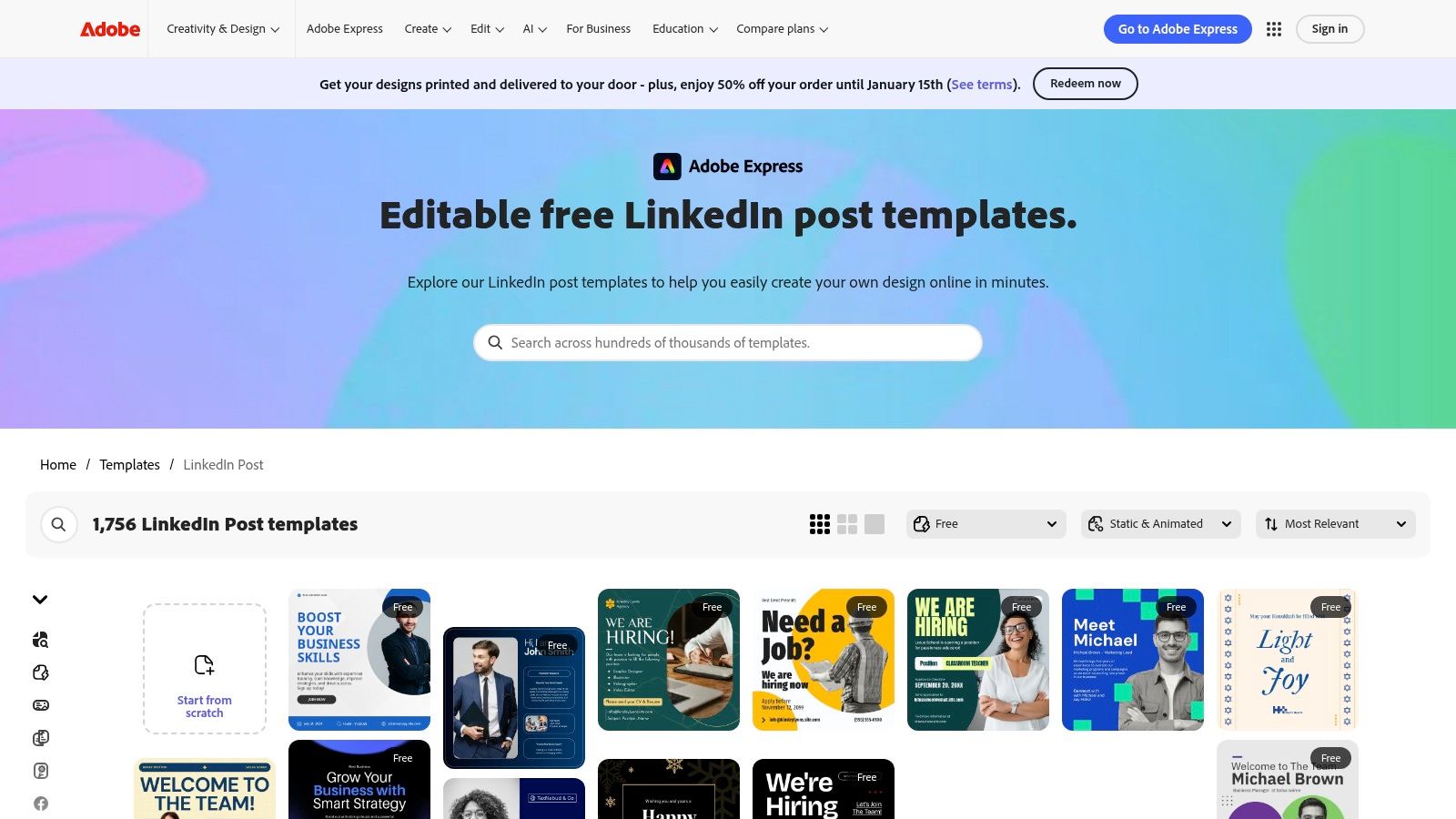
Adobe Express

Features at a Glance

  • 1,700+ LinkedIn post templates (free and premium)
  • Drag-and-drop editor with fonts, icons, and stock media
  • Built-in content scheduler to publish directly to LinkedIn pages
  • Static and animated formats, plus quick resize options

Why It Stands Out

  • Native scheduling cuts tool-switching and keeps your workflow in one place
  • Templates auto-fit LinkedIn’s optimal dimensions for posts and banners
  • Frequent library updates keep your visuals fresh and on-brand

Pricing & Access Tips

Tier Templates Included Cost
Free 500+ $0
Premium 1,700+ $9.99/month
  • Some premium assets require paid access
  • Tagging other accounts during scheduling isn’t supported

Pros & Cons

Pros:

  • Strong free tier to test and publish
  • Consistent sizing ensures polished results

Cons:

  • Key assets locked behind premium
  • No account tagging in scheduler

Pro Tips for Effective Use

Batch-schedule posts on Monday mornings to hit peak engagement. Use the drag-and-drop editor’s alignment guides to keep layouts clean. Explore the full template gallery at https://www.adobe.com/express/templates/post/linkedin for inspiration and brand consistency.

3. Canva (including LinkedIn Ads app)

Canva’s massive library and intuitive editor make drafting LinkedIn posts a breeze. With the LinkedIn Ads app you can send designs directly to Campaign Manager, streamlining the ad creation cycle. Brand kits, team collaboration, and AI tools like Magic Studio help maintain consistency across personal and paid campaigns.
Canva (including LinkedIn Ads app)

Features at a Glance

  • Direct export to LinkedIn Campaign Manager
  • 610,000+ social post templates including LinkedIn sizes
  • Magic Studio AI tools for quick content generation
  • Brand kits, team permissions, and real-time collaboration

Why It Stands Out

  • Ad integration removes duplicate upload steps
  • Extensive community templates fuel creativity
  • Unified design flow for organic and paid posts

Pricing & Access Tips

Tier Templates Included Cost
Free 250,000+ $0
Pro 610,000+ $12.99/month
  • Pro plan unlocks premium assets and background remover
  • Enterprise tier available with advanced brand controls

Pros & Cons

Pros:

  • Streamlined ad workflow from design to launch
  • Huge community of creators and templates
  • Works for both personal posts and paid campaigns

Cons:

  • Occasional sizing quirks when LinkedIn updates specs
  • Best elements require Pro subscription

Pro Tips for Effective Use

Batch-create ad and organic sets with preset sizes each Monday. Leverage Magic Studio’s AI prompts to repurpose case studies or thought leadership into eye-catching visuals. Learn more about Canva (including LinkedIn Ads app) on redactai.io

4. Envato Elements

Envato Elements delivers unlimited-download access to premium LinkedIn post, carousel, and video templates with built-in commercial licensing. This subscription model is perfect for creators and agencies who publish at scale.
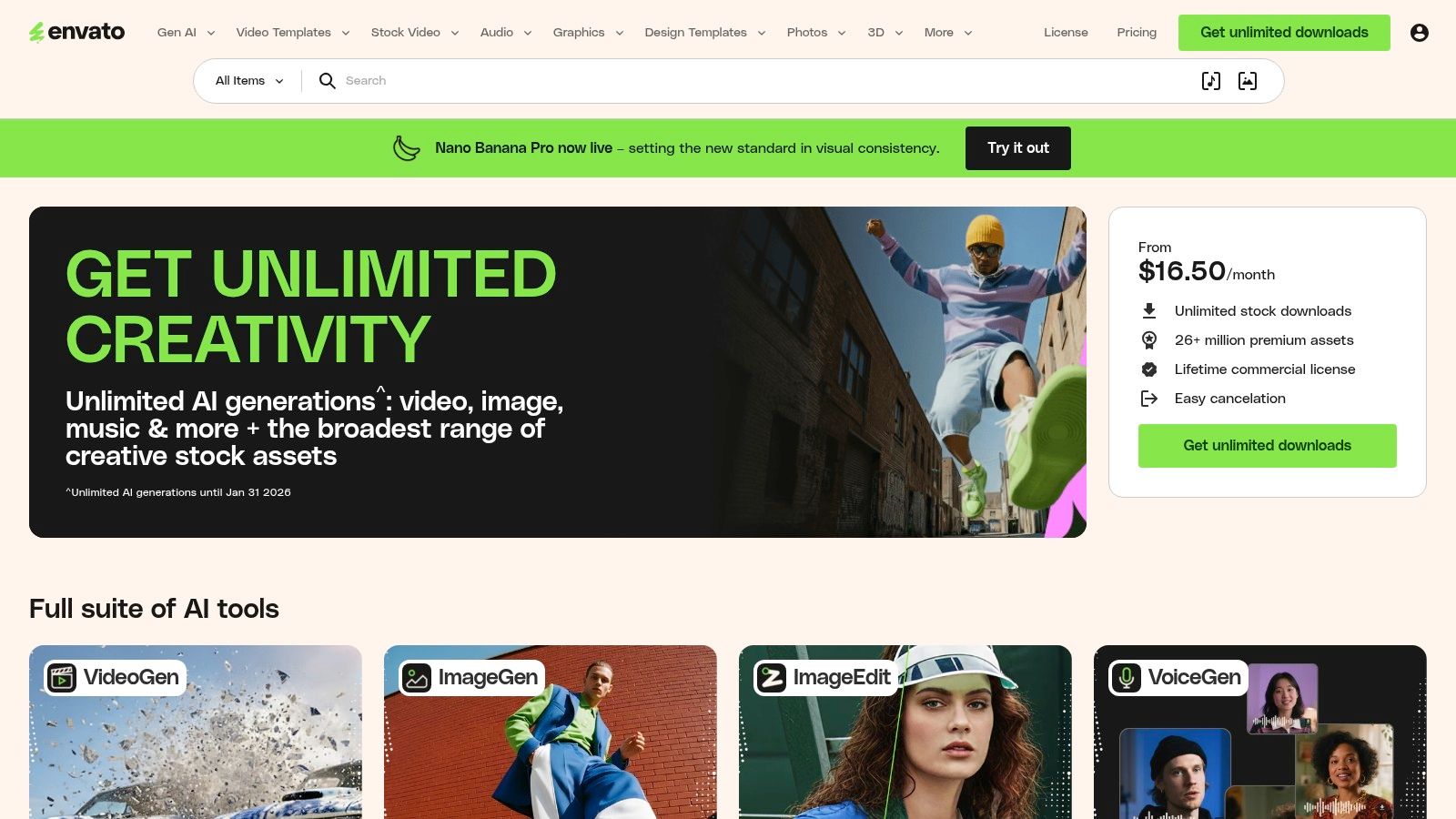
Envato Elements

Features at a Glance

  • Unlimited LinkedIn post and carousel templates in Canva, PSD, and AI formats
  • Commercial license covering client work without extra fees
  • Curated packs for marketing, announcements, and thought leadership
  • Video-ready social assets optimized for LinkedIn dimensions

Why It Stands Out

  • Unlimited downloads let you experiment without tracking costs
  • All-in-one license simplifies commercial and agency use cases
  • Curated collections help teams maintain on-brand visuals quickly

Pricing & Access Tips

Tier Templates Included Cost
Trial Unlimited Free 7-day trial
Premium Unlimited $16.50/month (annual plan)
  • Subscription required, no single template purchases
  • Cancel anytime before trial ends to avoid charges

Pros & Cons

Pros:

  • High-quality, modern designs
  • Great value if you download in volume
  • License covers client deliverables

Cons:

  • No pay-per-item option
  • Must edit templates in Canva or Photoshop

Pro Tips for Effective Use

  1. Filter by “LinkedIn” or “social media” to find targeted assets faster.
  2. Batch download curated packs on a Monday to plan your month.
  3. Import PSD files into Photoshop with your brand kit for on-brand consistency.

Explore more at https://elements.envato.com/.

5. Creative Market

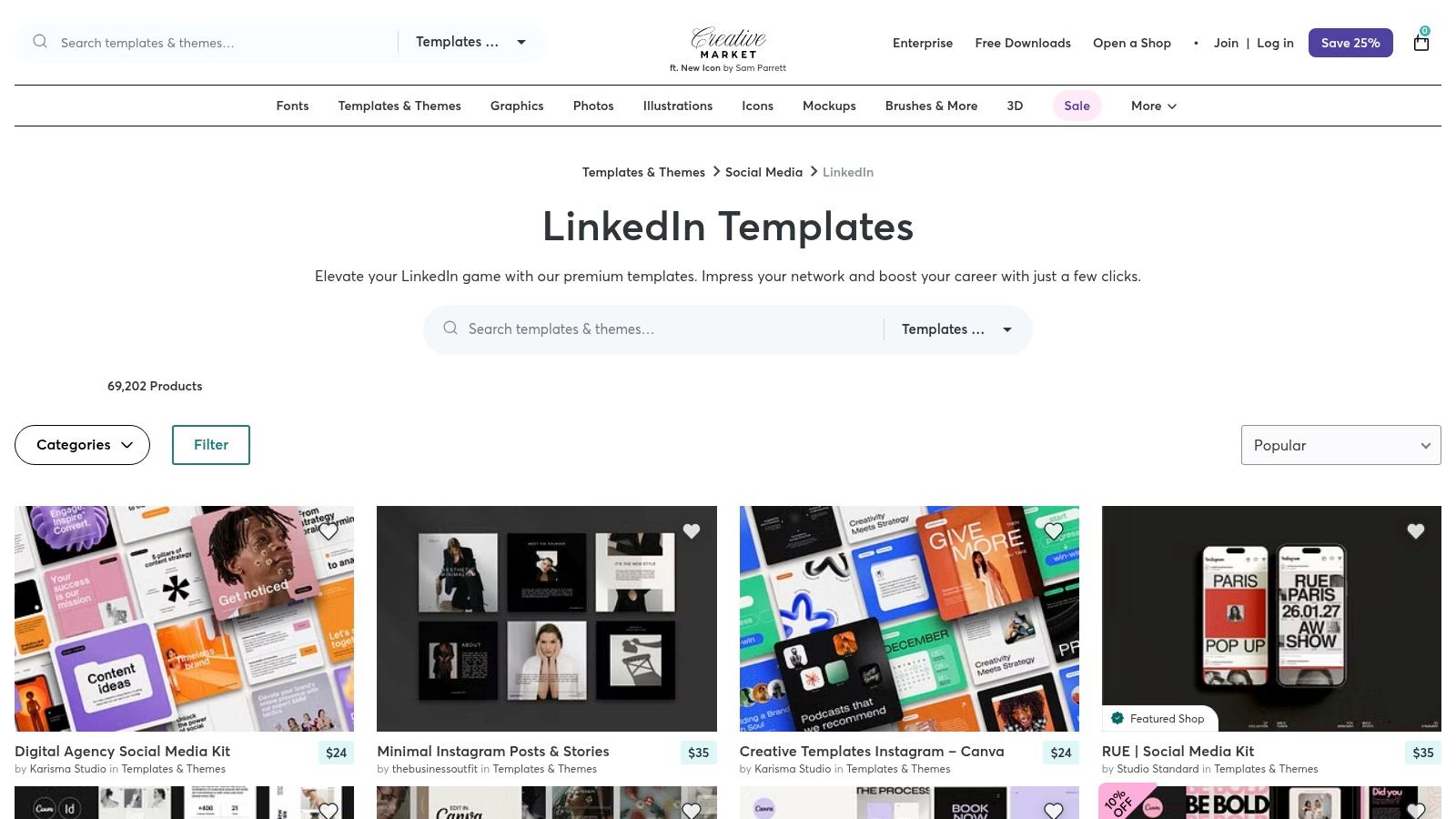
Creative Market is an a la carte marketplace where you can browse and purchase thousands of LinkedIn-specific templates from independent designers. Every item is a one-off purchase with a perpetual license, making it perfect for niche posts, carousels, banners, or one-time campaigns.
Creative Market

Features at a Glance

  • 69K+ LinkedIn template products across styles and niches
  • One-off purchases, no subscription required
  • Filter by software (Canva, PSD, AI) and price range
  • Frequent sales, shop bundles, and designer promotions

Why It Stands Out

  • Pay only for what you need, ideal for single campaigns
  • Huge variety of niche packs, from job announcements to case studies
  • Lifetime use license, no recurring fees or renewals

Pricing & Access Tips

Purchase Type Templates Included Cost Range
Single Item 1 design pack $3–$50
Shop Bundle Multiple template packs $15–$100
  • Instant digital delivery once purchased
  • Licensing varies by designer; check terms before buying

Pros & Cons

Pros:

  • Flexible pay-as-you-go model
  • Extensive selection of niche templates

Cons:

  • Quality varies by seller; read reviews
  • License details differ across items

Pro Tips for Effective Use

Use keyword filters like “carousel” or “infographic” to zero in on formats you need. Compare preview mockups and download sample files to verify style and layout before purchase. Head to https://creativemarket.com/templates-themes/social-media/linkedin-templates for the full gallery.

6. Etsy

Etsy is a marketplace with hundreds of affordable LinkedIn post templates sold as instant digital downloads. You can filter by niche or price to find Canva-editable packs suited for coaches, freelancers and small businesses.

Features at a Glance

  • Hundreds of LinkedIn post and carousel listings
  • Niche-specific packs (SaaS, coaching, trades and more)
  • Editable via Canva link with unlimited reuse
  • Buyer reviews to gauge design quality

Why It Stands Out

  • Budget-friendly options from $3 to $25 keep costs low
  • Niche focus helps you find templates tailored to your industry
  • Instant digital delivery lets you start customizing immediately

Pricing & Access Tips

Pack Type Templates Included Typical Cost
Starter Pack 3–10 $3–$10
Business Bundle 10–25 $15–$25
  • Prices vary by seller and pack size
  • Look for “commercial use” license in descriptions
  • No shipping fees, templates arrive instantly upon purchase

Pros & Cons

Pros:

  • Very budget-friendly entry points
  • Wide range of niche templates
  • Instant download and Canva links

Cons:

  • Quality and formatting vary across listings
  • Must check license terms carefully

Pro Tips for Effective Use

7. Gumroad

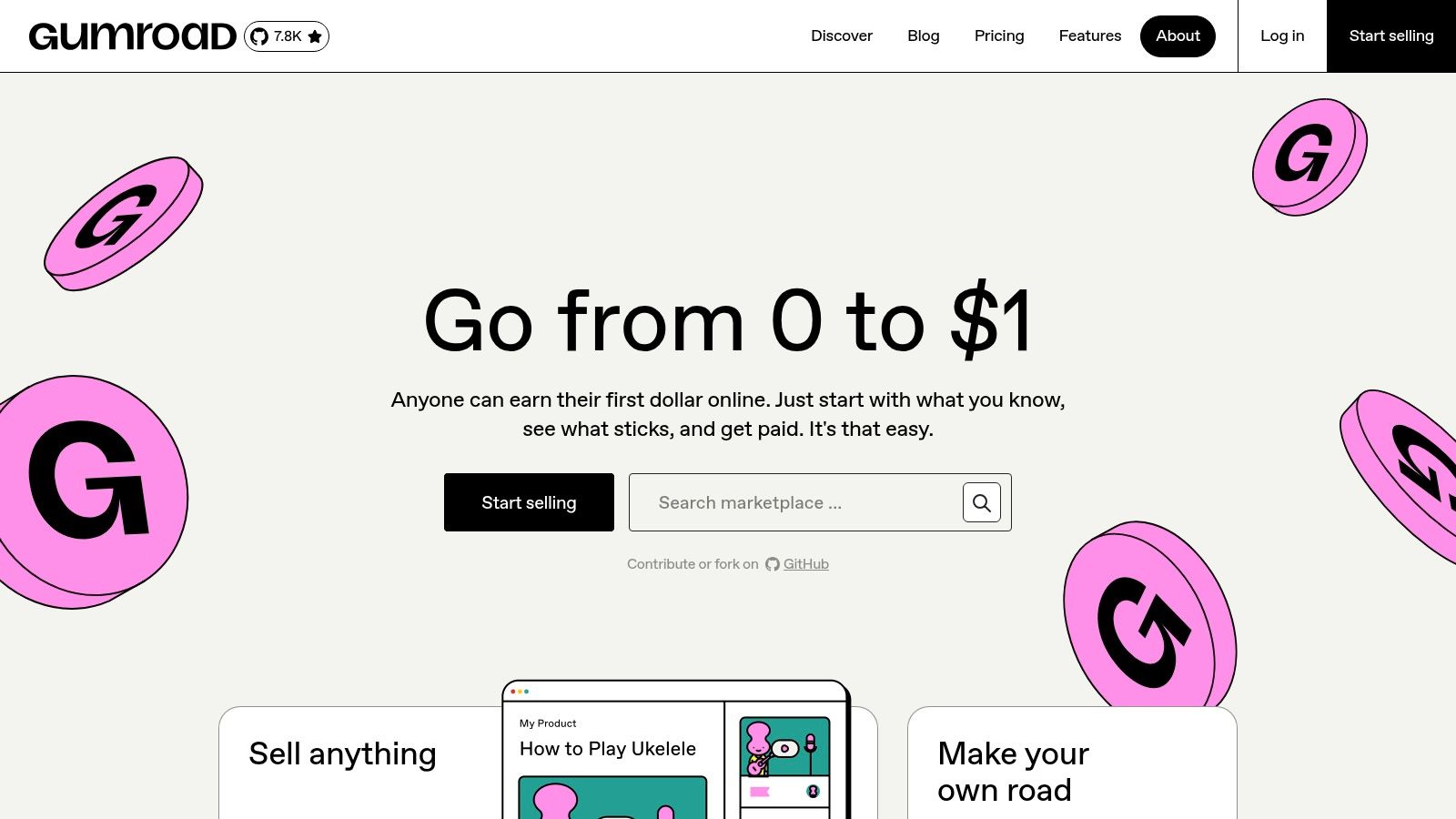
Gumroad is a direct-from-creator marketplace where you can pick up free, pay-what-you-want and paid LinkedIn post template packs, Canva-ready carousels with built-in instructions, plus Notion systems for ideation, drafting, and scheduling. It’s perfect for professionals who want niche formats and real-world “what to post” prompts.
Gumroad

Features at a Glance

  • Free and PWYW LinkedIn post template packs
  • Canva carousel templates with step-by-step guides
  • Notion-based planning, drafting, and publishing workflows
  • Creator updates, community examples, and usage notes

Why It Stands Out

  • Niche formats you won’t find in generic libraries
  • Real-world prompts from creators’ own LinkedIn experiments
  • Flexible pricing lets you test packs before committing

Pricing & Access Tips

Tier Templates Included Cost
Free 10+ basic posts $0
PWYW Packs 20–30 varied formats Starting at $1
Premium Bundles 50+ mixed templates + Notion $15+
  • Browse creator ratings to gauge quality
  • Many packs include tutorial PDFs or video walkthroughs

Pros & Cons

Pros:

  • Unique, creator-driven templates
  • Affordable entry via PWYW and free options

Cons:

  • No native editor—assets import into Canva or Notion
  • Quality and support vary by creator

Pro Tips for Effective Use

Use search tags like “LinkedIn carousel” or “thought leadership” to zero in on relevant packs. Import Canva files into your brand kit for on-brand visuals. Always preview community examples before buying.

Discover the full library at https://gumroad.com/ for endless linkedin post templates.

8. Visme

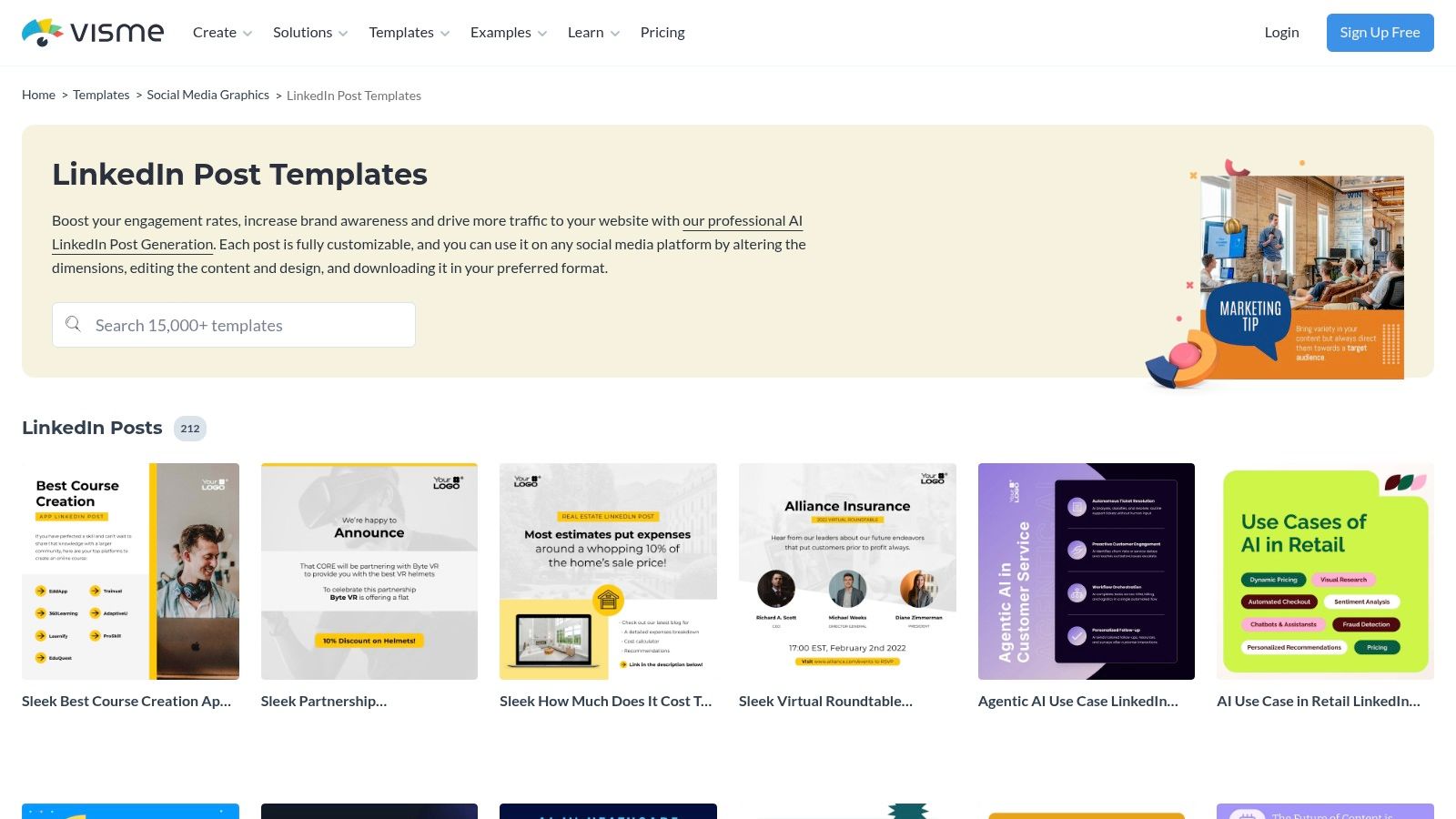
Visme is a full design platform with a dedicated LinkedIn templates gallery, including animated options and a built-in scheduler to post directly to LinkedIn. It shines when you need data visualizations or dynamic, data driven posts that stand out in the feed. The intuitive interface and real time collaboration tools make it simple for teams to co create posts.
Visme

Features at a Glance

  • 200+ LinkedIn post templates, static and animated
  • Animation controls, interactive charts, data widgets
  • Schedule and publish directly to LinkedIn
  • Export as JPG, PNG, GIF, MP4 or HTML5

Why It Stands Out

  • Perfect for data driven and animated posts that drive engagement
  • Built-in asset library reduces tool switching
  • Flexible exports support video and interactive HTML5 formats

Pricing & Access Tips

Tier Templates Included Cost
Free 50+ $0
Pro 200+ $15/month
Business 250+ + team tools $29/month
  • Animation and data widgets require Pro or higher
  • Scheduler unlocked at Pro level

Pros & Cons

Pros:

  • Rich for data visualization and animation
  • Direct LinkedIn scheduling

Cons:

  • Full template library locked behind paid plans
  • Higher learning curve than lightweight tools

Pro Tips for Effective Use

  1. Use data widgets for quarterly reports.
  2. Export animated MP4s for eye-catching thought leadership.
  3. Batch schedule by Monday to secure peak visibility.

Explore more templates at https://www.visme.co/templates/social-media-graphics/linkedin-post/

9. Snappa

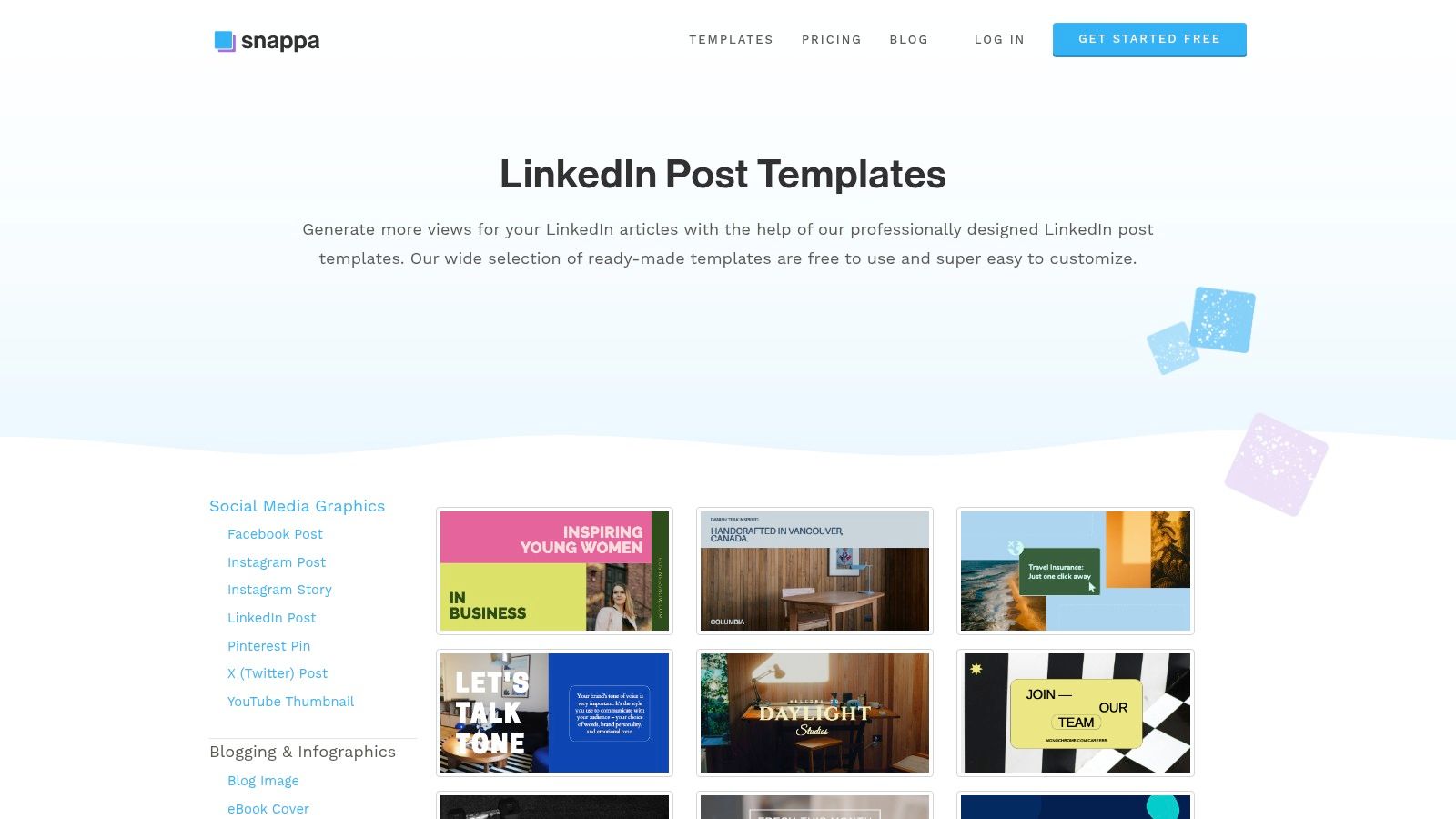
Snappa is a lightweight fast editor with ready made LinkedIn post and banner templates sized correctly. It’s perfect for small teams needing quick turnarounds and simple collaboration without a steep learning curve.
Snappa

Features at a Glance

  • Pre sized LinkedIn post and banner templates
  • Access to 5M+ stock photos and graphics
  • Buffer social integrations on paid plans
  • Team plan with real time collaboration

Why It Stands Out

  • Saves time with pre sized designs matching LinkedIn specs
  • Streamlined interface gets non designers up to speed fast
  • Built in collaboration keeps feedback in one place

Pricing & Access Tips

Tier Templates Included Cost
Free 50+ $0
Pro 5M+ assets $10/month
Team Unlimited $20/user/month
  • Free plan limits downloads to 3 per month
  • Connect Buffer to schedule posts directly

Pros & Cons

Pros:

  • Very easy to learn and use
  • Generous template selection for LinkedIn basics

Cons:

  • Free plan limits monthly downloads
  • Fewer advanced effects than heavier tools

Pro Tips for Effective Use

  1. Save brand colors and fonts in a team workspace to keep posts on brand.
  2. Use photo filters and graphic layers sparingly for a clean professional look.

Explore more at https://snappa.com/templates/linkedin-post

10. Pixelied

Pixelied is a budget-friendly design tool with a dedicated LinkedIn post templates section built for quick, polished graphics. Non-designers can jump in, pick a layout, swap assets and post without fuss.
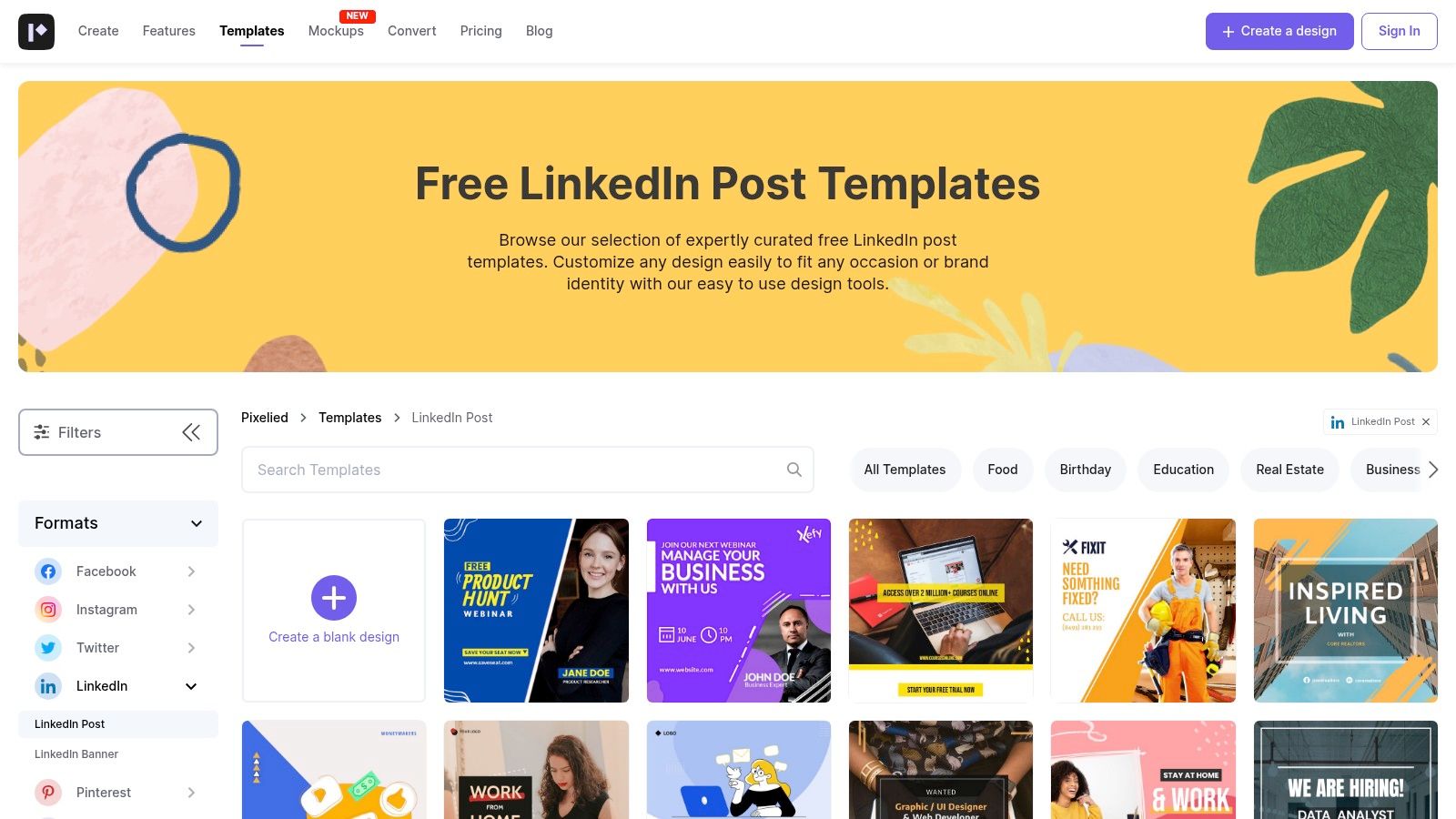
Pixelied

Features at a Glance

  • Ready-to-edit LinkedIn post templates sized to recommended dimensions
  • Background remover plus built-in stock asset library
  • One-click resizing to carousel, stories or banner formats
  • Brand presets and custom fonts available on paid plans

Why It Stands Out

  • Cost-effective Pro plans start at under $60/year, ideal for solo pros
  • Clean, simple UI keeps your workflow lean and avoids feature overload
  • Instant resizing means no guesswork on recommended dimensions

Pricing & Access Tips

Tier LinkedIn Templates Cost
Free 30+ $0
Pro 200+ $59/year
Pro+ 500+ $99/year
  • All free templates have watermark-free exports
  • Brand kit and bulk export require Pro+

Pros & Cons

Pros:

  • Very low annual pricing for Pro and Pro+
  • Straightforward workflow for rapid posts

Cons:

  • Smaller template library than Canva or Adobe
  • Advanced AI features locked behind higher tier

Pro Tips for Effective Use

  • Save brand colors as presets to speed up edits
  • Use the background remover before adding text for cleaner layouts

Explore more at https://pixelied.com/templates/linkedin-post.

11. Kapwing

Kapwing is a browser-based editor loaded with 4,500+ LinkedIn post templates spanning static graphics, GIFs, and video. Its built-in AI captioning, dubbing, and auto-resizing tools streamline the creation of scroll-stopping visual content. Collaboration features let teams share workspaces, comment on drafts, and lock down brand kits for consistent output.
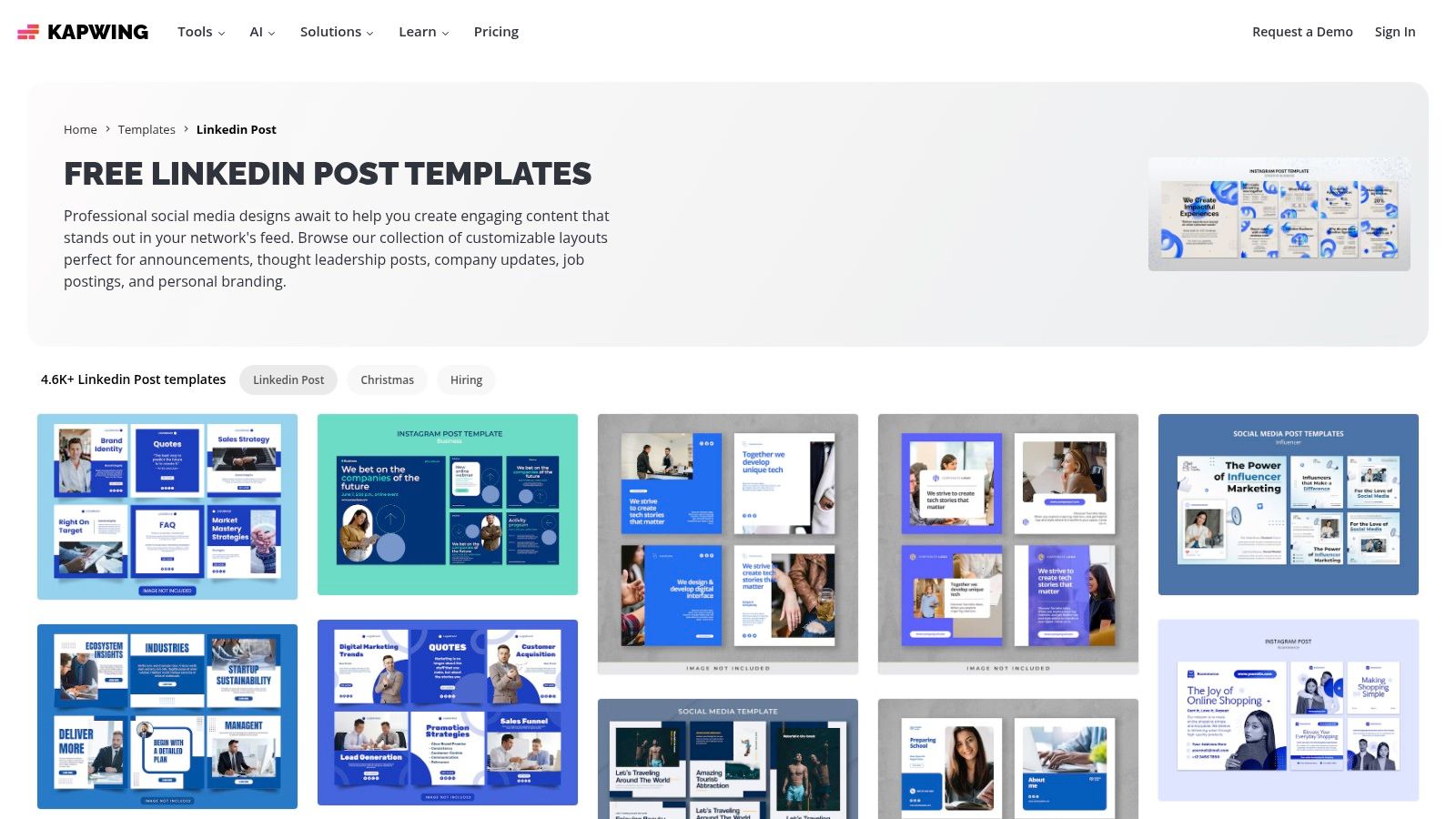
Kapwing

Features at a Glance

  • 4,500+ LinkedIn post templates (images, GIFs, video)
  • AI-powered captioning, dubbing, and auto-resizing
  • 4K export and brand kit support on paid plans
  • Shared workspaces with comments and version control

Why It Stands Out

  • AI automates subtitles and dubbing to boost accessibility
  • Video-first approach ideal for short clips and animations
  • Team folders and permission controls keep assets organized

Pricing & Access Tips

Tier Templates Included Cost
Free 50 exports per month $0
Pro Unlimited $12/month
Team Unlimited + brand kit $24/user/month
  • Free exports include watermark
  • AI captioning credits refill monthly on paid tiers

Pros & Cons

Pros:

  • Robust video and animation support
  • AI-powered tools speed up post creation

Cons:

  • Watermark and export limits on free plan
  • AI features consume credits after free quota

Pro Tips for Effective Use

  • Batch-process captions and dubbing in one session
  • Use brand kit to enforce consistent fonts and colors
  • Leverage team comments to refine visuals before publishing
  • Explore the template gallery at https://www.kapwing.com/templates/linkedin-post for fresh layouts

12. Figma (Resource Library + Community)

Figma’s Resource Library and Community section offers free, fully editable LinkedIn post examples in a collaborative vector workspace. Designers and teams get pixel-precise control over layouts, up-to-date LinkedIn size guides, and easy handoff in a familiar interface.
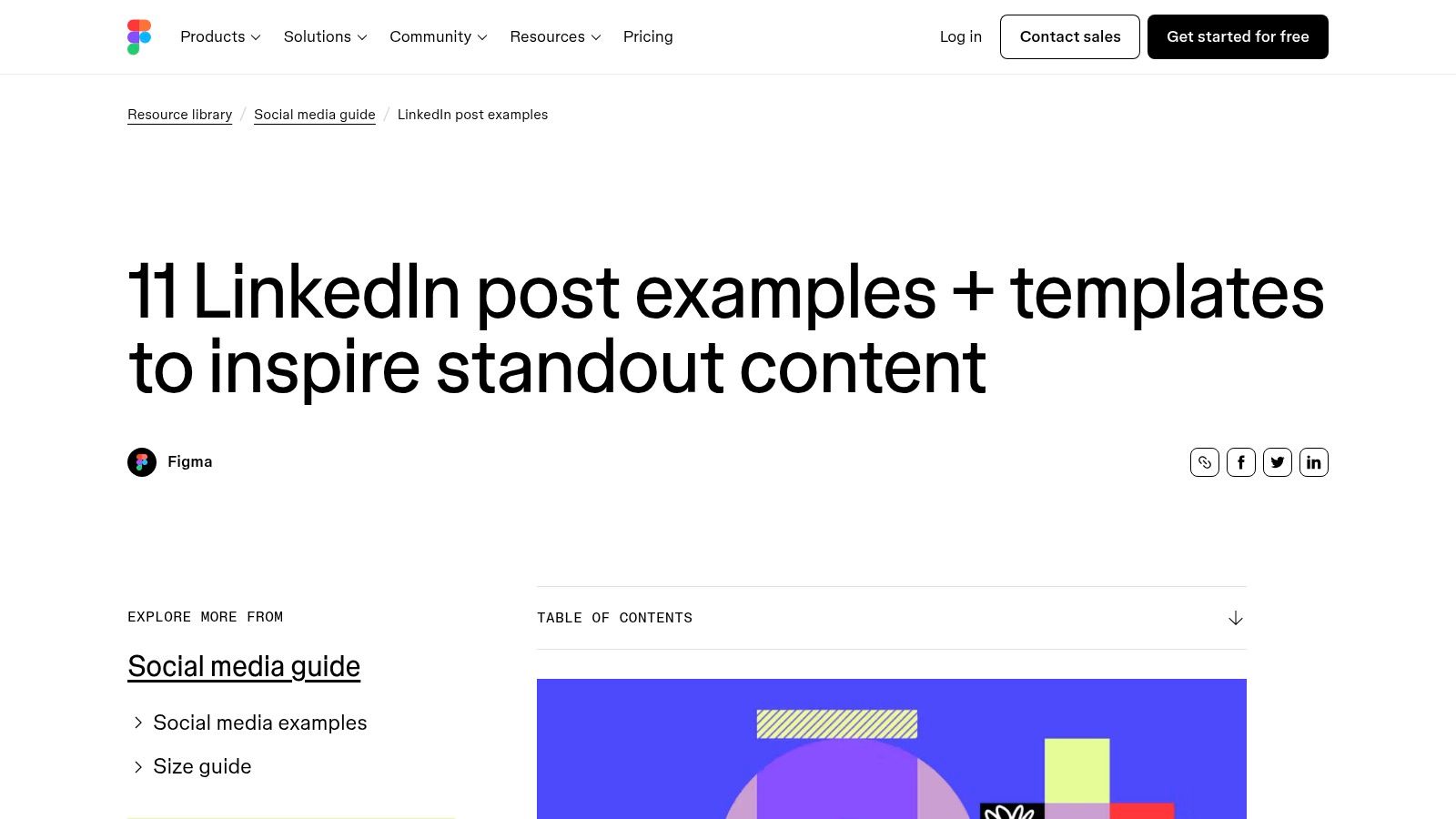
Figma (Resource Library + Community)

Features at a Glance

  • Curated LinkedIn post examples you can adapt in vector format
  • Access to community templates and resource library
  • Up-to-date LinkedIn size guides and specs
  • Full vector editing with real-time team collaboration

Why It Stands Out

  • Vector precision ensures every element aligns to brand standards
  • Community contributions surface niche layouts for case studies and thought leadership
  • Design system friendly with shared styles, components, and version history

Pricing & Access Tips

Tier Access Cost
Free Public resource library, community files $0
Professional Private team libraries, advanced plugins $12 per editor/month
  • Public templates are open to everyone; no Figma account needed for viewing
  • Use built-in size guides to keep exports within LinkedIn specs

Pros & Cons

Pros:

  • Pixel-precise control for brand systems
  • Free examples with easy team handoff

Cons:

  • Not as fast as one-click editors for non-designers
  • Manual export and upload to LinkedIn

Pro Tips for Effective Use

  1. Duplicate community templates into your own team library before customizing
  2. Leverage plugins like Autoflow to build LinkedIn carousels frame by frame
  3. Learn more about Figma (Resource Library + Community) on redactai.io: Learn more about Figma (Resource Library + Community) on redactai.io

LinkedIn Post Templates — Top 12 Resource Comparison

Tool Core features UX & Quality Value / Pricing Target audience Unique selling points
RedactAI 🏆 Personalized AI voice, 1‑click drafts, scheduling, analytics, live viral feed ★★★★☆ Voice‑match outputs; very fast Free tier + paid (details behind signup) 💰 👥 Professionals, founders, agencies, recruiters ✨ Builds AI from your LinkedIn history; preserves authentic tone; proven engagement lifts
Adobe Express 1,700+ LinkedIn templates, drag‑drop editor, stock, scheduler ★★★★☆ Polished editor; native posting Free + premium assets 💰 👥 Creators wanting templates + scheduling ✨ Native LinkedIn scheduler + Adobe Stock & animated posts
Canva Massive templates, Magic Studio AI, LinkedIn Ads export, brand kits ★★★★☆ Intuitive; Pro unlocks best assets Free + Pro plan 💰 👥 Teams, marketers, ad creators ✨ Direct Ads export; brand kits & huge community
Envato Elements Unlimited downloads, Canva/PSD files, commercial license, curated packs ★★★★☆ High‑quality assets for volume Subscription — unlimited downloads 💰 👥 Agencies, high‑volume creators ✨ Commercial licensing included; curated packs
Creative Market A‑la‑carte templates, niche packs, one‑off purchases ★★★☆☆ Wide variety; quality varies by seller Pay per item 💰 👥 One‑off buyers, niche needs ✨ Buy once, use forever; niche styles
Etsy Instant Canva templates, niche packs, buyer reviews ★★★☆☆ Very affordable; quality varies Low‑cost packs ($3–$25) 💰 👥 Coaches, SMBs, freelancers ✨ Budget‑friendly, many niche sellers
Gumroad Creator template packs, Notion systems, PWYW options ★★★☆☆ Creator‑led quality varies Free / PWYW / paid 💰 👥 Creators seeking niche tools & guides ✨ Instructional packs + community updates
Visme LinkedIn templates, animations, data widgets, scheduler ★★★★☆ Strong for data/animated posts Paid tiers for advanced features 💰 👥 Data marketers, educators, presenters ✨ Data visualizations + animated exports
Snappa Fast editor, pre‑sized templates, stock photos, team plans ★★★★☆ Very easy; fast output Free limited downloads; paid plans 💰 👥 Small teams, quick turnarounds ✨ Lightweight editor for speedy posts
Pixelied Budget editor, background remover, one‑click resize, brand presets ★★★☆☆ Simple & affordable workflow Low annual pricing 💰 👥 Non‑designers, budget-conscious teams ✨ Very affordable + quick resizing
Kapwing 4,500+ templates, strong video tools, AI captioning/dubbing ★★★★☆ Excellent for short video; collaborative Free (watermark) + paid tiers 💰 👥 Video creators, social teams ✨ AI captioning/dubbing + modern video exports
Figma Vector design, community templates, size guides, team handoff ★★★★☆ Pixel‑precise; manual posting Free + team plans 💰 👥 Designers, brand systems, product teams ✨ Full vector control & collaborative handoff

Your Next Steps to LinkedIn Success

We’ve walked through 12 top-tier LinkedIn post templates from RedactAI to Figma, each designed to help you announce news, share insights, showcase case studies, or spark engagement. You now know which tools excel at text generation, which focus on visuals, and where to find unique design assets.

Customizing these templates to your voice and brand is essential. Small tweaks in tone, formatting, or imagery can turn a generic post into a standout update that resonates with your network.

Key Takeaways

  • Announcement templates are perfect for product launches or company news
  • Thought leadership layouts frame your expertise in a clear, authoritative way
  • Case study formats help you tell success stories with data and visuals
  • Engagement prompts invite comments and foster community interaction
  • Analytics-driven iteration will refine your style over time
  • Personalization is the secret ingredient to keep your audience hooked

“Templates cut content creation time by up to 50% while keeping your posts on brand.”

Actionable Next Steps

  1. Audit your upcoming LinkedIn calendar to spot content gaps
  2. Pick 2–3 templates from different categories (text, visual, video)
  3. Tweak each template with your brand colors, logo, and voice guidelines
  4. Schedule posts and monitor performance metrics weekly

Choosing the Right Tool

  • For AI-powered writing suggestions and quick copy edits use RedactAI
  • If you need drag-and-drop visual design try Canva or Adobe Express
  • To source premium graphics and mockups explore Envato Elements or Creative Market
  • If you prefer pay-per-template flexibility check out Etsy or Gumroad shops
  • For collaborative workflows leverage Figma’s Resource Library and Community
  • To spice up video or motion graphics turn to Kapwing or Visme

Important factors when you implement these tools include budget, learning curve, collaboration features, and built-in analytics. Matching your needs to each platform’s strengths ensures smooth adoption and consistent output.

Our curated list is your launchpad. Now it’s time to experiment, measure impact, and refine. Stay consistent, stay curious, and keep building your personal brand with every LinkedIn post you share. Good luck out there!


Ready to elevate your LinkedIn content even more? Try RedactAI for intelligent copy suggestions that fit seamlessly into any template. Visit RedactAI to see how AI can speed up your writing process and make every post shine.


Related articles

RedactAINicolas Pamart

12 Must-Have LinkedIn Post Templates to Elevate Your Content in 2025

All topics
Post icon
All topics

12 Must-Have LinkedIn Post Templates to Elevate Your Content in 2025

Crafting a standout LinkedIn post every time can feel like a guessing game. That’s why we’ve curated

Last updated: 12/18/2025
RedactAINicolas Pamart

Your Ultimate Business Writing Style Guide for Clear Content

All topics
Post icon
All topics

Your Ultimate Business Writing Style Guide for Clear Content

A business writing style guide is basically your company's rulebook for all things written. It lays

Last updated: 12/17/2025
RedactAINicolas Pamart

10 Creative LinkedIn Post Ideas to Spark Engagement in 2025

All topics
Post icon
All topics

10 Creative LinkedIn Post Ideas to Spark Engagement in 2025

That blank cursor on your LinkedIn 'Create a post' screen can feel daunting. You know you need to be

Last updated: 12/16/2025
RedactAINicolas Pamart

10 LinkedIn Content Ideas to Banish Writer's Block in 2025

All topics
Post icon
All topics

10 LinkedIn Content Ideas to Banish Writer's Block in 2025

That blinking cursor can feel like a professional nemesis. You know you should be posting on LinkedI

Last updated: 12/15/2025
RedactAINicolas Pamart

8 Unbeatable LinkedIn Post Writing Tips to Explode Your Reach in 2025

All topics
Post icon
All topics

8 Unbeatable LinkedIn Post Writing Tips to Explode Your Reach in 2025

You've got great ideas and valuable insights, but when you post on LinkedIn, it feels like shouting

Last updated: 12/13/2025
RedactAINicolas Pamart

12 Powerful Social Media Post Ideas for LinkedIn in 2025

All topics
Post icon
All topics

12 Powerful Social Media Post Ideas for LinkedIn in 2025

That blinking cursor on an empty LinkedIn draft is a familiar nightmare. You know you need to post c

Last updated: 12/12/2025
RedactAINicolas Pamart

7 Smart Strategies for Reposting on LinkedIn in 2025

All topics
Post icon
All topics

7 Smart Strategies for Reposting on LinkedIn in 2025

Ever feel like your best LinkedIn posts just... disappear? You spend hours crafting the perfect insi

Last updated: 12/11/2025
RedactAINicolas Pamart

A Guide to Personal Branding on LinkedIn That Actually Works

All topics
Post icon
All topics

A Guide to Personal Branding on LinkedIn That Actually Works

When we talk about personal branding on LinkedIn, what we're really talking about is taking control

Last updated: 12/10/2025
RedactAINicolas Pamart

10 LinkedIn Newsletter Best Practices to Explode Your Growth in 2025

All topics
Post icon
All topics

10 LinkedIn Newsletter Best Practices to Explode Your Growth in 2025

LinkedIn newsletters have become a powerhouse for professionals looking to build authority, connect

Last updated: 12/9/2025
RedactAINicolas Pamart

How to Get More LinkedIn Followers with Proven Strategies

All topics
Post icon
All topics

How to Get More LinkedIn Followers with Proven Strategies

Let's be honest, before anyone hits that "Follow" button, they're going to check out your profile. I

Last updated: 12/8/2025
RedactAINicolas Pamart

Impressions vs Views What Marketers Need to Know

All topics
Post icon
All topics

Impressions vs Views What Marketers Need to Know

Let's get one thing straight right from the start: the difference between an impression and a view i

Last updated: 12/7/2025
RedactAINicolas Pamart

Mastering Your LinkedIn Engagement Rate a Practical Guide

All topics
Post icon
All topics

Mastering Your LinkedIn Engagement Rate a Practical Guide

Your LinkedIn engagement rate is simply the percentage of people who saw your post and actually did

Last updated: 12/6/2025
RedactAINicolas Pamart

10 Proven Ideas for What to Post on LinkedIn in 2025

All topics
Post icon
All topics

10 Proven Ideas for What to Post on LinkedIn in 2025

Ever stare at that blinking cursor on LinkedIn, completely stumped on what to share? You're not alon

Last updated: 12/4/2025
RedactAINicolas Pamart

10 Powerful LinkedIn Post Examples That Get Results in 2025

All topics
Post icon
All topics

10 Powerful LinkedIn Post Examples That Get Results in 2025

Ever hit 'post' on LinkedIn, full of hope, only to be met with… silence? It's a common frustration.

Last updated: 12/3/2025
RedactAINicolas Pamart

7 Best LinkedIn Post Template Generators for 2025

All topics
Post icon
All topics

7 Best LinkedIn Post Template Generators for 2025

Ever stare at a blank LinkedIn post box, knowing you should post but having zero idea what to say? Y

Last updated: 12/2/2025
RedactAINicolas Pamart

10 Powerful Content Repurposing Strategies to Try in 2025

All topics
Post icon
All topics

10 Powerful Content Repurposing Strategies to Try in 2025

Ever feel like you're stuck on a content treadmill, constantly churning out new ideas just to keep u

Last updated: 12/1/2025
RedactAINicolas Pamart

content creation workflow: A Lean, High-Impact Process

All topics
Post icon
All topics

content creation workflow: A Lean, High-Impact Process

Let's be real—a messy content creation workflow is more than just a headache. It's the silent killer

Last updated: 11/30/2025
RedactAINicolas Pamart

A LinkedIn Content Strategy That Actually Works

All topics
Post icon
All topics

A LinkedIn Content Strategy That Actually Works

So, what exactly is a LinkedIn content strategy? Think of it as your game plan for everything you cr

Last updated: 11/29/2025
RedactAINicolas Pamart

How to Post on LinkedIn to Get Noticed

All topics
Post icon
All topics

How to Post on LinkedIn to Get Noticed

It's one thing to post on LinkedIn. It's another thing entirely to actually get noticed. This isn't

Last updated: 11/28/2025
RedactAINicolas Pamart

How to Write LinkedIn Posts That Get Noticed

All topics
Post icon
All topics

How to Write LinkedIn Posts That Get Noticed

Want to write LinkedIn posts that actually get noticed? It all starts with a clear plan. You need to

Last updated: 11/27/2025
RedactAINicolas Pamart

Mastering Project Scope Creep Management

All topics
Post icon
All topics

Mastering Project Scope Creep Management

Scope creep. It’s that sneaky thing that happens when a project starts to grow beyond what everyone

Last updated: 11/26/2025
RedactAINicolas Pamart

10 Key Business Process Automation Benefits for 2025

All topics
Post icon
All topics

10 Key Business Process Automation Benefits for 2025

In today's fast-paced world, standing still means falling behind. Businesses are constantly hunting

Last updated: 11/25/2025
RedactAINicolas Pamart

Your Guide to Risk Mitigation Planning

All topics
Post icon
All topics

Your Guide to Risk Mitigation Planning

So, what exactly is risk mitigation planning? At its core, it's the process of putting together a ga

Last updated: 11/24/2025
RedactAINicolas Pamart

12 Best Leadership Development Programs for 2025

All topics
Post icon
All topics

12 Best Leadership Development Programs for 2025

Stepping into a leadership role, or leveling up the one you already have, is a huge milestone. But l

Last updated: 11/23/2025
RedactAINicolas Pamart

10 Proven Conflict Resolution Strategies for the Workplace

All topics
Post icon
All topics

10 Proven Conflict Resolution Strategies for the Workplace

Workplace disagreements are inevitable, but they don't have to be destructive. When handled correctl

Last updated: 11/22/2025
RedactAINicolas Pamart

How to Recruit Top Talent a Modern Playbook

All topics
Post icon
All topics

How to Recruit Top Talent a Modern Playbook

Finding and hiring top talent isn't about luck; it's about running a smart, proactive playbook. Thin

Last updated: 11/21/2025
RedactAINicolas Pamart

10 Business Communication Best Practices for 2025

All topics
Post icon
All topics

10 Business Communication Best Practices for 2025

Ever felt like you nailed a presentation, only to be met with blank stares? Or sent a crystal-clear

Last updated: 11/20/2025
RedactAINicolas Pamart

How to Build Executive Presence With Confidence

All topics
Post icon
All topics

How to Build Executive Presence With Confidence

Unlocking executive presence really comes down to three basics: gravitas, communication, and appeara

Last updated: 11/19/2025
RedactAINicolas Pamart

How to Grow on LinkedIn Proven Strategies That Work

All topics
Post icon
All topics

How to Grow on LinkedIn Proven Strategies That Work

If you want to grow on LinkedIn, you have to stop thinking of your profile as a digital resume. It’s

Last updated: 11/18/2025
RedactAINicolas Pamart

Protect Your Brand with crisis communication planning

All topics
Post icon
All topics

Protect Your Brand with crisis communication planning

When a crisis hits, you're not just managing a problem; you're managing perception. Crisis communica

Last updated: 11/17/2025
RedactAINicolas Pamart

how to create editorial calendar: Build a content plan

All topics
Post icon
All topics

how to create editorial calendar: Build a content plan

So, how do you actually build an editorial calendar? It's less about a complicated formula and more

Last updated: 11/16/2025
RedactAINicolas Pamart

How to Network Effectively and Build Connections

All topics
Post icon
All topics

How to Network Effectively and Build Connections

Let's be real—the word "networking" can make you want to cringe. It often brings up images of stuffy

Last updated: 11/15/2025
RedactAINicolas Pamart

how to add resume on linkedin: Quick LinkedIn guide

All topics
Post icon
All topics

how to add resume on linkedin: Quick LinkedIn guide

So, you've got your LinkedIn profile looking sharp. Is uploading a traditional resume even necessary

Last updated: 11/14/2025
RedactAINicolas Pamart

how to change your linkedin url - Quick Profile Boost Tips

All topics
Post icon
All topics

how to change your linkedin url - Quick Profile Boost Tips

Your LinkedIn URL is surprisingly easy to change. Just head to your profile, find the "Edit public p

Last updated: 11/13/2025
RedactAINicolas Pamart

Your Guide to the LinkedIn Connection Request Limit

All topics
Post icon
All topics

Your Guide to the LinkedIn Connection Request Limit

So, you're trying to figure out the official LinkedIn connection request limit ? Good luck finding a

Last updated: 11/11/2025
RedactAINicolas Pamart

How to Optimize Your LinkedIn Profile for Success

All topics
Post icon
All topics

How to Optimize Your LinkedIn Profile for Success

Think of your LinkedIn profile less like a static resume and more like your personal, 24/7 marketing

Last updated: 11/10/2025
RedactAINicolas Pamart

10 Powerful Examples of LinkedIn Posts for 2025

All topics
Post icon
All topics

10 Powerful Examples of LinkedIn Posts for 2025

Staring at a blank LinkedIn composer, wondering what to post? We’ve all been there. You hit publish,

Last updated: 11/9/2025
RedactAINicolas Pamart

A Guide to Writing LinkedIn Articles That Get Noticed

All topics
Post icon
All topics

A Guide to Writing LinkedIn Articles That Get Noticed

Writing articles on LinkedIn isn't just about sharing a few thoughts—it's a serious strategic play t

Last updated: 11/8/2025
RedactAINicolas Pamart

A Modern Guide to LinkedIn for Educators

All topics
Post icon
All topics

A Modern Guide to LinkedIn for Educators

For a long time, LinkedIn felt like a tool built for everyone except educators. It was the digital e

Last updated: 11/7/2025
RedactAINicolas Pamart

10 Best LinkedIn Summaries That Win Recruiters in 2025

All topics
Post icon
All topics

10 Best LinkedIn Summaries That Win Recruiters in 2025

Your LinkedIn profile picture gets them to pause, your headline gets them to click, but your "About"

Last updated: 11/6/2025
RedactAINicolas Pamart

how to bold text in linkedin post: a quick formatting guide

All topics
Post icon
All topics

how to bold text in linkedin post: a quick formatting guide

Ever wonder how some LinkedIn posts seem to leap off the screen and grab your attention? The secret

Last updated: 11/5/2025
RedactAINicolas Pamart

headline for linkedin - Create a Magnetic LinkedIn Headline

All topics
Post icon
All topics

headline for linkedin - Create a Magnetic LinkedIn Headline

Think of your LinkedIn headline as your digital handshake. It’s that first, crucial impression—your

Last updated: 11/2/2025
RedactAINicolas Pamart

How Do You Connect on LinkedIn the Right Way

All topics
Post icon
All topics

How Do You Connect on LinkedIn the Right Way

Ever wondered how to actually connect on LinkedIn in a way that gets real results? It’s pretty simpl

Last updated: 11/1/2025
RedactAINicolas Pamart

how to edit linkedin profile: Tips to attract recruiters

All topics
Post icon
All topics

how to edit linkedin profile: Tips to attract recruiters

Ready to give your LinkedIn profile a facelift? It's easier than you think. Just head to your profil

Last updated: 10/31/2025
RedactAINicolas Pamart

linkedin impressions meaning: What It Signals on LinkedIn

All topics
Post icon
All topics

linkedin impressions meaning: What It Signals on LinkedIn

Here's the simple truth: LinkedIn impressions are the total number of times your content gets displa

Last updated: 10/30/2025
RedactAINicolas Pamart

How to Generate Business Leads and Grow Your Sales

All topics
Post icon
All topics

How to Generate Business Leads and Grow Your Sales

Generating business leads is all about identifying and nurturing potential customers. But before you

Last updated: 10/29/2025
RedactAINicolas Pamart

customer relationship management basics: Quick guide

All topics
Post icon
All topics

customer relationship management basics: Quick guide

Let's be honest, "Customer Relationship Management" sounds a little... corporate and stuffy. But don

Last updated: 10/28/2025
RedactAINicolas Pamart

8 Powerful Employer Value Proposition Examples for 2025

All topics
Post icon
All topics

8 Powerful Employer Value Proposition Examples for 2025

In today's hyper-competitive job market, simply offering a good salary isn't enough to attract and k

Last updated: 10/27/2025
RedactAINicolas Pamart

10 Online Reputation Management Tips for 2025

All topics
Post icon
All topics

10 Online Reputation Management Tips for 2025

In 2025, what people find when they Google your name isn't just a search result—it's your resume, yo

Last updated: 10/26/2025
RedactAINicolas Pamart

How to Become a Subject Matter Expert in Your Field

All topics
Post icon
All topics

How to Become a Subject Matter Expert in Your Field

So, you want to become a subject matter expert? It’s a journey that takes you from being pretty good

Last updated: 10/25/2025
RedactAINicolas Pamart

10 Sales Prospecting Best Practices for 2025

All topics
Post icon
All topics

10 Sales Prospecting Best Practices for 2025

If your pipeline feels inconsistent and your reps are struggling to book meetings, you're not alone.

Last updated: 10/24/2025
RedactAINicolas Pamart

Top linkedin lead generation strategies for 2025

All topics
Post icon
All topics

Top linkedin lead generation strategies for 2025

LinkedIn is more than just a digital resume or a place to reconnect with old colleagues. It's a powe

Last updated: 10/23/2025
RedactAINicolas Pamart

What is professional networking: A practical guide

All topics
Post icon
All topics

What is professional networking: A practical guide

Let's be real for a second. When you hear the term "professional networking," what comes to mind? Fo

Last updated: 10/22/2025
RedactAINicolas Pamart

7 Essential Relationship Building Skills for 2025

All topics
Post icon
All topics

7 Essential Relationship Building Skills for 2025

Ever feel like your connections are a mile wide but only an inch deep? You're not alone. In a world

Last updated: 10/21/2025
RedactAINicolas Pamart

How to Create Buyer Personas That Drive Real Growth

All topics
Post icon
All topics

How to Create Buyer Personas That Drive Real Growth

So, what exactly is a buyer persona? It's essentially a fictional character you create to represent

Last updated: 10/20/2025
RedactAINicolas Pamart

How to Identify Target Audience: Boost Your Growth

All topics
Post icon
All topics

How to Identify Target Audience: Boost Your Growth

So, how do you figure out who your target audience actually is? It all starts with digging into your

Last updated: 10/19/2025
RedactAINicolas Pamart

How to Measure Content Marketing ROI the Right Way

All topics
Post icon
All topics

How to Measure Content Marketing ROI the Right Way

Figuring out your content marketing ROI is all about connecting what you spend on content to the mon

Last updated: 10/18/2025
RedactAINicolas Pamart

Thought Leadership Content Examples to Boost Authority

All topics
Post icon
All topics

Thought Leadership Content Examples to Boost Authority

"Thought leadership." The phrase gets thrown around so often it’s practically lost all meaning. It’s

Last updated: 10/17/2025
RedactAINicolas Pamart

Your Essential Content Marketing Strategy Guide

All topics
Post icon
All topics

Your Essential Content Marketing Strategy Guide

A solid content marketing strategy is the master plan that makes sure every blog post, video, or twe

Last updated: 10/16/2025
RedactAINicolas Pamart

10 Content Distribution Strategies to Go Viral in 2025

All topics
Post icon
All topics

10 Content Distribution Strategies to Go Viral in 2025

You've spent hours, maybe even days, crafting the perfect blog post, video, or whitepaper. It’s insi

Last updated: 10/15/2025
RedactAINicolas Pamart

How to Get More Connections on LinkedIn

All topics
Post icon
All topics

How to Get More Connections on LinkedIn

Before you even think about sending a single connection request, you need to turn your LinkedIn prof

Last updated: 10/14/2025
RedactAINicolas Pamart

How to Post a Carousel on LinkedIn & Boost Engagement

All topics
Post icon
All topics

How to Post a Carousel on LinkedIn & Boost Engagement

Alright, let's get one thing straight: LinkedIn's old "carousel" feature is a thing of the past. But

Last updated: 10/13/2025
RedactAINicolas Pamart

Write LinkedIn Article That Gets You Noticed

All topics
Post icon
All topics

Write LinkedIn Article That Gets You Noticed

Think of writing a LinkedIn article as your secret weapon. It’s a way to show off your real expertis

Last updated: 10/12/2025
RedactAINicolas Pamart

How to Personalize LinkedIn URL: Boost Your Profile Today

All topics
Post icon
All topics

How to Personalize LinkedIn URL: Boost Your Profile Today

Ever looked at your LinkedIn URL? You know, the one with the long string of random numbers and lette

Last updated: 10/11/2025
RedactAINicolas Pamart

7 LinkedIn About Section Examples That Work in 2025

All topics
Post icon
All topics

7 LinkedIn About Section Examples That Work in 2025

Your LinkedIn 'About' section is prime real estate. It's often the first place a recruiter, potentia

Last updated: 10/10/2025
RedactAINicolas Pamart

The Ultimate LinkedIn Post Character Limit Guide

All topics
Post icon
All topics

The Ultimate LinkedIn Post Character Limit Guide

When you're writing a standard LinkedIn post, you technically have a lot of room to play with—a full

Last updated: 10/9/2025
RedactAINicolas Pamart

How to Make a Post on LinkedIn that Gets Read

All topics
Post icon
All topics

How to Make a Post on LinkedIn that Gets Read

Right, let's talk about posting on LinkedIn. The mechanics are simple enough: find the "Start a post

Last updated: 10/8/2025
RedactAINicolas Pamart

How to Create a Company Profile on LinkedIn: Step-by-Step Guide

All topics
Post icon
All topics

How to Create a Company Profile on LinkedIn: Step-by-Step Guide

Setting up a company profile on LinkedIn is surprisingly quick. You just log into your personal acco

Last updated: 10/7/2025
RedactAINicolas Pamart

What Are Impressions on LinkedIn and Why Do They Matter?

All topics
Post icon
All topics

What Are Impressions on LinkedIn and Why Do They Matter?

Let's be honest, when you post on LinkedIn, you want people to see it. That's where impressions come

Last updated: 10/6/2025
RedactAINicolas Pamart

Craft a Winning LinkedIn Profile Headline

All topics
Post icon
All topics

Craft a Winning LinkedIn Profile Headline

Think of your LinkedIn headline as your professional billboard. You've only got 220 characters to ma

Last updated: 10/5/2025
RedactAINicolas Pamart

How to Connect on LinkedIn and Actually Grow Your Network

All topics
Post icon
All topics

How to Connect on LinkedIn and Actually Grow Your Network

Building a powerful LinkedIn network isn't about mindlessly clicking "Connect." It's a strategic gam

Last updated: 10/4/2025
RedactAINicolas Pamart

How to Ask for Recommendation on LinkedIn: Get a Yes!

All topics
Post icon
All topics

How to Ask for Recommendation on LinkedIn: Get a Yes!

It's easy enough to figure out how to ask for a recommendation on LinkedIn. A few clicks and you're

Last updated: 10/3/2025
RedactAINicolas Pamart

How to Post a Video on LinkedIn The Right Way

All topics
Post icon
All topics

How to Post a Video on LinkedIn The Right Way

So, you know how to post a video on LinkedIn—click the button, upload the file, write a caption, don

Last updated: 10/2/2025
RedactAINicolas Pamart

How to Get Followers on LinkedIn: Top Strategies to Grow Fast

All topics
Post icon
All topics

How to Get Followers on LinkedIn: Top Strategies to Grow Fast

Your LinkedIn profile is the absolute first thing you need to nail. Seriously, before you even think

Last updated: 10/1/2025
RedactAINicolas Pamart

12 Best Social Media Analytics Tools for 2025

All topics
Post icon
All topics

12 Best Social Media Analytics Tools for 2025

Ready to move past vanity metrics and understand what really drives growth? Choosing from the best s

Last updated: 9/30/2025
RedactAINicolas Pamart

Top 12 Social Media Automation Tools for 2025

All topics
Post icon
All topics

Top 12 Social Media Automation Tools for 2025

Juggling content creation, scheduling, and engagement across multiple social channels feels like a n

Last updated: 9/29/2025
RedactAINicolas Pamart

12 Best Social Media Scheduling Apps for 2025 (Reviewed)

All topics
Post icon
All topics

12 Best Social Media Scheduling Apps for 2025 (Reviewed)

Let's be honest: manually posting to every social media platform is a massive time sink. You're cons

Last updated: 9/28/2025
RedactAINicolas Pamart

What is Impressions on LinkedIn? Complete Guide & Insights

All topics
Post icon
All topics

What is Impressions on LinkedIn? Complete Guide & Insights

Let's break down what LinkedIn impressions really are, without any of the jargon. Simply put, an imp

Last updated: 9/27/2025
RedactAINicolas Pamart

How to Measure Content Performance Effectively

All topics
Post icon
All topics

How to Measure Content Performance Effectively

Ever feel like you're just creating content and tossing it into the void? You hit "publish," watch t

Last updated: 9/26/2025
RedactAINicolas Pamart

Automate LinkedIn Posts and Save Hours of Work

All topics
Post icon
All topics

Automate LinkedIn Posts and Save Hours of Work

Let's be real: automating your LinkedIn posts isn't about being lazy. It’s about being smart. You're

Last updated: 9/25/2025
RedactAINicolas Pamart

How to Post a Video on LinkedIn: Easy Step-by-Step Guide

All topics
Post icon
All topics

How to Post a Video on LinkedIn: Easy Step-by-Step Guide

Sure, uploading a video to LinkedIn is easy. You click 'Start a post,' hit the little media icon, pi

Last updated: 9/24/2025
RedactAINicolas Pamart

How to Write LinkedIn Posts That Actually Get Noticed

All topics
Post icon
All topics

How to Write LinkedIn Posts That Actually Get Noticed

So, you want to write a LinkedIn post that actually gets noticed? The secret isn't some complicated

Last updated: 9/23/2025
RedactAIRima Tagougui

LinkedIn Post Generator with AI: Create Better Content in 30 Seconds (Without Burning Out)

Content creation
Post icon
Content creation

LinkedIn Post Generator with AI: Create Better Content in 30 Seconds (Without Burning Out)

You want to be visible on LinkedIn, share value, and attract leads. But instead, you often find yourself staring at a blank page, trying to come up with the “perfect” idea. The more you think about it, the more you overthink… until you either rush a post with no real impact or push it off again. The real issue isn’t a lack of inspiration it’s a lack of clarity. The good news? There’s a simple, human method to fix that. In this article, I’ll show you how to find a LinkedIn post idea in just 30 seconds without the stress, and with content that actually connects.

Last updated: 7/29/2025
RedactAIRima Tagougui

LinkedIn Strategy: 3-2-1 Framework + Proven Method with RedactAI

LinkedIn content strategy
Post icon
LinkedIn content strategy

LinkedIn Strategy: 3-2-1 Framework + Proven Method with RedactAI

LinkedIn is full of potential. But if you’re posting without a real strategy? You're leaving that potential on the table. Here’s what typically happens: You log in. You scroll. You see others post. You think: "I should say something too."

Last updated: 7/24/2025
RedactAIRima Tagougui

Recycle and Repurpose Your LinkedIn Content the Smart Way

LinkedIn content strategy
Post icon
LinkedIn content strategy

Recycle and Repurpose Your LinkedIn Content the Smart Way

You spend real time and energy writing your LinkedIn posts. Maybe you block off time early in the morning before meetings, or you squeeze it in between client calls because you know showing up consistently matters. You share your expertise, your perspective, your best advice.

Last updated: 7/16/2025
RedactAIRima Tagougui

Posting on LinkedIn: The Step-by-Step guide to writing posts that actually work

Content creation
Post icon
Content creation

Posting on LinkedIn: The Step-by-Step guide to writing posts that actually work

Want your LinkedIn posts to get more views, engagement, and leads? This guide breaks down exactly how to write high-performing LinkedIn content even if you're starting from scratch. Whether you're a marketer, founder, or thought leader, mastering the art of posting on LinkedIn is a game-changer in 2025.

Last updated: 7/8/2025
RedactAINicolas Pamart

Best Times to Post on LinkedIn in 2025

Content creation
Post icon
Content creation

Best Times to Post on LinkedIn in 2025

Discover the optimal times to post on LinkedIn in 2025 with RedactAI’s expert insights. Boost your engagement and elevate your social media strategy today! 🚀

Last updated: 2/28/2025
RedactAINicolas Pamart

10 Best Practices for LinkedIn Posts in 2025

Content creation
Post icon
Content creation

10 Best Practices for LinkedIn Posts in 2025

In the rapidly evolving digital landscape, utilizing best practices for LinkedIn posts is crucial for professionals aiming to expand their networks and showcase their expertise. As we move through 2025, aligning your content strategy with these essential guidelines can help you stand out and engage effectively with your target audience. Here are the ten best practices for LinkedIn posts that will elevate your presence this year:

Last updated: 2/28/2025
RedactAINicolas Pamart

How to Select LinkedIn Image Sizes and Linkedin Post Sizes in 2025

Profile optimization
Post icon
Profile optimization

How to Select LinkedIn Image Sizes and Linkedin Post Sizes in 2025

Keep your LinkedIn profile engaging with optimal LinkedIn post sizes for 2025. Stay updated with the latest LinkedIn post image size and cover photo size recommendations to make sure your visual content leaves a positive impression on your audience. Properly sized images, such as 1200 x 627 pixels for LinkedIn post images and 1584 x 396 pixels for LinkedIn cover photo size, help maintain a professional appearance while boosting engagement and visibility. Use tools like Canva and Adobe Spark to effortlessly adjust your LinkedIn image size and maintain quality across devices.

Last updated: 2/28/2025
RedactAINicolas Pamart

How the LinkedIn Algorithm 2025 Works

LinkedIn basics
Post icon
LinkedIn basics

How the LinkedIn Algorithm 2025 Works

Unraveling the LinkedIn algorithm for 2025. Gain expert insights and strategies for maximizing visibility and engagement 🚀

Last updated: 2/28/2025
RedactAINicolas Pamart

How to Use Hashtags for Linkedin in 2025

Content creation
Post icon
Content creation

How to Use Hashtags for Linkedin in 2025

Hashtags that work on other sites may not apply on LinkedIn. Here's how to build a LinkedIn hashtag strategy that will help you grow 🚀

Last updated: 2/28/2025
RedactAINicolas Pamart

How Often to Post on LinkedIn: Guide for 2025

Content creation
Post icon
Content creation

How Often to Post on LinkedIn: Guide for 2025

LinkedIn is a crucial platform for social media marketing, providing unmatched chances for professional networking and brand exposure 🚀

Last updated: 2/28/2025
RedactAINicolas Pamart

How to Create a Carousel Post on Linkedin in 2025

Content creation
Post icon
Content creation

How to Create a Carousel Post on Linkedin in 2025

Creating engaging content on LinkedIn is more crucial than ever, and carousel posts are a fantastic way to capture attention and tell your story. Whether you're showcasing products, breaking down complex information, or driving traffic to your site, LinkedIn carousel posts offer a versatile and interactive solution. In this guide, we'll dive into what carousel posts are, their benefits, and how you can create them using tools like RedactAI. Let's get started on enhancing your LinkedIn marketing strategy for 2025 !

Last updated: 2/28/2025
RedactAINicolas Pamart

How to Get More Impressions on LinkedIn

Profile optimization
Post icon
Profile optimization

How to Get More Impressions on LinkedIn

LinkedIn has become an essential platform for professionals seeking to expand their network, showcase expertise, and enhance their brand presence. In this detailed guide, we explore how to increase your LinkedIn impressions, an important metric that measures how often your content is displayed to users. Whether you're looking to boost your social media visibility, increase engagement, or improve your overall LinkedIn strategy, this article provides actionable insights and practical tips to help you achieve your goals.

Last updated: 6/12/2024
RedactAINicolas Pamart

LinkedIn Poll Ideas to Boost Engagement & Leads

Content creation
Post icon
Content creation

LinkedIn Poll Ideas to Boost Engagement & Leads

LinkedIn polls are a powerful feature within LinkedIn's suite of marketing tools, designed to encourage audience engagement and gather insights. These polls allow users to ask questions and provide multiple-choice answers for respondents to select from.

Last updated: 6/5/2024
RedactAINicolas Pamart

How to Grow your Network on LinkedIn : Stratégies

LinkedIn basics
Post icon
LinkedIn basics

How to Grow your Network on LinkedIn : Stratégies

Creating engaging content on LinkedIn is essential for marketers, bloggers, influencers, and anyone looking to leverage the power of this social network. Whether you are into business blogging or digital content creation, crafting a compelling LinkedIn post can drive engagement and expand your professional reach. To effectively grow your LinkedIn network, it's essential to understand the core principles of LinkedIn networking. Understanding these basics will set the foundation for expanding your professional network and leveraging LinkedIn for career advancement 🌟

Last updated: 5/29/2024
RedactAINicolas Pamart

How to Create a post on Linkedin : Tips & Examples

LinkedIn basics
Post icon
LinkedIn basics

How to Create a post on Linkedin : Tips & Examples

Creating engaging content on LinkedIn is essential for marketers, bloggers, influencers, and anyone looking to leverage the power of this social network. Whether you are into business blogging or digital content creation, crafting a compelling LinkedIn post can drive engagement and expand your professional reach. Let’s dive into the step-by-step guide to posting on LinkedIn.

Last updated: 5/25/2024








































































































































































