You discover the duplicate account when someone sends a connection request to the wrong profile. One account has the better headline, the other has years of recommendations and familiar contacts, and both appear in search results. The obvious instinct is to click Merge accounts and move on. That's where professionals get caught out.
LinkedIn's merge process is not a complete profile migration. It's a controlled transfer of selected account data, followed by closure of the duplicate. If you treat it as content-continuity work, you can reduce network fragmentation without accidentally abandoning the proof, publishing history, and professional context that make your profile credible.
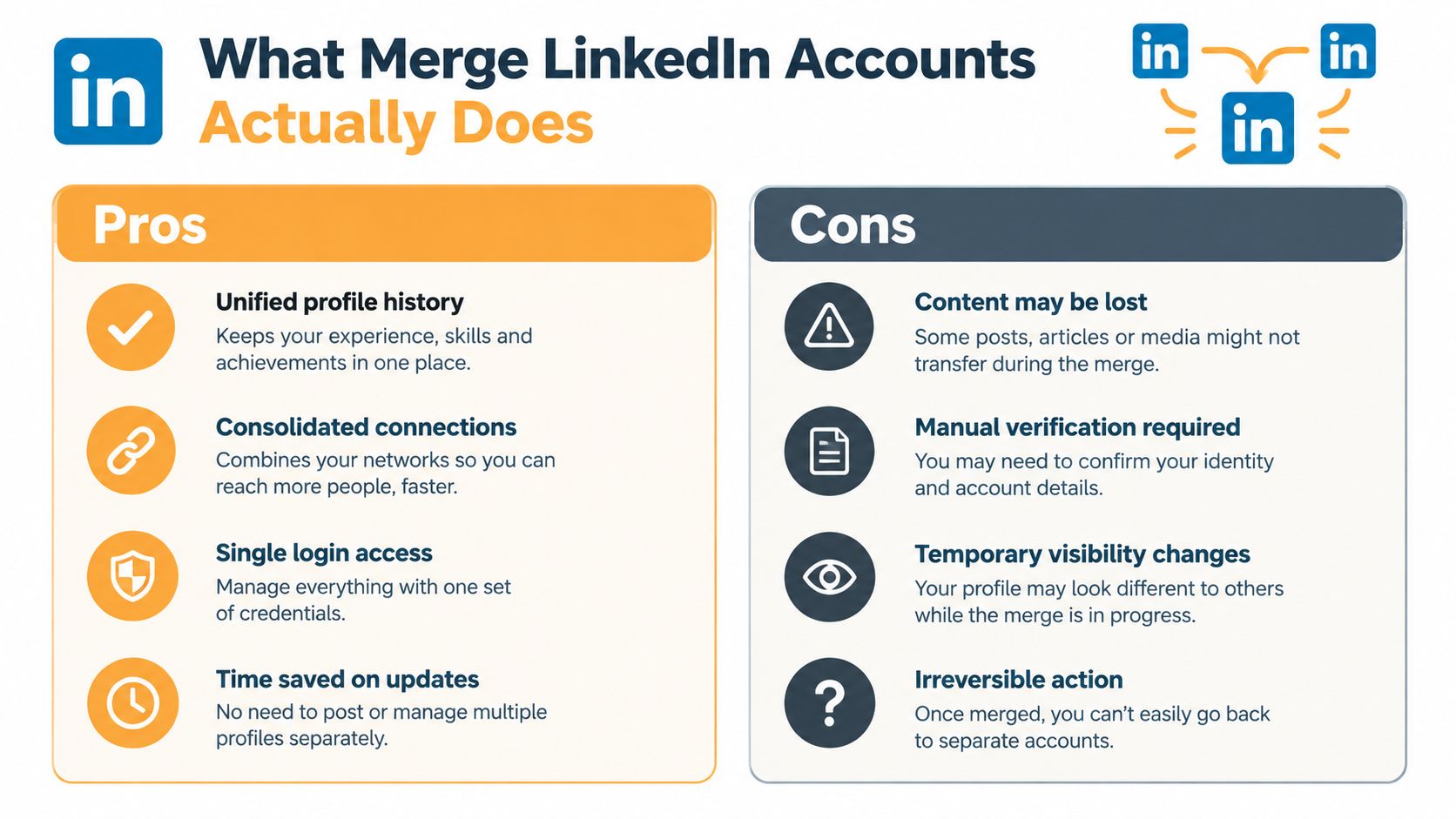
What Merge LinkedIn Accounts Actually Does
Suppose an executive created a personal profile years ago with an old work email, then opened another account after changing companies. The newer profile has the polished About section and current role. The older one has the established network. LinkedIn doesn't blend those profiles into a single, fully preserved identity.
The self-service process transfers the duplicate account's first-degree connections and associated email address to the account you retain. LinkedIn then closes the duplicate account. Its official guidance makes clear that profile content, written and media content, edits, endorsements, recommendations, saved articles, group memberships, and pending invitations aren't merged. See the official LinkedIn account-merging guidance before choosing which profile survives.
Choose the account that carries your future
The primary profile is the account that remains available after closure. Select it based on the identity you want recruiters, clients, colleagues, and prospects to see, not on which account has the more attractive current design.
Compare the two profiles across:
- Current positioning: Which headline, About section, role history, and contact details reflect your work now?
- Professional proof: Which account contains recommendations, endorsements, posts, and media you can preserve or recreate?
- Network quality: Which network is more relevant to your current direction?
- Account access: Can you sign in reliably, confirm the primary email, and recover the account if needed?
LinkedIn also sets hard eligibility boundaries. Accounts with zero connections can't be merged, and accounts with more than 30,000 connections are ineligible under LinkedIn's stated rules. You must be able to access both accounts, know both account URLs and login credentials, and have the primary email address on each account confirmed.
Practical rule: Decide which profile represents your professional future first. The merge button should be the final operational step, not the decision-making step.
There's no dependable shortcut that preserves everything automatically. If your profiles also reflect a broader launch or repositioning effort, practical guidance on LinkedIn product launch tips can help you plan the surviving profile's message before you consolidate it.
Save Your Content Before You Touch Anything
The safest backup starts with the material that's hardest to recreate. Recommendations carry another person's wording and perspective. Posts may contain stories, comments, images, and links you no longer have elsewhere. Profile text is easier to rebuild, but copying it now gives you a reliable reference when the duplicate disappears.
LinkedIn warns that data associated with a closed account is purged and recommends downloading a copy first. That makes an export part of the process, not an optional administrative nicety. Use LinkedIn's data-download tools while you can still access the duplicate, then keep the resulting archive in a clearly named folder.
Build an inventory that another person could use
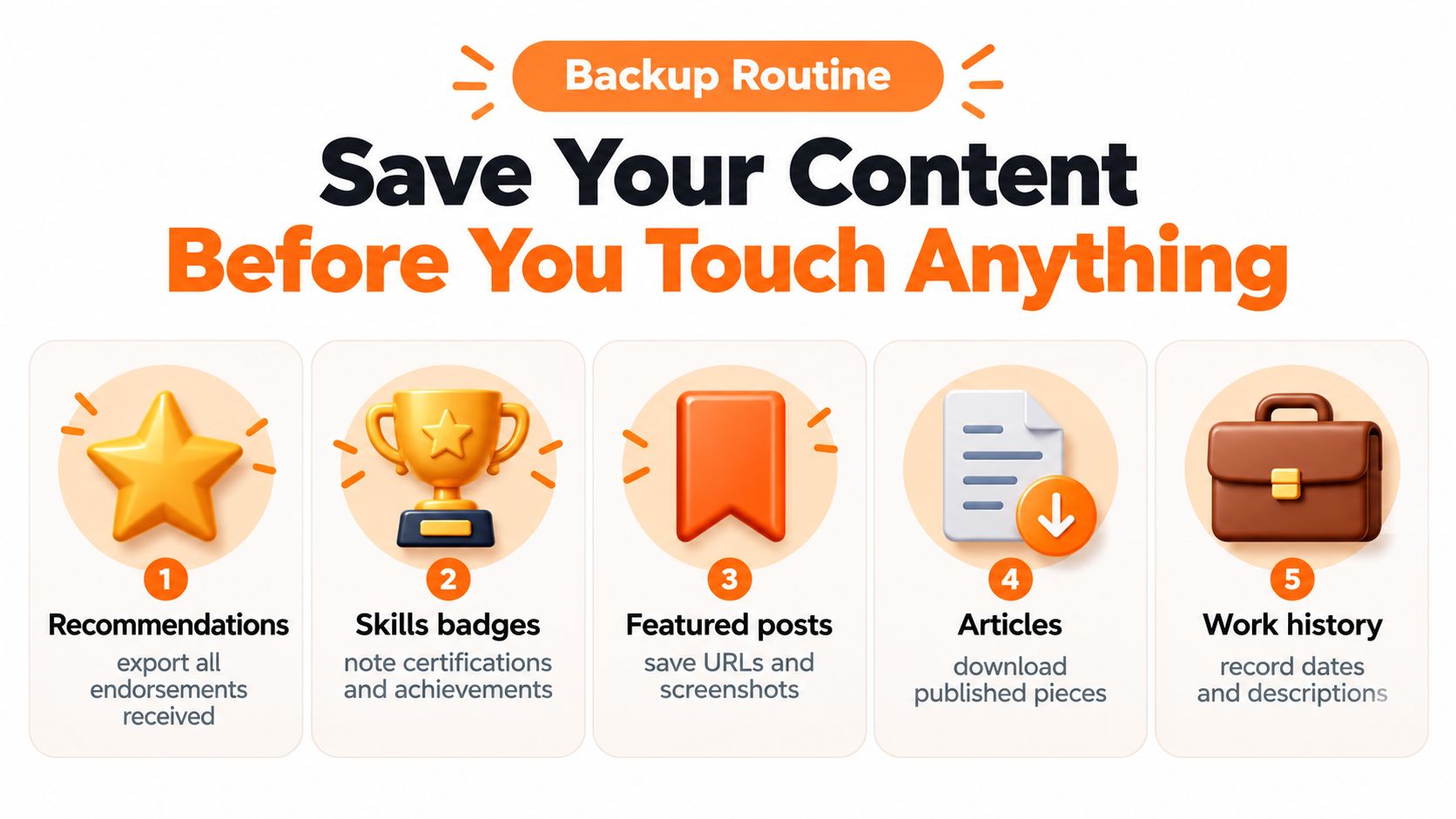
Create a simple document with the duplicate account URL, primary email, profile text, role descriptions, skills, certifications, and contact details. Then work through the items that are most likely to be lost:
- Recommendations: Save the names of recommenders, their roles, dates, and the visible text. Screenshots are useful for visual reference, but also copy the wording into a searchable document.
- Endorsements and skills: Record the skills associated with endorsements and any visible certifications or achievements. Don't assume these will follow the network transfer.
- Posts and media: Save URLs, screenshots, attached images, and the core idea of posts you may want to recreate. Preserve the original context rather than copying blindly later.
- Articles and featured material: Download published pieces where possible and note every featured URL. Keep a separate list of assets that need to be re-added to the surviving profile.
- Messages and invitations: Identify active conversations, pending invitations, and important contacts who may need a personal follow-up.
- Groups and follows: Make a note of communities, creators, newsletters, and company pages you want to find again.
Contacts deserve their own backup because a transferred connection is not the same as a preserved relationship history. If you need a more structured way to retain contact information outside LinkedIn, use this guide to export LinkedIn contacts.
Save proof, not just text
A recommendation's value often depends on who wrote it and the context around it. Capture the recommender's name, role, company, and profile URL where available. For posts, preserve the original link and record why the post mattered, such as a client lesson, hiring insight, or point of view that supports your positioning.
Keep the backup folder separate from your working drafts. One folder should contain the raw export and screenshots. Another can hold cleaned profile copy, rewritten post ideas, reconnection notes, and the assets you'll upload after the merge. This separation prevents an edited draft from replacing the original record.
How to Consolidate Duplicate Personal Profiles
Start with access, not settings. Open both profiles in separate browser windows or devices, sign in to each account, confirm the login credentials, and copy both profile URLs into your inventory. Check that the primary email address on each account is confirmed. If you can't access one profile, stop there and recover it before attempting consolidation.
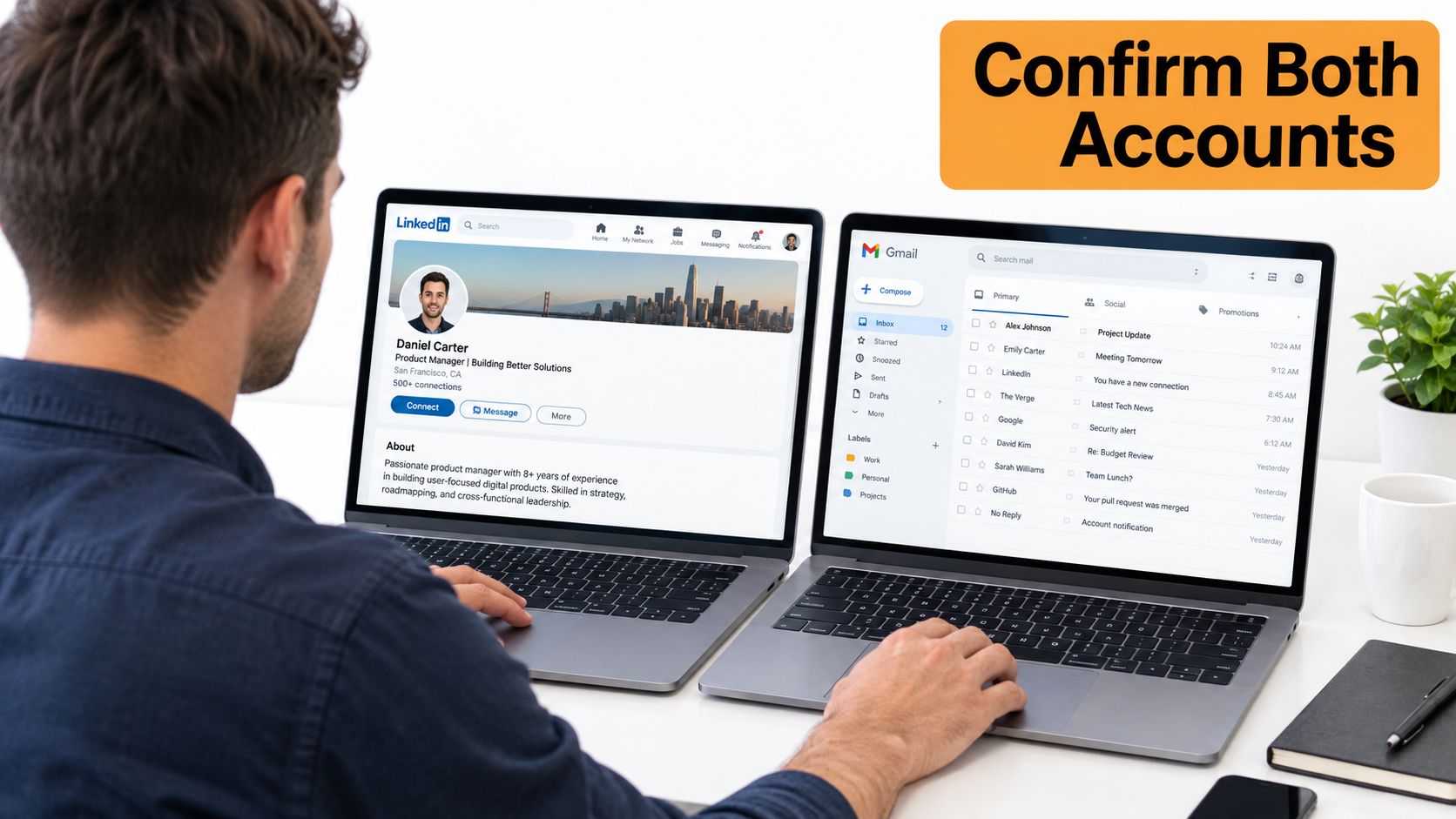
Choose the surviving profile using a written comparison rather than impulse. The strongest candidate usually has the most accurate current work history, the best public positioning, and the cleanest access setup. A profile with more connections isn't automatically the better primary account if its headline, employer information, or contact details are outdated.
Prepare the primary profile
Before initiating the merge, clean the profile that will remain:
- Rewrite the headline so it describes your current expertise rather than the circumstances that created the duplicate.
- Review the About section for old offers, former employers, stale contact details, and claims you can no longer support.
- Check the Experience section for consistent company names, dates, descriptions, and links.
- Confirm the email and contact preferences you want associated with the retained account.
- Decide which saved backup materials should later become Featured content or fresh posts.
Once both accounts are ready, use LinkedIn's account settings and support flow to locate the duplicate-account merge option. LinkedIn's interface can change, so follow the prompts shown in your account and verify the selected primary and duplicate URLs before confirming. The process transfers the duplicate's connections and email address, then closes that account. It doesn't bring over the duplicate's posts, recommendations, endorsements, saved articles, group memberships, pending invitations, or other excluded material.
Key takeaway: A successful merge can leave you with one network and still leave your public professional story incomplete.
After confirmation, check the retained profile from both desktop and mobile. Review connections, email settings, headline, About section, experience, Featured content, and visible contact details. Don't publish a celebratory update until you've confirmed that the surviving account is the one you intended to keep.
You'll also need a communication plan for transferred contacts. A short note works better than an automated announcement:
“I've consolidated my LinkedIn presence into this profile so it's easier to stay in touch. I'm continuing to share practical ideas about [your topic], and I'd be glad to keep the conversation going here.”
For teams handling several professional identities or shared access arrangements, it's sensible to document permissions, recovery details, and ownership before making changes. Guidance on secure multi-account workflow strategies can help you formalize that process without relying on memory or informal handoffs.
When Closing or Repurposing Works Better Than Merging
Merging is useful only when both profiles are accessible and eligible. A different path is often cleaner when the duplicate is empty, the network is too large for LinkedIn's rules, or the account belongs to a former professional identity you no longer want to combine.
| Situation | Best move | What happens |
|---|---|---|
| Duplicate has no connections | Close the unused account | You remove the duplicate without expecting a network transfer |
| You can access both accounts but want one public identity | Merge after backing up content | The selected primary account remains, while eligible network data transfers |
| The duplicate has a valuable but distinct professional identity | Repurpose one profile only after careful review | You preserve the account as a separate presence, but must maintain two identities |
| The duplicate is inaccessible | Recover access first | You can't safely complete a merge without signing in and verifying the required details |
| The account exceeds LinkedIn's connection eligibility limit | Use a closure or separate-profile strategy | The standard self-service merge route isn't available |
| You only need an old email associated with your main profile | Add or update contact details on the retained account | You simplify future sign-in and contact routing without treating this as a full data migration |
Closing an empty duplicate is usually less disruptive than trying to force a merge. Before closing it, confirm that no important recommendations, conversations, files, or profile copy remain there. LinkedIn's account closure process and its consequences are separate from merging, so review this guide to deactivating a LinkedIn account before confirming.
Repurposing can make sense when the profiles serve different audiences, such as a personal executive identity and a separate creator identity. It doesn't make sense when both profiles claim the same role and confuse recruiters or prospects. In that case, one authoritative profile is generally easier to maintain.
If you can't merge, tell important contacts where to find you. Keep the message direct: “I'm using this LinkedIn profile as my primary professional account now. Please connect with me here so you don't miss future updates.” Don't promise that old messages, recommendations, or posts will appear on the surviving account unless you've verified that they do.
How to Merge Duplicate LinkedIn Company Pages
Company Pages require a different evaluation because the asset belongs to an organization, not an individual employee. Before requesting consolidation, confirm that both Pages represent the same business and that their names, branding, descriptions, and web presence clearly support that conclusion.
Admin access is the first gate. The person submitting the request needs the appropriate administrative permissions on the Pages involved. LinkedIn may also require verification that the Pages represent the same organization, so gather consistent company details before contacting support.
Prepare the Pages before requesting action
Clean the destination Page first. Review its logo, cover image, tagline, About copy, website, location details, specialties, and employee associations. If the duplicate has stronger copy or useful links, save them before requesting a merge. Page consolidation shouldn't be treated as a substitute for brand cleanup.
Check follower and employee implications carefully. A Page merge can change where people find the company, which Page employees associate with their profiles, and which URL your website, job posts, sales materials, and email signatures use. Update those references after LinkedIn confirms the result.
A practical request should identify both Page URLs, explain why they represent the same business, confirm your admin role, and state which Page should remain. Keep screenshots and approval records with your company's digital asset documentation.
If LinkedIn denies the request, don't create more duplicate Pages while appealing. Fix inconsistent naming, ownership, verification, or branding details, then submit a clearer request. For broader Page administration and maintenance guidance, use this resource on a LinkedIn Company Page.
Rebuild Momentum After Your Accounts Are Merged
The merge removes an account, but it doesn't restore the professional narrative that account carried. Rebuild deliberately. Start with the strongest saved posts and ideas, then write fresh versions that fit the surviving profile's current positioning. Don't paste a backlog into the feed without context.
Ask trusted colleagues for recommendations again where the loss matters. Give each person a specific prompt about the project, skill, or outcome they experienced. Rejoin important groups, refollow relevant creators and Pages, and re-add the strongest evidence to Featured content.
Update your resume, email signature, speaker biography, proposal templates, and website links so they all point to the retained profile. Tell close contacts personally when the relationship matters more than reach.
A short recovery check keeps the cleanup from becoming a one-day task:
- After the merge: Confirm the primary profile, connections, email settings, and public details.
- During the following days: Recreate priority proof, reconnect with important people, and correct outdated positioning.
- After your next publishing cycle: Review whether your posts sound consistent with the profile you intend to build.
Consistency matters more than trying to recreate every lost item at once. A clear profile, useful publishing rhythm, and thoughtful outreach will rebuild trust more effectively than a rushed archive dump.
RedactAI helps professionals turn saved LinkedIn ideas and personal experience into posts that match their voice, so rebuilding after consolidation doesn't require starting from a blank page. Visit RedactAI to organize your content workflow and keep your surviving profile active with relevant, original updates.