Most LinkedIn advice treats engagement like a slot machine. Post often, use a trendy format, ask a question, hope it lands. That's why so many smart professionals burn out. They follow isolated tactics without building a system that tells them what to post, when to post it, and how to improve the next round.
Better LinkedIn engagement tips start with a different assumption. Engagement isn't one lucky post. It's an operating system. You define who the content serves, build a rhythm you can maintain, earn the first read with a strong hook, create discussion worth joining, participate in other people's conversations, and recycle what already proved useful.
That approach matters even more now because LinkedIn rewards format and consistency in ways that aren't random. A 2026 benchmark based on 1.3 million LinkedIn business posts across 16,645 business pages found LinkedIn's average engagement rate reached 5.20%, and native document posts led with a 7.00% average engagement rate (Socialinsider's LinkedIn benchmark). So no, better results usually don't come from posting random thoughts and calling it authenticity.
If you also want your profile to support your content, clean up the visual first impression with these LinkedIn photo tips by AiHeadshots.
RedactAI fits into this process as an execution layer. It can help you draft faster, schedule smarter, test variations, and recycle winners. You still own the judgment. The insight, examples, and voice have to sound like a real professional, not a content machine.
1. Post Consistently and Strategically Time Your Content
Start with an audit, not a posting challenge.
Review your last eight weeks on LinkedIn. Count posts per week. Mark any gap longer than 10 days. Then note what happened right before those gaps: travel, launch weeks, client delivery, or running out of ideas. That diagnostic is more useful than chasing an ideal posting frequency because it shows whether your problem is volume, timing, or a system that collapses under real work.
Consistency matters because LinkedIn rewards repeated participation, but the trade-off is real. Post too often without enough substance and quality drops. Post only when inspiration shows up and you never build enough signal to learn what your audience responds to.
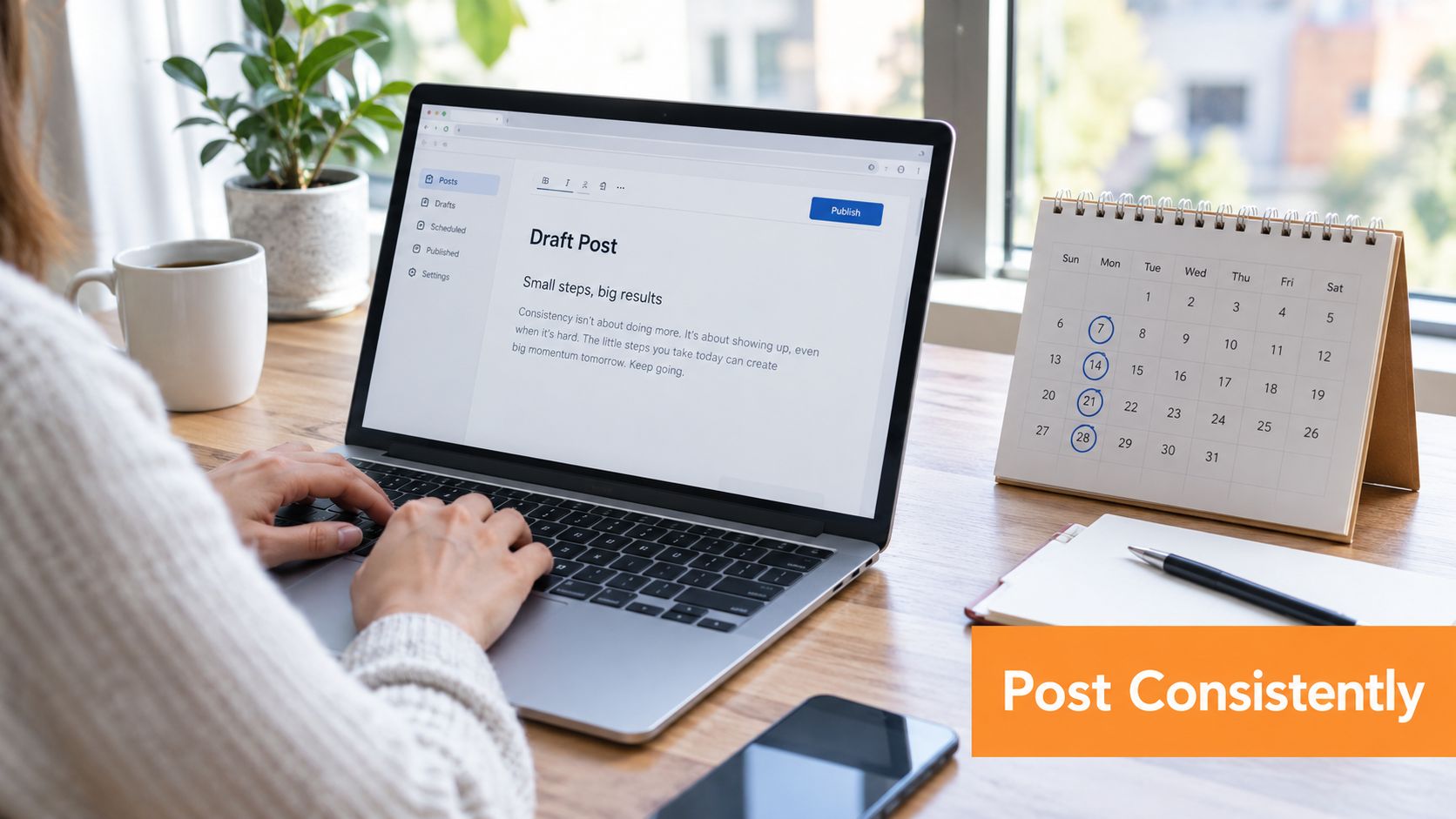
Build a cadence you can keep
Set a publishing rhythm based on how you already work. A startup CEO might sustain three solid posts a week: one lesson from the field, one point of view, one company-side observation. A consultant with daily client conversations may have enough raw material for four or five shorter posts.
The test is simple. Can you maintain the schedule for eight weeks without lowering the standard or disappearing during a busy stretch?
That is why I prefer a minimum viable cadence over an ambitious one. A smaller rhythm you can keep beats a bigger one you abandon after two weeks. If you need a structure for batching ideas and assigning post types across the week, this LinkedIn content posting schedule framework is useful.
Timing matters after the cadence is stable
Publishing time matters, but only once the rest of the system is working. If posting frequency changes every week, timing data is noisy and hard to trust.
Use a small test instead of guessing:
- Choose two time windows: For example, test morning versus late afternoon with similar post formats.
- Keep the subject matter comparable: Do not compare a strong client story against a weak company update and call it a timing lesson.
- Track early indicators: Watch comments, saves, profile visits, and whether the post keeps getting interaction after the first few hours.
- Adjust for audience geography: If your readers sit across regions, post where their workdays overlap instead of optimizing for your own timezone.
This is the operating-system view in practice. Cadence creates enough output to test. Timing improves distribution once the baseline exists. Then the next sections, format, copy, discussion, and recycling, have something stable to build on.
RedactAI helps with the execution layer. It can draft from your notes, queue posts ahead of busy weeks, and help you test variations without making the final post sound templated. You still need judgment on what is worth saying, what should wait, and what fits your niche.
2. Create Native Content and Use LinkedIn's Video Format
External links have a place on LinkedIn. They just should not carry the whole post. If the value lives somewhere else, many readers will never reach it. Native posts keep the lesson, opinion, or framework inside the feed, which gives people an easier path to read, react, save, and comment.

That does not mean every idea should become a video.
Format choice is an operating decision. Text works for a sharp point of view. A document or carousel works for a process people may want to save. Video works best when your voice, timing, or screen presence adds something the written version would flatten. A consultant explaining a hiring mistake, a sales manager breaking down one objection, or a founder reacting to a market shift can all benefit from being seen and heard.
The trade-off is simple. Video can create more familiarity, but it asks more from both the creator and the viewer. Recording takes time. Some professionals are strong writers and average on camera. Some topics lose clarity when spoken. If the idea is better as a checklist or framework, post the document first and skip the camera.
A useful way to test this is to run one topic in two native formats across different weeks. Turn the same lesson into a short text post with a clear takeaway, then into a short video with the same core point. Keep the audience, topic, and call to action consistent. Compare saves, comments that show real understanding, profile visits, and whether people refer back to the post later in conversation. That gives you a better read than chasing views alone.
For video itself, simpler usually performs better on LinkedIn than polished brand production. Clear audio matters. A strong opening sentence matters. One idea per clip matters. Heavy editing often adds work without improving the post.
If you need the mechanics, this guide on how to post a video to LinkedIn covers the upload side.
One practical workflow works well here. Capture a video from a real client question, meeting note, or industry reaction. Trim it to one takeaway. Add captions because many people watch during the workday with sound off. Then watch what happens in the comments. If viewers ask for examples, turn that into a follow-up text post or document. If the post gets polite views but little discussion, the issue may be the topic or opening, not the format.
RedactAI fits at the execution layer here. It can help turn rough notes into a first draft, queue native posts, and repurpose a strong video into a text or document version for another test. The judgment still sits with you. Choose the format that serves the idea, not the one that feels trendy.
Here's a useful example format to study:
3. Craft Engaging Hooks and Compelling Copy That Resonates
Weak posts often fail before the second line.
On LinkedIn, the first line has one job. Stop the scroll long enough to earn attention. Not with gimmicks, and not with fake suspense. With relevance. The reader should know why this post matters to them almost immediately.
A good hook usually does one of three things. It names a problem, challenges a common belief, or introduces a specific lesson from direct experience. “Most hiring advice breaks once you're recruiting for a startup” is stronger than “Here are some thoughts on hiring.” One creates tension. The other sounds like filler.
Make the first lines do real work
A hook doesn't need to sound dramatic. It needs to sound useful.
Try structures like these:
- Contrarian opening: “The best LinkedIn posts usually don't start with your accomplishment.”
- Specific observation: “I kept seeing founders make the same onboarding mistake.”
- Professional confession: “I used to bury the main point halfway down the post.”
After the hook, keep the copy easy to read on mobile. Short paragraphs help. White space helps. Corporate language doesn't.
Most people don't abandon a post because it's too long. They abandon it because the payoff isn't clear fast enough.
Write like a professional, not a brochure
The best-performing posts in many niches sound conversational without sounding sloppy. They use specific examples, plain language, and a viewpoint. That's why generic personal-brand language underperforms. It feels manufactured.
If your profile copy also sounds stiff, it's worth reviewing how to avoid resume cliches on LinkedIn. The same principle applies to posts. Readers respond to language that sounds lived-in, not inherited from marketing templates.
One strong testing method is simple. Keep the body of the post mostly the same and rewrite only the opening line across a few posts. That isolates the variable. You'll start seeing whether your audience responds more to blunt statements, personal lessons, or industry tension.

4. Ask Questions and Encourage Comments to Boost Algorithm Ranking
Comments are not a trick at the end of the post. They are part of the operating system.
A good LinkedIn post does three jobs in sequence. It attracts the right reader, gives them a clear point of view, and opens a discussion that teaches you what to write next. That last part matters because comment quality often tells you more than raw impressions. If the same type of practitioner keeps responding to the same type of question, you are finding topic-market fit.
The mistake is asking for engagement instead of earning a response. Broad prompts such as “Thoughts?” create low-signal threads. They put too much work on the reader and often attract generic agreement.
Better prompts come from the tension inside the post itself. End on a decision, constraint, or disagreement that a specific professional can answer from experience.
A recruiter might ask, “Which is harder to assess in remote hiring: written communication or follow-through?” A consultant might ask, “Which handoff breaks first in your client work: sales to onboarding, or onboarding to delivery?” Both questions narrow the field. They also tell the right people that their experience is welcome.
For more examples of prompts that feel natural in a professional post, this guide on encouraging comments on LinkedIn is useful.
One practical test works well here. Publish three posts on related topics over two weeks. Keep the format similar, then rotate only the closing prompt. Use one decision question, one trade-off question, and one “what changed in your process?” question. That gives you a cleaner read on what your audience will answer, without turning your posts into lab experiments.
Then do the part many professionals skip. Work the thread.
A reply like “thanks for sharing” keeps the count moving but adds no value. A reply that asks for an example, clarifies a point of disagreement, or connects two commenters turns the post into a working conversation. That is good for reach, but it is also good research. You start hearing the language your market uses, the objections they repeat, and the cases they care about enough to discuss in public.
RedactAI can help draft response variations, queue follow-ups, and save strong comment patterns for later reuse. Judgment still matters. The goal is to stay responsive without sounding scripted.
Treat comments as feedback for the next cycle, not as applause for the current one. That shift usually improves both engagement and content quality.
5. Leverage Authentic Personal Stories and Vulnerability
People don't connect with vulnerability by itself. They connect with relevance plus honesty.
That distinction matters. Oversharing can make a post feel performative. A personal story works when it reveals a useful lesson, a hard trade-off, or a shift in judgment that other professionals can learn from.
Tell the part of the story that changes how you work
The strongest LinkedIn stories usually come from mistakes, reversals, awkward lessons, or moments where a polished answer failed. A sales leader can write about losing trust by rushing discovery. A founder can share the cost of hiring for speed instead of role clarity. A people manager can talk about the first time direct feedback went badly and what they changed.
These stories work because they reduce distance. They don't present expertise as perfection. They show how expertise formed.
A good structure is simple:
- State the moment: What happened?
- Name the mistake or tension: Why did it matter?
- Extract the lesson: What changed in your approach?
Keep boundaries professional
Authentic doesn't mean exposing every private detail. It means sharing enough truth to make the lesson credible.
A useful test is this: if someone in your industry applied the lesson tomorrow, would the post still be valuable without the emotional framing? If yes, the story is doing its job. If not, it may be leaning too hard on confession and not enough on insight.
Share the scar, not the open wound.
This is also where RedactAI can help without taking over. It's useful for shaping rough notes into cleaner drafts or generating alternate versions of the same story. But the specific memory, the lesson, and the line you won't cross still need to come from you.
6. Engage With Others' Content and Build Reciprocal Community
Publishing gets attention. Participation builds distribution.
LinkedIn works better as a loop than a queue. You post, but you also spend time inside the conversations your audience already cares about. Done well, comments create familiarity before someone ever reads your latest post. Done poorly, they look like networking theater and waste time you could have spent writing.
The practical trade-off is time. Commenting can sharpen your positioning and bring the right people back to your profile, but it is easy to drift into low-value activity. Set a boundary. Pick 5 to 10 people, customers, peers, or operators in your field whose posts consistently attract the audience you want. Read with intent. Respond only when you can add context, disagreement, or a useful example from your own work.
A strong comment usually does one of three jobs:
- Adds a field-tested example that makes the original point more concrete
- Sharpens the advice by naming where it works and where it fails
- Asks a follow-up question that pushes the discussion into specifics
That last part matters.
Short praise rarely creates recall. Specificity does. If a revenue leader writes about improving discovery calls, a useful comment might mention the question that changed your close rate, or the signal that tells you a prospect is being polite rather than serious. If a hiring manager posts about interview process design, add the constraint they missed, such as candidate drop-off, interviewer calibration, or salary misalignment. People click profiles when the comment proves judgment.
This also keeps your LinkedIn system coherent. Your niche shapes what conversations you enter. Your comments test language in public. The reactions tell you which ideas deserve a full post later. Then your publishing rhythm gets stronger because you are writing from live conversations instead of guessing in isolation.
There is a trade-off here too. Reciprocal community does not mean keeping score or expecting every comment to come back as engagement on your next post. That mindset makes people sound transactional fast. The better standard is simpler. Contribute often enough that your name becomes familiar for a specific kind of insight.
A clean way to test this for two weeks is to leave three real comments on each workday before publishing anything new. Track profile views, connection requests, and whether the same topics start appearing in replies to your own posts. RedactAI can help queue profiles to watch, save strong comment patterns, and turn your best discussion points into draft posts later. The judgment still has to be yours.
Write comments with the same standard as your posts. Clear point. Useful detail. Real point of view.
7. Recycle Top-Performing Content and Test Different Variations
Publishing from scratch every time is an expensive habit.
A post that already earned replies, profile visits, or inbound messages has done something hard. It proved the topic is real for your audience. Treat that post as a signal, then build the next version from it. That is how LinkedIn starts to function like an operating system instead of a string of disconnected ideas.
The trade-off is easy to miss. Repetition builds recognition, but obvious reposting can make a smart professional look lazy. The fix is simple. Keep the underlying insight. Change the job the post is doing.
A practical example helps. If a text post worked because it named a pattern clearly, turn it into a document post that breaks the pattern into steps. If a story worked because people saw themselves in it, rewrite it for a narrower reader, such as hiring managers, RevOps leads, or agency founders. If a contrarian opinion worked, test a version that starts with the consequence instead of the opinion.
Use a short recycle queue, not a giant content bank.
Keep five to ten posts that proved one of these outcomes:
- strong comment quality
- repeat profile clicks or connection requests
- direct messages, sales conversations, or references in later calls
Then test only one variable per repost cycle. Change the hook. Change the format. Change the audience frame. Change the call to respond. If you change everything at once, you get activity but learn nothing.
Recycling is not only about getting more reach from one idea. It is how you sharpen positioning over time. One post reveals the topic. The next version reveals the best format. The third tells you which audience segment cares enough to respond. That feedback should shape the next publishing cycle.
RedactAI can help at the execution layer here. Use it to draft alternate hooks, queue a second format, schedule versions far enough apart, and save winners for later reuse. The judgment still belongs to the person publishing. Automation can speed up testing. It cannot decide which nuance is worth repeating.
Run a simple four-week test. Pick two posts that performed well. Republish each one in a different format, then compare comment quality, profile actions, and inbound conversations instead of chasing raw reactions alone.
Recycling done well does not make your content feel automated. It makes your expertise easier to recognize.
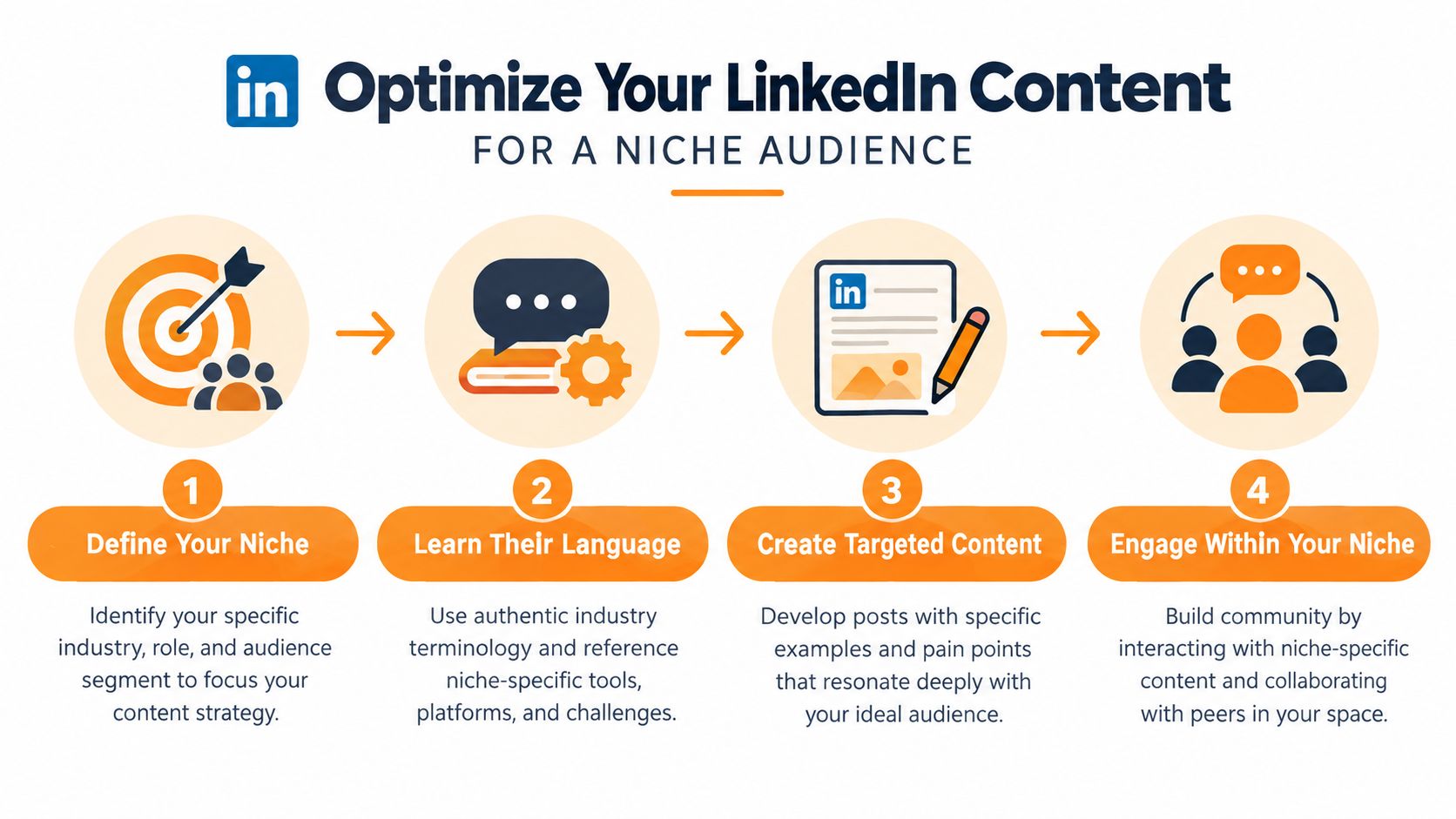
8. Optimize for Your Niche and Speak Directly to Your Specific Audience
Broad advice gets broad engagement. It also attracts the wrong conversations.
LinkedIn works better when you treat audience focus as part of the operating system, not as a copywriting trick you add at the end. A clear niche shapes what you post, which examples you choose, who replies, and what kind of inbound attention you get. If the audience definition is vague, the rest of the engagement loop gets noisy fast.
A useful niche is specific enough to filter people out. Role, industry, company stage, business model, and recurring pain point usually give enough material to work with. “HR” is too wide to guide decisions. “Hiring systems for startup people teams” gives you a real point of view. “Marketing” drifts. “Content strategy for cybersecurity startups” creates sharper examples, stronger relevance, and better replies.
The trade-off is obvious. Narrower positioning can lower surface-level reach on some posts. It usually improves response quality, profile visits from the right people, and messages that lead somewhere.
One quick test makes this visible. Publish two posts on the same topic in different frames. Write one for a broad audience such as sales leaders. Write the other for first-time heads of sales at B2B SaaS companies with messy handoffs between founder-led selling and a new AE team. Compare the comments. The narrower post often gets fewer casual reactions and better business signal.
Specificity should show up inside the post, not only in your headline or profile.
Use details your audience recognizes right away. Mention scenarios like onboarding SDRs, briefing a board before a pipeline review, or handling enterprise procurement delays. Refer to actual workflows such as CRM cleanup, candidate scorecards, implementation handoffs, or renewal risk reviews. Name the trade-offs professionals deal with, like speed versus control, founder intuition versus process discipline, or short sales cycles versus qualification rigor.
Your profile presentation should support that same message. If your content is aimed at a defined professional audience, your photo and visual presentation should look consistent with it. The starryai professional headshot tool can help tighten that part of the profile.
RedactAI fits here as an execution layer, not as a substitute for judgment. Use it to draft versions of the same idea for different audience segments, schedule tests across a few weeks, and save language that consistently attracts the right readers. The call on who you want to be known for still belongs to you.
If people cannot tell who your posts are for, LinkedIn cannot help the right audience find a pattern in your work. If they can, each post strengthens the next one.
8-Point LinkedIn Engagement Comparison
| Strategy | Implementation Complexity 🔄 | Resource Requirements & Efficiency ⚡ | Expected Outcomes 📊 | Ideal Use Cases 💡 | Key Advantages ⭐ |
|---|---|---|---|---|---|
| Post Consistently and Strategically Time Your Content | Medium 🔄, requires planning & discipline | Low‑Moderate ⚡, scheduling tools, batching time | Steady reach growth, improved algorithm signals 📊 | Brands, executives, regular cadence creators 💡 | Builds habit, predictable visibility, algorithm boost ⭐ |
| Create Native Content and Leverage LinkedIn's Video Format | High 🔄, production & editing workflow | High ⚡, recording gear, editing, captions | Significantly higher engagement and impressions 📊 | Tutorials, demos, testimonials, product launches 💡 | Maximizes reach and time‑on‑platform, favored by algorithm ⭐ |
| Craft Engaging Hooks and Compelling Copy That Resonates | Medium 🔄, copy skill + testing | Low ⚡, time for drafting and analytics | Higher scroll‑stop rate and deeper engagement 📊 | Thought leadership, mobile audiences, narrative posts 💡 | Improves retention, encourages meaningful comments ⭐ |
| Ask Questions and Encourage Comments to Boost Algorithm Ranking | Low 🔄, simple format but needs follow‑up | Low ⚡, time to monitor & reply promptly | Increased comment volume and algorithmic boost 📊 | Community building, market insight, quick engagement prompts 💡 | Drives conversation, rapid visibility gains ⭐ |
| Leverage Authentic Personal Stories and Vulnerability | Medium 🔄, craft with care and boundaries | Low‑Moderate ⚡, time and emotional investment | Strong emotional resonance and trust formation 📊 | Personal branding, leadership, trust building posts 💡 | Deep connection, memorable content, higher quality comments ⭐ |
| Engage With Others' Content and Build Reciprocal Community | Medium 🔄, consistent daily habit | Low ⚡, ~15–20 min/day for quality interactions | Greater profile visibility and reciprocal amplification 📊 | Networking, prospecting prep, relationship building 💡 | High ROI with lower creation effort, builds credibility ⭐ |
| Recycle Top‑Performing Content and Test Different Variations | Low‑Medium 🔄, tracking + thoughtful variation | Low ⚡, analytics + repurposing time | Extended lifespan and efficient incremental reach 📊 | Time‑constrained creators, evergreen topics, A/B testing 💡 | Maximizes ROI from best posts, reduces content load ⭐ |
| Optimize for Your Niche and Speak Directly to Your Specific Audience | Medium 🔄, requires niche research & consistency | Moderate ⚡, domain expertise, case examples | Higher engagement from qualified audience, better leads 📊 | Specialists, industry experts, targeted B2B outreach 💡 | Positions authority, attracts ideal followers/customers ⭐ |
Turn Eight Tactics Into One Repeatable Loop
The most useful way to apply these LinkedIn engagement tips is to stop treating them as separate tricks.
Use them as a weekly operating loop. Start with one niche problem your audience cares about. Draft one native post around that problem. Give it a tested hook. Publish it at a time you can monitor early responses. Stay present for the first round of comments and keep the conversation moving. Then spend a focused block of time engaging with other relevant professionals so your visibility doesn't depend only on your own feed.
After that, review what happened with discipline. Not emotionally, and not by staring only at likes. Ask better questions. Did the hook earn the first read? Did the format fit the idea? Did the question at the end create discussion or feel bolted on? Did your niche framing attract the right people, or was it too broad to signal expertise?
That's where many professionals stall. They post, react to the result, and move on without extracting a lesson. But LinkedIn gets easier when each post teaches the next one something useful. The system compounds. A strong document can become a short video. A good question can become a follow-up post. A thoughtful comment thread can become next week's topic. The goal isn't to constantly invent from scratch. It's to build a feedback loop that makes your content sharper over time.
The platform data supports that system mindset. We know engagement is format-sensitive. We know person-led distribution tends to outperform company-only publishing. We know cadence matters. We also know account size, timing, and response behavior change what works in practice. That means there isn't one universal posting formula. There is only a process of testing, learning, and refining.
RedactAI can support that process if you use it the right way. It's useful for personalized drafts, short-post variations, scheduling, analytics, and recycling top performers. What it shouldn't replace is your judgment. You still need to check every claim, remove anything that sounds generic, and add the examples and opinions that make the post worth reading.
Keep the testing rule simple. Change one major variable at a time. Test the hook, or the format, or the timing, or the question. Not all four at once. If you do that consistently, engagement stops feeling random and starts becoming something you can improve.
If you want help turning this into a working publishing rhythm, RedactAI can help you draft LinkedIn posts in your own voice, schedule them, test variations, and recycle posts that already proved useful. It's a practical fit for professionals who want stronger execution without handing over their judgment or sounding like everyone else.