
You've got a strong webinar recording, a thoughtful article, or a folder of customer interviews. Then you open the LinkedIn calendar and find a row of empty slots that still need filling. The hard part isn't always coming up with another idea. It's turning useful expertise into distinct posts that reach people in the formats they'll engage with.
That's the job of a content repurposing framework: not copying one asset into different boxes, but building a deliberate path from a substantial source to platform-specific content, with a purpose for each version. The best framework also protects what makes the original worth sharing: the evidence, experience, and voice behind it.
The Real Problem Behind an Empty Content Calendar
A familiar scene: a marketer has spent weeks preparing a webinar. The presentation is sharp, the discussion is rich, and the recording captures answers to questions customers ask all the time. The team publishes the replay, shares it once, and moves on. Meanwhile, LinkedIn still needs posts, the newsletter needs a useful idea, and sales wants material to send prospects.
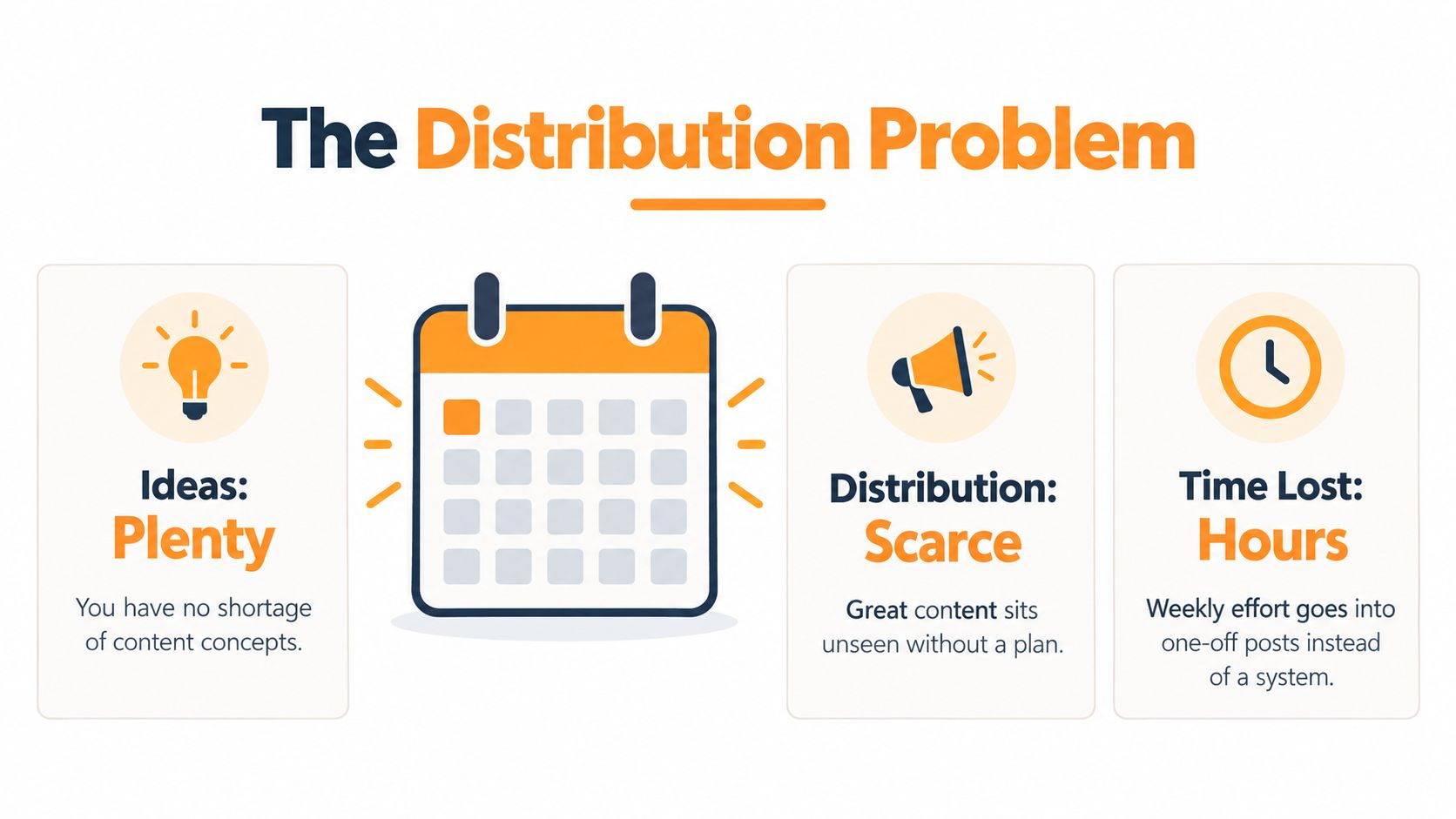
That's a distribution problem, not an idea problem. One source asset can contain several distinct insights, but it won't automatically find every audience member who might value them. A professional who misses the webinar may notice a short text post. Someone else may engage with a carousel, an email excerpt, or a video clip. The central idea stays intact, while its presentation changes to fit the channel.
The scale of social discovery helps explain why a one-and-done approach leaves opportunities on the table. DataReportal's Digital 2025 global overview reported 5.24 billion active social-media user identities worldwide in February 2025, equal to 94.2% of internet users, with 4.1% year-over-year growth. The report also found that 50.0% of adult social-media users visit platforms to learn more about brands and their published content, up from 47.7% in late 2022.
Those figures don't mean every channel deserves every asset. They do show why expertise needs a distribution plan. A useful framework helps a team choose a strong source, identify the ideas worth carrying forward, and create versions that suit different audience needs rather than filling the calendar with near-duplicates.
Picking the Source Asset Worth Repurposing
Start by comparing candidate assets, not by grabbing the most recent thing published. A new article may be polished but contain only one reusable idea. An older interview may offer several distinct arguments, concrete examples, and a point of view that still matters.
Use a quick screen across three criteria:
- Asset density: Can you extract several independent claims, examples, objections, or stories? If every section repeats the same point, the source may not support many meaningful derivatives.
- Proof and specificity: Does the asset contain evidence, first-hand experience, or a clear explanation? Distinctive material gives each post substance and makes it harder for the output to sound interchangeable.
- Shelf life: Will the core idea still be useful after the immediate news cycle has passed? A durable lesson is easier to adapt and schedule without making the post feel stale.

Give each candidate a simple qualitative rating: strong, mixed, or weak on each criterion. Then choose the asset with the strongest combination, not necessarily the one with the highest traffic or the newest publication date. This keeps selection fast and gives the team a reason for its choice beyond “we need something to post.”
A webinar recording, for instance, may be promising if it includes an expert's explanation, audience objections, and a practical example. A client engagement can also provide useful material, but check whether you have permission to share the details and whether any claims need anonymizing. For creators building an educational offer, a course launch checklist for creators can help frame what launch-related material is already available to turn into useful content.
Selection rule: Choose a source because it contains reusable insight, not because it's convenient to find.
Before moving on, stress-test the winner. Can you name its central argument in one sentence? Can you identify more than one audience question it answers? If not, keep comparing. The right source doesn't guarantee successful posts, but a thin source makes strong derivatives much harder to write.
Breaking One Asset Into LinkedIn-Ready Units
The most useful source isn't a pile of sentences to excerpt. It's a collection of content units: a claim, a story, a practical framework, a counterintuitive opinion, or a common objection. Extract those first. Then decide which unit can stand on its own and what format would make it easiest to understand.
A useful extraction sheet might have columns for the source passage, the underlying point, the audience it helps, and a possible format. For a webinar about customer onboarding, for example, a sharp observation about confusing handoffs might become a text post; a repeatable onboarding sequence could become a carousel; and a frequent buyer objection could become a conversation prompt.
The format changes the shape of the idea. A carousel needs a sequence readers can follow. A standalone post needs a complete point that makes sense without the source. A video script needs language that sounds natural aloud. The types of LinkedIn content available to professionals give you useful format options, but selection should follow the job of the idea, not a desire to use every format.
| Format | Best Source Unit | Hook Style | Length | CTA |
|---|---|---|---|---|
| Text post | A clear claim or useful lesson | Direct assertion or tension | One focused idea with enough context to stand alone | Ask a specific, relevant question |
| Document carousel | A sequence, checklist, or framework | Promise a practical takeaway | One step or idea per slide | Invite readers to save or discuss |
| Short video | A personal example or concise explanation | Spoken hook that sets up a problem | One idea, written for natural delivery | Ask viewers to share their experience |
| Conversation prompt | A genuine disagreement or recurring objection | Open question with a clear point of view | Brief, with enough context to invite a thoughtful answer | Invite examples or perspectives |
Don't turn every extracted detail into a post. Prioritize units with a clear audience, a distinct angle, and enough context to avoid misleading compression. A detailed discussion of video concepts in a specific profession can help as you think through adaptations. For example, these law firm video marketing ideas offer context for how a professional topic might translate to video.
A strong derivative isn't a shorter source. It's a complete idea designed for a different way of consuming it.
Writing Derivatives Without Losing Your Voice
A structurally neat post can still feel empty if it loses the person behind the source. That's why each idea needs an authenticity budget: a record of what must remain personal, accurate, and recognizably yours when the material is adapted.
Before drafting, mark the parts that can change and those that need your attention. You can generate alternative hooks, reorder supporting points, or adapt a long explanation into a tighter format. First-person experiences, strong opinions, sensitive professional claims, and any detail that could change the meaning need a human review. Don't ask a tool to invent a personal lesson or fill a gap in the evidence.
A simple prompt can keep generation anchored: “Create distinct LinkedIn draft angles from this source. Preserve the central claim and all factual details. Give each draft a different audience problem and opening. Don't invent experience, proof, or opinions. Mark any point that needs my confirmation.” Then add the source and the audience context. The aim is to explore useful angles, not to produce a batch of polished-sounding posts that all say the same thing.
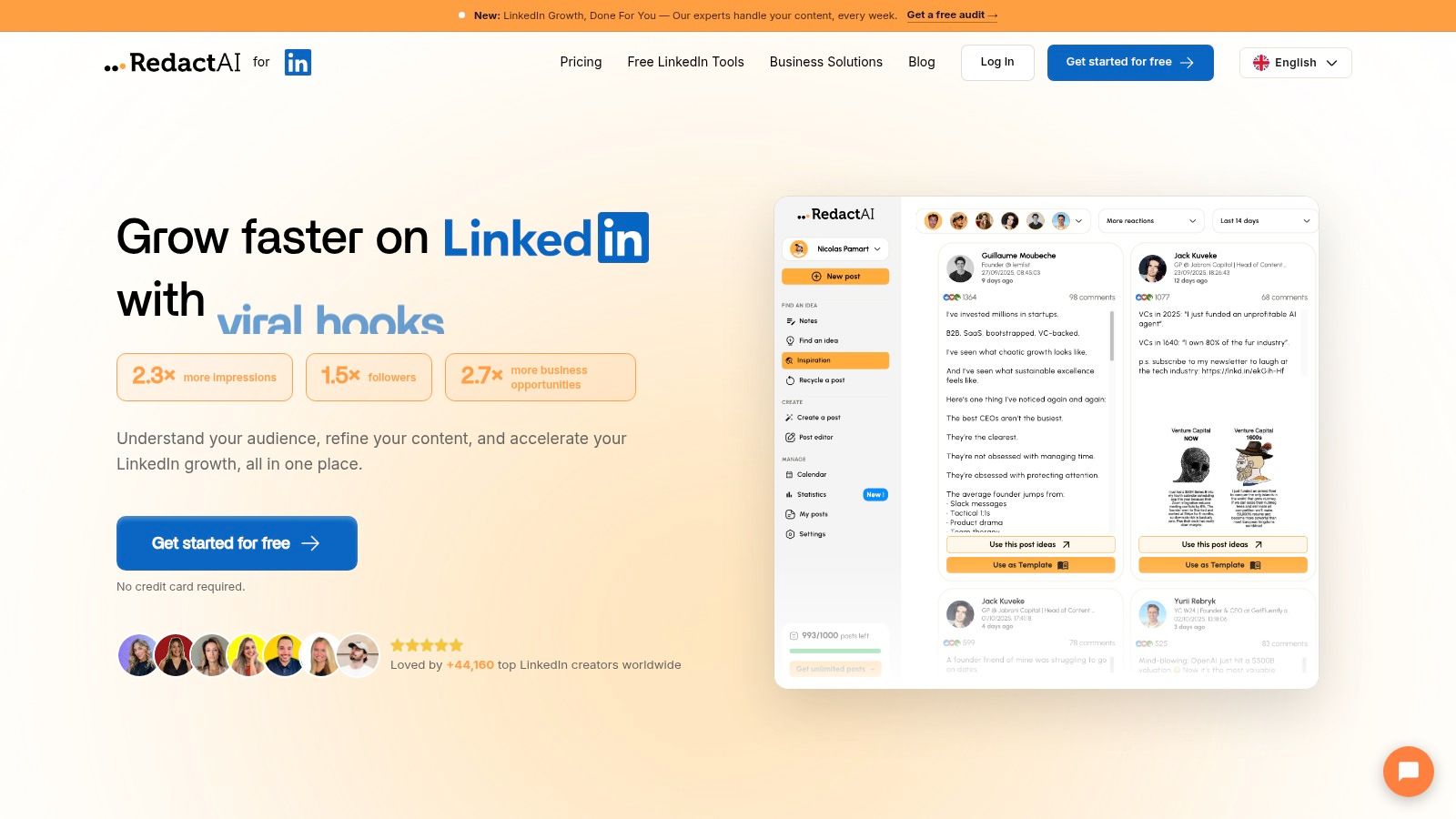
RedactAI is one option for this writing layer. It analyzes a user's LinkedIn profile, posting history, and personal experiences to create drafts that reflect their tone, and it can generate multiple drafts from a keyword. That makes it a drafting aid, not a substitute for checking the post's argument, personal details, or claims. A broader approach to scaling content creation can help teams think about how AI-assisted drafting fits into a repeatable workflow.
After drafting, tag each version with its source asset, audience, format, campaign, and intended outcome. Those details make it possible to compare similar posts later, instead of relying on memory or treating every draft as interchangeable. Keep the final edit for the parts that carry your credibility.
For a closer look at how the tool can fit into a LinkedIn workflow, watch the demonstration below.
Scheduling and Distributing Across the Week
A folder of drafts isn't a publishing system. A working schedule needs variety, spacing, and enough context for each post to make sense on its own. Publishing a text post, carousel, and discussion prompt close together can work if each serves a different purpose. Repeating the same claim with a new opening every time usually doesn't.
Give each derivative a planned slot and label it with its campaign, format, audience, and publication date. Add attribution to the original asset, plus a link where it helps interested readers find the fuller explanation. A reader who sees a concise insight should be able to follow the trail back to the webinar, article, or report that supports it.
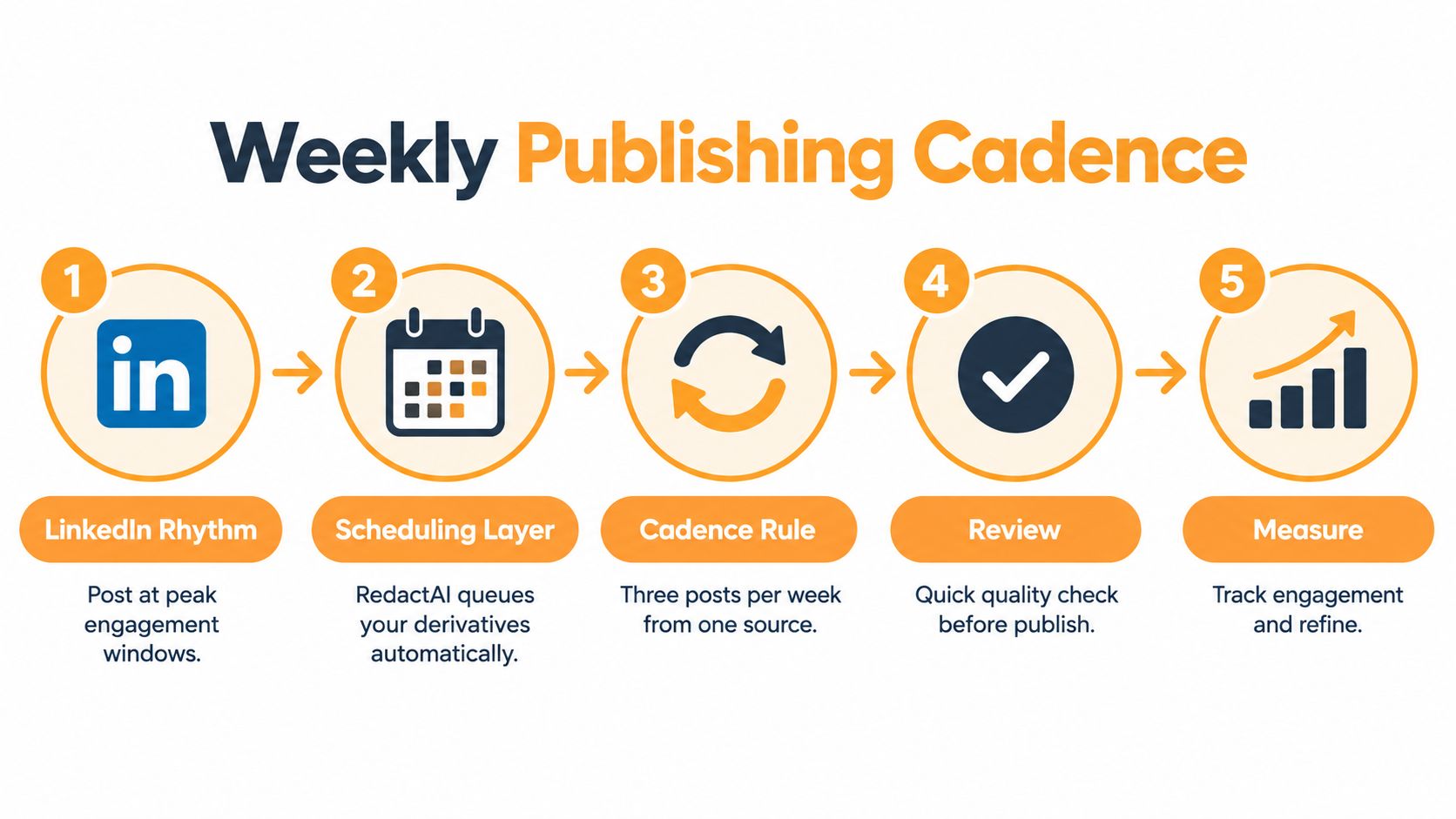
A simple week could pair a standalone insight with a deeper carousel and a conversation prompt. The exact cadence should reflect your capacity and audience, not a rigid quota. RedactAI's scheduling and analytics features can support a LinkedIn workflow by helping creators queue posts and review performance. Before scheduling, read every draft as a fresh feed post. Does it make sense without the source open? Is the CTA appropriate for this audience? Does the sequence feel varied?
Give every post a job
Set the intended outcome before you publish. One version may be designed to introduce an idea; another may offer proof of expertise; another may prompt a conversation with people who have faced the same problem. Impressions can show exposure, but they don't explain whether the post reached the right people or helped move a valuable conversation forward.
Track each derivative against its purpose. Useful signals can include saves, qualified comments, completion rate for video, relevant clicks, and conversions. For a practical view of how to track intent signals on LinkedIn, look beyond surface engagement and ask what a response reveals about the reader's interest.
Use scheduling to create a reliable cadence, not to automate your judgment. Pause a post if the attribution is unclear, the source detail needs review, or another version has already made the same point in a more useful way. A queue should make publishing easier without lowering the bar for what earns a place in the feed.
Measuring Outcomes Instead of Counting Posts
“How many posts did we get from that webinar?” sounds like an operational question. It's also a weak measure of whether repurposing worked. A large batch can hide the fact that every post served the same purpose, repeated the same point, or attracted attention without reaching the audience the team wanted.
Treat the derivatives as a portfolio of outcomes. Assign each one a job, then compare it with other versions meant to do that job. A post built to start professional discussion shouldn't be judged by the same standard as a detailed carousel meant to explain a process. Look for useful signals such as saves, qualified comments, profile visits, meaningful clicks, and evidence of influence on a sales conversation.
The useful question isn't “How many versions did we publish?” It's “Which versions created a result worth repeating?”
Write a stop rule before the results come in. If another version gets little attention from the intended audience, adds no new context, or produces no meaningful action, pause that angle rather than generating more variations by habit. If a format consistently helps the right readers understand the idea or start a relevant conversation, keep it in the mix and test a different source unit next.
The volume-first approach is especially tempting when AI makes it easier to draft quickly. Yet the available evidence points to a gap between producing content and getting meaningful results. An industry analysis of content repurposing reports that 72% of B2B marketers produce more content than the prior year, while 38% say their content generates meaningful results. That comparison is a reason to question output as the goal, not a promise about what any individual team will achieve.
A useful content performance measurement approach can help connect format-level response to business outcomes. Feed what you learn back into the next asset: retain the angles that help your audience, refine those that almost work, and stop producing variants that add no value.
Your Monday Morning Repurposing Checklist
Take one hour this Monday and choose a source asset with a clear argument, useful evidence, and more than one audience-relevant idea. Pull out the strongest claims, examples, stories, and objections. Assign each unit a format and an intended outcome before writing.
Then:
- Set the authenticity budget: Mark which claims, experiences, and opinions need your direct review.
- Draft for the destination: Give each version its own opening, context, information density, and CTA.
- Review the person behind the post: Check the evidence, first-person details, and sensitive claims before approval.
- Schedule with variety: Space formats and topics so your audience sees useful ideas, not repetitive rewrites.
- Tag and evaluate: Record the source, audience, format, date, and outcome. Keep the derivatives that earn another run.
Many teams don't fail because they lack material. They fail because they treat repurposing as a copy problem instead of a strategy problem. Pick one strong asset, make fewer and better-adapted posts, and use what your audience does to decide what comes next.
RedactAI helps professionals turn existing material and LinkedIn ideas into drafts shaped around their own voice, then schedule posts and review performance. Use it as a drafting and publishing layer while keeping human judgment over experience, evidence, and claims. Visit RedactAI to explore whether it fits your repurposing workflow.

























































































































































































