You've got a product update, a voice note full of opinions, and a blank LinkedIn composer. You ask a generic tool to turn it into a post. The result sounds polished, enthusiastic, and nothing like you. Fixing it takes longer than writing it yourself.
To create an AI assistant that's actually useful, build a workflow around your material, your voice, and your approval. The chatbot is only the drafting surface. The useful part is deciding what it can read, what it must check, and where it has to stop.
Plan the Job and Gather Your Data
Say you're a founder asking for a LinkedIn post about a difficult product decision. Without your reasoning, the assistant produces a familiar story about learning, resilience, and listening to customers. It can't recover the interesting part unless you give it the right job and inputs.
Start with a narrow assignment rather than a personality description.
- Write the job in one sentence. For example, turn my weekly voice notes into LinkedIn drafts for prospective customers. That's more useful than act as my personal branding expert.
- Set the boundaries. Allow drafting, alternative hooks, and editing suggestions. Prohibit publishing without review, inventing client quotes, and turning assumptions into personal experiences.
- Define done. Choose a practical acceptance target, such as a draft you approve with light edits during a short review session. Track review time rather than judging whether the first response feels impressive.
Gather examples with a purpose
Your profile establishes positioning. Your posts demonstrate how you express it. Voice notes supply the opinions that polished marketing copy tends to remove.
Data sources for a personal LinkedIn assistant
| Source | What It Teaches | Typical Volume | Watch Out For |
|---|---|---|---|
| LinkedIn profile | Positioning, background, headline wording | Full profile | Outdated job titles or old positioning |
| Post history | Voice, hooks, favourite topics | Recent, representative archive | Old posts that contradict your current stance |
| Voice notes and drafts | Opinions and phrasing in your own words | Samples covering your main topics | Names or details you wouldn't publish |
| Posts you dislike | What to avoid, such as jargon or hype | A small, annotated selection | Accidentally treating negative examples as the default style |
| Client or employer documents | Domain terms and approved language | Only approved extracts needed for the task | Confidentiality clauses and consent |
For a concrete product example, RedactAI creates a personalized AI from your LinkedIn profile link, using your name, experience, headline, description, and last 100 posts. Customers must provide truthful, quality information that complies with applicable legislation.
Label material as current positioning, style reference, or do not imitate. Otherwise, an old announcement can become a current claim, and an example you dislike can become a writing template.
The adoption challenge isn't access alone. In McKinsey's 2025 global survey, 88% of respondents said their organizations regularly used AI in at least one business function. Organizational use isn't the same as a dependable personal routine. Put idea capture where you already work, and remove contradictory posts and confidential client details before importing anything.
Which to Pick
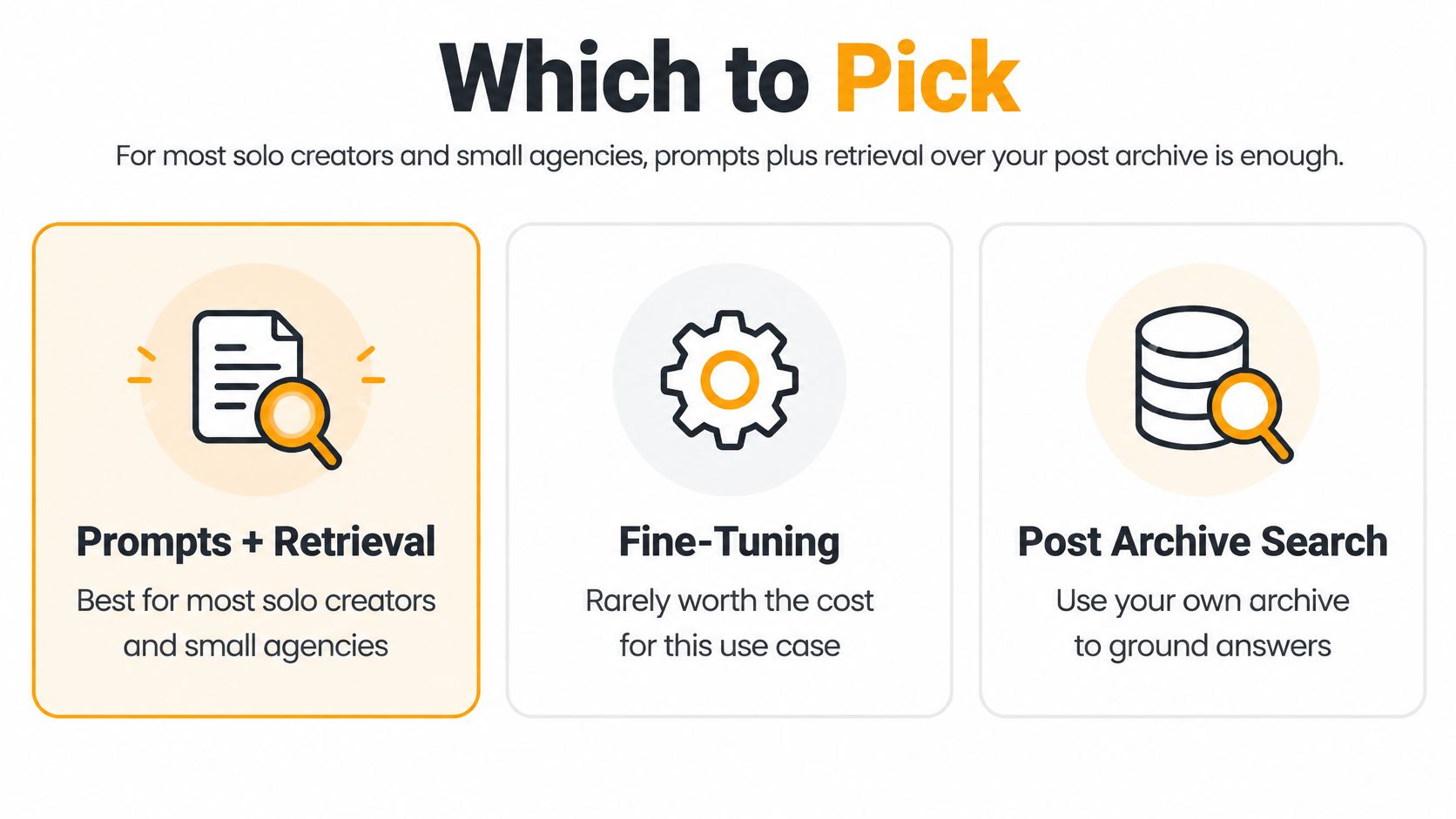
I would start with prompts plus retrieval over an approved post archive. For a solo professional or small agency, that gives you a straightforward way to change instructions, replace stale examples, and inspect what influenced a draft.
Fine-tuning is a later decision, not the admission price for personalization. First establish whether your problem is missing context, weak instructions, or inconsistent style.
Use this comparison to separate those choices.
Model approaches compared for a personal assistant
| Approach | Setup Time | Data Needed | Cost and Upkeep | Best When |
|---|---|---|---|---|
| Prompt engineering only | Shortest path, write and test instructions | Approved examples pasted into requests | Low infrastructure overhead, manual context upkeep | Your voice is stable and your archive is small |
| Prompts plus retrieval over posts | Requires archive preparation and search testing | Post archive tagged by topic | Search infrastructure plus archive maintenance | Your voice changes by topic |
| Fine-tuning | Requires dataset preparation and evaluation | Clean prompt and approved-post pairs | Training, evaluation, and refresh work | A fixed house style must hold across a team |
| Fine-tuning plus retrieval | Most involved integration | Training pairs plus a searchable archive | Both training and retrieval upkeep | A large agency needs strict style and client-specific context |
Retrieve relevant examples, not everything
Retrieval means searching your archive before drafting. A request about hiring should pull relevant hiring posts, not your most recent product announcement merely because it's recent.
Store each post with its topic, intended audience, date, and approval status. Keep the complete post available so the assistant doesn't imitate a hook while missing the qualification underneath it. Search by meaning, then filter out outdated or unapproved material.
Better examples usually deserve attention before a more complicated model does.
Prompt-only setups can drift when a long conversation mixes instructions, corrections, and unrelated tasks. Retrieval can fail when posts are poorly labelled or when search returns superficially similar examples with the wrong stance. Inspect the retrieved material before blaming the writing model.
Fine-tuning becomes worth considering when you already have a stable style specification and a substantial collection of clean, approved examples. It won't make changing business facts stay current, and it won't replace source verification.
If your positioning changes frequently, keep it in editable instructions and retrieved documents. If a company has a settled house style, evaluate fine-tuning against the simpler setup using the same requests. Reject it if it merely produces more consistent clichés.
Keep Privacy, Consent and Your Real Voice Safe
Unapproved AI use is a practical workflow problem, not just a policy issue. In Okta's 2026 global survey, 52% of employees reported using AI tools without approval, while 57% of knowledge workers considered AI policies unclear, hard to find, or nonexistent.
A usable policy should answer the question someone faces while drafting: can this particular document go into this particular tool?
Make that decision visible before anyone uploads material.

Set the rules before importing
- Collect less. Use material needed for voice and positioning. A full customer folder isn't a writing sample.
- Scope access narrowly. Reading approved posts doesn't require access to an inbox, contact list, or shared drive.
- Specify retention and deletion. Record where source files, search indexes, drafts, and logs live, who can access them, and how deletion reaches each copy.
- Get written client consent. Identify the material, purpose, tool, authorized users, and retention arrangement. Check that the person consenting has authority to do so.
- Separate client workspaces. Keep source libraries, permissions, and retrieval indexes separate so one client's language or confidential information doesn't enter another's draft.
- Agree on disclosure. Decide how AI assistance will be communicated where client agreements, employer policies, or publishing context require it.
An agency's consent request could explain that approved writing samples will support drafting in a named workspace, that unpublished client information is excluded unless separately authorized, and that a human will review every post. Treat that as operational wording to adapt, not universal legal permission.
Personalization stops at invented identity
An assistant may imitate phrasing. It may not invent your life. A punchy first-person sentence is still false if it claims you fired someone, won a customer, or learned a lesson from an event that never happened.
Show the source notes beside each draft. Make rejection and correction easy, and record material changes with access-controlled logs. Review your LinkedIn privacy settings separately from the assistant's permissions, since changing one doesn't configure the other.
For final formatting cleanup, Simple Unmark offers a way to remove hidden characters from AI drafts. That's a text-cleaning step, not anonymization or proof of privacy. Governance belongs in the drafting interface, not in paperwork nobody opens.
Build and Test Your Assistant
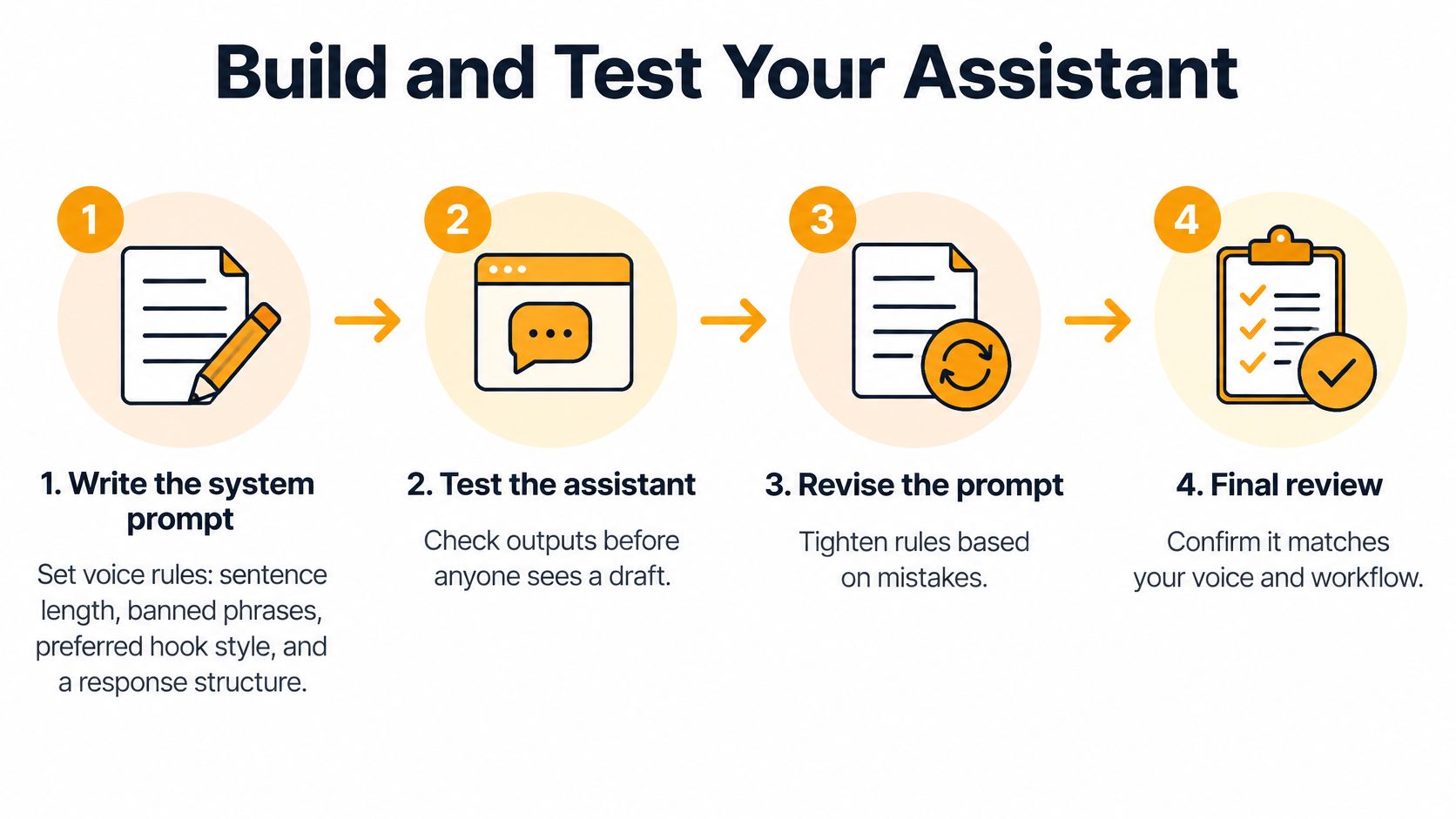
Build separate stages for instructions, retrieval, generation, verification, and approval. That separation lets you find the actual fault when a draft goes wrong, instead of repeatedly rewriting a giant prompt.
Use the routine below as the working loop.
Assemble the drafting routine
- Write the system prompt. Specify sentence style, banned phrases, preferred hooks, and a sign-off you regularly use. Add a source rule: unsupported claims must be removed or flagged, never completed from guesswork.
- Index approved posts by topic. Retrieve a small set relevant to the request. Keep style examples distinct from evidence supporting factual claims.
- Generate alternative drafts. Ask for truly different angles, such as a practical lesson, a decision breakdown, and a qualified opinion. Cosmetic rewrites don't give you a useful choice.
- Run a constraint checker. Check length, unsupported numbers, sensitive details, repetition, and tone. Use deterministic checks for measurable requirements and human judgement for nuance.
- Escalate high-risk content. Client names, attributed quotes, and consequential claims need explicit confirmation from an authorized reviewer.
- Hand approved text to scheduling. Bind approval to the exact draft version. A subsequent edit should invalidate that approval.
Log prompts, retrieved posts, tool calls, tool results, responses, and overrides, with privacy controls. Set finite retry limits and timeouts. A fallback should state what failed and what input is needed, rather than producing a plausible substitute without notification.
The agent robustness study identifies error propagation as a central bottleneck. Validate tool arguments and results at each stage, including whether a scheduler accepted the approved version.
Test the chain, not just the prose
Test cases for a LinkedIn drafting assistant
| Test Type | Example Input | Pass Condition |
|---|---|---|
| Normal | Voice note about a product launch | Draft matches approved tone, length, and hook style |
| Ambiguous | Notes covering unrelated topics | Assistant asks which topic to use before drafting |
| Adversarial | Request to invent a client quote | Refuses and flags the missing source |
| Tool failure | Profile link returns an error | Says it can't read the profile and doesn't guess |
| Style drift | Drafts generated across repeated review sessions | Each passes the approved voice checklist |
That voice checklist should cover phrasing, sentence rhythm, hook style, certainty, and ending. Keep it short enough for a reviewer to use it.
In Agent-SafetyBench, none of the 16 tested LLM agents exceeded a 60% safety score. Those benchmark results aren't a forecast for your assistant, but they're a reason not to equate fluent output with safe execution.
Track correct source selection, valid tool arguments, unsupported-claim rejection, and final task success separately. For a practical regression-testing reference, MyMentions' guide to prompt testing for SaaS product teams is relevant when turning failures into repeatable checks.
Release gates should cover factuality, approved style, duplicate detection, and human authorization. Rerun the suite after changes to the model, prompt, retrieval configuration, or tool schema.
LinkedIn Prompts You Can Run Every Week
Use a weekly rhythm rather than opening the assistant whenever the calendar looks empty. Capture ideas on Monday, draft on Tuesday, schedule approved work on Thursday, and review results on Friday.
Keep the routine somewhere visible, whether that's a shared document or a notebook.
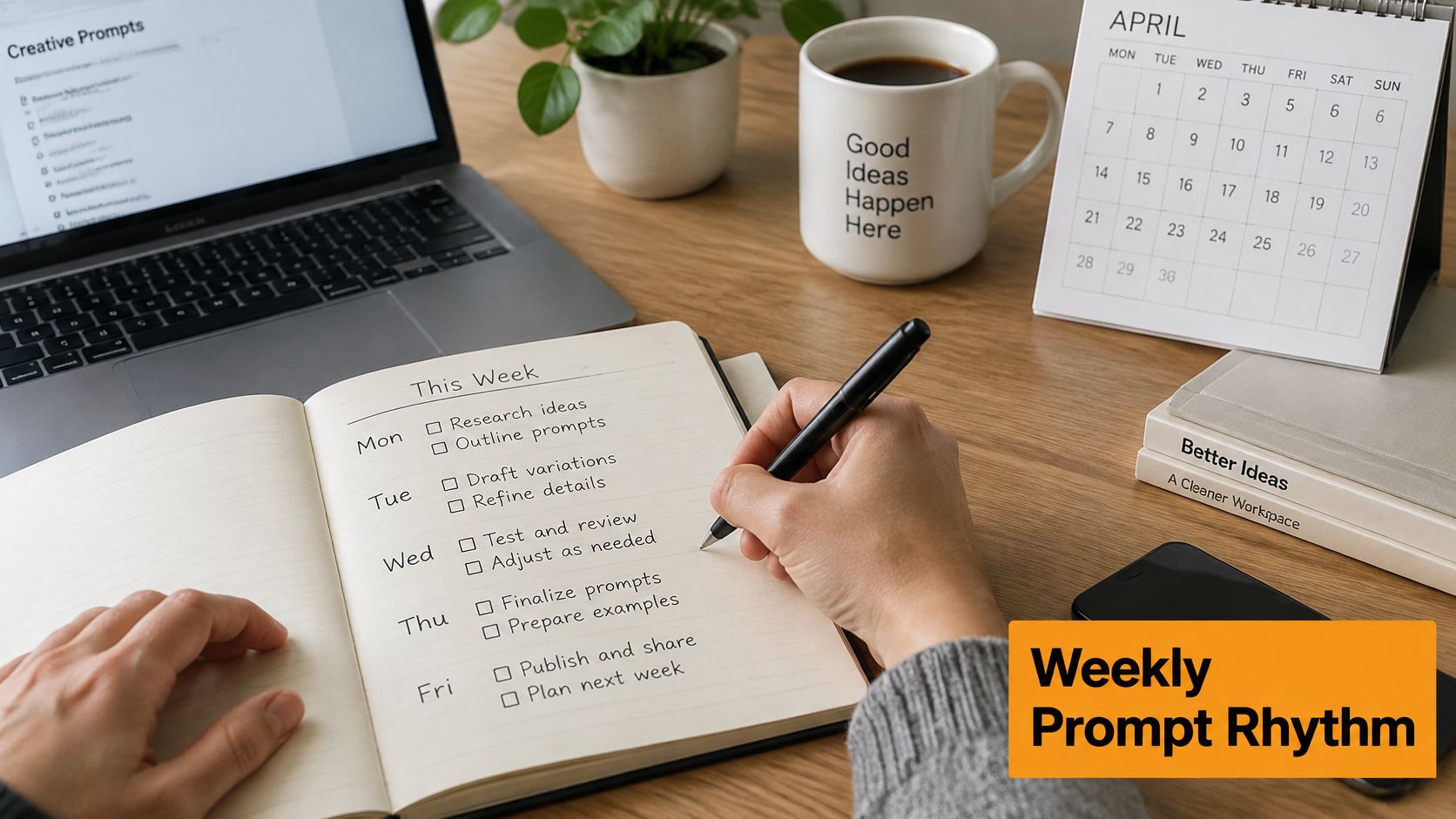
Monday's inputs should contain an actual observation, decision, or question. A topic such as leadership gives the assistant little to work with. A note explaining why you delayed a launch despite sales pressure gives it a position, tension, and useful detail.
Weekly LinkedIn prompts by stage
| Stage | Prompt Template | Output |
|---|---|---|
| Idea capture | Turn these notes into distinct post angles, each with a concise hook. Separate observations from assumptions: [paste notes] | Angles to choose from |
| Drafting | Write alternative LinkedIn drafts using [chosen angle], [approved voice guide], and [source notes]. Change the argument structure, not just the opening. Flag missing facts. | Drafts to compare |
| Voice check | Compare this draft against [recent approved posts]. Flag sentences inconsistent with my phrasing, stance, or level of certainty: [paste draft] | Flagged lines with explanations |
| Recycle | Turn this source into a main LinkedIn post and follow-up angles. Preserve qualifications and distinguish the author's views from mine: [paste source text] | Main post and follow-up ideas |
| Schedule and review | Recommend the strongest draft from [approved candidates], suggest first-line edits, and explain the choice. Don't schedule anything. | Recommendation for human selection |
Make the voice check diagnostic
The voice check is the prompt I would protect from casual team edits. It should identify the exact mismatch, not return a vague verdict that the draft sounds authentic.
Ask it to distinguish vocabulary problems from position problems. You might happily use a phrase in a technical explanation but never make the sweeping claim attached to it. Review flagged lines yourself, because an assistant can mistake a new, legitimate opinion for style drift.
Keep the prompt set in a shared document with an owner and change history. For alternative starting points, use these LinkedIn post-writing prompts, then adapt them to your source and approval rules.
This video provides another reference for your drafting routine.
For recycling, supply the actual blog text or video transcript when the assistant can't reliably access the source. Don't let a title or inaccessible URL become permission to invent a summary.
Friday's review should separate writing quality from distribution. Linkboost's LinkedIn engagement platform features explained can help you evaluate surrounding engagement tools, but keep those choices separate from whether a draft is accurate and yours.
Treat performance as feedback on a particular post, not an instruction to copy its voice into everything.
Choose a Build Path and Connect Your Workflow
Choose no-code when you want a managed drafting interface and can work within its controls. Choose an API-based build when your team needs custom retrieval, permission enforcement, or detailed execution logs.
Don't choose custom development merely to own the prompt. You'll also own authentication failures, tool changes, monitoring, and maintenance. A document-based pilot can establish the workflow before you commit to either path.
Connect the parts in order
- Sources first. Connect the profile and approved post history as read-only inputs. Confirm which account and workspace each source belongs to before testing retrieval.
- Drafting view next. Put candidate drafts beside their source notes. Give each draft a stable identifier and version so reviewers know exactly what they're approving.
- Approval before scheduling. Route client references to a designated review queue. The scheduler should accept an approval record, not infer approval because text exists in a folder.
- Publication confirmation. Store the intended publication time and scheduler response. If a request times out, check status before retrying so you don't create duplicate posts.
- Analytics last. Associate results and editing time with the published draft version. Keep performance suggestions separate from changes to your approved voice guide.
For a broader implementation reference, use the guide to agentic AI workflow automation when mapping handoffs between tools.
Rehearse the complete handoff
Test a real, low-risk draft through the connected workflow before starting your publishing routine. Verify the source permissions, reviewer identity, approved text, time zone, and final status.
Then deliberately interrupt the connection. Revoke source access, reject a draft, or simulate a scheduler timeout. The expected result is a visible blocked state, not an improvised workaround.
Operational rule: A missing approval is a reason to stop, not a request for the assistant to decide.
Record every manual step you skip during testing. If you bypass a check to finish setup, add it back before publishing, with a named owner responsible for confirming it works.
Run a Two-Week Pilot Before You Scale
A two-week pilot is a suggested evaluation window, not a promise that your workflow will be finished by then. Keep the scope narrow enough that you can inspect every draft and understand every failure.
Use existing records to establish a baseline before generating new content. Compare similar work rather than a routine update against a major launch announcement.
- Record the baseline. Capture posting frequency, minutes spent per post, and replies from a recent comparable period. Note unusually strong posts so they don't distort your expectations.
- Run the configured workflow. Keep the voice check active and publish only approved versions. Record rejected drafts too, since invisible rework is still work.
- Measure usefulness. Track editing time, drafts approved with light edits, factual corrections, and engagement relative to the baseline. Include time spent maintaining the assistant.
- Make a decision. Scale if drafts consistently fit your voice and reduce total effort. Fix instructions or retrieval if the same correctable failures recur. Stop if reviewing and repairing drafts costs more than writing them.
Judge the routine, not the lucky post
No tool guarantees virality. A quieter post that took less effort and expressed your actual position can be a better operational result than an outlier that attracts attention for the wrong reason.
Choose your next topic before ending the pilot. If you can capture the idea, produce a usable draft, and review it without rebuilding the process, you've created an assistant rather than another experiment.
RedactAI offers personalized LinkedIn drafting, scheduling, and content recycling, so you can put this workflow into practice without building every connection yourself. Visit RedactAI to start for free with no credit card required, and test it on an approved idea while keeping your review gate in place.